webinars
36 TopicsPrepare for your specialization audit with an FY27 Audit Prep Workshop
Microsoft requires periodic audits for select specializations, and in FY27, we expanded requirements to several Security-aligned specializations. To make preparation for this process easier, we’re hosting an Audit Prep Workshop series for key Security specializations. Audit prep sessions will include an overview of the process, an in-depth review of applicable controls and requirements, and best practices for documenting evidence required for your audit. If you’re preparing for a Microsoft specialization audit, join one of these online sessions: November 19: Infra and Database Migration to Microsoft Azure November 26: AI Apps on Microsoft Azure December 3: Analytics on Microsoft Azure There will also be a Q&A session at the end of each event so you can receive guidance directly from a Microsoft expert. Register today so you can gain clear insights into how to meet the mandatory requirements for each control, ensuring you're fully prepared to comply with Microsoft’s standards.33Views0likes0CommentsChoose your path: Start or grow your Microsoft partnership
Ready to start or grow your Microsoft partnership? As a software development company, you can choose the step-by-step course built for your stage of growth. New to the Microsoft AI Cloud Partner Program? The Software Development Company (SDC) Onboarding course shows you how to: Sign up and establish your business relationship with Microsoft. Activate partner benefits to reduce operating costs. Access Frontier Accelerate for Marketplace assistance to develop, test, and package your solution for a Microsoft Marketplace launch. Take your solution to market and use Microsoft benefits as you scale with Microsoft support. Access free skilling for your team. Already an established Microsoft partner and ready to grow? The Build and Advance course provides: Step-by-step information to publish to Marketplace or join Frontier Accelerate for Marketplace. Guidance according to company roles, with specific steps to drive revenue and growth. Technical skilling and recommendations. Guidance for co-selling with Microsoft and using Partner Center as your main hub to interact with Microsoft. Choose your course and take your next step. Just getting started? Register for the SDC Onboarding course. Already established and ready to grow? Register for the Build and Advance course.73Views0likes0CommentsTeams Events Hosting Assistance (TEHA): Expert Guidance for Business-Critical Teams Events
Hosting a CEO Town Hall, CIO broadcast, company-wide announcement, webinar, or large-scale virtual event or a large meeting? TEHA provides direct access to Microsoft event specialists who help customers plan, prepare, deliver, monitor and optimize business-critical Teams events. From planning and technical readiness to live event monitoring and post-event analysis, TEHA works alongside your organization throughout the entire event lifecycle. How TEHA Can Help Event Planning and Readiness Event scoping and guidance Town Hall, Webinar, and Meeting selection Technical readiness assessments Network readiness reviews Microsoft eCDN guidance and validation Training and Rehearsals Producer and presenter training Moderator guidance Dry runs and event rehearsals Event production best practices Live Event Support Real-time event monitoring Operational guidance during the event Support for Town Halls, Webinars, and Meetings Assistance for executive broadcasts and large-scale events Post-Event Analysis Event summary reports Attendance and engagement insights Recording and playback guidance Quality and network observations Log analysis and issue investigation Recommendations for future events Who Typically Uses TEHA? Organizations frequently engage TEHA for: CEO and CIO Town Halls Leadership broadcasts Global employee communications High-visibility webinars Product launches and Critical meetings Company-wide announcements Business-critical virtual events How to Engage TEHA Customers with eligible Premier or Unified Support agreements can request assistance through the Microsoft Engage Centre: Teams Events Hosting Assistance Request Portal If the Engage Centre option is unavailable, contact your Customer Success Account Manager (CSAM) and request TEHA support for your upcoming event. For highly visible events, we recommend engaging early to maximize readiness and planning opportunities. Deliver your next Teams event with confidence.286Views0likes0CommentsAccelerate your Frontier journey: Summit sessions now available on demand
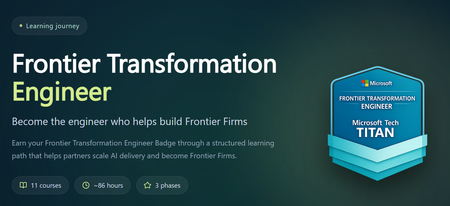
The Frontier Transformation Engineer Summit may be over, but you can keep the momentum going. Revisit the highlights or catch up on sessions you missed. Each session is designed to build the skills you need to advance your Frontier Engineering journey and earn your Frontier Transformation Engineer badge—a clear signal to customers that you can design and deliver agents across Microsoft Copilot Studio, Microsoft Foundry, and the rest of the Frontier stack. Here’s how you can keep building your AI capability: View the summit sessions on demand. Work toward earning the Frontier Transformation Engineer badge. Join us at MCAPS Start for Partners on July 22 to stay ahead of what’s next.1.1KViews0likes5CommentsBuild AI skills at Microsoft AI Skills Fest
Register now for Microsoft AI Skills Fest, a no-cost digital skilling event taking place June 8–12. Designed so partners can stay ahead in the rapidly evolving AI landscape, attendees can build in-demand AI skills, gain practical insights, and discover ways to deliver innovative solutions, deepen customer relationships, and stay competitive in a fast-changing market. Get ready to lead Frontier Transformation If you’re a solution engineer or architect building AI agents across the Frontier stack—including Microsoft 365 Copilot, Microsoft Foundry, Copilot Studio, GitHub Copilot, Fabric, and Agent 365—you can validate your expertise with the Frontier Transformation Engineer badge. Want to fast-track your badge completion? Join us at the Frontier Transformation Engineer Summit on June 9 for a live, expert-led skilling experience where you’ll explore how to use Microsoft Agent Factory at scale, build your expertise, demonstrate organizational readiness, and lead Frontier Transformation for your customers.664Views2likes1CommentOracle Eloqua integration for Teams webinars
Would like to see Microsoft add or support an integration with Oracle Eloqua for Teams Webinars, as our Marketing team needs this integration in order to fully migrate to Microsoft Teams for our customer facing events. They continue to use an antiquated (competitor) platform because it does have the Eloqua integration.3KViews1like3CommentsWebinar Cancellation
Hi everyone! The webinar originally scheduled for April 14th on "Using distributed content to manage your multi-tenant SecOps" has unfortunately been cancelled for now. We apologize for the inconvenience and hope to reschedule it in the future. Please find other available webinars at: http://aka.ms/securitycommunity All the best, The Microsoft Security Community Team263Views0likes0Comments
Teams Webinars: Org name vs brand name – how are people handling this?
Has anyone else hit this with Teams webinars? Microsoft recently changed how webinar emails are sent, and the sender name now seems to come from the tenant Organisation Name. You can change that in M365 admin, but that’s where the problem starts. In a lot of companies, the organisation name is a legal/billing entity, not the public-facing brand. Example: Legal / tenant name: FedEx Corporate Services, Inc. Brand: FedEx Teams webinar emails now go out showing the legal entity, which isn’t great for external, customer-facing events. Changing the org name just to fix webinar emails can have knock-on effects for billing, contracts, and governance. As far as I can see: No way to set a brand-specific sender name No per-webinar or per-mailbox sender identity Org name is global and used across multiple services The only real workaround seems to be not using Teams-generated emails at all, and sending custom emails via Power Automate / Graph / a marketing platform, while still using Teams for the actual event. Curious how others are dealing with this: Are you just living with it? Changing the org name with legal sign-off? Or bypassing Teams emails completely? Feels like a gap for larger, multi-brand orgs.467Views0likes0CommentsWebinar Rescheduled: AI-Powered Entity Analysis in Sentinel's MCP Server
Hi folks! The webinar: AI-Powered Entity Analysis in Sentinel's MCP Server which was previously scheduled for: January 13th, 2026, has been rescheduled to: January 27th, 2026, at 9:00 AM PT. Please delete the old invite from your calendar and find the new one at aka.ms/securitycommunity. We apologize for the inconvenience and hope to see you there!278Views0likes0Comments