webinars
60 TopicsTeams Events Hosting Assistance (TEHA): Expert Guidance for Business-Critical Teams Events
Hosting a CEO Town Hall, CIO broadcast, company-wide announcement, webinar, or large-scale virtual event or a large meeting? TEHA provides direct access to Microsoft event specialists who help customers plan, prepare, deliver, monitor and optimize business-critical Teams events. From planning and technical readiness to live event monitoring and post-event analysis, TEHA works alongside your organization throughout the entire event lifecycle. How TEHA Can Help Event Planning and Readiness Event scoping and guidance Town Hall, Webinar, and Meeting selection Technical readiness assessments Network readiness reviews Microsoft eCDN guidance and validation Training and Rehearsals Producer and presenter training Moderator guidance Dry runs and event rehearsals Event production best practices Live Event Support Real-time event monitoring Operational guidance during the event Support for Town Halls, Webinars, and Meetings Assistance for executive broadcasts and large-scale events Post-Event Analysis Event summary reports Attendance and engagement insights Recording and playback guidance Quality and network observations Log analysis and issue investigation Recommendations for future events Who Typically Uses TEHA? Organizations frequently engage TEHA for: CEO and CIO Town Halls Leadership broadcasts Global employee communications High-visibility webinars Product launches and Critical meetings Company-wide announcements Business-critical virtual events How to Engage TEHA Customers with eligible Premier or Unified Support agreements can request assistance through the Microsoft Engage Centre: Teams Events Hosting Assistance Request Portal If the Engage Centre option is unavailable, contact your Customer Success Account Manager (CSAM) and request TEHA support for your upcoming event. For highly visible events, we recommend engaging early to maximize readiness and planning opportunities. Deliver your next Teams event with confidence.226Views0likes0CommentsAccelerate your Frontier journey: Summit sessions now available on demand
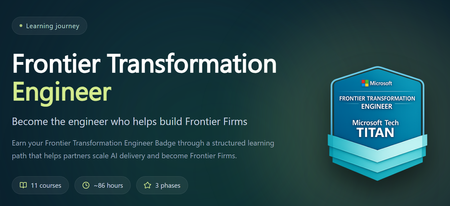
The Frontier Transformation Engineer Summit may be over, but you can keep the momentum going. Revisit the highlights or catch up on sessions you missed. Each session is designed to build the skills you need to advance your Frontier Engineering journey and earn your Frontier Transformation Engineer badge—a clear signal to customers that you can design and deliver agents across Microsoft Copilot Studio, Microsoft Foundry, and the rest of the Frontier stack. Here’s how you can keep building your AI capability: View the summit sessions on demand. Work toward earning the Frontier Transformation Engineer badge. Join us at MCAPS Start for Partners on July 22 to stay ahead of what’s next.974Views0likes5CommentsMonthly News-August 2026
Microsoft Defender Monthly news - August 2026 Edition This is our monthly "What's new" blog post, summarizing product updates and various new assets we released over the past month across our Defender products. In this edition, we are looking at all the goodness from July 2026. We are now including news related to Defender for Cloud in the Defender portal. For all other Defender for Cloud news, have a look at the dedicated Defender for Cloud Monthly News here. 🚀 New Virtual Ninja Show episode: Redefining identity security for the modern enterprise One policy engine to govern them all: Securing agentic AI with Microsoft Purview Building a modern detection pipeline with ContentOps Securing local AI agents with Microsoft Defender Microsoft Defender: Extending critical protection for emerging threats in Team Actionable threat insights (find all of them here) Email threat landscape: Q2 2026 trends and insights Enhancing AI security through global AI red teaming Least privilege for AI agents: Identity, access, and tool binding Microsoft Defender (Public Preview) Microsoft Defender now assesses posture risk for AI agents, including enterprise agents and local agents discovered on endpoint devices. Risk levels are based on active risk indicators, such as configuration, access, runtime activity, endpoint and user context, and active alerts. Security teams can use posture risk and recommendations to prioritize risky agents and improve agent security posture. For more information, see AI agent posture risk in Microsoft Defender. (Generally available) The Domain investigation page allows you to investigate an Active Directory domain. It shows Active Directory domain security, including domain properties, deployment health, identity summary, service account breakdown, sensitive entities, active recommendations, group policies, and trust relationships. For more information, see Investigate a domain . (Generally available) With a Microsoft Agent 365 license, Microsoft Defender provides discovery, security posture, threat detection and investigation, and real-time protection for the AI agents in your tenant. Onboarding includes enabling data collection, connecting the Microsoft 365 app connector, and connecting Copilot Studio for real-time protection of Copilot Studio agents. For more information, see Protect AI agents using Microsoft Defender. (Generally available) Improved access to Playbook Generator: Following the GA release of Playbook Generator May 31st, the team focused on streamlining the onboarding experience and reducing friction related to Security Copilot wallet provisioning. Playbook Generator remains included with Microsoft Sentinel and does not consume SCUs for generating, testing, or running playbooks, yet customer feedback highlighted friction around Security Copilot wallet provisioning and initial setup requirements. The team worked on simplifying access and reducing onboarding barriers so organizations can more quickly take advantage of AI-assisted playbook creation, testing, and automation capabilities. For all other Sentinel News, have a look at the "What's new in Microsoft Sentinel blog post - July edition" Identity Security (Generally available) Migration of Defender for Identity sensors from v2.x to v3.x is now generally available. For more information, see Migrate to Defender for Identity sensor v3.x. Migration readiness reasons on the Sensors page: When a server is marked Not ready for migration on the Sensors page, you can now hover over the status to see a tooltip that lists the specific reasons the server doesn't meet the migration prerequisites. For more information, see Troubleshoot "Not ready for migration" status. (Public Preview) Expanded SaaS app support in Password protection. The Password protection page now includes password risks from SaaS apps connected through Defender for Cloud Apps, in addition to Active Directory, Microsoft Entra ID, and Okta. SaaS apps that support SaaS Security Posture Management (SSPM), such as Salesforce and ServiceNow, appear on the Password Hygiene and Password Policies tabs. Each SaaS app requires a Defender for Cloud Apps app connector. For more information, see Investigate identity password protection. Automatic RPC auditing on domain controllers: Defender for Identity now automatically enables RPC auditing on domain controllers when you upgrade to sensor version 3.0.8 or later. You no longer need to apply a tag manually to enable RPC auditing. For more information, see Configure RPC auditing. Microsoft Defender Experts MDR General Availability of Microsoft Defender Experts MDR P2: Microsoft Defender Experts MDR (formerly Microsoft Defender Experts for XDR) is expanding with new third-party and multi-cloud coverage powered by Microsoft Sentinel, with the launch of Defender Experts MDR P2 service. Defender Experts MDR provides a 24/7 managed detection and response service that reduces noise, adds expert context, and drives action. In addition to the Microsoft Defender products, this new service supports key non-Microsoft sources across cloud (AWS), identity (Okta), email (Proofpoint), network (Palo Alto Networks, Cisco, Fortinet, ZScaler), and endpoint (CrowdStrike) that are ingested in Microsoft Sentinel, providing E2E visibility and protection for customers operating heterogenous environments. Defender Experts will continue expanding our scope to other non-Microsoft products to deliver on this promise. For more information, see the Microsoft Defender Experts MDR documentation. Microsoft Security Exposure Management / Defender Vulnerability Management (Private Preview) Codename MDASH - Agentic code scanner is now available in private preview in Microsoft Security Exposure Management. Codename MDASH uses a multi-model agentic AI system to detect code vulnerabilities with greater depth and accuracy than traditional static analysis. Security teams can run scans from Defender CLI or through a GitHub connector, review findings in the Defender portal, and use results to help prioritize code security risks. For more information, see Agentic code security overview. (Private Preview) Codename MDASH - MAI-Augmented scan profile private preview. The MAI-Augmented scan profile is now available in preview as part of Codename MDASH. The MAI-Augmented profile can be used when triggering a scan through the Defender CLI. It includes MAI-Cyber-1-Flash, a new cyber-specialized model that extends the current agentic scanner in addition to the existing required models. Security teams can choose this profile when triggering a scan from Defender CLI or continue using a scan profile based on the existing models. For more information, see Scan with a scan profile. OT data connectors in Microsoft Security Exposure Management: Microsoft Security Exposure Management now supports operational technology (OT) data connectors for Armis, Dragos, and Forescout. OT data connectors bring OT asset and vulnerability data from supported third-party OT platforms into the Defender portal. This helps security teams view OT devices alongside other assets, enrich device inventory with OT context, and investigate vulnerabilities across IT and OT environments. For more information, see OT data connectors. Microsoft Defender for Endpoint (Public Preview) AI agent runtime protection includes these enhancements: - Vendor-supported agent event interfaces now work with standard platform and engine update channels, so no Beta channel configuration is required. Agent-native event inspection now supports Codex CLI and the GitHub Copilot app. - Network inspection is now supported for agents that don't expose vendor-supported event interfaces, including OpenClaw and similar Node.js-based Claw agents. For more information, see AI agent runtime protection with Defender for Endpoint. (Generally available) Available from Defender for Endpoint on Linux version 101.26042.0011 and later. The Defender Deployment Tool for Linux simplifies deployment by combining installation, onboarding, upgrades, and uninstallation into a single workflow. The tool automates prerequisite validation, supports custom installation paths, enables deployment of specific Defender versions from preferred update channels, and works seamlessly in environments that use local repositories. In addition to a simplified deployment experience, customers can now gain complete visibility into deployment progress through Device Timeline integration, providing step-by-step installation, upgrade, and onboarding status, Advanced Hunting queries for fleet-wide deployment monitoring, and detailed error reporting, including deployment stage, status, exit code, and failure reason to simplify troubleshooting. These capabilities help administrators quickly identify deployment issues, track onboarding progress, and understand deployment outcomes across their Linux estate. Microsoft Defender for Office 365 Unified RBAC is the default permission model for new Defender for Office 365 Plan 2 organizations. Starting July 2026, new Defender for Office 365 Plan 2 organizations use the Microsoft Defender unified role-based access control (Unified RBAC) model by default. For more information, see Configure Unified RBAC for Defender for Office 365 and MC1246006. Microsoft 365 E3 now includes Microsoft Defender for Office 365 Plan 1. For more information about what's included in each plan, see Microsoft Defender for Office 365 Plan 1 vs. Plan 2 cheat sheet. Prompt injection protection: Defender for Office 365 now detects prompt injection attacks hidden in inbound email. For more information, see Prompt injection protection in Defender for Office 365.3.2KViews1like0CommentsMonthly news - July 2026
Microsoft Defender Monthly news - July 2026 Edition This is our monthly "What's new" blog post, summarizing product updates and various new assets we released over the past month across our Defender products. In this edition, we are looking at all the goodness from June 2026. We are now including news related to Defender for Cloud in the Defender portal. For all other Defender for Cloud news, have a look at the dedicated Defender for Cloud Monthly News here. 🚀 New Virtual Ninja Show episode: Redefining identity security for the modern enterprise One policy engine to govern them all: Securing agentic AI with Microsoft Purview Building a modern detection pipeline with ContentOps Securing local AI agents with Microsoft Defender Microsoft Defender: Extending critical protection for emerging threats in Team Weekly Security News: We publish a short 1ish minute video every week with updates across our Microsoft Security stack. Subscribe to our YouTube channel, so you don't miss the next episode. Actionable threat insights (find all of them here) Securing AI agents: When AI tools move from reading to acting Chromium extension uses AI‑related branding to redirect browser search Photo ZIP campaign targeting hospitality industry delivers Node.js implant for persistent access Microsoft Defender Two Workbooks capabilities in the unified Microsoft Defender portal moved to GA: Advanced Hunting connector - build custom dashboards directly on top of Advanced Hunting (XDR) dat. Query XDR tables and visualize them in Workbooks for richer investigations and reports. Workspace filter / multi-workspace experience - scope and filter workbooks by workspace, with workspace selection integrated into the workbook itself rather than relying on the global selector. MTO Tenant Groups let MSSPs and large enterprises organize their multitenant view in Microsoft Defender by grouping tenants logically (e.g., by region, business unit, or customer cohort). Learn more here. Custom Detections support in Microsoft Sentinel Repositories. Custom Detections can now be managed as code in Microsoft Sentinel Repositories, the same way customers already manage analytic rules, playbooks, parsers and workbooks. Detection engineers connect a GitHub or Azure DevOps repo to their workspace; Custom Detections placed in the repo are reconciled on every commit. A standalone Bicep path via the Microsoft Security Bicep extension lets teams deploy from any CI/CD pipeline (ADO Pipelines, GitHub Actions, custom runners). (General Availability) The following advanced hunting schema tables are now generally available: The CloudAuditEvents table contains information about cloud audit events for various cloud platforms protected by the organization's Defender for Cloud. The CloudDnsEvents table contains information about DNS activity events from cloud infrastructure environments. The CloudProcessEvents table contains information about process events in multicloud hosted environments. (Public Preview) The AgentsInfo table in advanced hunting is now available in preview. The AIAgentsInfo table is transitioning to this new table, which provides a unified schema that supports agent inventory and governance for all agent types, including Copilot Studio, Microsoft Foundry, Microsoft 365 Copilot, third-party, and endpoint-discovered agents. Microsoft Agent 365 customers should use the AgentsInfo table today. The AIAgentsInfo table remains accessible until July 1, 2026. Update your queries to use AgentsInfo before this date. For more information, see Advanced hunting schema - Naming changes. For all other Sentinel News, have a look at the "What's new in Microsoft Sentinel blog post - June edition" Identity Security (Public Preview) The Identity Security dashboard now includes a new Human identities card that shows your human identities by source (Entra ID, SaaS, and on-premises), giving you a single view of where your human identities live. For more information, see Identity Security dashboard. (Public Preview) On the Coverage and maturity page, the Review and improve coverage side panel for SaaS Identities now includes an Observed column and a Show Only Observed Applications toggle. By default, the panel shows only SaaS applications detected in your environment. Turn off the toggle to see other supported SaaS applications you can onboard to expand your identity coverage. For more information, see Coverage and maturity. New alerts were added to the Defender for Identity security alerts related to Microsoft Entra ID, Active Directory as well as other identity providers. For a full list of those new alerts, check out our documentation. Recent ShinyHunters attacks on Salesforce show how OAuth tokens and connected apps are being weaponized to bypass MFA at scale. The upgraded Salesforce connector for Defender for Cloud Apps helps detect these attacks faster, with richer connected-app context and investigation-ready signals. Customers already using the connector are advised to enable the additional events in the Salesforce console for tighter protection, and eligible customers not yet using it are advised to connect Salesforce. Learn more. Microsoft Defender for Endpoint / Microsoft Defender Vulnerability Management (Public Preview) Local AI agent discovery: as part of the Defender AI agents experience, Microsoft Defender now automatically discovers supported local AI agents running on onboarded Windows & macOS devices. Discovered agents appear as assets in the AI agent inventory, exposure map, and advanced hunting, giving security teams visibility into local AI agent usage across the organization. For more information, see Discover local AI agents. (Preview) Local AI agent runtime protection on Windows endpoints is now available in public preview. Microsoft Defender inspects the agent loop (user prompts, tool calls, and tool responses) and can block risky activity before it executes, helping stop prompt injection and unsafe agent actions at the device level. Blocked and audited events appear as alerts in Microsoft Defender to support incident correlation and investigation workflows. The new version of the Defender deployment tool for Windows streamlines onboarding and enhances security by: Bundling the onboarding package directly into the tool's executable. Generating a key during deployment package creation that is required for running the tool. Enabling users to configure an expiry date for the package to reduce the risk of unauthorized use. In addition: You have the option of downloading the package as either an .exe or a .zip file, whichever best suits your organization's needs. A new Deployment packages page in the Defender portal facilitates management of downloaded packages by providing centralized visibility into all the packages and their current status. Now generally available: Selective Response Actions enables organizations to tailor high-impact security operations on devices during onboarding. It provides precise control over how response actions are applied on Tier-0 systems and other high-value assets, helping maintain operational stability while delivering strong protection. The new exposure score model in Defender Vulnerability Management is now generally available. This model improves risk prioritization and recommendation impact accuracy by incorporating exploit prediction data (EPSS) and asset context factors such as internet-facing status and criticality. More details here. Microsoft Secure Score now includes the Reduce unnecessary inbound internet exposure on internet-facing devices recommendation, which helps identify devices that are accessible from the public internet and may represent unnecessary attack surface. This recommendation provides centralized visibility into internet-facing devices across the environment. Many predefined SaaS application classification rules were added to the critical assets list. Have a look at our documentation for the full list. These classifications require onboarding to Microsoft Defender for Cloud Apps.2.4KViews2likes6CommentsBuild AI skills at Microsoft AI Skills Fest
Register now for Microsoft AI Skills Fest, a no-cost digital skilling event taking place June 8–12. Designed so partners can stay ahead in the rapidly evolving AI landscape, attendees can build in-demand AI skills, gain practical insights, and discover ways to deliver innovative solutions, deepen customer relationships, and stay competitive in a fast-changing market. Get ready to lead Frontier Transformation If you’re a solution engineer or architect building AI agents across the Frontier stack—including Microsoft 365 Copilot, Microsoft Foundry, Copilot Studio, GitHub Copilot, Fabric, and Agent 365—you can validate your expertise with the Frontier Transformation Engineer badge. Want to fast-track your badge completion? Join us at the Frontier Transformation Engineer Summit on June 9 for a live, expert-led skilling experience where you’ll explore how to use Microsoft Agent Factory at scale, build your expertise, demonstrate organizational readiness, and lead Frontier Transformation for your customers.580Views2likes1CommentOracle Eloqua integration for Teams webinars
Would like to see Microsoft add or support an integration with Oracle Eloqua for Teams Webinars, as our Marketing team needs this integration in order to fully migrate to Microsoft Teams for our customer facing events. They continue to use an antiquated (competitor) platform because it does have the Eloqua integration.2.9KViews1like3CommentsWebinar Cancellation
Hi everyone! The webinar originally scheduled for April 14th on "Using distributed content to manage your multi-tenant SecOps" has unfortunately been cancelled for now. We apologize for the inconvenience and hope to reschedule it in the future. Please find other available webinars at: http://aka.ms/securitycommunity All the best, The Microsoft Security Community Team227Views0likes0Comments
Teams Webinars: Org name vs brand name – how are people handling this?
Has anyone else hit this with Teams webinars? Microsoft recently changed how webinar emails are sent, and the sender name now seems to come from the tenant Organisation Name. You can change that in M365 admin, but that’s where the problem starts. In a lot of companies, the organisation name is a legal/billing entity, not the public-facing brand. Example: Legal / tenant name: FedEx Corporate Services, Inc. Brand: FedEx Teams webinar emails now go out showing the legal entity, which isn’t great for external, customer-facing events. Changing the org name just to fix webinar emails can have knock-on effects for billing, contracts, and governance. As far as I can see: No way to set a brand-specific sender name No per-webinar or per-mailbox sender identity Org name is global and used across multiple services The only real workaround seems to be not using Teams-generated emails at all, and sending custom emails via Power Automate / Graph / a marketing platform, while still using Teams for the actual event. Curious how others are dealing with this: Are you just living with it? Changing the org name with legal sign-off? Or bypassing Teams emails completely? Feels like a gap for larger, multi-brand orgs.404Views0likes0CommentsWebinar Rescheduled: AI-Powered Entity Analysis in Sentinel's MCP Server
Hi folks! The webinar: AI-Powered Entity Analysis in Sentinel's MCP Server which was previously scheduled for: January 13th, 2026, has been rescheduled to: January 27th, 2026, at 9:00 AM PT. Please delete the old invite from your calendar and find the new one at aka.ms/securitycommunity. We apologize for the inconvenience and hope to see you there!258Views0likes0Comments