translate
12 Topics
Edge's built-in translation breaks typography
For web pages with code in the body, using Edge's built-in translation will cause all the code to be moved to the end of the paragraph, which cannot be restored even after clicking "Show original". Google Chrome does not have this problem. I have reported this issue several times via Edge "Send feedback" but have not received any response.4.3KViews5likes20CommentsBugs with the Google Translate extension
Hi guys I always used the Google Translate extension on Chrome and now with Edge Insider, but recently I noticed this extension isn't work like it should. This extension has a pop-up that appears when I select one word, but in the last Edge Insider version this pop-up doesn't appears more! I like that because always I didn't know some word, I touch that and see the translation for my native language. Is it possible fix that? I'm using the Edge Insider Dev, at version 80.0.320.52.8KViews0likes3CommentsHow do you translate web page from English?
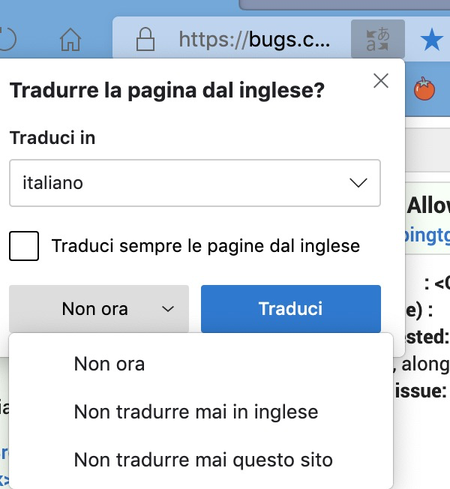
Hi How do I pick a language to translate to, not my "home" language? For example, I have Edge using English as its base language, and mostly if I want a translation, I want it translated into English. But say I want to see how a page translates into French from English. So I want to force a new translation. So far even if I add "French" as a new language, I cant right click and request that translation...2.6KViews0likes6CommentsSS26: remove options from search bar directly - translation - read mode
Suggestion (SS): 26 Classification: SEARCH BAR PRIORITY IN MY OPINION: 3-5 on a scale from 1 (low) to 10 (high) This means or other things you show me. Just add right click "remove it at all", without need to open settings. PS: the same for icon button outside the search bar. in some button you added it, for other there is no option at all (except via setting)2.1KViews0likes3Comments
About best way to report a Translate issue found with Edge ?
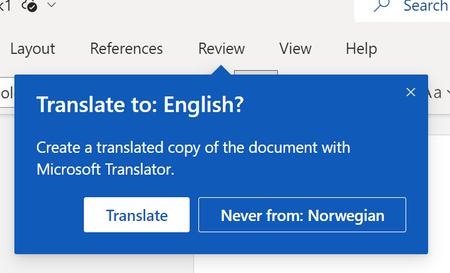
Hello all, just today, while using Edge Enterprise v96.0.1054.34 (Official Build x64), I found a web site where Edge internal Translator 'Translate selection to English' feature was able to translate almost everything, all various paragraphs split in various frames in web page except one word. So, at this point I'm wondering if best way to report issue should be here via TechCommunity or 'Send feedback'. Best Regards RobSolved1.8KViews1like3CommentsBug: Edge won't let me write properly when webpage is translated to English | Version 83.0.461.1
When webpage is translated from another language to English and then I try to write something into a text box or comment area in that page, Edge actively tries to translate the text I'm writing, even when it's already in English. I recorded a quick demo video, please watch it to see how the bug happens: https://streamable.com/g5iq5 Microsoft Edge Version 83.0.461.1 (Official build) canary (64-bit) also sent feedback from browser + problem repro. anyone can reproduce it on other channels? the website I tested this on I can reproduce it on other websites such as VK.com1.8KViews0likes2CommentsDisable Translation Dialog for Specific Sites
When browsing certain internal sites with Edge some of our users have reported that they are offered the page translation dialog. They have the option of disabling translation on a per site basis using the breadcrumb on the dialog. We wish though to exclude certain sites (but not all) from displaying the translation dialog but it seems that in group policy currently (Edge version 102) you can only disable this for all sites as per Microsoft Edge Browser Policy Documentation | Microsoft Docs.1.4KViews0likes1CommentBuilt-in translation doesn't recognize web page languages very well
Problem: Lots of times happens when I'm watching a YouTube video that has its title, description, comments in a different languages but Edge insider fails to recognize the page has a foreign languages so it neither offers to translate the page nor does it let me choose "translate this page" from right-click menu because the option simply won't exist. solution: 1. add the "translate this page" as a Fixed option to the right-click menu. currently it only appears when it decides to. 2. add an ability to highlight a single sentence or line of text and then right-click on it and select "translate this". the translated result can appear as a nice and small fluent-design balloon next to it or above it.1.3KViews1like2Comments