sharepoint
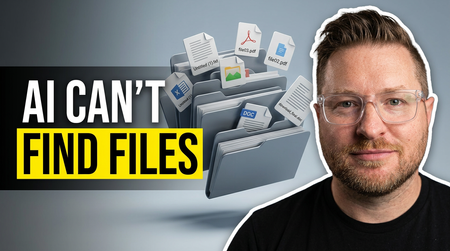
3 TopicsWhy AI Can't Find Your Files (And the Simple Fix)
I was watching someone the other day and learned something about AI that I believe is going to be important in the future. It wasn't a flashy new model or some prompt trick. It was something way more practical: how the way we name and build our files is either going to help AI or quietly work against it. And the more I sat with it, the more I realized this is going to matter a lot as we build for an AI-first world. We organize files for humans, not for AI Think about how most of us organize things today. We nest everything. A folder for 2026, then the customer, then the opportunity, and inside it a file called "Notes." Or maybe a policy and SOP folder tree that goes five levels deep with broad, generic titles. That structure makes sense to us (humans). We navigate by memory and location. We know the file is in the customer folder, under this opportunity. That's how humans think. But AI doesn't think like that. Now picture that same sales folder with three or four different "Notes" files spread across different subfolders under the same customer. When you ask AI to find something in there, it's going to guess. A lot. Especially when everything is named "Notes." And the messier the structure, the worse the guessing gets. It comes down to metadata So here's what I learned that actually helps. It comes down to metadata. When AI looks for a file, it isn't always reading every word of every file. It works in two levels, and once that clicked for me, the whole thing made sense. Level one: the title The first thing AI looks at is the title. And this is where most of us are leaving value on the table. A file called "Customer, Opportunity, Subject" gives AI so much more to work with than a file called "Notes." Same thing on the policy side. A file named "Benefits, Parental Leave, 2026" tells AI exactly what it's looking at before it even opens it. Compare these two: notes.docx acme-corp-renewal-q3-discovery-notes-2026 One of those is invisible to AI. The other one is basically answering the question before it's asked. Level two: the top of the file Once AI decides a file might be relevant, it starts reading it. And some of the most valuable real estate in the entire file is the very top. If you put a short structured block at the beginning that spells out what the file is about and the topics inside it, AI immediately understands what it's looking at. Something like this: Title: Parental Leave Policy (US) Type: HR policy Topics: parental leave, benefits, time off Effective date: January 1, 2026 Last reviewed: May 14, 2026 Version: 3.0 Status: active That little block does a lot of work. It tells AI what this is, who it's for, and just as important, whether it's current. So when I say metadata, that's really all I mean. It's the title of the file, plus a little bit of context right at the top, so that when AI scans it, it knows fast whether this is the file it actually needs. You don't need this on every file Now, I'm not saying do this for every file. That's overkill, and honestly it would be exhausting. But think about the static stuff. The files that don't change much. HR policies. Benefits. SOPs. The things people search for in a ServiceNow or SharePoint knowledge base using AI. For those files, a little structure does two things. First, it helps AI find the right answer for the person asking. When someone types "how much parental leave do I get," the right file basically raises its hand. Second, it cuts down the latency. If AI is sitting there scanning through a pile of vaguely named files, the user is just waiting around for it to think, and that gets annoying fast. When AI has the right context up front, it gets to the answer quicker. Pro Tip: You can use AI to create the metadata for you, just ask it!! Where this is headed I keep coming back to this because it's such a small change with a real payoff. We've spent years building file structures that make sense to people. Folders inside folders, organized by how we remember things. That's not wrong. But as more of how we find information runs through AI, the files that win are the ones that are easy for a machine to read, not just easy for a human to browse. I don't think every file needs this. But as we get more serious about how we build file structures for an AI-first world, I think this is one of the concepts that's going to really matter. Curious if anyone else is already thinking about this in how they build their knowledge bases. If you are, I'd love to hear how you're approaching it in the comments!Microsoft deployment blueprint - Address oversharing concerns for your M365 Copilot deployment
Optimized deployment leverages advanced compliance and automation capabilities available in Microsoft 365 E5. This episode outlines how E5 customers can proactively secure data and enhance Copilot performance.1.9KViews0likes0CommentsMicrosoft deployment blueprint - Address oversharing concerns for your M365 Copilot deployment
In regulated industries, internal oversharing can compromise data integrity and Copilot effectiveness. This episode defines what “Foundational” means for Microsoft 365 E3 customers and outlines actionable steps to mitigate oversharing risks during Copilot deployment.1.6KViews0likes0Comments