set-up and deployment
24 Topics
Insights Plan Not Scheduling On a Rolling 2 Weeks
I have two Viva Insight plans enabled - focus time and catch up on messages. It was correctly blocking time on a rolling 2-week cycle until the last month or so when both plans stopped updating on my calendar. I left both plans and restarted them, it blocked two weeks on my calendar correctly, but the continuous, rolling updates have stopped again. Is this an update/patch that has caused the issue, or perhaps administrative settings?Solved167Views0likes1Comment
Viva Insights - How can I replace the Organization field data without any data loss?
Viva Insights - org upload transition from Viva Insights to admin.microsoft.com Since the last time I performed a manual organizational data upload, the organizational data upload process has moved from Viva insights to admin.microsoft.com. At this moment in time the manual CSV import is my selected choice. I am hoping to find an explanation of the field mappings from the old CSV upload template (DataUpload_template.csv) compared to the new CSV upload template (OrgDataTemplate - with skills.xlsx) -- Microsoft's help articles do not appear to include these details -- it does not appear I'm able to attach the templates here My goal is to perform a new manual upload and replace the organization field with a new set of data for all employees without losing any other existing data. I must understand how the new upload template maps to the data fields that I've been uploading I'll then need to understand what steps I must take to replace the organization field without losing any data290Views0likes3Comments
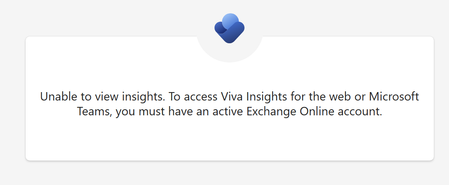
Unable to view insights without active Exchange Online account
Hi, I am getting this message "Unable to view insights. To access Viva Insights for the web or Microsoft Teams, you must have an active Exchange Online account.", when I try to install/open Viva Insights app on Teams or when I try to open insights.cloud.microsoft. When I try to do it through viva.cloud.microsoft I am just getting a blank page after clicking on it. I have Microsoft Plan F3 and Microsoft Viva Suite.215Views0likes0CommentsDo we need viva insight advance license fo
Do we need Viva Insights Advanced licenses for aat least 50 users to access the Manager Effectiveness report, or is it sufficient to have just one Viva Insights Advanced license for an Insights Analyst to create and share the report?Solved703Views0likes4Comments
Viva Insights Outlook Add-in is Missing in OUtlook
We purchased a couple of Viva Insights license to test. I assigned the roles and enabled the Outlook add-in but it is not showing up in the OUtlook Toolbar. Did I miss a step? We can't find the Outlook Add-in in the store to deploy it either. We are in the GCC. Can someone help us get the Viva Insights for Outlook Add-in showing in our Outlook desktop? Thank you.SolvedHow to verify Viva Insights ( Advanced Insights )
I would like to validate Viva Insights ( Advanced Insights ). We are considering implementing Viva Insights ( Advanced Insights ) in our company. What is the best way to validate Viva Insights ( Advanced Insights ) free of charge? A validation period of 1 to 3 months is sufficient. Please let us know if you have found any way to validate the effectiveness of the product at no cost. Thank you in advance.253Views1like1CommentCan't remove Viva Insights Outlook Add-on
I've turned on Viva Insights in Teams and have even tied our SharePoint Intranet to it. But every email message in Outlook, whether classic or new, has a Viva Insights button in the button bar - and I'd like to remove it. In fact, I don't even see where I added it. It's not selected in the M365 console. I can't remove it in the Manage Apps area in Outlook - and if I edit the button bar - it comes back again. Suggestions?Solved7.1KViews0likes9CommentsOops! You haven't been assigned a role in Viva Insights yet
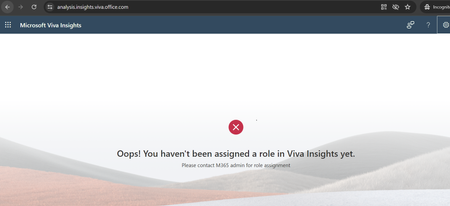
Hello, in our orgnization we want to try and get some experience with Viva insights. Unfortunatly we are unable to make it working even if we are following the setup guide. We have: - assigned the licenses (20 over 25) and we did it some days ago. - assigned the roles to at least two users - completed all the steps in the setup wizard on the portal Anyway the two users with roles are still unable to access both advanced insights page (https://analysis.insights.viva.office.com/ ) and the Home tab like showed in the following page: https://learn.microsoft.com/en-us/viva/insights/org-team-insights/org-insights#the-home-tab About the https://analysis.insights.viva.office.com/ page We are getting the "Oops! You haven't been assigned a role in Viva Insights yet." About the https://viva.cloud.microsoft/insights page we get a 404 page. https://viva.cloud.microsoft/ can be accessed by all the users, and if we click on Inisghts, we are all able to see our own statitics. I checked all the documents I found and some forum topics, but it seems who had this problem never solder or at least never shared the solution. Any help or idea about how to solve this please?1.1KViews0likes4Comments
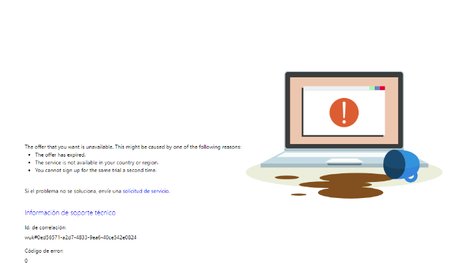
the offer that you want is unavailable.
They have provided us with a link to try viva insights and it gives us the following error. We have tested with several administrator accounts, several browsers, in private, and a global user admin created ex-process. without results. " the offer that you want is unavailable. this might be caused by one of the following reasons" (the country is Spain)