service manager
21 TopicsSystem Center 2019 – What’s new
Microsoft just launched Windows Server 2019 and Windows Admin Center, which also raised the interest in System Center 2019. At Microsoft Ignite, Microsoft was talking about what is new in System Center 2019, the future of System Center, and how it fits in with Windows Admin Center and other management tools. Check out what is new in System Center 2019 here: https://www.thomasmaurer.ch/2018/12/system-center-2019/5.3KViews1like2Comments
Different ways of SCOM Integration with Third Party Applications
Hello, We have a application which needs to be integrated with SCOM. We were using various methods from management group for getting different data. But as per documentation : https://docs.microsoft.com/en-us/dotnet/api/microsoft.enterprisemanagement.managementgroup.getmonitoringperformancedata?view=sc-om-dotnet-2016 GetMonitoringPerformanceData() and some other similar performance API are now obsolete. Now we are exploring alternatives to using this. Can you help with below questions: 1) Should we change the entire data collection mechanism from SCOM SDK to something else or just find a workaround for obsolete api's and wouldn't it break the consistency? 2) What are the possibilities of using SQL Query approach instead of SCOM SDK, and what are performance issues based on this approach? What are the resources where in detail i can get idea about using SQL query approach. Here i can see a mention of using sql as a way https://docs.microsoft.com/en-us/system-center/scom/plan-thirdparty-integration?view=sc-om-2019 3) How can connectors and orchestrators be used here for getting data from SCOM. Where can i get detailed documentation for using this approach? 4) What are possibilites of using REST API approach, as mentioned here https://docs.microsoft.com/en-us/rest/operationsmanager/. But there are no API's for getting events data and similarly many other data. Also response of API does not contain detailed data for example in case of alerts very limited data is given compared to SCOM SDK. Thanks a lot. System-Center-Team NehaGarg RobYork EricStarker Dean_Gross Trevor Seward dloder2.8KViews0likes6CommentsAdd localization to Service Manager 2016 Self-Service Portal (with Estonian localization sample)
Introduction As setting up Service Manager 2016 Self-Service Portal we wanted to add Estonian localization to the new HTML Self-Service Portal as we had done with the old one. Without too much hassle we figured out how language files are added and where the files are so the next steps were to translate the new localization file and make a minor adjustment to "Company" title to make it change with localization. Steps to add a new localization Step 1: Create the missing localization file to the following folder on you SSP IIS server In our case we created the following file: SelfServicePortalResources.et.resx C:\inetpub\wwwroot\SelfServicePortal\App_GlobalResources\ Step 2: Add the missing localization by adding a line to _Layout.cshtml file in the following folder C:\inetpub\wwwroot\SelfServicePortal\Views\Shared\ You can choose your own position but I set Estonian as first on the list and either delete the ones that you don't need or comment them out with <!-- comment --> tags. <ul class="lang_menu hidden" data-select-lang=@currentCulture> <li value="et-EE">Eesti</li> <li value="en-US">English</li> <!-- <li value="fr-FR">français</li> <li value="de-DE">Deutsch</li> <li value ""> ..etc.. </li> --> </ul> That's pretty much it if you don't want to change the "Company" title when changing the localization. Step 3(optional): When you also want to make localization changes to change the "Company" title you need to make a tiny change to _Layout.cshtml file in the following folder C:\inetpub\wwwroot\SelfServicePortal\Views\Shared\ You need to change the following line from <div class="col span_15 logo">@System.Web.Configuration.WebConfigurationManager.AppSettings["CompanyName"]</div> to <div class="col span_15 logo">@Resources.SelfServicePortalResources.PageTitle</div> This change will make your "Company" title information come from the active localization file instead of console defined "Company" name. <data name="PageTitle" xml:space="preserve"> <value>Localized "Company" title</value> </data> Restrictions I know that Service Manager 2012 that was built on SharePoint 2010 supported only a specific set of languages but I would think that the new portal supports more. Resources (in attachments) Attached a .zip archive with translation files for Service Manager 2016 and if anyone is still looking for this a Service Manager 2012 localization. If you don't want to download a ready file you can alternatively copy-paste the SM16 code from Spoilers! below. SelfServicePortalResources.et.resx - SCSM 2016 SSP localization SilverlightModule_StringResources.ET.resx - SCSM 2012 SSP localization Sources http://www.lingoes.net/en/translator/langcode.htm - find your language code in this list Translated with the help of my dear colleagues1.6KViews1like0Comments
MP Microsoft.Windows.Library version mismatch [7.5.8501.0]:[7.5.8501.1]
Subject is the message in events from the OperationsManager eventlog as Service Manager is trying to synchronise with SCOM. Normally not a biggie as you just import the same (or greater) version into SCSM and sync again, problem solved. I just cannot seem to be able to find version 7.5.8501.1 anywhere!? Spoke to the SCOM admins at this customer, and all they did was to upgrade to one of the Update Rollups, but this version is not available in the folder for updated management packs were we normally pick up these updates so we can make sure the sync will keep working. Where can I download this 7.5.8501.1 version of the Microsoft.Windows.Library version?1.5KViews0likes1Comment
SCSM 2019 - Skip Activity Task for non-admins
Hello Community! So this is my first post and hoping it brings value for some of you! I currently work at Cireson and in my role I am heavily involved in the SCSM space. Recently I had a request from a customer to ask if there was a 2019 version of the below Custom Task that Rob Ford built: https://gallery.technet.microsoft.com/SCSM-2012-Skip-Activity-5a3a763d#content I noticed that there wasn't (Well I couldn't find one!), so decided to refactor Rob's code and get this working for 2016/2019. The aim of this task is to allow non admins to skip activites in the console as the out of the box task is admin only. So simply this is just a task override. Attached you will find an .mpb file which contains the .xml, the icon and the .dll which is running the code for the task. Just import the .mpb into your SCSM environment and give it a test! Let me know what you think and if this will help. Thanks, Shane1.4KViews2likes0CommentsService Manager 2019 updates? Orchestrator?
Hello, I was wondering when or IF there will be any new updates like a UR3 for SCSM. I can really find no documentation on upgrade paths or release date or even a TBD. Just trying to find out if SCSM is dead or not. If not when will the next update get released since SCOM update got recently released? I do not want to have my system center running a different version of updates. Also, what about Orchestrator? Something else I can limited information on. When is that getting an update?1.4KViews1like2CommentsSCSM Review Activity = Rejected
Scenario: A Review Activity contains 2 reviewers. The approval condition is 'Percentage'. The threshold is '50'. One of the reviewers voted 'Reject', and this is reflected within the Review Activity 'Reviewers' section. The other reviewer has not voted. The review activity is still in 'In Progress'. I thought there was a built-in workflow that would cancel/close a rejected review activity. Is this correct? thanks, Chris1.2KViews0likes1Comment
SCSM 2025 installation failure - _PopulateUserRoles
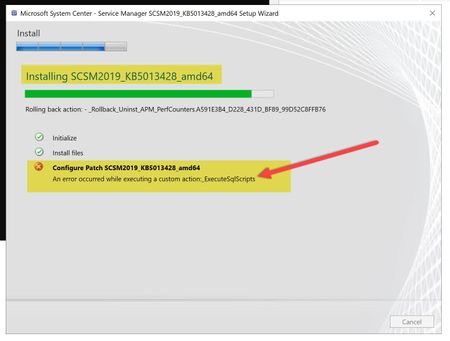
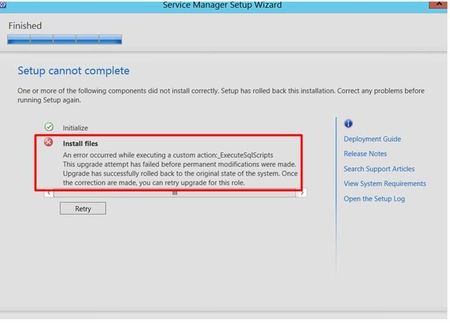
Let me lay out the full picture first. Windows Server 2025, Remote SQL Server 2022 CU 20 FCI (used for internal reasons, but I also tried using Always On and encountered the same error), and a clean installation of SCSM 2025 Management Server. I also tried CU19, but the same issue occurs. The installation starts without any problems. It goes through all the steps: creates the database, configures registry settings, configures the server, installs services, and imports management packs. But right after that, I get the following error: _"An error occurred while executing a custom action: PopulateUserRoles This upgrade attempt has failed before permanent modifications were made. Upgrade has successfully rolled back to the original state of the system. Once the corrections are made, you can retry the upgrade for this role." Immediately after this, the Event Viewer logs the following Event ID 36882: "The certificate received from the remote server was issued by an untrusted certificate authority. Because of this, none of the data contained in the certificate can be validated. The TLS connection request has failed. The attached data contains the server certificate. The SSPI client process is rundll32 (PID: 5084).” SQL does not require encryption and is not using any custom certificate. Just to clarify, the internal CA certificate is installed on all servers. The event is weird because, at this point, the installation has already created and configured the database. It doesn’t make sense to me, but the event appears at the exact same moment the installation fails. I’ve already checked permissions on both SQL and SCSM. The service account is a local administrator, has "Log on as a service" rights, and is a sysadmin on SQL. I’ve searched everywhere online but haven’t found a solution... Any ideas? Thanks.1.1KViews0likes2Comments