security
5821 TopicsThe Keyboard That Types the Wrong Characters on Windows 11
Where my keyboard types incorrect characters on my Windows 11 system, which makes typing and communication difficult. Despite using the correct keyboard layout settings, the problem persists, and certain keys produce unexpected symbols or letters. I have tried changing the input language and layout, restarting the computer, and updating keyboard drivers, but nothing has resolved the issue. This malfunction disrupts my workflow and causes frustration, and I am seeking advice on how to fix or troubleshoot the problem to restore normal keyboard functionality.38Views0likes0CommentsThe Start Menu Opens But Refuses to Register Clicks
I am experiencing an issue where the Start Menu opens normally on my Windows system, but it does not respond to any mouse clicks or keyboard inputs. This makes it impossible to select or open any applications, settings, or options from the menu, effectively rendering it unusable.8Views0likes0Comments
Some windows are very small
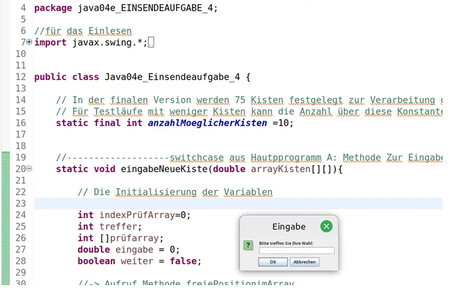
I use linux MInt now daily and i am very happy with it. Whats a bit strange for me is that some windows are open very small. My screen settings is 150% and i need this for my e-Ink Screen. Eclipse for example looks fine but if a window pops up that asks me to write something in it it is very small. The same thing was now with the wine setup window. I use now the magnus app to read the text... has someone a similair problem and maybe a solution for it?13Views0likes0Comments
I received 2FA request but I can't identify the source
Since a couple of weeks, I've started received unwanted prompt on my phone to "confirm my identity": asking me to approve (second factor). Obviously, this isn't me and I reject those. At first, I was thinking it was just some phishing/stuffing attack, but I tried to find out how I could see those attempts and it is impossible to see "failed attempt" on the Windows Account web page or on the 2FA application. I have no clue how to investigate this, I would like to confirm what is the "source" of these attempts. Is there any way to have more extensive logs?23Views0likes1CommentFile system corruption caused by unexpected power loss or hardware issues
I recently experienced an unexpected power outage while my PC was running, and now I'm seeing file system errors, random application crashes, and some files won't open at all. I've already run CHKDSK and it found several corrupted index entries, but I'm not sure if that fully resolved the issue or if there's underlying hardware damage like a failing hard drive or loose cable, so I'd really appreciate any guidance on how to properly diagnose and repair the file system corruption without losing my important data.21Views0likes1Comment
How to evade standard antivirus detection on Windows 11
I am a security researcher working on a legitimate penetration testing project for an authorized client, and I need to understand how to test the effectiveness of their endpoint detection and response system without triggering false positives that would disrupt their operations. Could anyone provide guidance on safe, controlled methods for evaluating antivirus sensitivity to custom-built tools in a lab environment, or point me toward best practices for whitelisting and excluding specific test folders to prevent our authorized assessment tools from being quarantined during the engagement?16Views0likes0CommentsIntermittent Wi-Fi Adapter Failures with No Apparent Cause
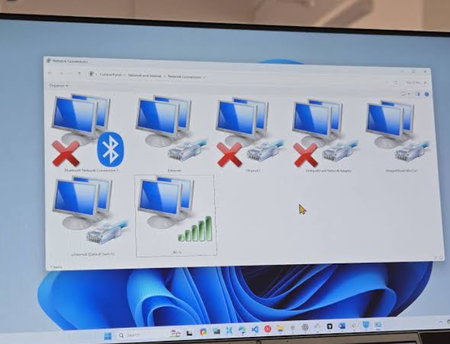
Wi-Fi adapter failures on my computer, where the network connection randomly drops or becomes unresponsive without any clear reason. Despite troubleshooting steps like restarting the router and updating drivers, the issue persists unpredictably, making it difficult to maintain a stable internet connection. The problem occurs sporadically and seems unaffected by system activity or network traffic, which is frustrating and impacts my work and browsing. I am looking for advice or solutions from the community to identify the root cause and resolve this persistent Wi-Fi connectivity problem.41Views0likes1CommentWindows11 What setup methods do you use for frequent reinstalls?
I usually use custom .bat files to automatically install apps and configure settings after reinstalling Windows11, which saves me a lot of time. I’m curious about what methods other users rely on for quick system setup. Do you have any better tools or workflows to share?21Views0likes0Comments