printer
4 Topics
Microsoft Print to PDF not working/missing.
The Microsoft Print to PDF was not working on my PC so I tried reenabling it via Windows Features in Optional Features and it won't turn back on. It gives error code: 0x800f0922. I also tried other various methods online and none work. All end with various error codes which all result in the service not working/turning on. I even filed feedback about 2 weeks ago with no response yet. I contacted support, where I was recommended to perform a repair via ISO but was then canceled by the agent as I am on an Insider build. I am on build 26300.8687. This is a summary of my diagnostic from Gemini which I had used to try to solve my issue. Here is a summary of the diagnostic, tracking every command I executed in PowerShell and the specific roadblocks the Windows subsystem threw back. The Add-Printer Layer attempted to use modern PowerShell commands to register the printer onto both the interactive prompt port and the standard local file port. Commands Ran: PowerShell Add-Printer -Name "Microsoft Print to PDF" -DriverName "Microsoft Print to PDF" -PortName "PORTPROMPT:" Add-Printer -Name "Microsoft Print to PDF" -DriverName "Microsoft Print to PDF" -PortName "FILE:" * **Errors Faced:** * `ObjectNotFound: (MSFT_Printer:ROOT/StandardCimv2/MSFT_Printer)` * `HRESULT 0x80070002,Add-Printer` --- ## 2. The Legacy PrintUI Layer To bypass the modern PowerShell cmdlet, I tried using the legacy Windows user interface print engine via standard command prompt syntax and escaped quotes. * **Commands Ran:** ```powershell cmd /c "rundll32 printui.dll,PrintUIEntry /if /b `"Microsoft Print to PDF`" /r `"PORTPROMPT:`" /m `"Microsoft Print to PDF`"" rundll32 printui.dll,PrintUIEntry /if /b "Microsoft Print to PDF" /f "C:\Windows\System32\spool\DRIVERS\x64\3\prnms009.inf" /r "PORTPROMPT:" /m "Microsoft Print to PDF" Errors Faced: A graphical dialog box error: Operation could not be completed (error 0x00000002). The system cannot find the file specified. The Deployment Script Layer (WMI/CScript) I tried deploying the printer using Windows’ built-in visual basic administrative scripts to side-step the user interface layer completely. Command Ran: PowerShell cscript $env:windir\System32\Printing_Admin_Scripts\en-US\prnmngr.vbs -a -p "Microsoft Print to PDF" -m "Microsoft Print to PDF" -r "PORTPROMPT:" * **Errors Faced:** * `Unable to add printer Microsoft Print to PDF Error 0x80041002 Not found` * `Operation PutInstance` * `Provider Win32 Provider` * `Description The system cannot find the file specified. Win32 error code 2` Ultimately, every single command failed with an identical variation of **"File Not Found" (Error 2 / 0x80070002 / 0x80041002)**.695Views0likes4Comments
Using universal print with industrial label printer ?
Hello, I am working on a project with a client where I need to print a label from azure data factory to an industrial label printer. We are thinking about using print universal to do so. The printer is a DATAMAX Oneil Mark III that is not connected in network but connected at a PC, so not directly accessible. Is it possible to use Print Universal with this printer as it's not within the list of recommended printers ? Can we use print universal with a industrial label printer ? If not what printer would you recommend ? Thank you for you help, Marion475Views0likes1Comment
Updated printer driver on server does not update properly on all clients
Hey community We just did an update of the print driver on all our print servers. Most clients downloaded and installed the driver just fine. Some clients had a problem though. The printer queues were still mapped, users were able to print, but the properties dialog was not the one of the driver but most likely the standard MS dialog. After removing all queues and deleting the driver package locally, the printers connected again and downloaded the driver without issues. Any idea on where to look here?986Views0likes0CommentsWin 10 - printers and scanners
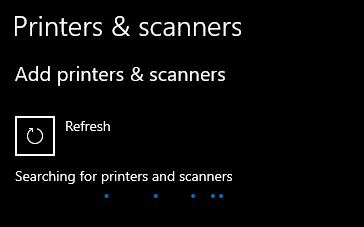
Hi folks, i'm wondering how i can change the printers name, which is shown in this dialogue: In our companys network there are several printers which are listed here, too. But: The shown names are not ideal, because they are always like "HP XY123-DN series", no meaningful names like the printers location. We manage our printers on an Windows Server 2019 print server. Any ideas are highly appreciated.1.5KViews0likes3Comments