power automate
143 TopicsMicrosoft Power Platform community call - June 2026
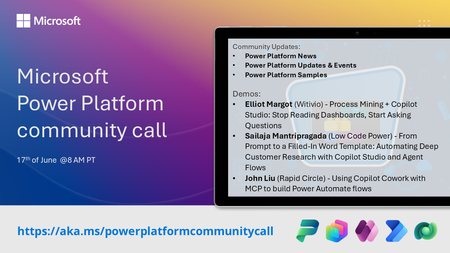
💡 Power Platform monthly community call focuses on different extensibility options for builders, makers and developers within the Power Platform. Typically demos are from our awesome community members who showcase the art of possible within the Power Platform capabilities. 👏 Looking to catch up on the latest news and updates, including cool community demos, this call is for you! 📅 On 17th of June we'll have following agenda: Power Platform Updates & Events Latest on Power Platform samples Elliot Margot (Witivio) - Process Mining + Copilot Studio: Stop Reading Dashboards, Start Asking Questions Sailaja Mantripragada (Low Code Power) - From Prompt to a Filled-In Word Template: Automating Deep Customer Research with Copilot Studio and Agent Flows John Liu (Rapid Circle) - Using Copilot Cowork with MCP to build Power Automate flows 📅 Download recurrent invite from https://aka.ms/powerplatformcommunitycall 📞 & 📺 Join the Microsoft Teams meeting live at https://aka.ms/PowerPlatformMonthlyCall 💡 Building something cool for Microsoft 365 or Power Platform (Copilot, SharePoint, Power Apps, etc)? We are always looking for presenters - Volunteer for a community call demo at https://aka.ms/community/request/demo 👋 See you in the call! 📖 Resources: Previous community call recordings and demos from the Microsoft 365 & Power Platform community YouTube channel at https://aka.ms/community/videos Microsoft 365 & Power Platform samples from Microsoft and community - https://aka.ms/community/samples Microsoft 365 & Power Platform community details - https://aka.ms/community/home269Views0likes1Comment
Outlook add-in
Is there a way to create an item in Microsoft Lists directly from Outlook email? For example, a data entry form that would populate the fields of the Microsoft Lists. I have this function with Smartsheet and hoping that the same functionality exists in the Microsoft environment.7.6KViews1like3CommentsMicrosoft 365 & Power Platform Community call
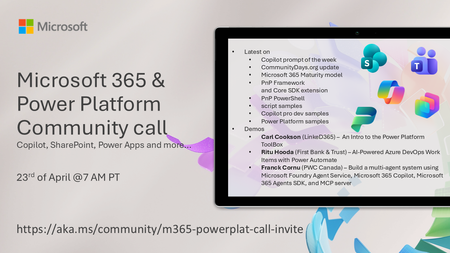
💡 Microsoft 365 & Power Platform Development bi-weekly community call focuses on different use cases and features within the Microsoft 365 and Power Platform - across Microsoft 365 Copilot, Copilot Studio, SharePoint, Power Apps and more. 👏 Looking to catch up on the latest news and updates, including cool community demos, this call is for you! 📅 On 23rd of April we'll have following agenda: Copilot prompt of the week CommunityDays.org update Microsoft 365 Maturity model Latest on PnP Framework and Core SDK extension Latest on PnP PowerShell Latest on script samples Latest Copilot pro dev samples Latest on Power Platform samples Picture time with the Together Mode! Carl Cookson (LinkeD365) – An Intro to the Power Platform ToolBox Ritu Hooda (First Bank & Trust) – AI‑Powered Azure DevOps Work Items with Power Automate Franck Cornu (PWC Canada) – Build a multi-agent system using Microsoft Foundry Agent Service, Microsoft 365 Copilot, Microsoft 365 Agents SDK, and MCP server 📅 Download recurrent invite from https://aka.ms/community/m365-powerplat-dev-call-invite 📞 & 📺 Join the Microsoft Teams meeting live at https://aka.ms/community/m365-powerplat-dev-call-join 👋 See you in the call! 💡 Building something cool for Microsoft 365 or Power Platform (Copilot, SharePoint, Power Apps, etc)? We are always looking for presenters - Volunteer for a community call demo at https://aka.ms/community/request/demo 📖 Resources: Previous community call recordings and demos from the Microsoft Community Learning YouTube channel at https://aka.ms/community/youtube Microsoft 365 & Power Platform samples from Microsoft and community - https://aka.ms/community/samples Microsoft 365 & Power Platform community details - https://aka.ms/community/home 🧡 Sharing is caring!117Views0likes0CommentsMicrosoft 365 & Power Platform Community call
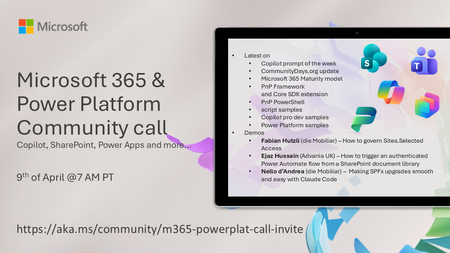
💡 Microsoft 365 & Power Platform Development bi-weekly community call focuses on different use cases and features within the Microsoft 365 and Power Platform - across Microsoft 365 Copilot, Copilot Studio, SharePoint, Power Apps and more. 👏 Looking to catch up on the latest news and updates, including cool community demos, this call is for you! 📅 On 9th of April we'll have following agenda: Copilot prompt of the week CommunityDays.org update Microsoft 365 Maturity model Latest on PnP Framework and Core SDK extension Latest on PnP PowerShell Latest on script samples Latest Copilot pro dev samples Latest on Power Platform samples Picture time with the Together Mode! Fabian Hutzli (die Mobiliar) – How to govern Sites.Selected Access Ejaz Hussain (Advania UK) – How to trigger an authenticated Power Automate flow from a SharePoint document library Nello d’Andrea (die Mobiliar) – Making SPFx upgrades smooth and easy with Claude Code 📅 Download recurrent invite from https://aka.ms/community/m365-powerplat-dev-call-invite 📞 & 📺 Join the Microsoft Teams meeting live at https://aka.ms/community/m365-powerplat-dev-call-join 👋 See you in the call! 💡 Building something cool for Microsoft 365 or Power Platform (Copilot, SharePoint, Power Apps, etc)? We are always looking for presenters - Volunteer for a community call demo at https://aka.ms/community/request/demo 📖 Resources: Previous community call recordings and demos from the Microsoft Community Learning YouTube channel at https://aka.ms/community/youtube Microsoft 365 & Power Platform samples from Microsoft and community - https://aka.ms/community/samples Microsoft 365 & Power Platform community details - https://aka.ms/community/home 🧡 Sharing is caring!235Views0likes0Comments
Unable to cleanup the connections from Power automate flow
The power automate flow have some connections that is not able to remove from the action card. I already removed the connection from 'Connection in use' section, but it's still appearing in the action card in flow, and this makes the powerapp listing all connections.Microsoft 365 & Power Platform Community call - Community demos
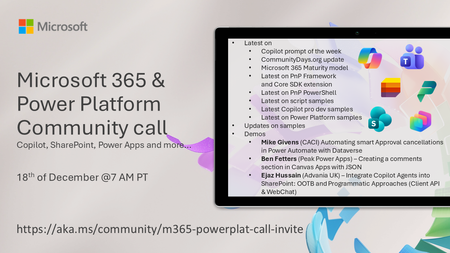
💡 Microsoft 365 & Power Platform Development bi-weekly community call focuses on different use cases and features within the Microsoft 365 and Power Platform - across Microsoft 365 Copilot, Copilot Studio, SharePoint, Power Apps and more. 👏 Looking to catch up on the latest news and updates, including cool community demos, this call is for you! 📅 On 18th of December we'll have following agenda: Copilot prompt of the week CommunityDays.org update Microsoft 365 Maturity Model update Latest on PnP Framework and Core SDK extension Latest on PnP PowerShell Latest on Copilot pro dev samples Latest on Power Platform samples Picture time with the Together Mode! Mike Givens (CACI) Automating smart Approval cancellations in Power Automate with Dataverse Ben Fetters (Peak Power Apps) – Creating a comments section in Canvas Apps with JSON Ejaz Hussain (Advania UK) – Integrate Copilot Agents into SharePoint: OOTB and Programmatic Approaches (Client API & WebChat) 📅 Download recurrent invite from https://aka.ms/community/m365-powerplat-dev-call-invite 📞 & 📺 Join the Microsoft Teams meeting live at https://aka.ms/community/m365-powerplat-dev-call-join 👋 See you in the call! 📖 Resources: Previous community call recordings and demos from the Microsoft Community Learning YouTube channel at https://aka.ms/community/youtube Microsoft 365 & Power Platform samples from Microsoft and community - https://aka.ms/community/samples Microsoft 365 & Power Platform community details - https://aka.ms/community/home 🧡 Sharing is caring!134Views0likes0CommentsMicrosoft Power Platform community call - December 2025
💡 Power Platform monthly community call focuses on different extensibility options for builders, makers and developers within the Power Platform. Typically demos are from our awesome community members who showcase the art of possible within the Power Platform capabilities. 👏 Looking to catch up on the latest news and updates, including cool community demos, this call is for you! 📅 On 17th of December we'll have following agenda: Power Platform Updates & Events Latest on Power Platform samples Supercharge Your Date Logic: The Ultimate Working Day Calculator for Power Automate – Ian Tweedie (Capgemini) Animated Navigation in PowerBI – James Mounsey-Moran (Trustmarque) Building a copilot for Dataverse DevOps – Shashank Bhide (Kerv Digital) 📅 Download recurrent invite from https://aka.ms/powerplatformcommunitycall 📞 & 📺 Join the Microsoft Teams meeting live at https://aka.ms/PowerPlatformMonthlyCall 👋 See you in the call! 📖 Resources: Previous community call recordings and demos from the Microsoft 365 & Power Platform community YouTube channel at https://aka.ms/community/videos Microsoft 365 & Power Platform samples from Microsoft and community - https://aka.ms/community/samples Microsoft 365 & Power Platform community details - https://aka.ms/community/home 💡 You want to do a demo in this call? - Please fill in the following form and we'll get you scheduled - https://aka.ms/community/request/demo168Views0likes0Comments
Power Automate not copying file
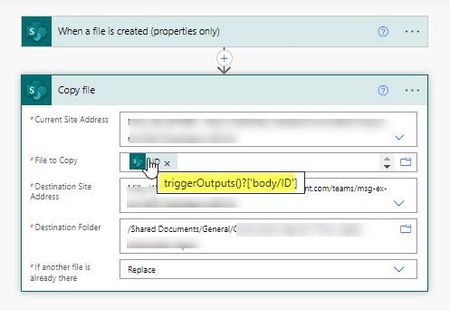
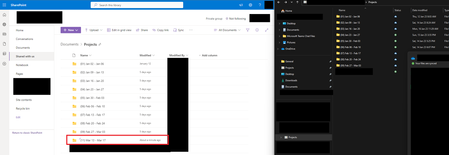
I have a super simple flow - copy a file to a second folder when it is copied into a first folder, as illustrated. Both folders are within SharePoint. I am using ID to identify the file to copy. But Power Automate cannot find the file (error 'The system cannot find the file specified. ). Any suggestions please?Sharepoint files and folders created with Power Automate do not sync to desktop (OneDrive)
I created a folder, and file within it, with Power Automate and it shows up in Sharepoint but does not (ever?) sync to the desktop. If I use Power Automate to create folderA/folderB/file.txt It will not sync by itself "after a while" - where "a while" is exceeding the utility of automating it (I did not test longer periods of time) It will not sync if you create things in OneDrive that sync properly It will not sync if you press the sync button in Sharepoint it WILL sync if you create FolderA in OneDrive (as in, it will sync folderB/file.txt) it WILL sync if you create anything directly on the Sharepoint siteGet the content of pervious file version
Hi All, I'm trying to get the content of the last Major version of a document (so it can be published to another site as a PDF). So if the document is at version 3.6, I need the content of 3.0 to publish. I'm able to work out the current Major version by looking at the actual version and splitting on the decimal. If the decimal portion is 0, the current file is published. I then use a "Send HTTP request to SharePoint" with _api/web/getfilebyserverrelativeurl('/sites/SrcSite/@{items('Apply_to_each')?['{FullPath}']}')/versions as the URI The results are then filtered to get the version I'm after. I've seen posts else where that use the resulting _vti_history/17/SrcSite/File name.docx Uri within a "Get file content using path", however that just returns a 404 error. Any ideas on if/how this might be doable?