permission
15 TopicsCortana keeps saying you haven't turned on all required permissions
my Mic is connected, I can talk to Cortana and use my Mic on all applications, but in Cortana settings in a yellow text it says "you haven't turned on all required permissions". in Settings, all the permissions are given to Cortana. Anyone else experiencing this? I'm on Dev build 21286 insider. if you do please add your details and problem recreation to the feedback: https://aka.ms/AAasugm1.5KViews2likes0Comments
Copilot Agent not consistently Respecting SharePoint Document Permission
Hi everyone, I have created a Copilot agent that answers questions based on documents stored in SharePoint, and I want the agent to respect the user's SharePoint permissions. For example: I have two documents: Document A and Document B. User A has access to Document A but does not have access to Document B. When User A asks a question related to Document A, the agent should provide an answer. When User A asks a question related to Document B, the agent should not provide any information because User A does not have permission to access that document in SharePoint. However, I am experiencing inconsistent behavior. Sometimes the Copilot agent correctly respects the SharePoint permissions, but at other times it provides an answer from a document that the user does not have access to in SharePoint. In some cases, even users who do have access to a document do not receive an answer from it. I am using Microsoft authentication and SharePoint as the knowledge source. Has anyone experienced this issue with Copilot Studio and SharePoint security trimming? Could this be related to indexing, caching, authentication, permissions propagation, or the way the agent retrieves documents? I would appreciate any guidance on how to ensure that the Copilot agent consistently respects the user's SharePoint permissions when retrieving and answering from documents.130Views1like0CommentsUnable to share screen on MS Teams in Google Chrome 109.0.5414 on Ubuntu 22.10
Hello, I have not been able to share the screen (or other windows) like I used to share with MS Teams running inside Google Chrome 109.0.5414 on Ubuntu 22.10. The only thing I can share is other tabs inside Google Chrome. The same thing is happening inside Chromium 109.0.5414. The strange thing is that Google Chrome and Chromium display the following message: "Go to Security & Privacy > Screen Recording to give permission and start sharing." But I do not have these Security & Privacy Settings. I am not using macOS, where I know about these settings. On Linux, there are no such settings. Are there any other options on a Linux System to set to make sharing screens possible once more? Thanks in advance. Details: - Ubuntu 22.10 with GNOME 43.1, Wayland - Chromium 109.0.5414 (via snap) and Google Chrome 109.0.5414 (via dpkg/apt)17KViews1like7CommentsNew post web-app install screen
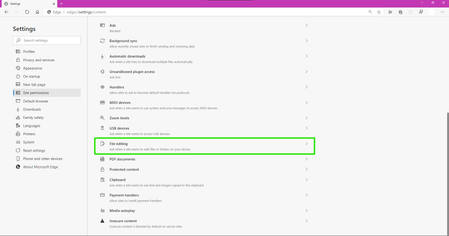
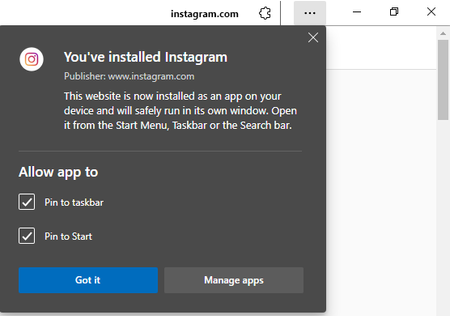
Edge Version 90.0.808.0 (Official build) canary (64-bit) the new flag was added today to this version. Post-Install Web Apps Permissions Show permissions dialog when a Web App is launched after install. – Mac, Windows, Linux #edge-webapp-permissions-menuSolved2KViews1like4Comments
Can not add members to the printer and sharing keeps failing
Well I onboarded a printer yesterday and adding members and sharing the printer worked quite well. However today I onboarded another printer and somehow adding members is grayed out and if I try to share the printer it keeps failing (without any helpful message). Anyone else having this issue or knows what I am missing?2.1KViews1like5Comments