password
40 Topics
Password autofill broken in Edge Dev 149.0.4009.0
It looks as if the Password Autofill is broken in Edge Dev build 149.0.4009.0. Toggling autofill on and off again doesn't resolve the problem. All saved passwords are still searchable and can be manually copied/pasted, but autofill appears to not be working. Tested on both 64-bit and arm64 versions of this Edge Dev build. Anyone else seeing the same?Solved105Views0likes1Comment
I can't log in to my Microsoft account
This is incredibly frustrating, to put it mildly. Over 48 hours ago, I changed the passwords for my three email accounts. Once I made the change, I could log into Hotmail and see my emails and everything. Now, when I try to access them through my mobile phone, it says the password I'm entering is incorrect (obviously, I'm entering it correctly for each account). I also had access on my PC. Just in case, I thought, "Okay, I'll change it again," and when I try to change it through my mobile phone, it says "Not available at the moment, please try again later." I thought it was just a one-off... A while passes, I try again, and it still says the same thing. On one of the accounts, after trying several times with the code they sent me, it locked the account. They told me to wait 24 hours and it wasn't fixed. Then they told me to wait a week because after so many attempts to remove the "block" (you can check if it's blocked by entering it in the help section)... Are we crazy or what? This afternoon I spoke with Spanish support, and the woman who helped me really tried. We tried to log in and change the password through a VPN, but this time I didn't receive the code, so she opened a ticket and escalated it to a higher level, telling me to wait 3 to 5 business days. I know what that smells like: wait and then the same thing again. The real surprise was that I couldn't access my other two accounts for 48 hours, so I thought, "Okay, I'll check." I entered the password correctly, but it still said it was incorrect (even though it was correct), and I tried mobile verification, but it wasn't available... even using a VPN. I checked the status of both accounts in the help section, and they said there were no problems with them. Why am I never going to be able to access my three Hotmail accounts again? What's the solution? It doesn't matter if I use a VPN, if the account is blocked, or if it's unblocked. It's always the same. It doesn't accept the correct password -> you try to reset it -> you don't receive a code -> if you try again, it blocks you. Can someone tell me WHAT I NEED TO DO TO FIX THIS ATROCITY? Because waiting is clearly pointless, since the other accounts aren't blocked and I can't log in or reset my password. Furthermore, the account I blocked for trying to access it was unblocked after 24 hours, but it was still the same until it was blocked again. The other two accounts have gone 48 hours without me trying to log in, and I'm still stuck. MICROSOFT, do you plan to offer any solution other than "waiting"? I'm sorry if my English isn't very clear, I'm Spanish and I use a translator191Views0likes0Comments
Local user management password policy inconsistent behaviour
Hi all, Maybe some of you can enlighten me regarding the windows 10 + 11 local user password policy. The part that I want to question is "not contain parts of the user's full name". Then, let's say I want to create a new user with the following detail: Fullname: Max Mustermann Username: TESTUSER1 Pass: MaxPassword12345678 When I try to create that user via cmd or powershell, either using "net" or "New-LocalUser", it will not succeed and it will show the error "the password does not meet complexity....", which is expected. However, if I try to create the same user with the same credential via lusrmgr, it will be created without any error. So, why there is a different behaviour between lusrmgr and CLI? Then, if we have the existing user, and try to change the password of that user via lusrmgr, and the password contains the part of the user's full name, then the error will be thrown as expected. So, why is it only affect the lusrmgr and only when we create a new user? Is this a bug? Thanks!149Views0likes0CommentsHow to reset Windows 10 password when locked out?
Hey folks, hope everyone's doing well! I've got myself into a bit of a pickle and could really use your collective wisdom. I've been locked out of my Windows 10 computer (yeah, I know, should've written down the password) and I'm scratching my head on how to get back in. Has anyone here been through this and managed to reset their password without being able to log in? I've seen a few methods online involving bootable USB drives and using command prompts, but I'm not super tech-savvy and a bit hesitant to dive into something that seems so complex. I'm looking for a more straightforward, beginner-friendly way to reset my password and get back to my files. If you've got any ideas or step-by-step guides that could help out a fellow Windows user in distress, I'd be super grateful. Thanks [Edit] A few folks asked me if the problem was solved? Yes. The password was reset with the help of Passcue Windows Password Recovery software. Thanks Jack888 for the recommendation!775KViews0likes17CommentsShare a single folder with multiple viewers
Hi, I'm searching what's the right subscription to buy to get this: My requirements: share a single folder (containing 10 million photos) with 100 read-only viewers view photos as gallery different folder password for each viewer not requiring viewers to create an account or log in capability to manually disable the password/access of a user of my choice What package do I need to buy to get this? 365? 365 Family? One Drive Enterprise ? 365 Business Basic ? 365 Business Standard? Other? Thanks187Views0likes1Comment
Account recovery
I have completed the account recovery form, but I haven't heard anything after 24 hours. I recently had to reset my phone and forgot my password for my Outlook account. The Authenticator doesn't work due to the reset. I've filled out the form for account recovery several times. The first few times I immediately received mail that I had to add information. I did that and it said it would be reviewed within 24 hours. When will I know my account can be recovered?354Views0likes0Comments
Windows 10 Security Breach, How?
Hi Team Around 3am this morning I had noticed my computer at the login prompt screen, which it has never done before, so I went to login with my password and it was rejected, I tried a few times without success. Then I noticed someone typing my account name in the password box, yes, I saw the letters being typed and no password masking ******** So I then switched the computer off and rebooted into recovery console and did a Restore point from the other day and restarted and logged in fine, but in the Downloads folder there were 2 files in there downloaded 30 mins ago called AnyDesk.exe and gcapi.dll, I then ran a scan on the system and it found 3 registry entrees and file Registry Key: 3 Trojan.SmokeLoader.TSK, HKLM\SOFTWARE\MICROSOFT\WINDOWS NT\CURRENTVERSION\SCHEDULE\TASKCACHE\TREE\Firefox Default Browser Agent 7743CA9CB8B798ED, Quarantined, 12828, 1218032, , , , , , Trojan.SmokeLoader.TSK, HKLM\SOFTWARE\MICROSOFT\WINDOWS NT\CURRENTVERSION\SCHEDULE\TASKCACHE\TASKS\{5B8F8578-E984-4729-B99B-39363F3C65B8}, Quarantined, 12828, 1218032, , , , , , Trojan.SmokeLoader.TSK, HKLM\SOFTWARE\MICROSOFT\WINDOWS NT\CURRENTVERSION\SCHEDULE\TASKCACHE\LOGON\{5B8F8578-E984-4729-B99B-39363F3C65B8}, Quarantined, 12828, 1218032, , , , , , File: 1 Trojan.SmokeLoader.TSK, C:\WINDOWS\SYSTEM32\TASKS\Firefox Default Browser Agent 7743CA9CB8B798ED, Quarantined, 12828, 1218032, 1.0.80470, , ame, , E637D6F45411522DB1BD7B3926BFE0F4, 0948A75BFF970254463488A9F69FD91A19165B876D7B7DFD9DC2C554C1516B32 Not sure if it's releated Can someone explain how this happenned and to stop it happenning again?2.6KViews0likes2Comments
"Never save password websites" group policy needed
We just deployed Edge to 1000+ devices in our organization but have discovered unwanted save password suggestions from the Password Manager. When users access an internal webpage that uses some kind of integrated windows authentication/SSO/NTLM/Kerberos etc. meaning the user is not prompted for a username and password - the password manager still suggests to save the username and password! There could be many other scenarios in an enterprise where you do not wish passwords on certain internal (or external) websites to be saved, but allow it for others. It looks like Edge automatically populates a list of websites or URL's where passwords are "never saved" and when a website is on that list Edge doesn't prompt if the user want to save the password. It would be very useful for an enterprise to have a Group Policy where we could prepopulate this list with websites we do not want the browser to save passwords for. The browser should of course still fill websites on this list that the user clicks "Never" to save, but so that the list could consist of both websites populated from the group policy and websites added by the user.16KViews4likes8CommentsIntroducing Edge Master Password | New feature
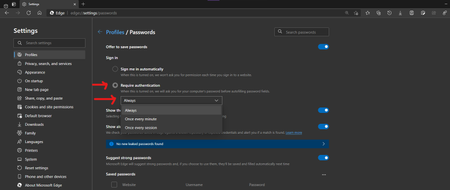
it's this feature: it's controlled feature rollout available in Edge canary, was added few versions ago. this helps your passwords stay safe, by requiring you to enter your Windows Pin/Password when you want to autofill your credentials on a web page. using the same strong authentication method Windows uses to secure your login screen, secure your disks pre-logon etc. next in line is this I'm already seeing some bits of it in Edge canary, but not fully implemented just yet.12KViews3likes2Comments