office 365
70 TopicsBuild bigger forms in Microsoft Access
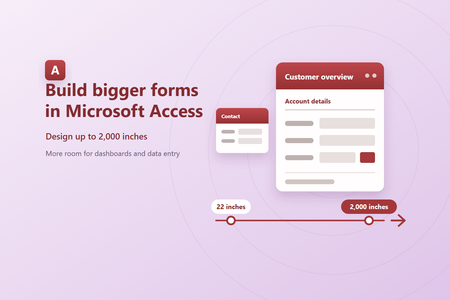
For many years, Microsoft Access forms were limited to 22 inches in width and in the height of an individual section. That size works well for many solutions, but it can become restrictive when you are building a wide dashboard, arranging many controls, designing for a large display, or creating a detailed data entry workflow. With Big Forms, a form can be up to 2,000 inches wide, and each individual vertical dimension can be up to 2,000 inches. The combined height of all sections and their Design View section headers can be up to 2,100 inches. Continue using the familiar Access design surface, property sheet, rulers, and scrollbars, with substantially more space available when your solution needs it. More room for the solutions you already build Wider layouts Extend forms up to 2,000 inches wide for dashboards with more fields, controls, and content displayed next to each other. Taller sections Use up to 2,000 inches for an individual vertical dimension and up to 2,100 inches across all sections. Familiar design tools Enter dimensions in the property sheet or resize controls directly on the design surface as you do today. How to create a bigger form Open your object in Design View. Open an existing form, or create a new one. Resize the design surface or a section. Drag an edge beyond 22 inches, or enter a Width or Height value of up to 2,000 inches in the property sheet. Position and size your controls. Move controls into the expanded area or set larger Left, Top, Width, and Height values. Save and reopen as usual. Access preserves the expanded dimensions when you save the form. No conversion required You do not need to recreate existing forms. Open the form in a supported version of Access and extend the layout only when you need additional space. Use Big Forms from VBA You can read and set expanded dimensions through the existing VBA Properties collection. Values are expressed in twips, with 1,440 twips in one inch. The 2,000 inch maximum is 2,880,000 twips. Public Sub ResizeCustomerOverview() Const TwipsPerInch As Long = 1440 DoCmd.OpenForm "CustomerOverview", acDesign With Forms("CustomerOverview") .Properties("Width").Value = 100 * TwipsPerInch .Section(acDetail).Properties("Height").Value = 50 * TwipsPerInch .Controls("Notes").Properties("Left").Value = 24 * TwipsPerInch .Controls("Notes").Properties("Width").Value = 60 * TwipsPerInch End With DoCmd.Save acForm, "CustomerOverview" End Sub No new property names are required. Use Properties("Left") , Properties("Top") , Properties("Width") , and Properties("Height") to work with the new larger limits. Why use the Properties collection? Typed VBA members such as Control.Left retain their legacy 16 bit contract for compatibility with existing code. On an expanded form, those typed members return a value limited to the 16 bit range. The Properties collection reads and writes the complete Big Forms value. Designed with compatibility in mind Backward compatibility is determined for each form. Access only uses the new saved form format when a form actually exceeds a legacy limit. Forms that remain within the previous limits continue to use the existing format, even when they are saved by a version of Access that supports Big Forms. When a form uses the expanded range, Access saves its full values in wider properties and marks that specific form as requiring Big Forms support. An earlier version of Access can still open the database and work with its other compatible objects. If someone tries to open the expanded form, Access displays a message explaining that the form requires a newer version. Compatibility without silent data loss Earlier versions do not truncate or reinterpret an expanded form. They stop before loading that form and show a clear compatibility message, while the rest of the database remains available. Sharing a database? Make sure everyone who needs to open an expanded form is using a supported Access build. This is especially important for shared front end databases and packaged Access applications. Availability Big Forms is rolling out on Current Channel, beginning with version 16.0.20430.20146. It is enabled for some customers now and is expected to reach everyone on Current Channel early next week. If you are on that build and do not yet see the expanded limits, check again in a few days. Availability Rolling out on Current Channel Version 16.0.20430.20146 or later Platform Microsoft Access for Windows To check your version, open Access and select File > Account > About Access. Try Big Forms and tell us what you think Use the expanded design surface with your forms, then share what works well and where you would like to see improvements. Share feedback about Access Feature availability and release timing can vary by update channel.354Views6likes3CommentsFixes in Microsoft Access - Version 2609 (Build 16.0.20430.20092)
Zoom Issue Fix Label captions could be truncated after using Size To Fit Labels sized to fit their captions could clip the final character at some zoom levels. Access now allows for font-size rounding so the entire caption remains visible. VBA could return the wrong form's Zoom value Reading the Zoom property of a named form could return the zoom level of the active window instead. VBA now returns the value for the form referenced by the expression. The Edit List Items button appeared in the wrong location At zoom levels other than 100%, the Edit List Items button for a value-list control could appear offset from the control. It now remains aligned with the lower-left corner of the list. Captions could become misaligned on very wide forms* On wide forms, controls positioned far from the left edge could drift away from their captions at zoom levels such as 110%, 120%, 130%, or 140%. Captions and controls now remain aligned throughout the supported zoom range. A combo-box selection in a new sub-datasheet record could be discarded The first value selected from a combo box in a new sub-datasheet record could be cleared, requiring a second selection. The initial selection is now retained. The active editor in a sub-datasheet did not move when zoom changed Changing zoom while editing a sub-datasheet cell could leave the editor at its old position. The editor now moves with the cell and remains correctly aligned. Tiled background images did not fill forms below 100% zoom At lower zoom levels, a tiled background picture could cover only part of the form window. The picture now tiles across the entire visible area. Horizontal scrolling did not scale with zoom Line and page scrolling could move a zoomed form by the wrong distance. Horizontal scrolling now moves by a consistent relative amount at every zoom level. Controls could paint or align incorrectly after scrolling a zoomed form Controls now remain aligned and repaint in the correct location when a zoomed form is scrolled, preventing shifted controls and display artifacts at zoom levels other than 100%. Disabling Zoom could retain a non-default zoom level When built-in Zoom is disabled for a database, the default zoom is now reset to 100% so the form window and its contents remain consistently sized. A rich-text editor could disappear while zooming Changing zoom while a rich-text field had focus could make its editor disappear at some zoom levels. The editor now remains visible and correctly positioned. Forms and reports Issue Fix Text boxes left artifacts while scrolling over a tiled background Scrolling a form with a tiled background picture could leave lines or remnants where text boxes had been displayed. The background and controls now repaint cleanly. The Property Sheet icon disappeared after sorting properties Sorting the Property Sheet could cause its icon to disappear. The icon now remains visible after switching the property order. Line breaks were removed from ControlTip text ControlTip text containing line breaks could be displayed as a single line. Access now preserves the intended line breaks in the tooltip. The Option Group Wizard displayed its values grid on the wrong page* The grid for assigning numeric values could appear on the following page and cover the options for storing the selected value. The grid now appears on the correct wizard page, leaving the next step usable. * This fix is not included in the initial Version 2609 release, Build 16.0.20430.20092. It is scheduled for the September 29, 2026 update. Queries and data Issue Fix The Query Design splitter could draw outside the Access window While dragging the divider between the query panes, the tracking line could appear over other applications or on another monitor. The divider is now clipped to the Query Design window. Customization Issue Fix Access options now accept non-standard font sizes The font-size settings for the Property Sheet, Query Design, and default datasheet font are now editable, allowing values from 1 through 127 points instead of only the listed sizes. Font-size boxes could truncate three-digit values The font-size boxes in Access Options were too narrow to show the full value for sizes such as 127 points. They are now wide enough to display three-digit values fully.682Views1like0CommentsCreate cascading combo boxes and list boxes in Access - without VBA
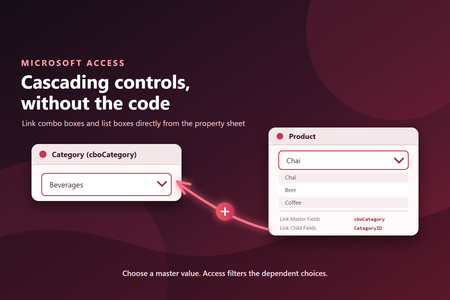
A simpler way to filter related choices The two properties define how values on the form relate to fields in the control's row source: Link Master Fields identifies the field or control on the form that supplies the value. Link Child Fields identifies the matching field in the combo box or list box row source. When the master value changes, Access automatically refreshes the dependent control and filters its row source to matching records. You no longer need an AfterUpdate event procedure simply to requery the control. Example: Filter products by category Suppose an order form contains: cboCategory, where the user selects a product category. cboProduct, where the user selects a product. The product combo box uses a row source such as: SELECT ProductID, ProductName, CategoryID FROM Products ORDER BY ProductName; Set these properties on cboProduct: Property Value Row Source The product query shown above Link Master Fields cboCategory Link Child Fields CategoryID After the user selects a category, cboProduct shows only products whose CategoryID matches cboCategory. The child field does not have to be visible in the dropdown. It only needs to be included in the row source so Access can use it for filtering. Use the same approach with list boxes The properties work the same way for list boxes. This makes it easier to build: Category and product selectors. Country, region, and city pickers. Customer and order lists. Project and task selectors. Any form where one set of choices depends on another. Linked combo boxes and list boxes also work on continuous forms. Each visible record receives choices filtered using that record's master value. Link more than one field For relationships that use multiple fields, enter comma-separated field or control names in both properties. The fields are matched by position: Link Master Fields: CompanyID, LocationID Link Child Fields: CompanyID, LocationID The two lists must contain the same number of entries, and corresponding fields must use compatible data types. Why this is useful Using built-in linking instead of event code has several advantages: Less code: No AfterUpdate handler is required for routine cascading behavior. Clearer design: The relationship is visible in the property sheet. Better reuse: Controls carry their linking configuration with them. Consistent behavior: Access manages refreshing and filtering as records change. Continuous-form support: Dependent combo boxes and list boxes can filter independently for each visible record. Existing VBA-based cascading controls continue to work. The new properties provide a declarative alternative when all you need is to filter one control from values already available on the form. Try it Open a form in Design View, select a combo box or list box, and look on the Data tab of the property sheet for Link Master Fields and Link Child Fields. Start with a simple one-field relationship, make sure the child field is included in the dependent control's row source, and let Access handle the filtering. Availability This feature is included in Microsoft Access Version 2609 (Build 20430.20092), now available in Current Channel. The build and the feature are both rolling out gradually, so you may not see them immediately. You can select Update Now to install the latest Current Channel build sooner; after updating, the feature may still take additional time to become available as its rollout expands.424Views5likes0CommentsFixes in Microsoft Access – Version 2608 (Build 16.0.20326.20100)
Important update: A regression introduced by an earlier security update could cause labels, text boxes, combo boxes, and other controls to lose their fonts, colors, or styles after printing or previewing reports that contain embedded images or OLE objects. It could also contribute to crashes during printing or PDF export. This issue is fixed in Version 2608 Build 16.0.20326.20132, released September 1. We recommend updating to this build or later. Zoom Issue Fix VBA Zoom did not work reliably with popup forms Setting or reading a popup form's Zoom property through VBA could use the currently active document window instead of the form named in the expression. VBA now applies the Zoom property to the intended popup form. Zoom set during Form_Open was replaced by the default zoom When Form_Open code set the form's Zoom property, the default zoom-on-open logic could immediately overwrite it. Access now preserves the zoom level selected by the form's VBA code. Combo boxes could show blank rows or reject selections at some zoom levels At some zoom levels, a combo box could leave blank rows in its drop-down. At very low zoom levels, some values also could not be selected directly. Combo boxes now size and respond correctly as the zoom level changes. Zooming out a large report could leave display residue At low zoom levels, a large report could leave stale content at the bottom of the Report View window. The report now repaints the full window correctly after zooming out. Control borders became too thick below 100% zoom Borders could appear disproportionately thick when a form or report was zoomed below 100%. Border rendering now remains visually consistent at lower zoom levels. Drag selection in a zoomed datasheet could use the wrong coordinates When selecting a rectangular range by dragging in a datasheet at a zoom level other than 100%, Access could mix screen and document coordinates and hit-test the wrong cells. Drag selection now uses the correct coordinates at every zoom level. The 25% Zoom keyboard shortcut was difficult to use The keyboard shortcut for 25% zoom now uses the 2 key instead of requiring the percent-sign key combination. Existing applications needed a way to disable built-in Zoom A database-level option is now available to disable built-in Zoom when an application already provides its own zoom commands or keyboard shortcuts. The screen-reader Zoom announcement was not localized The announcement of the current zoom percentage used a hardcoded English phrase. It now uses localized text and word order for the selected Office language. Forms and reports Issue Fix The date picker appeared for locked or read-only controls The date-picker icon could appear for a locked or read-only text box even though its value could not be edited. The icon is now hidden when the control cannot accept a date selection. Tab and Shift+Tab could change control stacking order in Design View Using Tab or Shift+Tab to move between controls in Form Design View could unexpectedly change their front-to-back order. Keyboard navigation now leaves the control stacking order unchanged. Horizontal report lines disappeared in some Version 2608 preview builds Some customers who received early preview builds of Version 2608 found that horizontal Line controls with a height of zero appeared in Report View but disappeared in Print Preview, printed output, and exports. This was corrected before the general Current Channel release, and these separator lines render correctly in all report views and output formats. Queries and data Issue Fix The modern SQL editor could show an incorrect insufficient-memory error Executing a query in the modern SQL editor could display "Insufficient memory to perform this operation," typically on the first execution in an Access session. Queries now run without this spurious memory error. The query No Format setting could disagree with Object Properties For some query types, including crosstab and delete queries, the No Format value shown in the property sheet could differ from the value stored in Object Properties. Both locations now display and save the same setting. Calculated SharePoint columns displayed #Error in linked tables Calculated columns from a linked SharePoint list could display #Error instead of their calculated values. Access now displays the values correctly. Customization Issue Fix Property Sheet font size can now be adjusted Access Options now includes a setting for changing the font size used in the Property Sheet, making its text easier to read on high-resolution displays and for users who prefer larger text.936Views2likes0CommentsZoom further in more Microsoft Access views
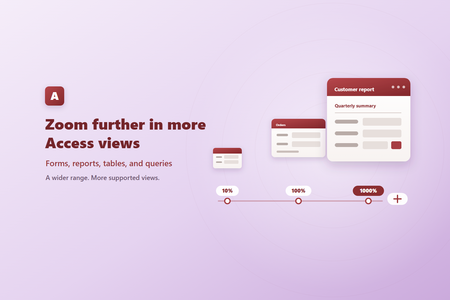
Zoom from 10% to 1000% Supported Access views can now be zoomed anywhere from 10% to 1000%, expanding the previous range of 50% to 500%. New 10%, 25%, and 1000% choices are available in the Zoom menu, and the status bar slider supports the full range. The expanded range is also available when configuring the default zoom level for a database. Zoom more types of forms Zoom is now supported in both continuous forms and popup forms. In a continuous form, zoom scales the repeating records and their controls together, making it easier to read individual records or see more records at once. Embedded continuous forms also scale with their parent form, keeping nested content visually consistent. Popup forms can be zoomed without changing their underlying design. Because popup forms do not use the standard status bar zoom control, you can zoom them with Ctrl+mouse wheel or the zoom keyboard shortcuts. Zoom reports in Report View Zoom is now available for reports in Report View, bringing reports in line with forms, tables, and queries. You can enlarge a report to inspect individual values or zoom out for a broader view of its layout and data. Reports displayed inside forms also scale with their parent, providing a more consistent experience for databases with nested forms and reports. Choose how you zoom Depending on the type of object you’re viewing, you can: Select a percentage from the Zoom menu on the ribbon. Drag the zoom slider on the status bar. Hold Ctrl and scroll the mouse wheel. Press Ctrl+Alt+Plus or Ctrl+Alt+Minus to zoom in or out. Press Ctrl+Alt+0 to return to 100%. With a wider range and support for reports, popup forms, continuous forms, and nested content, it’s now easier to tailor your Access workspace to the task at hand—whether that means focusing on the details or taking in the bigger picture.563Views5likes1CommentAccess announces retirement of Database Compare tool in June 2026
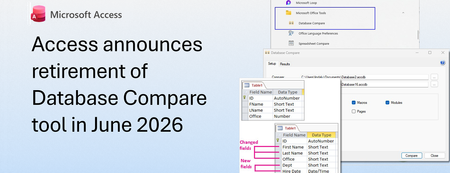
MS Access currently ships a standalone Database Compare tool (DATABASECOMPARE.EXE) that enables comparison of two Access databases. As of June 2026, this tool will no longer be distributed and installed with Office. Access is retiring the Database Compare tool because it depends on components that are no longer available and fails to launch reliably on many Office installs. Because we can no longer provide updated components, it will no longer install with new Office setups. This applies to: Access 2019 volume licensed and Enterprise plans Access 2021, Access 2024, and Microsoft 365 subscriptions Access 2021 and Access 2024 as part of the Office 2021 and Office 2024 perpetual licenses (standalone versions) DatabaseCompare.exe is installed typically under the DCF folder of your Office installation (for example, C:\Program Files\Microsoft Office\Office16\DCF\DATABASECOMPARE.EXE), and it often comes alongside Microsoft Spreadsheet Compare as part of Office Professional Plus or Microsoft 365. In addition, supporting DLLs and configuration files are located within the same DCF subfolder. These files handle database connections, reporting, and comparison functions. These files will be removed. If you're running an older version of Office and have a working version of this tool, you can continue to use it until June 20, 2026. After that, it will be removed and will not be available for download. Therefore, we advise you to find a replacement for Database Compare. You can find similar standalone tools that compare two Access databases from other vendors: AccessDiff: This tool easily compares all objects in Access, including forms, code modules, queries, macros, and more. It is designed to help users retrieve lost software and compare all objects in Access databases. AccdbMerge: This tool is an easy-to-use diff and merge tool for Microsoft Access database files. It compares table definitions, data, forms, modules, and more. A free version is available for the main database objects. DataWeigher: This tool compares and synchronizes data between two MS Access databases. It provides a visual result with each type of record (added, deleted, changed) represented by a different color. The comparison results can be saved as a report or SQL script for data synchronization. Total Access Detective: This tool allows you to find differences between any two objects in one Microsoft Access database, including fields, controls, properties, macro lines, module code, and data. It also supports comparing two blocks of text from text files on disk or the text you copy and paste. We recognize this change may require planning, and we encourage customers to review these alternatives and plan a transition away from Database Compare ahead of its retirement in June 2026.3.1KViews0likes5CommentsA Personal Note to the Access Community
Today is my last day at Microsoft. After many wonderful years, I have accepted Microsoft's Voluntary Retirement Program (VRP) and am beginning a new chapter. It feels a little surreal to write those words. For much of my career, I've had the privilege of working with products, communities, and people I deeply care about. In recent years, that has included serving as Program Manager for Microsoft Access, one of the most passionate, knowledgeable, and dedicated communities in technology. Before I go, there is one message I want to leave you with: Access is alive, well, and continuing to evolve. One of the most common questions I hear is, "Is Access going away?" The answer remains the same as it has always been: No. Access continues to ship with Microsoft 365 and Office, continues to receive engineering investment, continues to receive bug fixes, security updates, accessibility improvements, and yes, new features. In fact, we've released multiple new capabilities recently, including improvements such as enhanced zooming support, larger form and report design capabilities, and new developer-focused functionality, with additional features already in various stages of development and rollout. Over the last few years, I've had the opportunity to work alongside an incredibly talented engineering team that genuinely cares about Access and the customers who depend on it every day. I've seen firsthand the discussions, the prioritization meetings, the customer feedback reviews, the accessibility work, the bug triage sessions, and the long hours spent making sure Access continues to serve businesses, governments, schools, non-profits, and developers around the world. Access remains an important part of Microsoft's productivity ecosystem, and the team remains committed to keeping it relevant, reliable, and useful for years to come. I know many of you closely follow the public roadmap and occasionally worry when it's quiet. What doesn't always make it into public announcements is the steady stream of work happening behind the scenes: security investments, compliance work, accessibility improvements, bug fixes, customer-requested enhancements, and the engineering work required to keep a 30-plus-year-old product healthy in a rapidly changing technology landscape. As for what comes next, I don't yet know who the next Access PM will be or when that transition will occur. What I do know is that Access deserves thoughtful stewardship, active engagement with the community, and a clear understanding of why this product continues to matter. I am hopeful that whoever steps into that role will bring fresh ideas, curiosity, and a commitment to listening to the customers, MVPs, partners, and developers who make this community so special. To our MVPs: thank you for your advocacy, your feedback, and your willingness to tell us what we're doing right and what we're doing wrong. Many of the features we've delivered started as customer requests, conference conversations, forum discussions, and MVP feedback. Your voices matter, and they have made the product better. To the Access developers around the world: thank you for continuing to build solutions that solve real problems. Every time someone says Access is only a relic of the past, I inevitably hear from another organization running a mission-critical application, supporting a small business, managing a research project, tracking inventory, or helping people get work done. The creativity and ingenuity of this community never cease to amaze me. And finally, thank you for letting me be part of your journey. It's been an honor to help tell the story of Access, share new features, write documentation, engage with the community, and occasionally fight to get your favorite feature request prioritized. While I'm retiring from Microsoft, I'll always be rooting for Access and the people who use it. The future of Access belongs to all of you, and I believe that future is bright. Thank you for your support, your passion, and your trust. See you around, Linda Cannon Former Program Manager, Microsoft Access1.5KViews11likes5CommentsBug fixes in Microsoft Access - Current Channel Version 2605 (Build 16.0.20026.20118)
Bug Name Issue Fixed Edge Browser Control didn't render PDFs on some machines When the Edge Browser Control was used to display a PDF, on some machines the PDF would not render at all if the registry value "HKEY_CLASSES_ROOT\.pdf\Content Type" was missing. Access now provides the missing content type, so the Edge Browser Control can render the PDF. Export to SharePoint failed for tables with both lookup fields and attachment columns When exporting an Access table to a SharePoint list, if the table contained both a lookup field and an attachment column, the export could fail with an error. The export now handles this combination correctly, so the export completes successfully. Conditional Formatting color picker showed a reduced palette in Version 2604 A regression introduced in Version 2604 caused the Conditional Formatting color picker to display a smaller set of color choices than previous versions. The full legacy color palette has been restored. Some Unicode characters displayed incorrectly in objects exported to Excel When exporting an Access object whose name contained certain extended Unicode characters, the resulting file's sheet name displayed the characters incorrectly. These characters are now preserved correctly during export. Power BI Gateway couldn't refresh semantic models from .accdb files Refreshing a Power BI semantic model that connected to a .accdb file via the on-premises gateway could fail with "Unspecified error". Connection setup has been adjusted so the gateway can successfully refresh the model. Monaco SQL view: Ctrl+Z didn't undo Ctrl+Shift+K line deletion In the new Monaco-based SQL editor, pressing Ctrl+Shift+K to delete the current line removed the line, but a subsequent Ctrl+Z would not restore it. Undo now works correctly for this and similar editing operations. Document tab text didn't scale with Windows text-size setting When the Windows display setting for text size was increased, document tab labels and the record navigation bar continued to render at the standard size, while other Access UI scaled correctly. The document tabs and record navigation bar now honor the system text-size setting. Error when editing a Long Text field after a write conflict When a write conflict occurred on a record containing a Long Text field, subsequent attempts to edit the field could fail with an error. The data path now refreshes the cached field values correctly after a conflict so that further edits succeed. Access terminated unexpectedly when reading Edge Browser Control properties in form design view In form design view, retrieving the ReadyState or LocationUrl property on an Edge Browser Control could cause Access to terminate unexpectedly. Both properties now return safely in design view. "Copy" prefix was prepended instead of appended to copied object names When duplicating a database object, Access named the copy "Copy of Form1" instead of "Form1 - Copy". This made copies of related objects sort apart from their originals in the Navigation Pane. Copy-of names now append the suffix, so related objects stay together when sorted alphabetically.1.1KViews3likes8Comments