msignite
3 TopicsAzure Resiliency: Proactive Continuity with Agentic Experiences and Frontier Innovation
Introduction In today’s digital-first world, even brief downtime can disrupt revenue, reputation, and operations. Azure’s new resiliency capabilities empower organizations to anticipate and withstand disruptions—embedding continuity into every layer of their business. At Microsoft Ignite, we’re unveiling a new era of resiliency in Azure, powered by agentic experiences. The new Azure Copilot resiliency agent brings AI-driven workflows that proactively detect vulnerabilities, automate backups, and integrate cyber recovery for ransomware protection. IT teams can instantly assess risks and deploy solutions across infrastructure, data, and cyber recovery—making resiliency a living capability, not just a checklist. The Evolution from Azure Business Continuity Center to Resiliency in Azure Microsoft is excited to announce that the Azure Business Continuity Center (ABCC) is evolving into resiliency capabilities in Azure. This evolution expands its scope from traditional backup and disaster recovery to a holistic resiliency framework. This new experience is delivered directly in the Azure Portal, providing integrated dashboards, actionable recommendations, and one-click access to remediation—so teams can manage resiliency where they already operate. Learn more about this: Resiliency. To see the new experience, visit the Azure Portal. The Three Pillars of Resiliency Azure’s resiliency strategy is anchored in three foundational pillars, each designed to address a distinct dimension of operational continuity: Infrastructure Resiliency: Built-in redundancy and zonal/regional management keep workloads running during disruptions. The resiliency agent in Azure Copilot automates posture checks, risk detection, and remediation. Data Resiliency: Automated backup and disaster recovery meet RPO/RTO and compliance needs across Azure, on-premises, and hybrid. Cyber Recovery: Isolated recovery vaults, immutable backups, and AI-driven insights defend against ransomware and enable rapid restoration. With these foundational pillars in place, organizations can adopt a lifecycle approach to resiliency—ensuring continuity from day one and adapting as their needs evolve. The Lifecycle Approach: Start Resilient, Get Resilient, Stay Resilient While the pillars define what resiliency protects, the lifecycle stages in resiliency journey define how organizations implement and sustain it over time. For the full framework, see the prior blog; below we focus on what’s new and practical. The resiliency agent in Azure Copilot empowers organizations to embed resiliency at every stage of their cloud journey—making proactive continuity achievable from day one and sustainable over time. Start Resilient: With the new resiliency agent, teams can “Start Resilient” by leveraging guided experiences and automated posture assessments that help design resilient workloads before deployment. The agent surfaces architecture gaps, validates readiness, and recommends best practices—ensuring resiliency is built in from the outset, not bolted on later. Get Resilient: As organizations scale, the resiliency agent enables them to “Get Resilient” by providing estate-wide visibility, automated risk assessments, and configuration recommendations. AI-driven insights help identify blind spots, remediate risks, and accelerate the adoption of resilient-by-default architectures—so resiliency is actively achieved across all workloads, not just planned. Stay Resilient: To “Stay Resilient,” the resiliency agent delivers continuous validation, monitoring, and improvement. Automated failure simulations, real-time monitoring, and attestation reporting allow teams to proactively test recovery workflows and ensure readiness for evolving threats. One-click failover and ongoing posture checks help sustain compliance and operational continuity, making resiliency a living capability that adapts as your business and technology landscape changes Best Practices for Proactive Continuity in Resiliency To enable proactive continuity, organizations should: Architect for high availability across multiple availability zones and regions (prioritize Tier-0/1 workloads). Automate recovery with Azure Site Recovery and failover playbooks for orchestrated, rapid restoration. Leverage integrated zonal resiliency experiences to uncover blind spots and receive tailored recommendations. Continuously validate using Chaos Studio to simulate outages and test recovery workflows. Monitor SLAs, RPO/RTO, and posture metrics with Azure Monitor and Policy; iterate for ongoing improvement. Use the Azure Copilot resiliency agent for AI-driven posture assessments, remediation scripts, and cost analysis to streamline operations. Conclusion & Next Steps Resiliency capabilities in Azure unifies infrastructure, data, and cyber recovery while guiding organizations to start, get, and stay resilient. Teams adopting these capabilities see faster posture improvements, less manual effort, and continuous operational continuity. This marks a fundamental shift—from reactive recovery to proactive continuity. By embedding resiliency as a living capability, Azure empowers organizations to anticipate, withstand, and recover from disruptions, adapting to new threats and evolving business needs. Organizations adopting Resiliency in Azure see measurable impact: Accelerated posture improvement with AI-driven insights and actionable recommendations. Less manual effort through automation and integrated recovery workflows. Continuous operational continuity via ongoing validation and monitoring Ready to take the next step? Explore these resources and sessions: Resiliency in Azure (Portal) Resiliency in Azure (Learn Docs) Agents (preview) in Azure Copilot Resiliency Solutions Reliability Guides by Service Azure Essentials Azure Accelerate Ignite Announcement Key Ignite 2025 Sessions to Watch: Resilience by Design: Secure, Scalable, AI-Ready Cloud with Azure (BRK217) Resiliency & Recovery with Azure Backup and Site Recovery (BRK146) Architect Resilient Apps with Azure Backup and Reliability Features (BRK148) Architecting for Resiliency on Azure Infrastructure (BRK178) All sessions are available on demand—perfect for catching up or sharing with your team. Browse the full session catalog and start building resiliency by default today.1.5KViews5likes0CommentsBuilding AI Agents: Workflow-First vs. Code-First vs. Hybrid
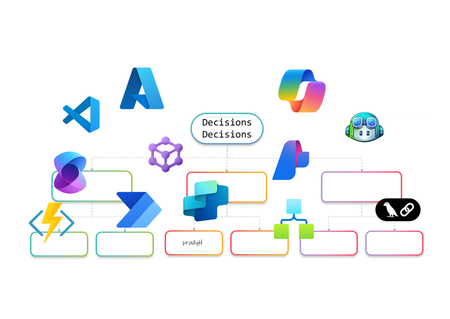
AI Agents are no longer just a developer’s playground. They’re becoming essential for enterprise automation, decision-making, and customer engagement. But how do you build them? Do you go workflow-first with drag-and-drop designers, code-first with SDKs, or adopt a hybrid approach that blends both worlds? In this article, I’ll walk you through the landscape of AI Agent design. We’ll look at workflow-first approaches with drag-and-drop designers, code-first approaches using SDKs, and hybrid models that combine both. The goal is to help you understand the options and choose the right path for your organization. Why AI Agents Need Orchestration Before diving into tools and approaches, let’s talk about why orchestration matters. AI Agents are not just single-purpose bots anymore. They often need to perform multi-step reasoning, interact with multiple systems, and adapt to dynamic workflows. Without orchestration, these agents can become siloed and fail to deliver real business value. Here’s what I’ve observed as the key drivers for orchestration: Complexity of Enterprise Workflows Modern business processes involve multiple applications, data sources, and decision points. AI Agents need a way to coordinate these steps seamlessly. Governance and Compliance Enterprises require control over how AI interacts with sensitive data and systems. Orchestration frameworks provide guardrails for security and compliance. Scalability and Maintainability A single agent might work fine for a proof of concept, but scaling to hundreds of workflows requires structured orchestration to avoid chaos. Integration with Existing Systems AI Agents rarely operate in isolation. They need to plug into ERP systems, CRMs, and custom apps. Orchestration ensures these integrations are reliable and repeatable. In short, orchestration is the backbone that turns AI Agents from clever prototypes into enterprise-ready solutions. Behind the Scenes I’ve always been a pro-code guy. I started my career on open-source coding in Unix and hardly touched the mouse. Then I discovered Visual Studio, and it completely changed my perspective. It showed me the power of a hybrid approach, the best of both worlds. That said, I won’t let my experience bias your ideas of what you’d like to build. This blog is about giving you the full picture so you can make the choice that works best for you. Workflow-First Approach Workflow-first platforms are more than visual designers and not just about drag-and-drop simplicity. They represent a design paradigm where orchestration logic is abstracted into declarative models rather than imperative code. These tools allow you to define agent behaviors, event triggers, and integration points visually, while the underlying engine handles state management, retries, and scaling. For architects, this means faster prototyping and governance baked into the platform. For developers, it offers extensibility through connectors and custom actions without sacrificing enterprise-grade reliability. Copilot Studio Building conversational agents becomes intuitive with a visual designer that maps prompts, actions, and connectors into structured flows. Copilot Studio makes this possible by integrating enterprise data and enabling agents to automate tasks and respond intelligently without deep coding. Building AI Agents using Copilot Studio Design conversation flows with adaptive prompts Integrate Microsoft Graph for contextual responses Add AI-driven actions using Copilot extensions Support multi-turn reasoning for complex queries Enable secure access to enterprise data sources Extend functionality through custom connectors Logic Apps Adaptive workflows and complex integrations are handled through a robust orchestration engine. Logic Apps introduces Agent Loop, allowing agents to reason iteratively, adapt workflows, and interact with multiple systems in real time. Building AI Agents using Logic Apps Implement Agent Loop for iterative reasoning Integrate Azure OpenAI for goal-driven decisions Access 1,400+ connectors for enterprise actions Support human-in-the-loop for critical approvals Enable multi-agent orchestration for complex tasks Provide observability and security for agent workflows Power Automate Multi-step workflows can be orchestrated across business applications using AI Builder models or external AI APIs. Power Automate enables agents to make decisions, process data, and trigger actions dynamically, all within a low-code environment. Building AI Agents using Power Automate Automate repetitive tasks with minimal effort Apply AI Builder for predictions and classification Call Azure OpenAI for natural language processing Integrate with hundreds of enterprise connectors Trigger workflows based on real-time events Combine flows with human approvals for compliance Azure AI Foundry Visual orchestration meets pro-code flexibility through Prompt Flow and Connected Agents, enabling multi-step reasoning flows while allowing developers to extend capabilities through SDKs. Azure AI Foundry is ideal for scenarios requiring both agility and deep customization. Building AI Agents using Azure AI Foundry Design reasoning flows visually with Prompt Flow Orchestrate multi-agent systems using Connected Agents Integrate with VS Code for advanced development Apply governance and deployment pipelines for production Use Azure OpenAI models for adaptive decision-making Monitor workflows with built-in observability tools Microsoft Agent Framework (Preview) I’ve been exploring Microsoft Agent Framework (MAF), an open-source foundation for building AI agents that can run anywhere. It integrates with Azure AI Foundry and Azure services, enabling multi-agent workflows, advanced memory services, and visual orchestration. With public preview live and GA coming soon, MAF is shaping how we deliver scalable, flexible agentic solutions. Enterprise-scale orchestration is achieved through graph-based workflows, human-in-the-loop approvals, and observability features. The Microsoft Agent Framework lays the foundation for multi-agent systems that are durable and compliant. Building AI Agents using Microsoft Agent Framework Coordinate multiple specialized agents in a graph Implement durable workflows with pause and resume Support human-in-the-loop for controlled autonomy Integrate with Azure AI Foundry for hosting and governance Enable observability through OpenTelemetry integration Provide SDK flexibility for custom orchestration patterns Visual-first platforms make building AI Agents feel less like coding marathons and more like creative design sessions. They’re perfect for those scenarios when you’d rather design than debug and still want the option to dive deeper when complexity calls. Pro-Code Approach Remember I told you how I started as a pro-code developer early in my career and later embraced a hybrid approach? I’ll try to stay neutral here as we explore the pro-code world. Pro-code frameworks offer integration with diverse ecosystems, multi-agent coordination, and fine-grained control over logic. While workflow-first and pro-code approaches both provide these capabilities, the difference lies in how they balance factors such as ease of development, ease of maintenance, time to deliver, monitoring capabilities, and other non-functional requirements. Choosing the right path often depends on which of these trade-offs matter most for your scenario. LangChain When I first explored LangChain, it felt like stepping into a developer’s playground for AI orchestration. I could stitch together prompts, tools, and APIs like building blocks, and I enjoyed the flexibility. It reminded me why pro-code approaches appeal to those who want full control over logic and integration with diverse ecosystems. Building AI Agents using LangChain Define custom chains for multi-step reasoning [it is called Lang“Chain”] Integrate external APIs and tools for dynamic actions Implement memory for context-aware conversations Support multi-agent collaboration through orchestration patterns Extend functionality with custom Python modules Deploy agents across cloud environments for scalability Semantic Kernel I’ve worked with Semantic Kernel when I needed more control over orchestration logic, and what stood out was its flexibility. It provides both .NET and Python SDKs, which makes it easy to combine natural language prompts with traditional programming logic. I found the planners and skills especially useful for breaking down goals into smaller steps, and connectors helped integrate external systems without reinventing the wheel. Building AI Agents using Semantic Kernel Create semantic functions for prompt-driven tasks Use planners for dynamic goal decomposition Integrate plugins for external system access Implement memory for persistent context across sessions Combine AI reasoning with deterministic code logic Enable observability and telemetry for enterprise monitoring Microsoft Agent Framework (Preview) Although I introduced MAF in the earlier section, its SDK-first design makes it relevant here as well for advanced orchestration and the pro-code nature… and so I’ll probably write this again in the Hybrid section. The Agent Framework is designed for developers who need full control over multi-agent orchestration. It provides a pro-code approach for defining agent behaviors, implementing advanced coordination patterns, and integrating enterprise-grade observability. Building AI Agents using Microsoft Agent Framework Define custom orchestration logic using SDK APIs Implement graph-based workflows for multi-agent coordination Extend agent capabilities with custom code modules Apply durable execution patterns with pause and resume Integrate OpenTelemetry for detailed monitoring and debugging Securely host and manage agents through Azure AI Foundry integration Hybrid Approach and decision framework I’ve always been a fan of both worlds, the flexibility of pro-code and the simplicity of workflow drag-and-drop style IDEs and GUIs. A hybrid approach is not about picking one over the other; it’s about balancing them. In practice, this to me means combining the speed and governance of workflow-first platforms with the extensibility and control of pro-code frameworks. Hybrid design shines when you need agility without sacrificing depth. For example, I can start with Copilot Studio to build a conversational agent using its visual designer. But if the scenario demands advanced logic or integration, I can call an Azure Function for custom processing, trigger a Logic Apps workflow for complex orchestration, or even invoke the Microsoft Agent Framework for multi-agent coordination. This flexibility delivers the best of both worlds, low-code for rapid development (remember RAD?) and pro-code for enterprise-grade customization with complex logic or integrations. Why go Hybrid Ø Balance speed and control: Rapid prototyping with workflow-first tools, deep customization with code. Ø Extend functionality: Call APIs, Azure Functions, or SDK-based frameworks from visual workflows. Ø Optimize for non-functional requirements: Address maintainability, monitoring, and scalability without compromising ease of development. Ø Enable interoperability: Combine connectors, plugins, and open standards for diverse ecosystems. Ø Support multi-agent orchestration: Integrate workflow-driven agents with pro-code agents for complex scenarios. The hybrid approach for building AI Agents is not just a technical choice but a design philosophy. When I need rapid prototyping or business automation, workflow-first is my choice. For multi-agent orchestration and deep customization, I go with code-first. Hybrid makes sense for regulated industries and large-scale deployments where flexibility and compliance are critical. The choice isn’t binary, it’s strategic. I’ve worked with both workflow-first tools like Copilot Studio, Power Automate, and Logic Apps, and pro-code frameworks such as LangChain, Semantic Kernel, and the Microsoft Agent Framework. Each approach has its strengths, and the decision often comes down to what matters most for your scenario. If rapid prototyping and business automation are priorities, workflow-first platforms make sense. When multi-agent orchestration, deep customization, and integration with diverse ecosystems are critical, pro-code frameworks give you the flexibility and control you need. Hybrid approaches bring both worlds together for regulated industries and large-scale deployments where governance, observability, and interoperability cannot be compromised. Understanding these trade-offs will help you create AI Agents that work so well, you’ll wonder if they’re secretly applying for your job! About the author Pradyumna (Prad) Harish is a Technology leader in the WW GSI Partner Organization at Microsoft. He has 26 years of experience in Product Engineering, Partner Development, Presales, and Delivery. Responsible for revenue growth through Cloud, AI, Cognitive Services, ML, Data & Analytics, Integration, DevOps, Open-Source Software, Enterprise Architecture, IoT, Digital strategies and other innovative areas for business generation and transformation; achieving revenue targets via extensive experience in managing global functions, global accounts, products, and solution architects across over 26 countries.13KViews4likes0CommentsAccelerating HPC and EDA with Powerful Azure NetApp Files Enhancements
High-Performance Computing (HPC) and Electronic Design Automation (EDA) workloads demand uncompromising performance, scalability, and resilience. Whether you're managing petabyte-scale datasets or running compute intensive simulations, Azure NetApp Files delivers the agility and reliability needed to innovate without limits.1.1KViews1like0Comments