microsoft stream
96 Topics
Disable incessant nagware popups
I don't know about everyone else, but I am sick and tired of the nagware pop ups in Word, Excel, PowerPoint, Outlook, etc. Every single product harasses me with pop ups trying to tell me "hey, did you know this feature was here?", "you can do this if you click that", "let me hold your hand through using products you've used for decades even though you don't want daddy Microslop to do that". This is a prime example. I keep getting the same ones again and again and again and everything I've read indicates they should only appear once. But they don't. They keep coming back like a psychotic stalker ex who wants alimony even though you were never married. How do I get this nagware to stop?!458Views1like2CommentsHow to Remove Expiration from Microsoft Teams Recordings (OneDrive/SharePoint and Stream)
Microsoft Teams makes it easy to record meetings, and with the rise of hybrid work, these recordings have become essential for documentation, training, compliance, and knowledge sharing. However, you may have noticed that recordings now automatically expire after a set period—usually 60 days by default. In this blog, I’ll show you how to remove or modify the expiration date on Microsoft Teams recordings—whether they’re stored in OneDrive/SharePoint (the default for most tenants) or in Microsoft Stream (Classic or on SharePoint). https://dellenny.com/how-to-remove-expiration-from-microsoft-teams-recordings-onedrive-sharepoint-and-stream/6.1KViews0likes0CommentsMicrosoft 365 Unifies Video Under Clipchamp Brand
A November 26 announcement says that Microsoft 365 Video will bring Stream and Clipchamp together under the Clipchamp brand. A lot of hard work over the past few years created the potential for unification as Stream moved to the SharePoint platform and Clipchamp embraced the Microsoft 365 framework. Bringing the two solutions together into a unified Microsoft 365 video platform makes perfect sense. https://office365itpros.com/2024/12/05/microsoft-365-video-unity/592Views1like0CommentsBlog about: How to Use Microsoft Stream: A Beginner’s Guide
Microsoft Stream is a video-sharing service designed for businesses and organizations to upload, manage, and share videos securely within their enterprise. It’s part of the Microsoft 365 suite, making it easy to collaborate with your team using video content. Whether you’re sharing training videos, presentations, or meetings, Microsoft Stream offers an intuitive platform for video management. Here’s how to get started. https://dellenny.com/how-to-use-microsoft-stream-a-beginners-guide/2.3KViews0likes0CommentsHow to use the latest AI Features in Clipchamp [AI VIDEO EDITING]
If you are a Video content creator like me, don't miss this video to take advantage of the latest AI features in Clipchamp. Clipchamp is a powerful tool that helps you edit videos and create Thumbnails. In this video, I'll show how to remove background noises, images, filler words, and pauses. #Clipchamp #AI #Microsoft365 #MPVbuzz #VideoAI #VideoEditing2KViews1like0CommentsStream Moves to Intelligent Versioning
In a change designed to reduce the consumption of storage quota, Stream video versions are no longer being generated for non-video updates such as changes to video metadata. Anything that alters the video content, like trimming some seconds from the start or end of a video, will create a new version. It seems like a perfectly reasonable change to make that might help SharePoint storage not be consumed quite so quickly. https://office365itpros.com/2024/07/24/stream-video-versions/321Views0likes0CommentsBetter Copilot Audit Records and Copilot Chat Appears in Classic Outlook
Copilot audit records generated for the Microsoft 365 audit log capture details of the resources (files, emails, and documents) used by Copilot in its answers. This doesn’t sound very exciting, but it is important for forensic investigators who need to understand what information is consumed to generate AI answers. In another development, the Copilot for Microsoft 365 chat app is now available in Outlook classic. https://office365itpros.com/2024/05/31/copilot-audit-records-resources/488Views0likes0CommentsStream Development Presses Ahead After Migration Finishes
The Stream browser client has received some nice new features including the ability to trim videos in a very efficient manner and to add callouts to videos to appear between specific timecodes. And there’s Copilot for Stream, which is available if you have Copilot for Microsoft 365. The extra functionality demonstrates that Microsoft continues to invest in the development of the Stream client, which is nice. https://office365itpros.com/2024/05/24/stream-browser-client-may24/249Views0likes0CommentsMicrosoft Retires Stream Mobile App
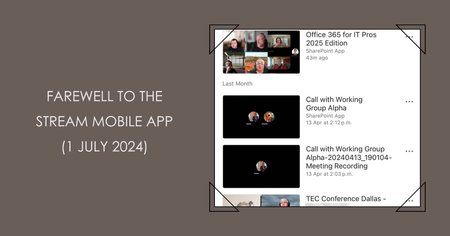
On May 2, 2024, Microsoft announced the retirement of the Stream Mobile app on July 1, 2024. It’s all to do with rationalization and focus, or so Microsoft says. In any case, the suggested replacements are the OneDrive and Microsoft 365 apps, both of which are capable of handling video uploads, management, and playback. https://office365itpros.com/2024/05/03/stream-mobile-app-retires/774Views0likes0Comments