microsoft stream
131 Topics
When will non owners be able to download videos from Microsoft Stream
Hey, Long time searcher, first time poster. Currently video owners are able to download a copy of a video, from Stream, to their computer. This is not very useful since the owner probably has access to the video file in the first place. When will it be possible for anyone who has access to the video to download it from Stream? We want to use it to show videos of our products but also allow our sales staff to download a local copy in case they are in areas where internet is not available. This happens regularly in the remote parts of Australia. Thanks.461KViews24likes13CommentsUse Playlists to create collections of video or audio files in Microsoft 365
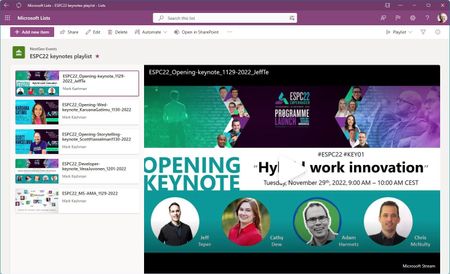
Today, we’re introducing Playlists - a new and simple way to curate and share video or audio collections within Microsoft 365. This combines Microsoft Lists ease of use with the trusted value of Stream (on SharePoint) powering the playback experience.56KViews5likes53Comments
Microsoft stream - Only recording sound and not recording screen share
Hi. I tried to record a meeting but it only recorded the audio and people's teams photos/any live webcam footage people were sharing. It did not capture screen sharing of a presentation. Can this be fixed? ThanksSolved53KViews2likes33CommentsThe Next Phase For the New Version of Stream
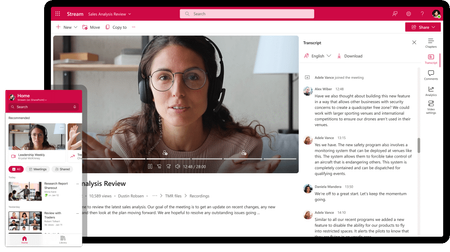
We're glad to announce we'll be entering the next phase of our journey to the new version of Microsoft Stream in Q3 2021. In this phase, we're on track to start bringing new experiences for sharing, discovery, and video playback on top of the Microsoft 365 file experience.26KViews7likes15CommentsTech Community Live | AMA for SharePoint, OneDrive, Lists, and Stream
Join us for a special Ask Microsoft Anything (AMA) live video stream across four Microsoft content collaboration products: SharePoint, OneDrive, Lists, and Stream! Our product teams will be answering your questions about future roadmap and recent innovation – and offering insights on what to expect in the coming months. Each team will present five minutes of content to catch you up on the highlights, and to spark what questions you might ask, and then have 10-15 minutes to take your questions. Post your questions at any time – starting your question with the product name to help us navigate it to the right experts; example: “SharePoint: How will Copilot help me create pages and news in the future?” This is a great opportunity to get answers to any questions you may have from recent Microsoft 365 Conference (May 2-4, 2023) disclosures: Review Jeff Teper’s May 2nd (5/2) blog post. Agenda + Experts (all times listed in the Pacific Time Zone (PT): 10:00am Kickoff [MC: Mark-Kashman] 10:05 – 10:25am -- AMA | SharePoint Experts: Dave Cohen (US), Cathy_Dew, and Suyog Gadgil. Huge innovations that will make it simpler to build compelling and engaging pages and sites within your company intranet. Review the 5/2 SharePoint blog. 10:25 – 10:45am -- AMA | OneDrive Experts: Miceile Barrett, Paul Diamond , Gaia Carini, Carter Green, and vilodha. Get the most out of your files with significant updates to the overall OneDrive user interface – a more simple and personalized experience. Review the 5/2 OneDrive blog. 10:45 – 11:10am -- AMA | Lists Experts: Miceile Barrett, LincolnDeMaris, and Harini Saladi. Your information collaboration is poised to get more intuitive, focused, and powerful. Review the 5/2 Lists blog. 11:10 – 11:30am -- AMA | Stream Experts: Marc Mroz, descapa_msft, Paul Diamond, Ignacio Davila, and OwenpMSFT. Video in Microsoft 365 is about to get easier, with enhanced playback, putting videos in pages, and recording professional videos with personality. Review the 5/2 Stream blog. 11:30am -- Wrap up Submit your questions anytime during the hour or post them early in the Comments below.25KViews9likes361Comments