microsoft store
5 Topics
App da Microsoft Store não abre, e aparentemente sumiu da lista de aplicativos.
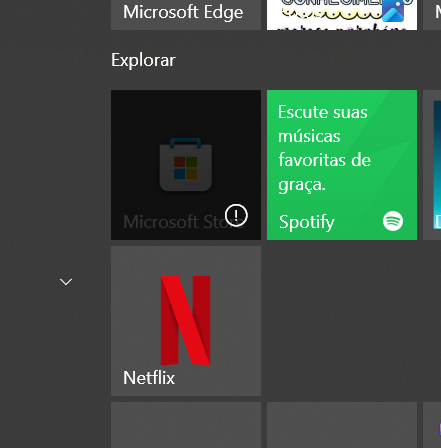
Tenho o Windows 10 22H2 no meu pc, o problema mesmo começou a umas 2 semanas quando não consegui abrir mais o app do Whatsapp, simplesmente não acontecia nada depois de apertar no icone, deixei de lado já que parecia algum problema com o próprio app, neste ponto ainda conseguia abir o Microsoft Store normalmente, porém ontem começou acontecer a mesma coisa com o Microsoft Store, aperto no icone e ele não abre e nem dá nenhum erro, já tentei comandos no cmd para restaurar e não adiantou, baixei o exe. no site da Microsoft mas o instalador tenta atualizar (não sei se ele identifica que está instalado) e logo em seguida da erro: "Algo deu errado e precisamos tentar novamente", o icone do Microsoft Store aparece nos blocos do menu inicar do Windows porém está escuro e com um ponto de exclamação no canto direito, o app também não aparece na lista de aplicativos do Windows, é como se não tivesse mais instalado sendo que não desinstalei, e nem consigo instalar (se fosse o caso). Tentei o suporte pelo site da Microsoft mas também não resolveu.27Views0likes0CommentsIs it possible to update provisioned apps via command line? (e.g.: During OSD)
TL;DR: Via command line, is it possible to trigger all provisioned apps to self update for all user profiles (current and future) even when no one is logged in? We recently noticed that on freshly imaged machines, all of the built-in provisioned apps (Calc, Calendar, Weather, Microsoft Store etc.) are woefully out of date. In reviewing our Task Sequence we used to start the "Microsoft\Windows\WindowsUpdate\Automatic App Update" scheduled task, but it appears this scheduled task has disappeared. This is disappointing as we no longer know what command it was executing to trigger the updating of those apps. That said, is there anything that can be done to force all provisioned apps for all user profiles, both those that currently exist and future ones as well?1.2KViews0likes0CommentsMicrosoft Store: this app has been blocked due the company policy
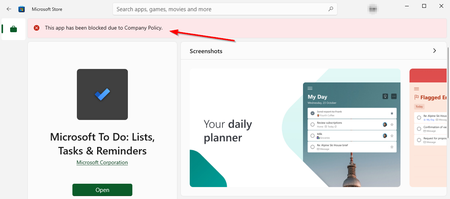
Hi everyone In our organisation, we have limited the apps that can be installed via the Microsoft Store. For some time now, users have been receiving an error message: "This app has been blocked due to the company policy". However, the app can still be installed. What could be the reason for this? Or where can I start troubleshooting? Windows 10 - Version 21H1 - OS Build 19043.1348 Microsoft Store - Version 22110.1401.17.0 "Reset" and "Repair" has had no effect.Solved16KViews2likes21Comments