microsoft project
23 Topics
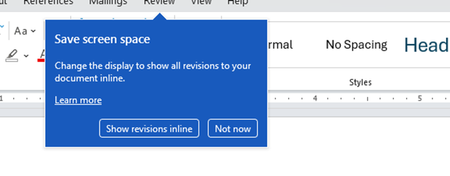
Disable incessant nagware popups
I don't know about everyone else, but I am sick and tired of the nagware pop ups in Word, Excel, PowerPoint, Outlook, etc. Every single product harasses me with pop ups trying to tell me "hey, did you know this feature was here?", "you can do this if you click that", "let me hold your hand through using products you've used for decades even though you don't want daddy Microslop to do that". This is a prime example. I keep getting the same ones again and again and again and everything I've read indicates they should only appear once. But they don't. They keep coming back like a psychotic stalker ex who wants alimony even though you were never married. How do I get this nagware to stop?!678Views1like2Comments
Ms project
Hello MS project iif & switch formulas are not working please assist. I have tried a few colleagues same issue. When using IIf funtion it always returns a syntax error. Projdatediff works alright. Also tried switch same error. I use a basic function to test like IIf(1=1,1,3). Separator is correct and ms project version is Microsoft® Project® Online Desktop Client MSO (Version 2609 Build 16.0.20430.20032) 64-bit. Please assist102Views0likes3Comments
Theme Not Available For Cengage Project
I am currently trying to do a Cengage project for Microsoft power point. I need the Berlin theme and it is currently unavailable. I am using Microsoft 365 Family and only see a limited set of themes. Can someone PLEASE help me? Thank you!Solved322Views0likes2Comments 382Views1like1Comment
Msn partner hub program Invitation code inquiry
Hi , I don't have access to any publisher of msn partner hub program. But I just wanted to join it at any cost. This is very important for me join it. Please send me an invite code for it. So, I can join it. Or send me the link of any publisher so I can contact him. Please help me out to join this program. It is very essential for life fulfill my life purpose. I will thankful to you. With my best Regards957Views0likes2Comments
What causes downtime or server errors for websites hosted on Microsoft Azure?
Websites hosted on Microsoft Azure may experience downtime due to configuration errors, traffic spikes, or limited server resources. For example, if AH Bonus faces hosting issues, it could be caused by high traffic exceeding CPU or RAM limits. Misconfigured deployment settings or incorrect database connections can also trigger server errors like 500 or 503. Additionally firewall or security rules may block access. To resolve this for https://bonus-ah.nl/, monitor performance in Azure enable autoscaling review logs optimize database queries, and check network security settings to ensure stable website performance and reduce downtime.312Views0likes1Commentchanging working times on an existing Project file
I have a large MS Project that was prepared using the standard calendar, but that calendar uses different daily shift times than what we want to use. I created a new calendar with the correct shift (working) times, set the Project to use that new calendar, but the old calendar times are still being used for new tasks, and existing tasks still have the old calendar times. I even changed all the individual tasks to use the new calendar with no effect. How can I force an existing Project use the correct calendar?411Views0likes1Comment