microsoft copilot
3 TopicsAdoption idea: start Copilot Notebooks with one notebook per customer account (sales team example)
I'm a PM on Copilot Notebooks at Microsoft. One pattern we've seen work with sales teams is to start narrow: one notebook per customer account, with the account's CRM notes, decks and emails added as references, shared with the account team. Meeting prep, the team's input and meeting follow-ups (via Capture in OneNote) then all live in one place. Why it works well as a first notebook: It has a clear, ongoing purpose, so people come back to it every week. The content already exists (CRM notes, decks, emails), so nobody starts from a blank page. The whole account team benefits, so sharing it feels natural. Here's a two-minute story of what that looks like: https://youtu.be/Al2VddNfC-o (The story and companies are fictional, inspired by real workflows; some features may be in preview; illustrations and narration were made with AI tools.) Question for champions: when you roll out Copilot Notebooks, what do you recommend as someone's first notebook: per project, per customer or per team? Getting started with Copilot Notebooks: https://support.microsoft.com/en-us/microsoft-365-copilot/get-started-with-microsoft-365-copilot-notebooks197Views1like0CommentsNEW: Wave 2 updates to Adoption.microsoft.com/Copilt
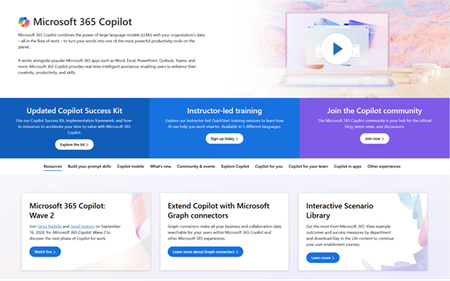
The work we do as Service Adoption and User Enablement Specialists has never been more important. During this moment, where AI experiences are on the rise, the human connection is essential to helping people overcome their AI anxiety. Our tools, updated this morning to support Wave 2 of our Microsoft 365 Copilot experiences is designed to support you in this journey. This post will give you all the details of what's new and available. We'd love to hear your feedback here. How can we assist you further? And don't forget to take our User Enablement for Copilot course on Microsoft Learn to add the badge to your LinkedIn profile. There are never enough of us that are dedicated to the empowerment of people with technology and your role is paramount in businesses getting the value of the investment they make in these services!797Views2likes0CommentsMS365 Copilot in Word - Copliot does not support tables or bullet points in Word to rewrite
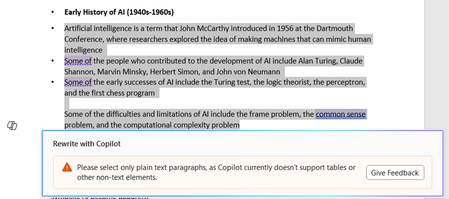
Copilot in Word – When willing to rewrite text with Copilot originally provided in bullet point; unfortunately, an error message is populated – “Please select only plain text paragraphs, as copilot currently doesn’t support tables or other non-text elements.” Similar errors are generated when trying to review/rewrite content provided in tables etc. How to overcome this problem?