microsoft copilot
477 Topics
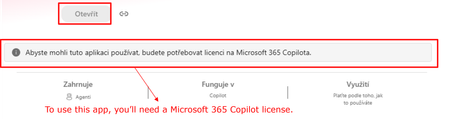
Agent Builder agents require Microsoft 365 Copilot license for users without a license?
Hi all, Has anyone noticed a recent change in how Copilot Agent Builder (in Copilot Chat) agents work for users without a Microsoft 365 Copilot license? Our setup is: Agent created by a user with a Microsoft 365 Copilot license Created directly in Agent Builder, not published through Copilot Studio The agent is published and available within our tenant Some consumers do not have a Microsoft 365 Copilot license Copilot Credits are available (also for the environment where the agent is) and have not been exhausted This setup was working normal ly just two days ago. Unlicensed users could use the shared agents and usage was covered by Copilot Credits. Now those same users are getting a message saying that a Microsoft 365 Copilot license is required. Has anyone else started seeing this? I’m trying to understand whether we are looking at a configuration issue in our tenant or whether something has recently changed in the service/licensing behavior. Thanks for experiences!93Views0likes3Comments
Please Remove Daily Cap Usage for Free Copilot Text Chat
Dear Microsoft Copilot Team, I am writing to express my disappointment with the new daily usage caps on Microsoft Copilot, particularly for ordinary text-based conversations. In the past, I could use Copilot freely for everyday questions, learning, research, brainstorming, and general conversations without constantly worrying about reaching a daily limit. The newer restrictions have made the experience significantly more frustrating and less useful. I understand that running AI services requires computing resources and that Microsoft must manage operating costs. However, I believe ordinary text chat should remain uncapped, especially when it was previously possible to use Copilot much more freely. Text conversations are a fundamental part of the service, and users should not have to stop in the middle of a useful discussion because they have exhausted a daily allowance. The move toward a unified Copilot experience should make the product simpler, more consistent, and more useful—not make existing users feel that they have lost access to a service they have come to rely on. I am therefore asking Microsoft to: Remove daily usage caps entirely for ordinary text-based Copilot conversations, including for free users. Keep basic text chat freely accessible without arbitrary daily cutoffs or lengthy waiting periods. If stricter limits are necessary for resource-intensive features such as image generation or advanced research, apply those limits separately rather than restricting ordinary text conversations. Clearly communicate any usage policies and reconsider changes that negatively affect the experience of long-time users. Unlimited text chat would help preserve user trust, encourage continued engagement, and distinguish Copilot as an accessible AI assistant for everyone. Restricting basic conversations risks pushing loyal users toward competing services that offer a more suitable experience. I hope Microsoft will take this feedback seriously and reconsider the current daily cap policy. Please restore uncapped text chat so users can rely on Copilot whenever they need assistance, without worrying about running out of messages. People on Reddit and online have been criticizing these changes ever since Copilot was unified under one product between enterprise and personal, If you guys dont do anything now it might reduce user trust and might be bad business decisions so please fix Copilot Thank you for your time and consideration. I look forward to seeing Microsoft make Copilot more accessible and user-friendly again.243Views4likes2Comments
COPILOT DENIES ACCESS IN BETA VERSION
Hello, I am a Microsoft 365 Insider on the Beta Channel. I recently gained access to the multi-model preview features (Grok and Fable) in Word. While Word was open, my VPN accidentally connected to a restricted region (Russia). Shortly afterward, I was blocked from accessing Copilot and received the following error: "Copilot n’est pas disponible dans votre région." I have since permanently disabled the VPN and returned to my regular home network. However, whenever I rejoin the Beta Channel, the regional restriction immediately returns. I have already tried performing a clean installation of Office, verifying my Windows region settings, and resetting my privacy settings. Unfortunately, none of these steps has resolved the issue. Could this restriction be associated with an account-level setting or a server-side regional eligibility check? If so, is there an official troubleshooting procedure or a Microsoft support team that can review my account's eligibility and help restore access to the preview features? I would appreciate any guidance on how to resolve this issue. Thank you!ر45Views0likes1Comment
CoPilot's OCR interfering with its functioning
I've asked CoPilot to create a research database in an .xlsx file, by extracting data from .pdf files that I have uploaded. It's working very hard and willingly, but is being frustrated because its OCR mechanism is grabbing and rendering the files before CoPilot can see the raw data. Feature Request: Give Copilot Access to Original Uploaded Files, Not Just OCR/Rendered Representations While building a research-grade numismatic catalogue from PDFs and an Excel workbook, Copilot was able to read OCR text and rendered pages but could not work directly with the underlying XLSX workbook or original PDFs. For research, legal, archival, genealogical, accounting and catalogue-building tasks, Copilot should have access to: Original uploaded file. Rendered page/image representation. OCR/extracted text. The AI should be able to choose the most appropriate representation for the task rather than relying primarily on OCR.74Views0likes2CommentsCopilot in Word changed dramatically overnight and no longer provides the experience I paid to use
I am reporting a significant change that appears to be specific to Copilot in Word. Importantly, this is not a general Copilot account issue. The standalone Copilot app still contains my previous chat history, including chats that originated from Word before this change occurred. The problem appears to be isolated to the Word Copilot experience. Beginning on October 16-17, 2026, Copilot in Word changed dramatically: Previous Word Copilot chat history disappeared, leaving only newly created chats visible. Copilot in Word now states that it can only remember information within the current chat. Personalized preferences that previously carried across conversations no longer appear to work inside Word. The editing workflow has completely changed. Previously, Copilot presented one suggestion at a time inside a dedicated suggestion card. The prior interface used navigation arrows to cycle through alternatives and had clear Apply and Skip/Cancel actions. The new interface generates large numbered lists of suggestions and critiques instead of interactive rewrite cards. The writing assistance feels less natural, less personalized, and noticeably less human than before. The Copilot interface behavior and layout have also changed. My concern is not simply that the interface looks different. I upgraded my Microsoft 365 subscription to Premium primarily because of the Copilot experience in Word. I use Copilot heavily for editing school assignments and writing projects and often complete large amounts of work in a single session. The previous Word Copilot experience helped organize my writing, preserve my voice, and provide efficient rewrite suggestions without sounding like I ran my work through an AI bot. One of the main reasons I chose Copilot over competing AI tools is that it consistently felt more natural and more human when helping me edit and refine my work. The most significant change is not the appearance of the interface. The entire interaction style has changed. Previously, Copilot in Word felt like collaborating with an editor who reviewed my writing and helped improve it while preserving my voice. The new experience feels more like receiving an automated analysis report from a machine. Instead of helping me refine my writing through natural rewrites and conversational suggestions, it now generates long lists of critiques and recommendations. While those recommendations may be technically correct, they do not provide the same experience or value. They also do not consistently reflect the writing style, tone, and preferences that I had previously taught Copilot to remember. Instead of receiving rewrites that already sounded like my work, I now have to interpret the feedback and manually rewrite or adjust it so it sounds like me again. This adds additional effort and makes the editing process significantly less efficient than it was before. Because the standalone Copilot app still has my previous history, this appears to be a change in Word Copilot itself rather than an account-wide issue. I would like Microsoft to confirm: Whether Word Copilot was recently moved to a new experience or editing workflow. Whether the disappearance of all prior Word chat history is expected. Whether cross-chat personalization or memory behavior has changed. Whether the previous suggestion-card workflow, editing style, or interaction model can be restored or selected as an option. I understand that Copilot is an AI system, and I do not expect it to behave exactly like a human editor. However, one of the reasons I chose Copilot over competing tools was because it consistently helped me improve my writing while preserving my voice and reducing the amount of editing I had to do myself. After this update, I have found myself relying on Copilot less because it no longer provides the same level of personalized editing assistance, voice preservation, and workflow efficiency that I previously depended on. This change was immediately noticeable and has significantly reduced the value I receive from the Microsoft 365 subscription I purchased specifically to use Copilot in Word. I am not requesting new features. I am trying to understand whether this change was intentional, whether the previous Word Copilot experience is still available, and whether some of these issues may be related to the disappearance of my prior Word Copilot chat history and personalization. If most of these changes are the result of a history or personalization issue, I hope they can be resolved as quickly as possible so I can continue using Copilot the way I did before. However, if the behavior I am seeing is the result of a permanent redesign of the Word Copilot experience, I will need to reconsider whether maintaining my Microsoft 365 Premium subscription continues to provide the value that originally led me to purchase it.9Views0likes0Comments
Copilot Keeps Promising to Generate Images but Never Actually Creates Them
I have been experiencing this problem repeatedly with Microsoft Copilot, and it is wasting so much of my time. Whenever I ask Copilot to create an image, it keeps responding with promises that it will generate the image, but it never actually creates one! Instead of generating the image, Copilot continues replying with text, promising to complete the task or saying it will fix the problem. Even when I repeat my instructions, it keeps responding without producing the image I requested. This is extremely frustrating because I waste time waiting, repeating my prompts, and explaining what I want again, but the image never appears. EXPECTED BEHAVIOR: Copilot should actually generate the requested image when I ask it to create one. ACTUAL BEHAVIOR: Copilot keeps responding and promising to generate the image, but no image is ever produced. FREQUENCY: This problem has happened repeatedly. PLEASE FIX THIS! I want Copilot to actually generate images instead of repeatedly promising to create them without delivering any results.7Views0likes0CommentsAdoption idea: start Copilot Notebooks with one notebook per customer account (sales team example)
I'm a PM on Copilot Notebooks at Microsoft. One pattern we've seen work with sales teams is to start narrow: one notebook per customer account, with the account's CRM notes, decks and emails added as references, shared with the account team. Meeting prep, the team's input and meeting follow-ups (via Capture in OneNote) then all live in one place. Why it works well as a first notebook: It has a clear, ongoing purpose, so people come back to it every week. The content already exists (CRM notes, decks, emails), so nobody starts from a blank page. The whole account team benefits, so sharing it feels natural. Here's a two-minute story of what that looks like: https://youtu.be/Al2VddNfC-o (The story and companies are fictional, inspired by real workflows; some features may be in preview; illustrations and narration were made with AI tools.) Question for champions: when you roll out Copilot Notebooks, what do you recommend as someone's first notebook: per project, per customer or per team? Getting started with Copilot Notebooks: https://support.microsoft.com/en-us/microsoft-365-copilot/get-started-with-microsoft-365-copilot-notebooks67Views1like0CommentsAccelerating Microsoft 365 Copilot Adoption with Automated Readiness Assessment
From Weeks of Manual Evaluation to Minutes of API-Driven Analysis Note: This playbook is designed for Microsoft partners operating within the AI Business Solutions commercial solution area to support their customers with the adoption journey of Microsoft365 Copilot.11KViews6likes9Comments