microsoft 365
5052 TopicsWhere Microsoft MVP Impact Meets Innovation: Microsoft 365 Community Conference 2026
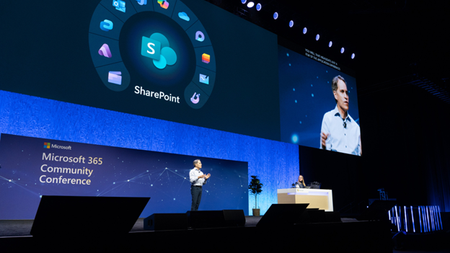
Microsoft Most Valuable Professionals (MVPs) are the heartbeat of the Microsoft ecosystem—and at Microsoft 365 Community Conference 2026, your impact takes center stage. Imagine connecting face-to-face with the engineers behind the products you use every day. Picture conversations with Microsoft leaders shaping the future of collaboration and AI. Now add in deep, practical insight from the world’s most respected Microsoft practitioners—your fellow MVPs. Join us April 21–23 in Orlando, Florida for the Microsoft 365 Community Conference, where innovation, community, and real-world expertise come together. 👉 Exclusive MVP registration perk: Use discount code MVPS to save $200 on your conference pass. This code is reserved exclusively for Microsoft MVPs. MVPs: The People Attendees Come to Learn From—and Hang Out With Microsoft MVPs play a central role in shaping the conference experience. As trusted experts and recognized leaders in the community, MVPs bring hands on, scenario driven guidance directly to the stage—sharing what works in the real world of Microsoft 365. Throughout the event, MVPs are also the people attendees are most excited to meet, learn from, and spend time with—especially in the Microsoft Innovation Hub, where conversations go deeper, demos get hands on, and ideas turn into action. Whether you’re speaking, hosting conversations, or simply connecting between sessions, MVPs are the voices attendees seek out. Learn From the Leaders Defining What’s Next Kick off the event with an innovative keynote experience featuring some of the brightest minds at Microsoft, including: Jeff Teper, President, Microsoft 365 Collaborative Apps and Platforms Charles Lamanna, President, Business Apps & Agents Rohan Kumar, Corporate Vice President, Microsoft Security, Purview & Trust Vasu Jakkal, Corporate Vice President, Microsoft Security Business Together with MVPs and community leaders, these sessions explore how organizations can move forward with confidence in an AI powered world. Connect, Celebrate, and Be Part of the Community In addition to sessions and keynotes, MVPs are invited to moments designed to bring the community together: Unwind with great food, drinks, and conversation in the expo hall receptions, then continue the celebration at the attendee party—complete with rides inside Universal Orlando. Pick up MVP event swag and take home something memorable. And of course, take part in the annual Microsoft MVP photo, a tradition that celebrates the people who make this community exceptional. Build the Skills for the AI Era Develop the skills needed to thrive as a Frontier Firm through sessions led by innovators, builders, designers, Microsoft product teams, and MVPs shaping collaboration today. Highlights include: A fireside chat with Karuana Gatimu, Director, Customer Advocacy for AI & Collaboration, on how AI can elevate leadership. A deep look at how Teams is driving engagement across global communities with Murali Sitaram, Corporate Vice President, Viva Engage. The premiere of More Than Code, a short film celebrating SharePoint’s 25th birthday. These are just a few of the experiences planned, with more being added all the time. Explore the full session catalog to see where MVPs are speaking, connecting, and leading conversations across the conference—including in the Innovation Hub. We hope you’ll join us in Orlando to celebrate the community, share your expertise, and shape what’s next—together. 👉 Visit the Microsoft 365 Community Conference website to explore the full schedule and register using code MVPS to save $200.55Views0likes0CommentsBringing Organizational Knowledge into the Clinical Workflow
This blog is co-authored by Hadas Bitran, Partner GM, Health AI, Microsoft Health & Life Sciences Every day, clinicians spend valuable time looking for information that lives in different places. An email thread from a specialist colleague. A Microsoft Teams discussion about a complex case. Updated organizational processes buried in SharePoint or OneDrive. This information provides context that could be critical to their workflows or help inform their decisions. But that context is not part of their clinical workflow. The result? Clinicians are forced to break their clinical workflow, searching manually across organizational resources, and mentally combining scattered data points, all while a patient is waiting. This isn't a knowledge problem. It's a retrieval problem. And it's costing time, focus, cognitive burden and clinical confidence every single day. That's exactly the gap we're closing by bringing clinical intelligence and your organization's knowledge into one seamless, workflow-native experience. Clinical workflow, now with your organizational context Within Dragon Copilot, clinicians will be able to securely surface relevant information across Microsoft 365, without leaving the clinical workflow: Email: retrieve relevant information that was exchanged with patients, colleagues or from specialist correspondence, referral communications, or care coordination threads. find me the email from Dr. Ting that mentioned the latest research about this mutation. In this example, the chat functionality in Dragon Copilot uses the patient and encounter context to resolve the referenced mutation, then leverages Microsoft 365 Copilot behind the scenes to locate the email from Dr. Ting that mentions it. Microsoft Teams: surface information from Microsoft Teams chats that the clinician had with colleagues, discussions or group chat conversations. The patient is traveling to Florida. Identify dialysis centers near the patient’s destination based on information shared by Dr. Salomon in Microsoft Teams and provide practical travel guidelines I can share with the patient. In this example, Dragon Copilot uses trusted sources for travel guidelines and Microsoft 365 Copilot to retrieve relevant Microsoft Teams messages from Dr. Salomon, identifying nearby dialysis centers in Florida. SharePoint and OneDrive: access organizational knowledge on demand: HR policies, facility procedures, compliance guidelines, shift schedules, and more Who is on call for nephrology tonight and who is covering tomorrow morning? In this example, Dragon Copilot leverages Microsoft 365 Copilot behind the scenes to locate the most up‑to‑date Excel file with upcoming shift and coverage information from the hospital’s SharePoint, and surfaces the answer directly in the conversation, without disrupting the clinician’s workflow. With Microsoft 365 Copilot, work context is available directly inside Dragon Copilot, clinicians can choose if, and when to access their work information. Within Dragon Copilot, they can ask questions in natural language and receive the most relevant information, grounded in patient context, from trusted clinical sources and their Microsoft 365 data. One conversational flow. Full clinical and work context. No tab switching, no manual searching, no lost focus. Trusted by design, built for healthcare Security and privacy are built in from the ground up. Information is always accessed on behalf of the individual user, fully respecting existing Microsoft 365 identity and access management, compliance, and privacy controls, meaning clinicians see only what they're authorized to see, and that Dragon Copilot will only use their work context if the clinician consented to it. This also means no new security risks to manage, and no changes to how your organization governs access to information. For healthcare organizations where data sensitivity, regulatory compliance, and patient privacy are non-negotiable, this better-together experience is designed to meet that bar from day one. Join the Private Preview If you're a Dragon Copilot customer, and your organization is using Microsoft 365 Copilot, we invite you to be among the first to experience this new capability. Register now for early access to the private preview and play a role in shaping the future of clinical workflow intelligence. Register for private previewMS List forms fields in forms drives fields available for modern list form
In a MS List in SharePoint, if the edit form is customized to only show select fields, this now directly correlates to fields available for selection on the modern list form and will not allow me to add all fields to the modern list form that are needed for an input form to a different audience than the form editors on the list. This seems to be a new issue and is not useful, especially with the modern list forms allowing multiple different forms with select fields in view. Use case: I want form input user to provide certain details but the team handling the request should not overwrite select input fields and instead only view it as a summary from a calculated column visible on the edit form in view. But in order to have the input fields available in modern input form, they must also be present in the edit form on the list. This seems to be new and I am looking for details if this is by design through a recent update or a bug that can be resolved. If it is an update, this needs to be changed back.22Views0likes0CommentsProduct suite on top of SharePoint - Intelligent Decisioning - SharePoint Partner Showcase
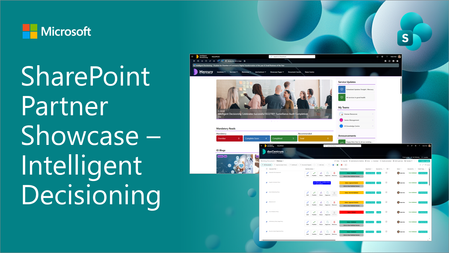
We are excited to share a new episode on our partner showcase series focused on SharePoint in Microsoft 365. In this post, we focus on ID Live which is providing different kind of solutions on top of the native SharePoint build with SharePoint Framework.207Views0likes0Comments
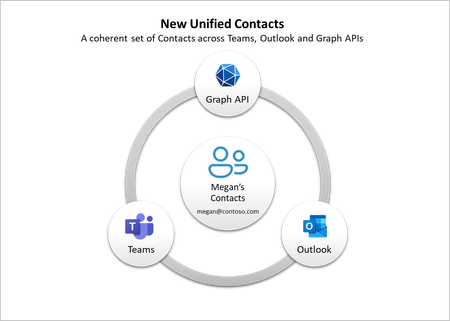
New Unified Contacts in Microsoft Teams and Outlook, now generally available
We are excited to announce the general availability of the new unified contacts experience in Teams and Outlook. Now you can seamlessly access and manage the same set of contacts across Microsoft Teams and Outlook for an integrated and efficient collaboration experience.418KViews5likes36Comments