linux
142 Topics
Finding the Elusive MDE PUA Audit Events on Linux
Potentially Unwanted Applications, or PUA, they aren't necessarily malware, but they are applications you probably don't want running across your environment either. Microsoft defines potentially unwanted applications as software that can adversely affect endpoint performance or use. Examples include advertising software, software bundlers, and applications that use behaviors intended to evade security products. Microsoft Defender can also consider an application's reputation when determining whether software qualifies as potentially unwanted. That sounds straightforward. On Windows, it generally is. On Linux, finding the resulting audit events requires knowing exactly where to look. And that is where things get interesting. PUA, PUP… Same Neighborhood, Slightly Different Address Before going further, it is worth clearing up some terminology. Across the security industry, you will commonly encounter both PUP, or Potentially Unwanted Program, and PUA, or Potentially Unwanted Application. The terms are frequently used for software that isn't necessarily malicious but has characteristics that make its presence undesirable, such as intrusive advertising, bundling additional software, or other behavior the user might not have knowingly requested. Microsoft uses Potentially Unwanted Application (PUA) as its product and detection terminology. Microsoft specifically distinguishes PUA from malware. A PUA might cause poor system performance, display unexpected advertisements, install other software, or have a poor reputation because of undesirable behavior, but those characteristics don't automatically make the application malware. Microsoft's classification criteria include examples such as: Advertising software that displays advertisements or promotions, including injecting advertisements into webpages. Bundling software that offers to install additional software that isn't digitally signed by the same entity, or that itself qualifies as PUA. Evasion software that actively attempts to avoid detection by security products or behaves differently when security software is present. Applications that have developed a poor reputation based on undesirable behavior. Microsoft's broader software-classification model also distinguishes between unknown software, malware, unwanted software, and other classifications. Software can therefore be legitimate and functional while still meeting Microsoft's criteria for classification as potentially unwanted. For the rest of this article, we'll use PUA, because that is the terminology used by Microsoft Defender and, more importantly for our investigation, the Linux product logs identify these detections explicitly as: potentially_unwanted_application That string is going to become very useful once we start looking for the supposedly elusive audit events. PUA Audit and Block on Windows On Windows, PUA protection is part of Microsoft Defender Antivirus. Administrators can configure Defender to identify applications that Microsoft considers potentially unwanted and determine how those applications should be handled. Microsoft documents PUA protection and provides the AMTSO Potentially Unwanted Application test file (Feature Settings Check - Potentially Unwanted Applications - AMTSO) as its standard demonstration scenario. Microsoft's demonstration documentation identifies Windows, Windows Server, macOS, and Linux among the supported operating systems for the PUA demonstration. The two operating modes we're interested in are conceptually simple: Audit Defender identifies the PUA but doesn't block it. This is useful when you want to understand the potential impact of enabling PUA protection before enforcing it. Block Defender identifies the PUA and takes the configured protection action. On Windows, for a device onboarded to Microsoft Defender for Endpoint – that telemetry and audit information is available in the XDR Security portal. You can find PUA detections in the Additional Fields of the AntivirusDetection action type in the DeviceEvents table – and an alert will fire when in PUA is in block mode: DeviceEvents | where ActionType == "AntivirusDetection" | extend x = parse_json(AdditionalFields) | project Timestamp, DeviceName, FolderPath, FileName, SHA256, ThreatName = tostring(x.ThreatName), WasExecutingWhileDetected = tostring(x.WasExecutingWhileDetected), WasRemediated = tostring(x.WasRemediated) | where ThreatName startswith_cs 'PUA:' Microsoft Defender Antivirus events can be investigated through: Applications and Services Logs > Microsoft > Windows > Windows Defender > Operational Defender detection events can provide information such as the threat name, threat ID, category, path, detection origin, detection type, and detection source. That makes auditing and troubleshooting reasonably familiar territory for Windows administrators. The experience on Linux, however, is different. PUA Protection on Linux Microsoft Defender for Endpoint on Linux also supports PUA protection. Microsoft documents three PUA actions: Off: PUA protection is disabled. Audit: PUA files are reported in the product logs, but no remediation is performed. Block: PUA files are reported and action is taken against them. The distinction between Audit and Block is particularly important. In PUA Audit mode: PUA files are reported in the product logs. They aren't reported in the Defender portal through this PUA mechanism. No infection record is stored in threat history. No action is taken against the file. In Block mode: The detection is reported in the product logs. It is reported in the Defender portal. A record is stored in threat history. Defender takes action on the PUA. PUA behavior can be configured locally with mdatp. To configure Audit: sudo mdatp threat policy set --type potentially_unwanted_application --action audit To configure Block: sudo mdatp threat policy set --type potentially_unwanted_application --action block There is one important distinction worth calling out here: PUA Audit mode isn't the same thing as the broader Microsoft Defender for Endpoint Antivirus Passive Mode on Linux. PUA Audit is specifically the handling policy for applications that are detected and classified as potentially unwanted. For this article, we're testing and focusing on PUA Audit. A Windows PUA on Linux? Yes. Here's where the test gets more interesting. The AMTSO PUA test artifact is a Windows executable. At first glance, that doesn't seem particularly useful when we're trying to validate PUA protection on Linux. After all, we're testing on Linux. But Defender's file inspection isn't limited to applications that can execute natively on the operating system. A Windows PE file sitting on a Linux filesystem can still be inspected and classified. And we can demonstrate that directly. Microsoft's PUA demonstration directs administrators to the AMTSO Potentially Unwanted Application test file, and Microsoft's current demonstration documentation includes Linux among the supported operating systems. On our Linux test machine, we downloaded: PotentiallyUnwanted.exe The important point is that we don't need to execute the Windows executable on Linux. In our testing, simply causing filesystem activity against the file was sufficient to make Defender inspect it. The file initially resided in: /home/ritter/Downloads/PotentiallyUnwanted.exe We then used the Linux graphical file manager to move it into: /home/ritter/Music/PotentiallyUnwanted.exe That was enough to generate another PUA Audit observation. The Defender record showed: "scan_reason":"move" And, more importantly, Defender classified the file as: "name":"PUA:Win32/EICAR_Test_File" with: "type":"potentially_unwanted_application" and: "status":"infected" The event also recorded information about the process responsible for the filesystem operation. In our test, moving the file graphically resulted in the process being recorded as: /usr/bin/nautilus So although the test artifact is a Windows executable, MDE running on Linux still inspected and classified it as PUA:Win32/EICAR_Test_File. That's exactly what we needed. So Where Is the Audit Event? This is the elusive part. If you immediately start looking in the Defender portal or expect PUA Audit to behave like PUA Block, you're likely to come away wondering whether anything happened. Microsoft's Linux documentation tells us that Audit-mode PUA files are reported in the product logs and that no infection record is stored in threat history. Fair enough. But that naturally leads to another question: Which product log? Instead of guessing, we asked Linux. A recursive grep across the MDE log directory provides a simple way to find anything containing the PUA classification string: sudo grep -RniH 'potentially_unwanted' /var/log/microsoft/mdatp/ Where: R searches recursively. n displays the matching line number. i makes the search case-insensitive. H forces grep to display the filename. And there it was. On our test system, the PUA Audit records were located in: /var/log/microsoft/mdatp/microsoft_defender_core_err.log If you only want to determine which log files contain PUA records: sudo grep -Rli 'potentially_unwanted' /var/log/microsoft/mdatp/ Once you've identified the log, you can search it directly: sudo grep -ni 'potentially_unwanted' /var/log/microsoft/mdatp/microsoft_defender_core_err.log Or include surrounding lines for additional context: sudo grep -ni -B5 -A10 'potentially_unwanted' /var/log/microsoft/mdatp/microsoft_defender_core_err.log Our test produced records containing information similar to: [Audit]: Source: { "$type":"real_time", "scan_reason":"move", "process":{ "path":"/usr/bin/nautilus" } }, File: /home/ritter/Music/PotentiallyUnwanted.exe, Threat: { "name":"PUA:Win32/EICAR_Test_File", "type":"potentially_unwanted_application", "status":"infected" } And there it is. The PUA audit event exists. You just have to go spelunking through the local Defender product logs to find it. The Microsoft documentation is technically correct: PUA Audit detections are written to the product logs. Knowing what string to search for and which log actually contained the events on our test system makes that guidance considerably more actionable. That's Fine for One Server. What About 1,000? Running grep on a test machine is easy. Running grep individually across hundreds or thousands of Linux servers obviously isn't the operational model we want. Once we know where the information resides, however, the problem changes from a Defender problem into a log collection problem. And that's a much easier problem to solve. One option is Azure Monitor Agent (AMA). AMA supports collecting custom text logs from Linux systems through an Azure Monitor Data Collection Rule (DCR) and sending those records to a Log Analytics workspace. Conceptually: A DCR can be configured to collect the Defender text log identified during testing. Azure Monitor supports Linux custom-text-log file patterns and wildcards for appropriate log-file collection scenarios. Azure Monitor Custom Text Logs also supports ingestion-time transformations, allowing records to be filtered or formatted before they're written to the destination table. That creates an interesting opportunity. Rather than collecting every line from a verbose Defender diagnostic log, a collection strategy could focus on the records containing: potentially_unwanted_application Once centralized in Log Analytics, those records become queryable with KQL. For example, if the records were ingested into a custom table called MDEPUAAudit_CL, an initial investigation could start with: MDEPUAAudit_CL | where RawData contains "potentially_unwanted" From there, the raw records could be parsed for useful reporting fields including: Host Timestamp File path Detection name PUA classification Scan reason Initiating process First occurrence Last occurrence Number of observations Turning Audit Mode into a Deployment Tool This is ultimately where the exercise becomes useful. PUA Audit doesn't have to be merely a configuration checkbox. It can become a pre-enforcement assessment mechanism. The workflow looks something like this: Instead of asking: "What happens if we turn PUA Block on?" we can start answering a much better question: "What has Defender already identified as PUA while we've been running in Audit?" And now we know where the answer is hiding. Reference Live link Detect and block potentially unwanted applications with Microsoft Defender for Endpoint on Linux https://learn.microsoft.com/en-us/defender-endpoint/linux-pua Detect and block potentially unwanted applications with Microsoft Defender Antivirus https://learn.microsoft.com/en-us/defender-endpoint/detect-block-potentially-unwanted-apps-microsoft-defender-antivirus How Microsoft identifies malware and potentially unwanted applications https://learn.microsoft.com/en-us/unified-secops/criteria Potentially unwanted applications (PUA) demonstration https://learn.microsoft.com/en-us/defender-endpoint/defender-endpoint-demonstration-potentially-unwanted-applications AMTSO Feature Settings Check: Potentially Unwanted Applications https://www.amtso.org/feature-settings-check-potentially-unwanted-applications/ Microsoft Defender Antivirus event IDs and error codes https://learn.microsoft.com/en-us/defender-endpoint/troubleshoot-microsoft-defender-antivirus Microsoft Defender for Endpoint on Linux resources https://learn.microsoft.com/en-us/defender-endpoint/linux-resources Collect text file from virtual machine with Azure Monitor https://learn.microsoft.com/en-us/azure/azure-monitor/vm/data-collection-log-text Collect logs from text files with Azure Monitor Agent and ingest to Microsoft Sentinel https://learn.microsoft.com/en-us/azure/sentinel/connect-custom-logs-ama Collect guest log data from virtual machines with Azure Monitor https://learn.microsoft.com/en-us/azure/azure-monitor/vm/data-collection DeviceEvents table in the Advanced Hunting schema https://learn.microsoft.com/en-us/defender-xdr/advanced-hunting-deviceevents-table Microsoft Defender XDR Advanced Hunting schema tables https://learn.microsoft.com/en-us/defender-xdr/advanced-hunting-schema-tables
Edge 144 Creates Multiple GNOME Menu Icons
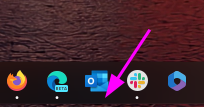
Starting in Edge 144, there are now 2 icons displaying in the GNOME applications menu. com.microsoft.Edge.desktop microsoft-edge.desktop Both of these files are installed as part of the RPM; the first has "NoDisplay=true" at the bottom, but that doesn't seem to work as intended. I think this value needs to be in the first section, under "[Desktop Entry]", in order for it to work properly.Solved256Views1like2CommentsPostgreSQL: Migrating Large Objects (LOBs) with Parallelism and PIPES
Why This Approach? Migrating large objects (LOBs) between PostgreSQL servers can be challenging due to size, performance, and complexity. Traditional methods often involve exporting to files and re-importing, which adds overhead and slows down the process. Also, there could be some Cloud restrictions that limit the usage of other tools like: Pgcopydb: Welcome to pgcopydb’s documentation! — pgcopydb 0.17~dev documentation Or other techniques like using RLS: SoporteDBA: PostgreSQL pg_dump filtering data by using Row Level Security (RLS) This solution introduces a parallelized migration script that: Reads directly from pg_largeobject. Splits work across multiple processes using the MOD() function on loid. Streams data via PIPES—no intermediate files. Scales easily by adjusting parallel degree. *Possible feature*: Commit size logic to supports resume logic by excluding already migrated LOBs. Key Benefits Direct streaming: No temporary files, reducing disk I/O. Parallel execution: Faster migration by leveraging multiple processes. Simple setup: Just two helper scripts for source and destination connections. Reference Scripts reference: Moving data with PostgreSQL COPY and \COPY commands | Microsoft Community Hub Source Connection -- pgsource.sh -- To connect to source database -- PLEASE REVIEW CAREFULLY THE CONNECTION STRINGS TO CONNECT TO SOURCE SERVER PGPASSWORD=<password> psql -t -h <sourceservername>.postgres.database.azure.com -U <username> <database> -- Permissions to execute chmod +x pgsource.sh Destination Connection -- pgdestination.sh -- To connect to target database -- PLEASE REVIEW CAREFULLY THE CONNECTION STRINGS TO CONNECT TO DESTINATION SERVER PGPASSWORD=<password> psql -t -h <destinationservername>.postgres.database.azure.com -U <username> <database> -- Permissions to execute chmod +x pgdestination.sh Parallel Migration Script -- transferlobparallel.sh -- To perform the parallel migrations of lobs echo > nohup.out echo 'ParallelDegree: '$1 'DateTime: '`date +"%Y%m%d%H%M%S"` # Check if no large objects to migrate count=$(echo "select count(1) from pg_largeobject;"|./pgsource.sh) count=$(echo "$count" | xargs) if [ "$count" -eq 0 ]; then echo "There are no large objects to migrate. Stopping the script." exit 0 fi par=$1 for i in $(seq 1 $1); do nohup /bin/bash <<EOF & echo "\copy (select data from (select 0 as rowsort, 'begin;' as data union select 1, concat('SELECT pg_catalog.lo_create(', lo.loid, ');SELECT pg_catalog.lo_open(', lo.loid, ', 131072);SELECT pg_catalog.lowrite(0,''', string_agg(lo.data, '' ORDER BY pageno), ''');SELECT pg_catalog.lo_close(0);') from pg_largeobject lo where mod(lo.loid::BIGINT,$par)=$i-1 group by lo.loid union select 2, 'commit;') order by rowsort) to STDOUT;"|./pgsource.sh|sed 's/\\\\\\\/\\\\/g'|./pgdestination.sh; echo "Execution thread $i finished. DateTime: ";date +"%Y%m%d%H%M%S"; EOF done tail -f nohup.out|grep Execution -- Permissions to execute chmod +x transferlobparallel.sh -- NOTE Please pay attention during the script execution, it will never finish as last line is “tail -f nohup…”, you need to monitor if all the threads already finished or checking in a different session the “psql” processes are still working or not. How to Run ./transferlobparallel.sh <ParallelDegree> Example: ./transferlobparallel.sh 3 Runs 3 parallel processes to migrate LOBs directly to the destination server. Performance Results Please find basic metrics taking into consideration that client linux VM with accelerated networking was co-located in same region/AZ than source and target Azure Database for PostgreSQL Flexible servers, servers and linux client based in Standard 4CPU SKUs, no other special configurations. 16 threads: ~11 seconds for 500MB. CPU usage: ~15% at 16 threads. Estimated migration for 80GB: ~30 minutes Key Takeaways This approach dramatically reduces migration time and complexity. By combining PostgreSQL’s pg_largeobject with parallelism and streaming, without intermediate storage, and using only psql client command as required client software. Disclaimer The script is provided as it is. Please review carefully when running/testing, the script is just a starting point to show how to migrate large objects in a parallelized way without intermediate storage, but it can be also implemented/improved using other methods as mentioned.
Solution for PWAs not appearing as separate apps on Linux taskbars
Hi everyone, I recently Installed Microsoft Edge stable on Kubuntu Linux, and I ran into some problems using Progressive Web Applications (PWAs). Launch one Edge PWA (say, Microsoft Teams). It appears normally. Launch a second PWA (say, Microsoft Outlook). Both windows — and every PWA you launch afterward — collapse into a single taskbar group under the first PWA’s icon, identified as msedge. Pinned PWA launchers never show as running. Pinning a running PWA window produces a generic page icon that launches the bare Edge browser when clicked. Launching a PWA from the application menu briefly shows the launcher’s startup placeholder in the taskbar, which then disappears and is replaced by a separate, unassociated entry. This isn’t KDE-specific. GNOME users have also reported issues. After some troubleshooting with Claude, the issues were traced to a mismatch between how the PWAs are identified in the .desktop PWA launchers created by Edge and the app ids reported to Wayland, starting in September 2025, when Wayland was used by default. Identifier Value Example (Microsoft Outlook) Window app_id (native Wayland) msedge-_<appid>-Default msedge-_lkkahpbimdkjdjjiijflmhaeameegbcm-Default Desktop entry filename msedge-<appid>-Default msedge-lkkahpbimdkjdjjiijflmhaeameegbcm-Default StartupWMClass= in that file crx__<appid> crx__lkkahpbimdkjdjjiijflmhaeameegbcm So the solution is StartupWMClass in the .desktop launcher for the PWA to the Wayland app_id. I have a simple Bash script that will do this for all currently installed PWAs as a workaround, but the automod removed that post the last time I tried to post it. The suggested fix for Microsoft This should be a small change to Edge’s desktop-entry generation on Linux: write the Wayland app_id (msedge-_<appid>-<profile>) into StartupWMClass=, or better, make the window app_id match the desktop entry basename per the freedesktop convention. No compositor-side changes are needed — the verified workaround above demonstrates that. I’ve reported this through Edge’s in-browser feedback tool (Alt+Shift+I) with the full diagnosis. If you’re affected, sending your own feedback referencing the same details is the best way to get it prioritized — the in-browser channel is what reaches the Edge team’s triage.662Views3likes1Comment
[Wayland] PWAs no longer appear as separate app windows — all group under main Edge icon
Hi, Since around 2025-09-07 to 2025-09-10, I’ve noticed that on GNOME (Wayland) all installed PWAs (even across different profiles) now appear grouped under the main Edge browser icon in the GNOME Shell dash/taskbar. Previously, each PWA would open in its own window group with its own icon. This is still the behavior in Chromium/Brave/Chrome, and can be restored there by editing the PWA’s .desktop file to set: StartupWMClass=<same value as Icon> However, Edge now seems to ignore StartupWMClass completely on Wayland, breaking workspace separation and making task switching hard. Environment: Ubuntu 25.04 GNOME 48.0 / Mutter (Wayland) Kernel 6.14.0-29 Intel Iris Xe GPU Edge (latest stable, observed post 2025-09-13) Repro steps: Install any PWA (e.g. Outlook, Teams, Spotify) from Edge Launch it (from any profile) Observe that it appears grouped under the main Edge browser icon Expected: PWA shows under its own icon and window group like in Chromium-based browsers Actual: All PWAs are bundled into the main Edge window group Editing StartupWMClass in the .desktop file no longer helps This regression makes PWAs much harder to manage on Wayland. Please route to the Linux/Wayland team if possible. Thanks!4.8KViews13likes20CommentsPWA shortcuts don't keep asociated with window - Linux
I recently upgraded to version140.0.3485.14 (Official build) beta (64-bit) and noticed that my PWA, even if they open correctly in a independent window, don't show the "running window counter" on the taskbar. So, for example, if a open Outlook, the window open and loads the app, but if a I click the icon again, it opens another window, wich is a little annoying. I tried removing the PWA from Edge, rebooting, and installing again, but didn't work. Because the only change I made is updating Edge, I think is related to this build. (too lazy to go back or install the stable release)3.2KViews10likes11Comments
RHEL10 or Ubuntu 26.04 LTS Support
Hi, Is there any time lines when Microsoft Intune client for Linux will be updated to support the latest versions of these operating systems? Is there a published timeline anywhere that says when new releases for Linux will be released? Thanks in advance.763Views4likes1CommentMS Edge - Sidebar and copilot not working on Linux Ubuntu v24 LTS
Sidebar not syncing or accepting new app additions (+). Copilot button is dead/inactive. Sidebar settings are well configured. Using the latest version of the Ubuntu OS and MS Edge. Functionality appears to be absent as product was released without full functionality....Lame!29KViews45likes59Comments