learning
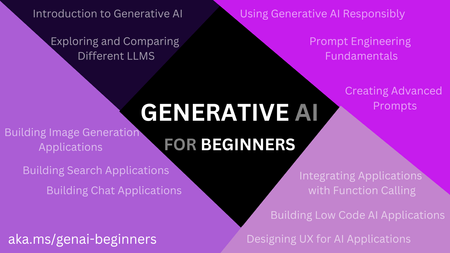
411 TopicsGenerative AI for Beginners - A 12-Lesson Course
Are you fascinated by the world of Artificial Intelligence and its endless possibilities? Are you a beginner eager to dive into the realm of Generative AI? If so, you're in the right place! In this blog post, we're excited to introduce you to a comprehensive 12-lesson course designed to teach you everything you need to know to start building Generative AI applications58KViews12likes7CommentsLevel up your Python + AI skills with our complete series
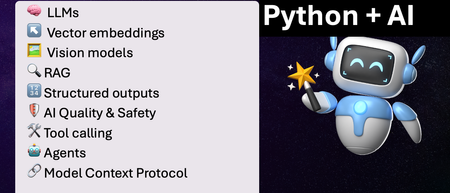
We've just wrapped up our live series on Python + AI, a comprehensive nine-part journey diving deep into how to use generative AI models from Python. The series introduced multiple types of models, including LLMs, embedding models, and vision models. We dug into popular techniques like RAG, tool calling, and structured outputs. We assessed AI quality and safety using automated evaluations and red-teaming. Finally, we developed AI agents using popular Python agents frameworks and explored the new Model Context Protocol (MCP). To help you apply what you've learned, all of our code examples work with GitHub Models, a service that provides free models to every GitHub account holder for experimentation and education. Even if you missed the live series, you can still access all the material using the links below! If you're an instructor, feel free to use the slides and code examples in your own classes. If you're a Spanish speaker, check out the Spanish version of the series. Python + AI: Large Language Models 📺 Watch recording In this session, we explore Large Language Models (LLMs), the models that power ChatGPT and GitHub Copilot. We use Python to interact with LLMs using popular packages like the OpenAI SDK and LangChain. We experiment with prompt engineering and few-shot examples to improve outputs. We also demonstrate how to build a full-stack app powered by LLMs and explain the importance of concurrency and streaming for user-facing AI apps. Slides for this session Code repository with examples: python-openai-demos Python + AI: Vector embeddings 📺 Watch recording In our second session, we dive into a different type of model: the vector embedding model. A vector embedding is a way to encode text or images as an array of floating-point numbers. Vector embeddings enable similarity search across many types of content. In this session, we explore different vector embedding models, such as the OpenAI text-embedding-3 series, through both visualizations and Python code. We compare distance metrics, use quantization to reduce vector size, and experiment with multimodal embedding models. Slides for this session Code repository with examples: vector-embedding-demos Python + AI: Retrieval Augmented Generation 📺 Watch recording In our third session, we explore one of the most popular techniques used with LLMs: Retrieval Augmented Generation. RAG is an approach that provides context to the LLM, enabling it to deliver well-grounded answers for a particular domain. The RAG approach works with many types of data sources, including CSVs, webpages, documents, and databases. In this session, we walk through RAG flows in Python, starting with a simple flow and culminating in a full-stack RAG application based on Azure AI Search. Slides for this session Code repository with examples: python-openai-demos Python + AI: Vision models 📺 Watch recording Our fourth session is all about vision models! Vision models are LLMs that can accept both text and images, such as GPT-4o and GPT-4o mini. You can use these models for image captioning, data extraction, question answering, classification, and more! We use Python to send images to vision models, build a basic chat-with-images app, and create a multimodal search engine. Slides for this session Code repository with examples: openai-chat-vision-quickstart Python + AI: Structured outputs 📺 Watch recording In our fifth session, we discover how to get LLMs to output structured responses that adhere to a schema. In Python, all you need to do is define a Pydantic BaseModel to get validated output that perfectly meets your needs. We focus on the structured outputs mode available in OpenAI models, but you can use similar techniques with other model providers. Our examples demonstrate the many ways you can use structured responses, such as entity extraction, classification, and agentic workflows. Slides for this session Code repository with examples: python-openai-demos Python + AI: Quality and safety 📺 Watch recording This session covers a crucial topic: how to use AI safely and how to evaluate the quality of AI outputs. There are multiple mitigation layers when working with LLMs: the model itself, a safety system on top, the prompting and context, and the application user experience. We focus on Azure tools that make it easier to deploy safe AI systems into production. We demonstrate how to configure the Azure AI Content Safety system when working with Azure AI models and how to handle errors in Python code. Then we use the Azure AI Evaluation SDK to evaluate the safety and quality of output from your LLM. Slides for this session Code repository with examples: ai-quality-safety-demos Python + AI: Tool calling 📺 Watch recording In the final part of the series, we focus on the technologies needed to build AI agents, starting with the foundation: tool calling (also known as function calling). We define tool call specifications using both JSON schema and Python function definitions, then send these definitions to the LLM. We demonstrate how to properly handle tool call responses from LLMs, enable parallel tool calling, and iterate over multiple tool calls. Understanding tool calling is absolutely essential before diving into agents, so don't skip over this foundational session. Slides for this session Code repository with examples: python-openai-demos Python + AI: Agents 📺 Watch recording In the penultimate session, we build AI agents! We use Python AI agent frameworks such as the new agent-framework from Microsoft and the popular LangGraph framework. Our agents start simple and then increase in complexity, demonstrating different architectures such as multiple tools, supervisor patterns, graphs, and human-in-the-loop workflows. Slides for this session Code repository with examples: python-ai-agent-frameworks-demos Python + AI: Model Context Protocol 📺 Watch recording In the final session, we dive into the hottest technology of 2025: MCP (Model Context Protocol). This open protocol makes it easy to extend AI agents and chatbots with custom functionality, making them more powerful and flexible. We demonstrate how to use the Python FastMCP SDK to build an MCP server running locally and consume that server from chatbots like GitHub Copilot. Then we build our own MCP client to consume the server. Finally, we discover how easy it is to connect AI agent frameworks like LangGraph and Microsoft agent-framework to MCP servers. With great power comes great responsibility, so we briefly discuss the security risks that come with MCP, both as a user and as a developer. Slides for this session Code repository with examples: python-mcp-demo12KViews6likes0CommentsStarting your Kaggle challenge using Azure Machine Learning Services
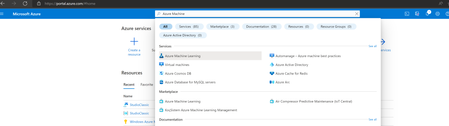
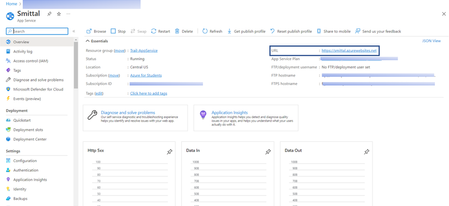
One of the main advantages of Azure ML is the ability to do hyperparameter optimization by scheduling experiments. So have you tried this this with dataset hosted on Kaggle? Kaggle has over 50,000 public datasets and 400,000 public notebooks to conquer any analysis in no time. Kaggle does offers a no-setup, customizable, Jupyter Notebooks environment. Access GPUs at no cost to you and a huge repository of community published data & code. However, there are times when you want to build your experiment using Azure and an Azure ML workspace in the azure portal.4.3KViews6likes0CommentsMicrosoft Learn LTI Application
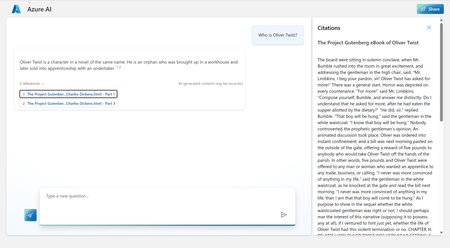
The application enables you to seamlessly embed modules and learning paths from the Microsoft Learn Catalog and display it within your Learning Management Systems (LMS) alongside training content for staff or students to support with blended learning or within class websites as additional resources.8.2KViews6likes1CommentVisual Studio Code AI Toolkit: Run LLMs locally
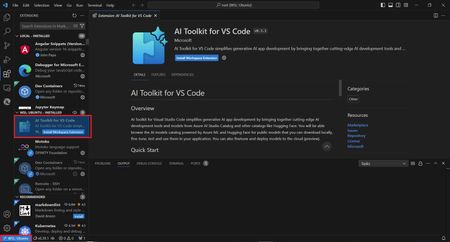
AI Toolkit is here Getting the LLMs/ SLMs on our local machines. This toolkit lets us easily download the models on our local machine. Evaluation of the model. Whenever we need to evaluate a model to check for the feasibility to any particular application, then this tool lets us do it in a playground environment, which is what we will seeing in this blog. Fine-tuning, this majorly delas with training the model further to do the tasks that we specifically want the model to do. Usually, it does a generic task and has generic data, with fine-tuning we can give it a particular flavor to perform particular task.42KViews5likes3CommentsProject Edison - Opensource IOT Safety Notification and Response Platform
Project Edison is a Safety Notification and Response Platform that leverages the Internet of Things (IoT) to communicate to a community during emergency events. It’s an open sourced Microsoft 3rd party solution accelerator (3PSA) on Github that was invented by me, became an intrapreneurial start-up project I cofounded with Clark Ennis and upon receiving funding was built by our partner Insight Digital Innovation.4KViews5likes1Comment