infopath
17 Topics
Formatting Issue Upon Opening of InfoPath Form
I recently encountered a formatting issue when I open a form. The formatting looks unattractive and the size of the objects are smaller in length plus some text moves to next row. I recently changed laptops which is why I am seeing this issue. I checked with my other colleagues who are using the old laptop and the issue is not present there. Any assistance would be appreciated!623Views0likes0Comments
How can I connect InfoPath?
I want to edit the SharePoint form via InfoPath. How can I connect InfoPath? IE is already ended. I tried to open InfoPath via Edge and Chrome. But there is a message like "Internet Explorer is required to use this feature.". I also tried to open via InfoPath directly. But there is no connection to any forms. Do you have any idea?1.2KViews0likes1CommentInfoPath form submit options
Hi Everyone, I am a newbie to SharePoint and InfoPath forms. I recently added an email address to InfoPath form in particular stage for notifications through submit options. I saved and published the form. Does it effect all the forms which were submitted in the past or just the new ones which will be created. The user is not receiving email notifications. However, the form was created couple of months ago and it got to her stage just recently. Thanks1.5KViews0likes3Comments
Infopath replacement - PowerApps to Customise Sharepoint list - Licensing
Hi, for many years we have been using Infopath to "front-end" our Sharepoint lists (where a bit more intelligence/styling was needed on the form rather than using the basic Sharepoint list form). With the upcoming demise of infopath we are looking to replace this functionality by using the "Integrate/PowerApps/Customize forms" option that has now appeared on the top link bar on Sharepoint lists. However it seems like a PowerApps license is now required to do this. While we fully accept this for developing and building the forms themselves, our end users do not need the full capabilities of the PowerApps license to build and develop themselves. They only need to be able to use the form to enter the Sharepoint list data where they already have access to the list. What options are available re our end users and licensing, they did not need anything extra to use the infopath forms?Solved2.1KViews0likes2Comments
Default Form Missing - Stuck With InfoPath option
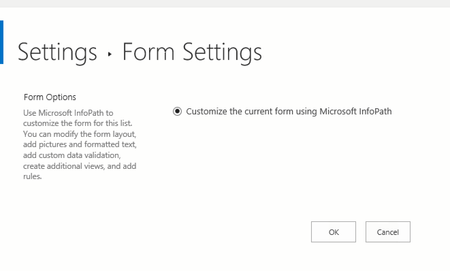
Hi All, I'm wondering if anyone has seen this issue and knows of a fix. I had an InfoPath form ties to a list and would now like to remove it and use the built in/default form. The problem is I do not have that option in Form Settings anymore. The default has now become the InfoPath option! I no longer have InfoPath installed I attempted to save the site as a template and reopen in a new site to disassociate (did not work) I have see the Site Collection option to Deactivate but seems like I may loose the associated list items (which is a dealbreaker) Any help is much appreciated!2.5KViews0likes3Comments
In SharePoint Online, double-clicking on list item displays XML instead of opening InfoPath
In SharePoint Online, we have a list using InfoPath forms. This was working fine until 2 days ago. Now, if a user double-clicks on a row, instead of opening as an InfoPath form, it displays the xml. Sometimes it display xml, sometimes it says "Hmm.. looks like this file doesn't have a preview we can show you." Microsoft Edge displays xml. Chrome displays xml. Internet Explorer spins. If a user right-clicks on the item and click Edit in Browser, the InfoPath form opens as expected. If we create a new view of the list with Name (linked to document with edit menu) and click on Name, it opens as an InfoPath form. Has anyone else run into this issue? Is this a way to control what happens when a user double-clicks on a row in a SharePoint list?2.7KViews0likes1Comment
InfoPath Form (SP2010) migration to SharePoint 2016 help requested
Okay so I think I have a major problem but I'm looking for some advice here. I was asked to migrate our SharePoint 2010 migration to SharePoint 2016. In these sites, there are InfoPath forms (designed with 2013) that need to be migrated. I exported these via lists and imported via lists as I was not permitted to use a migration tool. Now I have a problem. Each one of these forms are linked to our old web server (now offline) still. I went into the manifest file an updated the URLs to point to the lists where I imported all of the data from the old 2010 web server. While the URLs are correct, when I go to publish I am getting an error stating that the library doesn't exist. I assume this is due to the fact that when I imported all of the old data, I did it to a list not a library (no other choice). Now what? There are thousands of old infopath form "documents" so downloading individually was not ideal. We do have the originals still on the discontinued web server, but I'd like to avoid downloading and uploading to the newly published form (if at all possible). To clarify: Yes I did update all of the URLS and associated list GUIDs for my data connections the updated new URLS are pointing to the correct site collection I could not migrate from 2010 to 2013 first, this was a manual migration of everything from 2010 to 2016 I referenced https://blogs.perficient.com/2013/03/06/infopath-and-sharepoint-2013-upgrading-your-forms/ and https://www.c5insight.com/Resources/Blog/tabid/148/entryid/613/how-to-migrate-a-sharepoint-2010-infopath-list-form-to-sharepoint-2013-or-sharepoint-online.aspx for my process of how to properly migrate. Please help so I don't have to go back and download each one of these forms again.1.5KViews0likes1CommentHow to get an infopath form to update an excel spreadsheet?
Hi, I have a bunch of location data on my Excel Spreadsheet and I require this to be validated which I will be doing through an infopath form. The infopath form should be able to retrieve data from the Excel Spreadsheet for others to view and validate. When they press submit this form should update the Excel Spreadsheet, adding in new rows if necessary. So the infopath form should be able to send and retrieve data from the excel doc. How would I go about this? Thanks, Devin1.2KViews0likes0Comments
Parent site URL changed, form broken, just republish?
I have a couple of InfoPath library forms (not list forms) hosted under let's say Site B, where site B is a subsite of Site A. I recently changed the URL of site A and all forms are broken. I attempted to fix this simply by opening up the .XSN file in infopath, FILE >>> Publish >>>> SharePoint Server >>> Here I found that the URL was the old URL of site A before the change, so I updated it to the new URL of site A. Hit Next, Next, and instead of creating a new form library, I simply choose Update the form template in an existing library, and pick the same library. Voila! the form is back to normal again. Now my questions: If it is this simple, why there are posts out there saying something like saving a local copy of the XSN file, exporting its source, and changing the URL within the .manifest file (some even say it needs to be converted to .CAB file) https://social.msdn.microsoft.com/Forums/exchange/en-US/4aabacd6-7d6d-4778-8bd2-b4620ea717db/change-the-target-site-list-url-for-publishing-infopath-form?forum=sharepointcustomizationprevious? Or some even say, some file called .udcx file need to be modified https://sharepoint.stackexchange.com/questions/17383/infopath-change-publish-location? All these suggestions make me think if it is this complicated, I might have done something wrong? Or is it because these complicated steps are meant for Infopath list forms only instead of library forms? Or they have to do with opening up old .XML records? (My forms in question only use emailing to send out responses and do not save a XML record in the form library) So just would like to confirm that these complicated steps (changing .manifest file/.udcx file) doesn't apply to my case? Please advise! Environment: SharePoint 2013 on-premise. InfoPath 20131.4KViews0likes1Comment