how to
21 TopicsHow To Create A Status Column In A SharePoint List
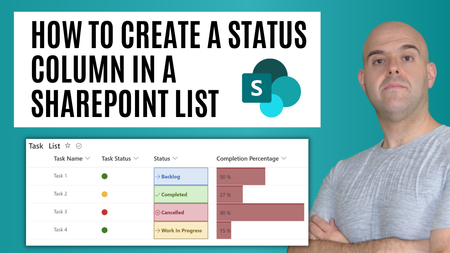
This tutorial will demonstrate how to create a status column in a SharePoint List. A SharePoint status column allows you to record the state of an item or record through its lifecycle. SharePoint status indicators can be used to quickly display what action ought to be taken with an item or record. As a bonus, at the end of the tutorial, I'll demo how to add visualizations to your status column. This includes, conditionally formatting and even a red-green-yellow traffic light. https://youtu.be/b3taSCzzEpU25KViews0likes0CommentsNew Feature: Launch Taskbar Pinning Wizard in Edge insider
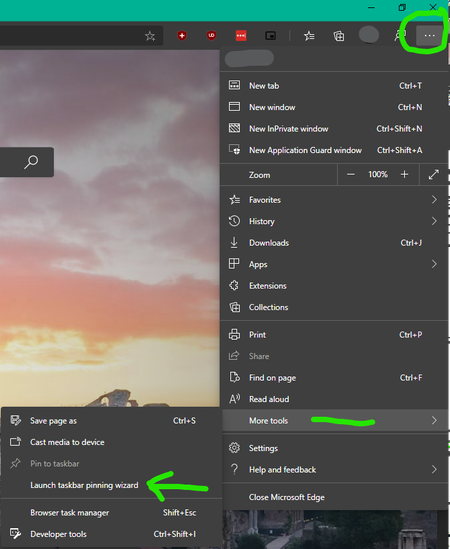
There is a new feature added in Edge insider Version 81.0.367.0 (Official build) canary (64-bit) called "Taskbar Pinning Wizard" you can find it from the ellipsis menu => more tools Edge will generate suggestions based on your usage Then offer some useful websites from Microsoft to you, you can either choose them or ignore and proceed to next step You're all set the icons get added to your Taskbar And Start Menu You will be able to uninstall them whenever you want from the Apps page Right-click on any apps to see these options8.8KViews2likes6CommentsYou can now sync your favorites with Application Guard Window from Windows Defender
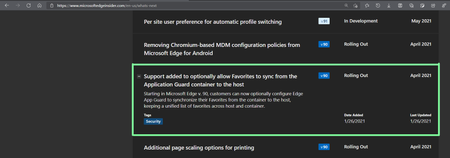
Microsoft Edge version 91.0.831.0 (Official build) canary (64-bit) you need to enable this newly added flag: edge://flags/#edge-wdag-favorites-sync and then when you open a new application guard window, your favorites will be there. Learn more about Windows Defender Application Guard mode (WDAG) and it's security features here: https://docs.microsoft.com/en-us/windows/security/threat-protection/microsoft-defender-application-guard/md-app-guard-overview https://docs.microsoft.com/en-us/deployedge/microsoft-edge-security-windows-defender-application-guard3.5KViews1like1CommentHowTo: Creating an AAD Application
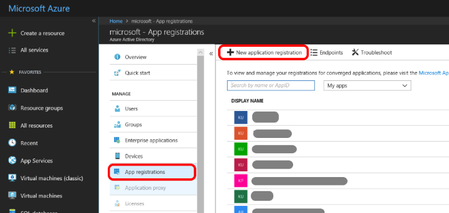
While AAD user authentication is very easy (as users are defined in AAD by the tenant admin, such as MSIT in case of Microsoft), AAD application authentication is somewhat more complex, because it requires creating and registering the application with AAD. As this process is unfamiliar to many people, it is described here in some details.2.9KViews0likes0CommentsHow to Customize Visual Studio Code Chat with GitHub Copilot and Semantic Kernel
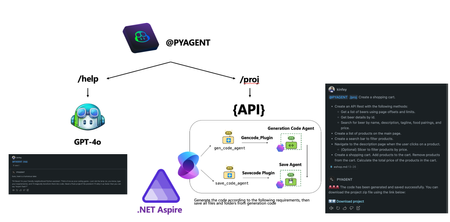
Discover how to customize Visual Studio Code Chat to revolutionize your development workflow with AI. By leveraging GitHub Copilot, Semantic Kernel, and Azure AI Agent Service, you can create chat participants tailored to tasks like project creation, requirement analysis, and code orchestration. Learn to integrate models like o1-mini for reasoning and .NET Aspire for distributed application management. Empower your IDE with AI to streamline complex workflows and boost efficiency.2.4KViews1like0CommentsNovember 9 Webinar: Plan your move from IE 11 to Microsoft Edge with IE mode
As a reminder, the IE11 desktop application will be retired on June 15, 2022. Customers need to begin transitioning now from IE11 to Microsoft Edge with IE mode to avoid business disruption—which can lead to escalations and negatively impact renewals! It takes an average of 5 months for this transition, but an IT admin can take 30 minutes today to get started with IE site discovery (to identify IE11 sites and usage frequency). Register for our webinar on November 9, 2021 and we will help you to plan a transition from IE11 to Microsoft Edge for their organization and take the first steps. ACTION: There are two different time options available: Option 1: Microsoft Event (mktoevents.com) Option 2: Microsoft Event (mktoevents.com) This session will offer Japanese closed captions for our Japanese customers and colleagues. Please register, share with your networks, and we'll see you there next week!2.4KViews1like3Comments