graph
108 Topics
Duplicate subscriptions for a specific resource
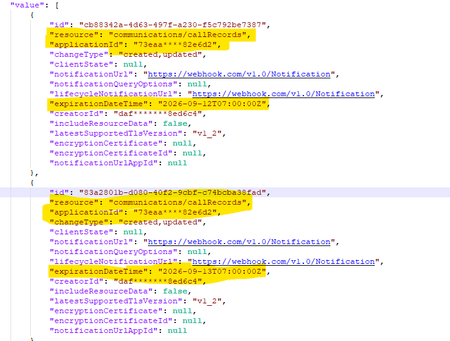
Hello, Previously, we were not allowed to create duplicate subscriptions for the same resource. But now we can create duplicate subscriptions for a specific resource. Could you please confirm whether this functionality has been newly enabled or supported? Why duplicate subscriptions are now allowed for the same resource like (/users, /groups & communications/callRecords). Whether this is a change or a bug. We would appreciate clarification on the expected behavior and the supported use cases.447Views0likes2Comments
Graph /users query with mailboxSettings filters/expands excludes unlicensed users
Hello Microsoft Graph team, I would like to report what appears to be a bug in Microsoft Graph user queries involving mailboxSettings. Issue summary: When mailboxSettings is used in a filter or expand clause on /users, unlicensed users are not returned, even when they should match the filter. Example scenario: Filter used: mailboxSettings/userPurpose ne 'room' Observed behavior: Users without Exchange license/mailbox are excluded from results (or result set appears truncated to mailbox-enabled users). Expected behavior: All users should be considered in /users query evaluation. If a user has no mailbox settings, behavior should be consistent and documented (for example null handling), but those users should not be silently dropped from /users results unless explicitly filtered out by query semantics. Reproduction steps: In a tenant with mixed users: Licensed mailbox users Unlicensed users without mailbox Run a /users query that includes mailboxSettings in filter and/or expand. Compare returned users with a baseline /users query without mailboxSettings conditions. Notice unlicensed users disappear when mailboxSettings is involved. Sample request patterns: GET https://graph.microsoft.com/v1.0/users?$filter=mailboxSettings/userPurpose ne 'room' GET https://graph.microsoft.com/v1.0/users?$expand=mailboxSettings&$filter=mailboxSettings/userPurpose ne 'room'459Views0likes1Comment
Retrieve all Teams transcripts a bot has attended to using Graph API
Hi there, I've been struggling for a lot of time trying to get this done. Has anyone been able to achieve something like this ? I wanted to : 1- Get all the meetings and transcripts of the tenant 2- Filter on those where the bot was attending 3- Get the transcripts when available. 4- Add rules to restrict the bot's access Right now I am stuck with the OAuth : The application 'bot-transcript' asked for scope 'OnlineMeetings.Read.All' that doesn't exist on the resource '00000003-0000-0000-c000-000000000000'. But this permission was added, and really seems to exist. Right ? Thanks in advance for any kind of help you could give me.487Views0likes1Comment
Build a Knowledge Graph in Azure HorizonDB with AI Functions and Apache AGE
Knowledge graphs appear in every AI architecture diagram, every conference keynote and every AI strategy deck. Yet the most common question we hear from customers and engineers alike is: "What does a knowledge graph actually do for me?" That is a fair question, and one worth answering clearly, because most teams already have a knowledge graph problem and do not realize it. The connections your relational tables cannot surface Picture this: five incident tickets land over a week. One says the auth service returned 503s after an API gateway update, which broke checkout. Another says the payment service lost connectivity to fraud detection through a DNS failure. A third says auth got rate-limited by that same API gateway after a config change. Each ticket makes sense on its own. But no one in your postmortem can answer: "What upstream services most commonly trigger failures that reach checkout?" That question requires tracing relationships across tickets, teams, services, and root causes. Your relational tables store the facts. They do not store the connections between them. That is a knowledge graph problem. What becomes queryable once you have a knowledge graph Once you build a graph from those tickets, every node is an entity (a service, a team, an incident) and every edge is a relationship (CAUSED_FAILURE_IN, OPERATES_ON, INVOLVES). The graph does not just store data differently. It makes a new class of questions answerable: What is the most common upstream cause of checkout failures? Which team resolves the most cross-service incidents? Show me every cascading failure chain that touched the payment service in the last 90 days. What is the timeline of incidents involving the same shared service? Each of these questions can be answered with a single Cypher query, without nested subqueries, recursive CTEs, or manually correlating data across spreadsheets. Why graph-augmented RAG needs a knowledge graph first Traditional RAG retrieves chunks of text by vector similarity. It works well when the answer lives in a single document. It falls apart when the answer requires connecting facts across multiple documents. Ask "does this contract conflict with existing obligations?" and vector search returns a relevant clause. But it cannot follow links across regions, obligation types, and counterparties to prove a real conflict. Graph-augmented RAG combines vector search, semantic ranking, and graph traversal into one retrieval pipeline. The graph provides the structural context that vector search alone cannot: the actual chain of cause and effect, not just the five most similar paragraphs. But here is the catch most people miss: you cannot run graph-augmented RAG without a knowledge graph. And building the graph has always been the hard part. That is exactly what the new tutorial solves. Building a knowledge graph in five steps inside Azure HorizonDB We published a hands-on tutorial on Microsoft Learn that takes you from raw incident tickets to a connected, queryable knowledge graph. No external NLP pipelines. No separate graph database. Just SQL. Here is the pipeline: Extract entities and relationships from unstructured text with azure_ai.extract(). The LLM parses services, teams, root causes, and relationship triples in one SQL call. Deduplicate entities with azure_ai.generate() using structured JSON output. "API gateway," "api-gateway," and "the gateway service" collapse into one canonical node. Load into an Apache AGE graph using Cypher MERGE in PL/pgSQL loops. The tutorial builds service nodes, team nodes, incident hub nodes, all six relationship types, and a timeline chain linking incidents chronologically. Query with Cypher traversals. Variable-length path patterns like *1..3 trace cascading failure chains up to three hops deep. Visualize results in the PostgreSQL extension for VS Code, which renders Cypher output as an interactive node-edge graph. The tutorial walks through every SQL statement, explains the tricky parts (like why EXECUTE format() is needed for parameterized Cypher, and how CROSS JOIN LATERAL expands team-service pairs correctly), and shows the exact output at each step. The same pipeline applied to any domain The tutorial uses incident tickets to keep things concrete. But the pipeline applies to any domain: Domain Key Entities Question It Answers Contract intelligence Parties, clauses, obligations Does this new vendor contract conflict with existing obligations? E-commerce product catalog Products, categories, customers, orders What do customers who bought X typically buy next? Fraud detection Accounts, transactions, devices, IP addresses Which accounts are connected through shared devices and circular transfers? Healthcare clinical data Patients, medications, conditions, providers Does this new prescription conflict with existing medications? Codebase dependency analysis Tables, functions, views, triggers If I alter this table, which downstream views and functions break? Supply chain Suppliers, components, facilities Which tier-2 suppliers are single points of failure? Research knowledge base Papers, authors, concepts What evidence chain supports this treatment for condition X? Data lineage and ETL Sources, transformations, dashboards If this source schema changes, which dashboards break? Identity and access management Users, groups, roles, resources Which users have transitive access to production through nested groups? Regulatory compliance Regulations, controls, systems If this regulation changes, which controls need updating? Customer 360 Customers, interactions, campaigns What sequence of touchpoints leads to churn for enterprise accounts? Insurance claims Claimants, policies, events, providers Which claims share overlapping parties or event timelines? M&A due diligence Companies, IP assets, contracts, liabilities What hidden liabilities are linked to this acquisition target? In every case, the shape is the same: azure_ai.extract() discovers the entities, azure_ai.generate() deduplicates them, and AGE stores and traverses the graph. Get started Tutorial: Build a knowledge graph from unstructured text using AI Functions and Apache AGE Knowledge graph enhanced search: Graph-augmented RAG patterns for Azure HorizonDB Solution accelerators: GraphRAG Legal Research Copilot, GraphRAG with Docker and AI Agents We would love to hear what you build. Share your feedback on the PostgreSQL Hub developer forum. Thank you!688Views0likes2Comments
Graph API 1.0 - Listing lists doesn't return all lists (todoTaskList)
Hi, first time posting here, please let me know if I should be doing something differently! I've searched throughout the internet and couldn't find a reason for this. I've got a couple of users running into a problem where the https://learn.microsoft.com/en-us/graph/api/todo-list-lists?view=graph-rest-1.0&tabs=http endpoint only returns one list (Flagged Emails), though these users have and see many other lists in the To Do desktop (macOS) app. I've confirmed in both cases it's the same user that's identified in my app/integration and in the desktop app. They can see the tasks in that list without a problem. There are no errors requesting that list, and asking via `/users/{id|userPrincipalName}/todo/lists` also returns the same response (with that one list). Is there any known situation where this could be happening? Am I missing something obvious? Is there something else I should be trying? I've got many other customers using the To Do integration without a problem. I'm aware "My Day" and a few other special lists aren't returned. Thank you so much!1.2KViews0likes7CommentsMicrosoft Graph: Private channel SharePoint site URL naming appears to have changed
📄 Question We are creating private channels using the Microsoft Graph API: POST https://graph.microsoft.com/v1.0/teams/{team-id}/channels With the following payload: { "@odata.type": "#microsoft.graph.channel", "displayName": "Project-Channel-001", "description": "Sample private channel for testing", "membershipType": "private", "members": [ { "@odata.type": "#microsoft.graph.aadUserConversationMember", "******@odata.bind": "https://graph.microsoft.com/v1.0/users/{user-id}", "roles": ["owner"] } ] } 🔍 Observed Behavior When the private channel is created, the associated SharePoint site is provisioned automatically (as expected). However, the URL format appears to have changed. Previously observed behavior: https://{tenant}.sharepoint.com/sites/ProjectTeamURL-Project-Channel-001 Current behavior: https://{tenant}.sharepoint.com/sites/ProjectTeamName-Project-Channel-001 ❗ Impact This change introduces several issues: Breaks deterministic URL generation logic Produces longer and less predictable URLs Introduces dependency on display name, which is mutable and may contain unexpected characters Impacts existing automation and integrations relying on the previous pattern ❓ Questions Has there been a recent change in how SharePoint site URLs are generated for private channels? Is this behavior intentional and documented, or a regression? Is there any way (via Graph or otherwise) to: Control the generated SharePoint site URL, or Retrieve the final site URL deterministically without relying on pattern assumptions? Is the previous {ParentTeamUrl}-{ChannelName} format still expected in some scenarios, or has it been deprecated? 🧪 Additional Notes This behavior is observed when creating channels via Microsoft Graph (v1.0) The issue is reproducible across multiple test scenarios 🙏 Any clarification from Microsoft or others encountering this would be appreciated.275Views0likes0Comments
Is principalId Always a GUID in Microsoft Graph ??
{ "error": { "code": "Request_BadRequest", "message": "Invalid GUID:HR", "innerError": { "date": "2026-02-13T06:44:24", "request-id": "87678d90-1d94-4131-a705-4356ad3568a4", "client-request-id": "63569c7b-1dea-42d4-8d72-aa3668c78418" } } } We’re encountering an issue with the Microsoft Graph API response for directoryRole Recently, one of our Graph API calls started returning a response where the principalId value appears to be a custom string instead of the expected GUID. In our code, we loop through each id from the delta response, assuming it will always be a valid GUID. However, we are now getting errors because one of the returned principalId values does not match the expected format. Our questions: Is it possible for Microsoft Graph API to return a custom string instead of a GUID for principalId? Has anyone experienced similar behavior with delta queries for directoryRole or any other object? Are there any known scenarios where the principalId format differs from the standard GUID? Any insights would be appreciated.262Views0likes0CommentsIntune connector stuck because it is no longer supported
Hello, We are trying to connect our JamF Pro to Intune for compliance checks on our Macs. Following Microsoft's (incorrect) instructions, we found that the old (legacy) method to be no longer supported by JamF. However, after entering the Enterprise AppID the connector is now stuck and we cannot clear it because it cant connect to anything at JamF. The "Terminate" button simply produces the following error: "{"error":{"code":"InternalServerError","message":"{\r\n \"_version\": 3,\r\n \"Message\": \"An internal server error has occurred - Operation ID (for customer support): 00000000-0000-0000-0000-000000000000 - Activity ID: f0416542-74a3-4876-a3a3-d27cc6a9bb31 - Url: https://proxy.msub02.manage.microsoft.com/StatelessOnboardingService/deviceManagement/deviceManagementPartners('007d2fff-e0dd-4b28-8595-cec005efe5cd')/microsoft.management.services.api.terminate?api-version=5025-03-20\",\r\n \"CustomApiErrorPhrase\": \"\",\r\n \"RetryAfter\": null,\r\n \"ErrorSourceService\": \"\",\r\n \"HttpHeaders\": \"{}\"\r\n}","innerError":{"date":"2025-11-20T08:33:25","request-id":"11b3ecb3-6b3c-40a1-a2ef-1259682cc5f7","client-request-id":"f0416542-74a3-4876-a3a3-d27cc6a9bb31"}}}" We have since connected JamF Pro using their new method successfully, but our managed Macs are still NOT showing in Intune. We need to clear the old connector, which is in limbo, in case this is blocking the new one from working. We raised a case with Microsoft support in November 2025 and despite repeated efforts to contact them, still haven't had a response. Any ideas, please?552Views0likes2Comments
How to Retrieve Windows Edition (SKU) from managedDevices API
Hi everyone, I am working with the Microsoft Graph API endpoint /v1.0/deviceManagement/managedDevices to iterate through all devices in a tenant and collect operating system related information. For Windows devices, the operatingSystem field only returns "Windows". However, Windows has multiple editions such as Enterprise, Education, and Pro. For my use case, I need the specific Windows edition. Is it possible to retrieve this information using only the v1.0 endpoint, or is the beta endpoint /beta/deviceManagement/managedDevices/{managedDeviceId} required to get the SKU family? Thanks in advance for your help.239Views0likes0Comments