exchange
49 Topics
Exchange archive mailbox migration license issue
Hi all, I have a situation where my environment is in a hybrid state with users ready to migrate. Some users are over 100GB but less 240GB, the Microsoft article on migrating large mailboxes says i have to provision the cloud archive first, but the documentation on this says i need a license. What's confusing me is if assign a license before they migrate this creates a whole new mailbox and all sorts of screwy thing happen and you have to clean up etc.. so, you instead assign the license after the migration.., but the cloud archive docu. is saying I need to assign a license for the cloud archive first. Has this changed where i can create the Cloud archive on-prem and migrate without needing a mailbox? am i missing something?484Views0likes1Comment
Exchange 2013 Hybrid connection error
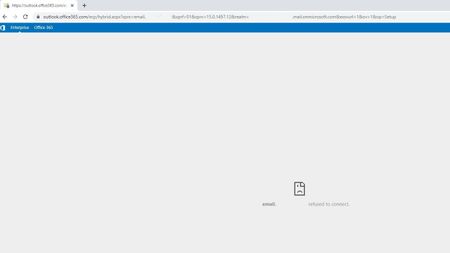
Hi all I've run the Exchange Hybrid wizard and it all seems to have gone through OK, but I'm having a few issues. When I select the hybrid link in my on prem ecp and sign in I get the following error when I click on the enterprise tab. If I click on the O365 tab it loads correctly. I assume that this is because it doesn't like the org FQDN that I specified, but have tested the migration settings in PS and they come back as OK. If I try and run a migration from the ECP i don't get the option for an online move. If I run the migration from )365 Exchange admin it shows the migration endpoint of my on prem server, but no user mailboxes show up. I've tried a migration from PS and I get an error saying that the operation could not be performed because "email address" couldn't be found on the server. I would expect this though? If I give the user an Exchange Online licence it fails because the primary mailbox already exists. Also, the HCW errors if I run it from the Exchange server as it doesn't like the SSL from outlook.office365.com. I've tried with FW and AV turned off. TLS 1.2 is set and tried with different ciphers set. If anyone has any suggestions of where else to look I would appreciate it! Thanks.644Views0likes0Comments
Migrating legacy mailboxes from on-premises Exchange Server to already operation 365: problems?
Hello, I need to migrate legacy mailboxes from an on-premises Exchange Server to 365. 365 is already fully operational and is being used for a while. The whole setup looks like this. Inside the company network a DNS Server points to the local Exchange Server for Emailexchange. From outside, however, MX records are configured to point to 365. I am planning to connect the on-premises server in minimal hybrid mode and migrate the mailboxes. However, I see that this is not a normal case, where hybrid configuration is being started with empty 365. This is why I wonder, if can simply apply the normal migration procedure to copy mailbox data. Mailbox names are equal on both sides. After migration of the legacy data we plan to shut down the local Exchange Server. Do any other possible problems come to your mind? Thank you in advance, Roman1.7KViews0likes2CommentsMigrating 400 GB of on-premises mailboxes to 365 with very slow internet
Hello, are there any tools to copy the data of on-premises Exchange Server, bring the copy to a computer with a normal connection speed and then do the migration? If not, what are other possibilities except moving the server physically and getting a better internet connection? Cheers, Roman1.3KViews0likes3Comments
Cutover migration of external domain without AD sync
Hey all was wondering if anyone is familiar with exchange migrations where you don't want to pull over the AD accounts. We acquired a company and want to migrate there exchange to our office 365 tennant but not sync there AD. We want to exchange server mainly for historical data and will convert them to shared mailboxes when imported, but I am unable to find an answer on weather this is possible or not.1.5KViews0likes4Comments
Exchange Online - Safe List Confusion
Hello, We just switched from Mimecast to Microsoft Defender for Office 365 (ATP). I'm a little confused about best practice with using Microsoft's SPAM filters (I had a similar question with Mimecast as well). Why does Microsoft say it's best practice to not add email addresses to the safelist (per documentation), yet prompts the users to add email addresses to their own safelist? Our users get prompted if they want to trust the sender in order to see HTML images in email. I assume this does the same thing as the global safe/allow list and bypasses some of the filtering in place. ThanksSolved1.7KViews0likes2CommentsGeneric (but not shared) email
We have a computer that requires email (and the Office 365 apps) in our shipping department, but we sometimes have different people working in that department and sometimes temporary people. So we don't really want to set up an Office 365 account for "Joe Smith", it would make more sense for the account to be "Shipping Department". Any issues with that that I can't think of? If I made a shared mailbox, I would still need to buy a license in someone's name for the apps on that computer...Solved1.8KViews0likes2Comments
Cutover migration with already setup Azure AD and SSO
Hi All, We are looking at doing a cutover migration with our current Exchange 2010 DAG setup to exchange online. We have about 112 users to move so going with the cutover. We're going that way also to remove the ned of having an onsite exchange presents. Only thing that's I've been reading about is that you need to disable DirSync to perform the cutover migration. My question(s) are 1. Will disabling DirSync (which will move all users into the deleted users) stop SSO access to our over products we use day in and day out. 2. Does having an already synced Azure AD impact on the migration, IE will it duplicate users/mailboxes 3. Does having no exchange presences onsite with DirSync enabled (After migration) cause issues? we have no plan on moving back to onsite. We do plan on keeping users onsite and in azure with the Sync Thanks a bunch, I cant find any documentation that covers our specific scenario1.9KViews0likes1Comment
Why is RetentionHoldEnabled set to true during hybrid migration?
I noticed that my retention policies weren't being applied after migrating from Exchange 2010 to Office 365. I found this article indicating RetentionHoldEnabled is set to true during the migration and it needs to be disabled for your retention policies to function. What is the reason for this? Is there any issue with disabling this on all of the migrated mailboxes? https://support.microsoft.com/en-us/help/3194755/retention-policy-no-longer-works-after-a-mailbox-is-moved-from-the-on2KViews0likes0Comments