exchange
298 Topics
My Outlook for Mac HTML email reply quoted body blank, only headers show
I've been using Legacy Outlook for Mac for years without issues, but since Wednesday afternoon (June 17, CET) something broke after the latest update rolled out. When I reply to any HTML email, the quoted original message is completely blank. Only the From, Date, To and Subject headers show up — the actual email body is gone. It makes it impossible to have a proper email thread because the recipient can't see the conversation history. This started right after Version 16.110 (Build 26061317) was released on June 16, 2026. The release notes only mention "Quality and performance improvements" for Outlook, so whatever changed in this build seems to have broken HTML reply quoting as an unintended side effect. My setup: MacBook Air M5, macOS (Legacy Outlook for Mac Exchange on-premises account (EWS), domain login What I'm experiencing: Replying in HTML mode → quoted body is completely blank, only headers show Switching to plain text → body comes back but with massive blank line gaps throughout (not professional to send) Outlook Web (OWA) → works perfectly fine What I've already tried: Cleared app data (Document Cache + Experimental Features) — no fix Cleared Outlook cache manually — no fix Toggled composing settings — no fix Checked settings in Preferences → Email → Composing — everything looks correct I've also tested Apple Mail as an alternative but it breaks embedded signature images (CID images show as placeholders), and it doesn't support Teams meeting integration — so going back to Legacy Outlook is really the only option for my daily work. Outlook Web App OWA is my current workaround but it's not sustainable long term. I really hope this can be looked at as a regression fix in the next update. Has anyone else experienced this since the June 16 build? Does anyone has this issue as well?2.2KViews13likes24Comments
Teams Meeting Add-in Not Appearing in Outlook
The computer was rebuilt from scratch and reinstalled with a clean operating system. After the installation, all required Microsoft applications (Outlook, Teams, etc.) were installed and the user successfully signed in. However, the Teams Meeting add-in is not appearing in Outlook as expected. Within the Outlook Calendar/Appointment window, only the Skype Meeting option is visible, while the Teams Meeting option is completely missing. Checks Performed: New Microsoft Teams is installed and functioning properly. Outlook and Teams are both signed in with the user account. Outlook COM Add-ins have been checked. Disabled Items have been checked. Teams Meeting Add-in for Microsoft Office has been verified. Outlook updates have been checked. Microsoft Teams has been reinstalled. Outlook profile has been verified. Exchange mailbox is active and functioning correctly. Despite all the above checks, the Teams Meeting option is still not displayed in the Outlook Calendar/Appointment window, and only the Skype Meeting integration is available. Expected Behavior: The Teams Meeting button should be available within the Outlook Calendar/Appointment window, allowing users to create Teams meetings and automatically generate Teams meeting invitations. Request: Please why the Teams Meeting Add-in is not being loaded into Outlook and provide assistance in restoring the Teams Meeting functionality within the Outlook Calendar/Appointment interface. Attachments: Screenshot showing the current issue (Teams Meeting button missing) Screenshot showing the expected behavior (Teams Meeting button visible)6.7KViews7likes15Comments
Set-MailboxMessageConfiguration cmdlet has no effect in Outlook on the web
I apologize if this is not the correct forum. We have been using the Set-MailboxMessageConfiguration cmdlet to update our users' email signatures in Outlook on the web. Suddenly, and with no change on our part, the cmdlet has started to have no effect. Any guidance on the matter would be greatly appreciated. This bug has been reported https://github.com/MicrosoftDocs/office-docs-powershell/issues/8537 and https://stackoverflow.com/questions/69764573/change-signature-in-outlook-web-owa-with-powershell and unfortunately there has been no guidance whatsoever despite this affecting our Production users. Thank you in advance!3.3KViews5likes1Comment
Intermittent “We can’t retrieve the calendar events right now” error in Outlook team calendars
We are receiving an increasing number of reports from users who are unable to view colleagues’ calendars in Outlook. The following error is displayed: “We can’t retrieve the calendar events right now. Wait a few minutes and try again.” The issue appears to be intermittent and inconsistent across Outlook clients: Some calendars work in Outlook on the web but not in New Outlook or Classic Outlook. Other calendars fail in OWA as well. A calendar may work temporarily and then fail again after restarting Outlook or switching between New and Classic Outlook. Some users first experienced the issue yesterday, while others have experienced it for more than a week. One affected user is a manager with nine direct reports. Outlook automatically displays these users under “Team: [Manager name]”. However, the number of visible team members changes after restarting Outlook or switching clients. For example, the group may contain all nine members at one point and only three at another. The Manager attribute and reporting structure have been verified in Active Directory/Entra ID and are correct for all team members. Our Service Desk has already tested the following without resolving the issue: -Outlook on the web, New Outlook and Classic Outlook -Removing and adding the affected calendars again -Adding calendars manually using the users’ primary SMTP addresses -Resetting the Outlook navigation pane -Resetting Outlook views -Creating a new Outlook profile -Verifying the users’ Manager attributes and reporting structure Because the issue also occurs intermittently in OWA and the membership of the automatically generated Manager’s Team Calendar changes, this does not appear to be limited to the local Outlook profile. Has anyone else experienced this recently? Could this be a known Exchange Online issue involving the automatically generated Manager’s Team Calendar, shared-calendar synchronization or mailbox-side calendar navigation data? Are there any additional diagnostics or supported methods for rebuilding the Manager’s Team Calendar configuration in Exchange Online?1KViews4likes3CommentsGuide to inbox management
With hundreds (or thousands) of messages coming and going from your inbox each month, it can quickly get unruly. Outlook helps you take control and stay on top of what’s important. Here are seven Outlook tips and tools to help you overcome business email overload. 1. Focused Inbox 2. @Mentions 3. Search 4. Tagging 5. Unsubscribe 6. Sweep 7. Mobile apps Get the details about each feature on Office Blogs.1.5KViews4likes2CommentsIntroducing Groups in Outlook for Mac, iOS and Android
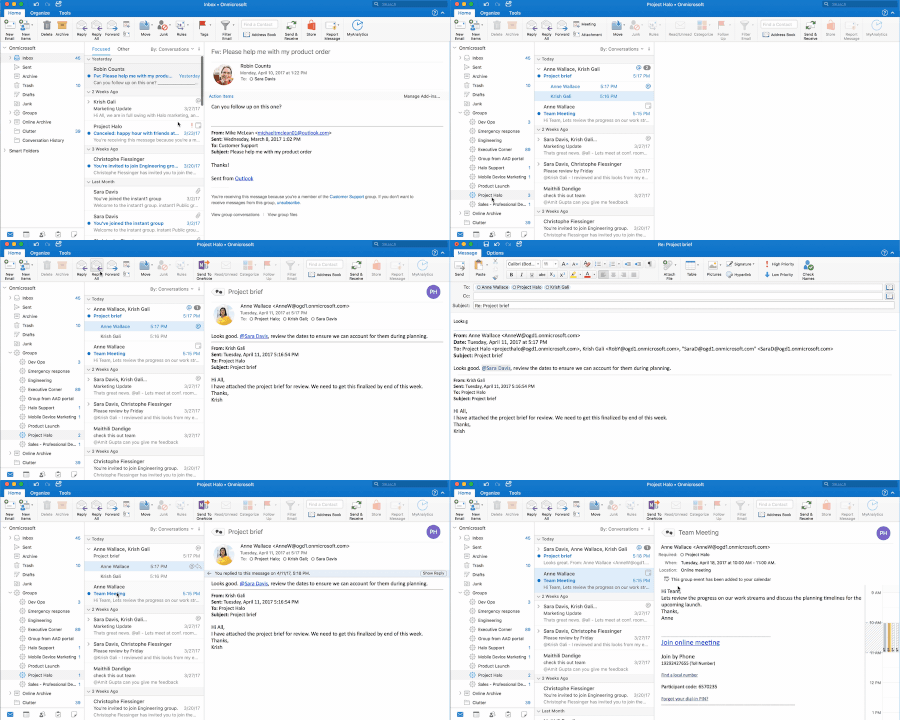
Today, The Outlook Team is pleased to announce Groups is now rolling out to Outlook for Mac, iOS and Android. Groups is already available in Outlook for Windows and on the web—so now you can access your group conversations and content no matter which platform you use. With these updates, you can: View your group list. Read and reply to group conversations. Add group events to your personal calendar. View unread messages sent to the group. View group details within the group card (Outlook for iOS and Android only). Read more about these updates on Office Blogs.3.1KViews3likes1Comment
Outlook broke after Office 365 update to 16.0.19328.20158 – cannot open emails Windows Server 2016
Hello everyone, posting to report that after the latest automatic update to Microsoft Office 365 version 16.0.19328.20158, we are experiencing a critical issue on multiple company machines running Windows Server 2016: The Outlook desktop application launches normally, but when trying to open any email, the following error appears: “There was a problem opening this item... The text formatting command is not available... Reinstall Microsoft Outlook.” Launching Outlook in safe mode (Outlook /safe) does not help. Creating the FORMS2 folder (suggested workaround) does not fix it. Attempting a downgrade via OfficeC2RClient.exe fails with error 30183-27 (400). Quick/online repair from Control Panel also has no effect. In our environment, this issue appeared simultaneously on many workstations and servers, right after the Office update today. Temporary solution: We are instructing users to access their mail via Outlook Web App (OWA), which is not affected by this bug. We would like to know: If others have experienced this bug with this build, including on Windows Server 2016 If any working workaround exists, or an official fix timeframe from Microsoft Thanks to anyone who can share their experience or updates!2.3KViews3likes8Comments
The New Outlook Notifications for email with rules not working. Missing features
I have to use the New Outlook to be prepared for the eventuality when Microsoft forces the change. I'm missing notifications for emails coming in when it has mailbox rules to organize it. The Notification Center in Windows is ok, but there should be a way in the rules to set a notification in a window like the Reminders window. being able to set a specific sound would be beneficial as well. I've had to resort to using Categories and constantly checking Outlook to see if I missed anything. This has resulted in missing many time-sensitive alerts and emails. Such as a Midnight internet outage at a business-critical building on my day off. Resulting in 6 hours of downtime during business rather than a resolution before business opening.4KViews3likes3CommentsOutlook Mobile Search Results
Has anyone seen a change in their search results when searching for messages within the Outlook mobile app or even the mail app on iOS? Is there a limit to the results that can be found using the mobile apps? When I search for an email say from my boss (who I receive numerous emails from) the results seem to only go back maybe a week. And when I search for someone I email less frequently I get results that go back a few months. But if I'm looking for an email that I know is in my inbox that was from say 6 months ago its not being pulled. It seems like this has changed recently but I can't find anything that says there are limitations or anything in terms of search results.Solved7.1KViews2likes4CommentsCustom Company Holiday Calendar (New Outlook)
Is there a best practice to publish a company holiday calendar that can easily (or automatically) be added as an additional calendar for all users? It's somewhat surprising that there's not a built-in method for an organization to publish an "official" calendar that's made available to everyone. Is the best method for a user, say in HR, to https://support.microsoft.com/en-us/office/share-your-calendar-in-outlook-on-the-web-7ecef8ae-139c-40d9-bae2-a23977ee58d5? I think this PowerShell script (item #3) could then be used by an Exchange admin to automatically add that calendar to each user, individually. Is that correct? We have many users on the New Outlook but a fair amount who have not switched over yet. I've searched for solutions, but many are for older versions on Outlook and I need to be sure they will work with the New Outlook.1.1KViews2likes0Comments