excel
45033 TopicsWelcome to your Excel discussion space!
If you’re looking to ask a question or start a conversation about Excel, you’re in the right place! Ask away. Please include your Excel version, sample file, and a bit of context to help others answer your question: Device and OS platform, e.g., PC/Windows 10 (see Which version of Windows operating system am I running?) or Mac/macOS Big Sur 11.2.1 (see Find out which macOS your Mac is using) Excel product name and version number (see About Office: What version of Office am I using?) Excel file you’re working with or sample file with data – please remove all confidential and PII data As much context of what you're trying to do - and why - as possible, e.g., how what you're trying to do fits into what larger process or workflow Expected result and method to achieve the result Once you got a good answer to your question, please accept it as solution to help others looking for answer to the same/similar question. Thanks! *Kudos to mathetes Twifoo mtarler for contributing to this welcome message74KViews81likes0CommentsHow do I Recover RAR password If I forgot It?
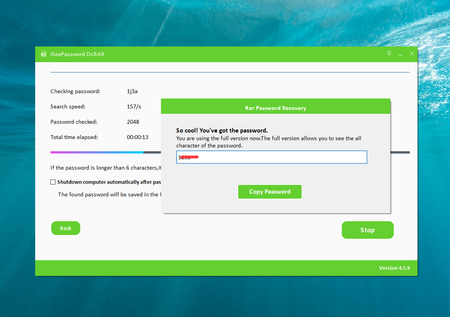
I have a RAR file that is password-protected, I have forgotten the password. I need to gain access to the contents of this file, but I am unable to do so without the correct password. I have tried various combinations of words and phrases that I commonly use as passwords, but none of them have worked. I am now at a loss for how to recover my RAR password since I am not an expert in RAR file management. Are there any tools or methods that I can use to recover RAR password? Update: I've managed to solve the issue with the Dr.RAR tool, the previously inaccessible RAR file was unlocked, providing access to its contents without compromising the integrity of the files inside. Highly recommend it to others facing similar challenges with forgotten RAR file passwords.107KViews47likes1CommentWelcome to the Excel Community
The Excel Community is a place we've built for all of you. You can learn more about how to do something with Excel, discuss your work, and connect with experts that build and use the product. With over half a billion Excel customers, we want to engage with you in fundamentally different ways and the community is a starting point for that. Our community helps answer your product questions with responses from other knowledgeable community members. We love hearing feedback and feature requests from you which helps us build the best version of Excel ever. If you have found an outage or a bug please post at our Answers forum. We look forward to getting to know you! Sangeeta Mudnal & Olaf Hubel on behalf of the Excel Team67KViews30likes104CommentsAnnouncing LAMBDA: Turn Excel formulas into custom functions
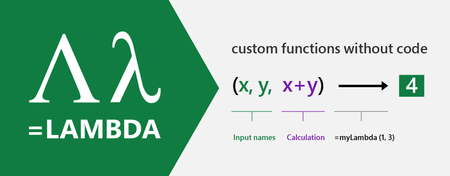
Today we are releasing to our Beta customers a new capability that will revolutionize how you build formulas in Excel. Excel formulas are the world’s most widely used programming language, yet one of the more basic principles in programming has been missing, and that is the ability to use the formula language to define your own re-usable functions.467KViews29likes227Comments
Allow removal of "Copilot Suggestions" from right-click menu
I have been using Excel for decades and CONSTANTLY use the right-click menu for quick access to basic functions (e.g., "Insert"). Ever since "Copilot Suggestions" was added to the drop-down list, it always throws me off due to its placement. I have Microsoft 365 on Windows 11 Pro. I have searched for ways to remove this from appearing there and the result said "go to File > Options > Copilot and uncheck the 'Enable Copilot' box". However, when I attempt to do that, there is NO "Copilot" option available! PLEASE allow removal of "Copilot Suggestions" from the right-click menu OR at least the option to move it to the bottom (so it isn't in the way of things used ALL the time). I realize that Copilot is a great resource for many users, but I am confident in my Excel skills and in my ability to research/learn new skills the "old school" way, so I have little use for this feature now and would prefer to hide it.7.2KViews28likes16CommentsFull Dark Mode in Excel
Currently you can set Office Theme to Black which acts as a dark mode. In Word, setting this to Black makes the page dark and the text white when it is set to “Automatic”. I was wondering if anyone had an idea if Microsoft is planning to release this same thing for Excel too? Right now Excel when using the dark theme makes everything dark except the cells. Which kind of makes no sense to me. This is where your eyes are most of the time. It needs to be a proper fully dark theme. Is there a way to get a full dark mode without manually setting the background color of the cells dark and the text white? Can a plugin be made to do that while keeping the actual cell background “empty” and the text “Automatic”? Is there already a plugin that does that? Thanks!427KViews27likes61Comments