developer
157 TopicsMicrosoft Marketplace Partner Digest
What's new in Marketplace Convert more buyers into customers Microsoft recently expanded Marketplace listing capabilities with enhancements to free trials and the introduction of an option to request private offers, giving partners more ways to engage buyers at different stages of the purchasing journey. Customers can now discover and evaluate solutions through expanded trial experiences and transition more easily into paid subscription discussions by requesting custom pricing and terms directly from your Marketplace listings. ✨ Help customers evaluate your solution with free trials What's new On July 23 we announced the release of Marketplace enhanced trial capabilities. Customers can try solutions with confidence with the free trials in Microsoft Marketplace. Trials are available for multiple offer types, including SaaS, Azure virtual machines, Dynamics 365, and Power BI offers. New capabilities include: Custom meter trials: Partners can configure trials for SaaS solutions with metered pricing. Flexible trial durations: Partners can now configure SaaS trial durations from 1 to 180 days. Partner analytics: Partners can access SaaS trial analytics - including free trials initiated, active free trials, free trials converted, free trials not converted, and average trial duration - all within Partner Center Insights workspace. Customer discovery and management: Customers can better discover and manage trials. Upgrade to paid subscription during trial: Customers can upgrade to paid subscription at public pricing any time during a SaaS trial. Why it matters With enhanced trial capabilities in Microsoft Marketplace, partners can run self-service trials that make it easier for customers to try before they buy — whether for metered, per-user, or flat-rate pricing offers. Marketplace gives partners one place to manage trials end to end — from provisioning and mid-trial changes to insights — while improving offer discoverability through improved search, filters, and dedicated trial badges. Recommended action Review your Marketplace offers and trial strategy. For eligible SaaS offers, evaluate whether free trials can help you engage with more qualified buyers, faster. 📖 Learn more about free trials for SaaS ⚡ Customers can now request a private offer on Marketplace What’s new As of July 20, you can add a private offer request option directly on your Marketplace product pages. Customer requests are captured as Marketplace leads in referrals workspace and connected customer relationship management (CRM) integrations you’ve setup. This setting is disabled by default. You can easily activate it for applicable public offers. Why it matters More and more customers are seeking customized contracts and subscription pricing and terms tailored to their individual needs. This simple call to action reduces friction and helps you start the conversation with prospective buyers. Recommended action In the Marketplace offers workspace of Partner Center, update each of your offers for which you provide customers private offers. Enable the Request Private Offer setting and republish the offer. Events Recent events Multiparty private offers expand channel growth opportunities in Australia, Japan and South Africa Multiparty private offers continue to help software companies accelerate channel-led sales through Microsoft Marketplace. This past month, we hosted two region-focused Marketplace office hours sessions designed to help partners better understand local market opportunities, engage distributors and resellers, and scale Marketplace transactions through channel ecosystems in Australia and Japan. Whether you're looking to expand an existing Marketplace motion or explore new geographic opportunities, these sessions will provide practical guidance and market-specific insights to help you grow. See a list of currently supported countries/regions. Check out the recorded sessions: • Channel growth in Australia (English) • Channel growth in Japan (Japanese) Helping developers build, monetize, and scale AI solutions with Marketplace Discover how Microsoft Marketplace helps software companies access AI models and developer tools, accelerate application development, and reach customers through Microsoft's global commercial ecosystem. Learn how to monetize applications and agents without building and maintaining your own commerce and distribution infrastructure. Watch the recording Upcoming events Build AI-powered solutions, monetize through Microsoft Marketplace, and scale revenue through Microsoft expertise, skilling, and investments. Frontier Accelerate for Marketplace is an upcoming unified offering for software development companies to bring AI-powered solutions to market, drive customer acquisition and revenue growth, and scale through Microsoft Marketplace with technical guidance, skilling, and investments aligned to every stage of growth. 📆 Join us on August 26th before general availability to learn about the new offering, benefit alignment, migration guidance, and enrollment requirements. Next steps Turn insights into FY27 success — starting today. Ready to carry the momentum forward from MCAPS Start for Partners? Get everything you need to refine and execute your FY27 strategy in the Partner Activation Zone, including session recordings, ready-to-use playbooks, and tools to start building pipeline. Leverage your Marketplace Rewards benefits Discover use cases and how to leverage your Azure sponsorship. With Marketplace Rewards Azure sponsorships, eligible software development companies can increase sales through Microsoft Marketplace by using the sponsorships for customer deployments tied to Marketplace deals—and to offset infrastructure costs from eligible free trial offers. 📍Review the Marketplace Rewards Azure sponsorship policy guide for the latest325Views2likes0CommentsWhat's preventing your Marketplace growth engine from scaling?
Many SDCs know where they want to go with Marketplace, but struggle to turn individual activities into a repeatable growth motion. The latest in the Sell more with App Advisor blog series, asks: ✅ What part of your Marketplace journey is most repeatable today? ✅ Where do you still rely on manual effort or tribal knowledge? ✅ If you could eliminate one friction point between building, publishing, and growing, what would it be? Read the blog and share your thoughts: Build a Repeatable Marketplace Growth Engine with App Advisor The responses could generate useful insights for future Marketplace content and help identify common challenges across the community!Clarity at every stage: App Advisor turns Marketplace complexity into action
For software development companies, the Microsoft Marketplace journey isn’t always linear. It’s a series of decisions: what to build, how to package it, how to publish, and how to sell it, each with real dependencies and real friction.202Views4likes0Comments
UX Changes Need Approval?
Hey everyone. Quick question regarding Microsoft approvals. We’ve already secured approval for our test and production environments, but we recently changed out a new, slightly refreshed UX for the feature (this is still in out testing as we can't release without Microsoft's approval). Does anyone know if we need to re-submit for approval for a minor UX change? And if we do, can we just drop an email to the CSPP team, or do we need to fill out the official form as a brand-new request? Thanks in advance!Dragon Copilot and Microsoft Marketplace are transforming the way healthcare is delivered
If AI has so much promise in healthcare, why does it still feel so hard to apply in everyday workflows? That question is starting to shape much of the conversation across the industry. Healthcare teams aren’t debating whether AI matters anymore, they’re focused on how to make it work in environments that are already stretched thin. Reality: Healthcare has a capacity problem Healthcare isn’t dealing with a demand problem; it’s dealing with a capacity constraint. In fact, 79% of healthcare workers say they don’t have enough time or energy to do their work, 51% of healthcare leaders say productivity needs to increase, and 79% are confident AI will play a role in expanding organizational capacity. That pressure shows up everywhere: in documentation backlogs, fragmented and click-heavy workflows, administrative overload, and ultimately less time spent with patients. This is where the conversation around AI is shifting; not toward adding more tools but toward removing friction from the workflows that already exist and helping care teams move faster with less overhead inside the flow of care. That reality came through clearly during a recent Microsoft Marketplace Customer Office Hour on Dragon Copilot and Microsoft Marketplace: how to operationalize AI within real-world clinical workflows and enterprise healthcare environments that are experiencing a capacity problem. Instead of focusing on future-state possibilities, the conversation centered on what it takes to move from promise to practice, and where AI can start delivering value today. That distinction matters because developers, healthcare architects, and AI engineers are no longer asking whether AI can create value. The industry has largely accepted that it will play a meaningful role across healthcare. The real challenge is how to integrate into environments already burdened by operational complexity, fragmented workflows, regulatory pressures, and disconnected technologies. In practice, most healthcare organizations aren’t lacking data or systems, they’re struggling with how those systems work together. Clinicians and administrative teams operate across EHRs, reimbursement platforms, documentation tools, referral systems, messaging apps, and care coordination workflows that often function in isolation. Each additional screen, handoff, or disconnected experience introduces friction, and over time that friction compounds into inefficiencies that impact clinicians, administrators, and ultimately patients. This is why AI cannot simply sit on top of existing systems as another productivity layer; it needs to act as an orchestration layer that reduces complexity directly within the flow of care. That shift fundamentally changes how we think about healthcare AI, moving from isolated features to embedded intelligence that supports the workflows where care teams already spend their time. Dragon Copilot as a clinical workflow platform Dragon Copilot is not positioned as just another ambient listening tool or conversational assistant. It's designed as a clinical workflow platform that integrates into how care is delivered. While voice capabilities like ambient listening and natural language interaction are foundational, the real value comes from combining contextual intelligence, workflow automation, and extensibility. In practice, that means clinicians can access relevant information directly within their workflow, reduce fragmentation across systems, and act using natural language without constantly switching between tools. Extending healthcare AI through Microsoft Marketplace What makes this even more compelling is how Dragon Copilot extends through AI apps and agents connected via Microsoft Marketplace. This shifts the conversation from a single AI solution to a broader ecosystem approach. Instead of relying on monolithic systems to solve every problem, healthcare organizations can layer specialized AI capabilities directly into their workflows. During the session, we walked through examples like coding and charge capture, denial prevention, eligibility verification, medication safety checks, and patient education each addressing a specific operational need without requiring organizations to replace core systems. From a technical perspective, what stands out is not just automation, but the ability to reduce workflow re-entry and repetitive administrative loops. Today, many processes require clinicians and administrators to document, submit, reprocess, and reconcile information across disconnected systems. By embedding AI into those workflows, whether for coding validation, reimbursement support, or clinical guidance, organizations can streamline those cycles, improve continuity between systems, and reduce the compounding operational burden that slows teams down. What does this mean for healthcare developers For developers building healthcare solutions, this shift opens meaningful opportunities across workflow orchestration, AI-assisted compliance, operational intelligence, policy validation, and real-time financial support. More importantly, it reflects a broader architectural change in how healthcare technology is evolving. Rather than attempting to replace existing systems, the industry is moving toward connected AI services that extend and augment what’s already in place. This approach matters because healthcare organizations rarely overhaul core infrastructure all at once. Instead, they evolve incrementally by layering new capabilities into existing workflows. Dragon Copilot, combined with Microsoft Marketplace, is designed to support that model. AI agents can surface insights, automate repetitive tasks, and support decision-making while staying embedded within established clinical environments, helping developers build solutions that are practical, scalable, and aligned with how healthcare systems actually operate today. The strategic value of ecosystem extensibility As the importance of ecosystem extensibility continues to grow, Microsoft is intentionally building beyond a standalone healthcare AI solution. Instead, the focus is on creating an ecosystem that enables connected intelligence across clinical and operational workflows. For developers, this shift has real implications. It directly impacts how quickly solutions can be built, how easily they can be deployed, and how far innovation can scale. Without extensibility, progress is constrained by the roadmap of a single platform. With it, developers and healthcare technology providers can target highly specific workflow gaps with purpose-built solutions. That opens the door to a new class of innovations from AI agents and workflow accelerators to embedded clinical decision support and healthcare-specific automation designed to fit seamlessly into existing environments and address the nuanced needs of modern care delivery. Reducing adoption friction in enterprise healthcare The Marketplace component of this strategy directly addresses some of the most persistent barriers to adoption in enterprise healthcare. Organizations can simplify procurement, reduce vendor onboarding friction, streamline licensing, and consolidate billing through Microsoft’s existing purchasing infrastructure. From a developer and software company perspective, this is significant because historically the challenge in healthcare hasn’t been building new capabilities but getting them adopted and scaled in complex environments. By reducing the effort required to evaluate, purchase, deploy, and operationalize AI solutions, Marketplace changes the pace at which organizations can move from experimentation to real-world implementation. That efficiency becomes critical as healthcare shifts from isolated pilots to production-scale deployments, where speed, integration, and operational alignment ultimately determine whether AI delivers meaningful impact. From AI experimentation to production-ready workflows Healthcare AI is no longer confined to pilots or conceptual experimentation. Organizations are now evaluating production-ready solutions that can integrate directly into enterprise workflows. That shift brings a different set of expectations for developers and architects. Instead of asking whether AI can generate useful outputs, the focus has moved to operational questions: Can these systems integrate seamlessly into clinician workflows? Will they reduce complexity without introducing disruption? Can they scale reliably, perform consistently, and meet regulatory requirements? These are not just AI challenges, they’re deeply rooted in systems integration, workflow design, operational engineering, and enterprise architecture. Success depends not only on model performance, but on how well AI fits into the realities of healthcare delivery, supports care teams in context, and operates within the constraints of highly regulated, mission-critical environments. Designing for operational value, not just model innovation This is exactly why the conversation matters for the healthcare developer community right now. Future success in healthcare AI will depend less on model novelty and more on how well those models integrate into real workflows. Most healthcare organizations are already navigating fragmented environments filled with disconnected systems, and the solutions that deliver lasting value will be the ones that reduce cognitive load, minimize context switching, surface information at the right moment, and integrate naturally into day-to-day clinical work. In that sense, the challenge becomes less about AI in isolation and more about systems design. Meaningful progress won’t come from standalone copilots operating outside enterprise infrastructure. It will come from connected ecosystems where AI services, workflow accelerators, and operational tools work together seamlessly. That’s how intelligent healthcare workflows take shape: not as a single application, but as a coordinated system designed around how care is actually delivered. Why this direction matters for the developer ecosystem Dragon Copilot is emerging not just as a healthcare AI experience, but as a platform that brings together workflow intelligence and ecosystem extensibility. By connecting directly into operational healthcare workflows and enabling integration through Microsoft Marketplace, it creates new opportunities for healthcare developers, enterprise architects, and workflow automation providers to build solutions that are both targeted and scalable. While the ecosystem is still evolving, the strategic direction is becoming increasingly clear: AI agents and connected applications are moving closer to the workflow layer itself. In healthcare, that proximity matters. The solutions that integrate most naturally into day-to-day operations, rather than existing alongside them, are the ones most likely to drive meaningful adoption and long-term impact. Watch the full session For organizations building healthcare software, enterprise AI systems, workflow automation platforms, or operational healthcare technologies, the Microsoft Marketplace Customer Office Hour session provides valuable insight into how Microsoft is approaching healthcare AI at ecosystem scale. 👉 Learn more and watch the full session here: Healthcare innovation with Dragon Copilot and Microsoft Marketplace Additional Resources You can learn more through Microsoft Marketplace, the Marketplace Customer Office Hours series, the Microsoft Marketplace Community, and the Dragon Copilot apps and agents resources.275Views0likes1CommentStep-by-Step: Setting Up GitHub Student and GitHub Copilot as an Authenticated Student Developer
To become an authenticated GitHub Student Developer, follow these steps: create a GitHub account, verify student status through a school email or contact GitHub support, sign up for the student developer pack, connect to Copilot and activate the GitHub Student Developer Pack benefits. The GitHub Student Developer Pack offers 100s of free software offers and other benefits such as Azure credit, Codespaces, a student gallery, campus experts program, and a learning lab. Copilot provides autocomplete-style suggestions from AI as you code. Visual Studio Marketplace also offers GitHub Copilot Labs, a companion extension with experimental features, and GitHub Copilot for autocomplete-style suggestions. Setting up your GitHub Student and GitHub Copilot as an authenticated Github Student Developer420KViews14likes17CommentsDiscover new Microsoft Marketplace innovations announced at Microsoft Build
At Microsoft Build, Microsoft shared new opportunities for software development companies and partners to build, scale, and monetize AI apps and agents through Microsoft Marketplace. Explore how Microsoft Marketplace is helping software companies accelerate go-to-market strategies, expand customer reach, simplify procurement, and unlock new revenue opportunities across the Microsoft ecosystem. Learn how organizations can take advantage of Azure and Marketplace capabilities to support AI innovation and deliver enterprise-ready solutions faster. Whether you’re building intelligent applications, growing your commercial marketplace presence, or exploring new ways to monetize AI-powered solutions, this is a valuable resource for understanding the latest Microsoft Marketplace announcements and opportunities coming out of Build. 👉 Read more: Build, scale, and monetize apps and agents with Microsoft Marketplace146Views4likes0CommentsAccelerate your AI or agent build to sell on Marketplace with Quick-Start Development Toolkit
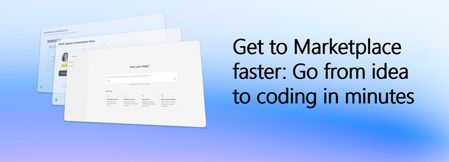
Want to skip right to coding in minutes? Start with the interactive wizard in App Advisor Building AI products quickly is becoming table stakes. Building them in a way that supports scalability, repeatability, and a path to commercialization is where software companies create advantage. The challenge now is reducing the time between identifying an opportunity and getting developers working inside a proven structure that supports real deployment outcomes. That’s where the AI, agentic, and Copilot branch of the Quick-Start Development Toolkit helps. Embedded directly within App Advisor, Quick-Start Development Toolkit helps software companies move from concept to implementation faster using guided development patterns, trusted architectures, deployable reference code, and practical resources designed to reduce friction across the development process. Build AI & agentic products faster without starting from scratch Development teams often know the customer scenario they want to solve. What slows momentum is deciding where to begin, selecting architecture patterns, and aligning implementation decisions across teams. The Quick-Start Development Toolkit helps remove that uncertainty. By answering a few focused questions about what you want to build, who it serves, and the products you’re building with, you’re matched with a development pattern designed to accelerate execution. Each development pattern includes: Self-serve, click-to-deploy reference code aligned to your scenario, Sample solution architecture to help visualize products and reduce guesswork, and Practical how-to resources and implementation guidance to overcome friction points, Everything is structured to support faster decision making and help teams move confidently into development. Accelerate development with purpose-built AI accelerators The AI and agent branch of Quick-Start Development Toolkit includes development accelerators designed around high-value scenarios, so your team can spend less time assembling foundations and more time building differentiated experiences. Each of these accelerators is built and fully maintained by Microsoft experts, so you can be confident your code template isn’t stale. Our most popular accelerators include: Multi-Agent Custom Automation Engine Accelerator: Delegate complex, repetitive tasks to AI agents that act on your behalf—executing work efficiently, reducing manual effort, and ensuring results align with your organization's standards. Conversation Knowledge Mining Accelerator: Improve contact center performance with AI-powered conversation intelligence—analyzing audio and text data on a large scale to show insights, improve service, and drive smarter decisions. Accelerate agentic applications for Unified Data Foundations (with Microsoft Fabric): Accelerate decision making at scale with secure, agentic AI built on a unified data foundation with two use cases for sales performance and customer insights. Each pattern includes common use cases, related resources, and pathways to adjacent scenarios so teams can continue progressing without losing momentum. The goal is to help your team move from experimentation to a product that can be packaged, deployed, and prepared for customers. You can see more of our accelerators here Coming this week: The Microsoft IQ solution accelerator leverages a shared intelligence layer to unify data, knowledge, and workflows, enabling AI-powered insights and coordinated actions for measurable business outcomes. Build with Microsoft Marketplace outcomes in mind Development choices shape commercial outcomes. Starting with trusted architecture and structured implementation guidance can help reduce redesign cycles later when preparing to package, publish, and scale. Quick-Start Development Toolkit helps software companies: Shorten time from idea to deployable AI product, Improve alignment across implementation decisions, Reduce development overhead through reusable foundations, and Create repeatable pathways toward publishing and selling. When development starts with clarity, commercialization becomes easier. Keep moving forward with App Advisor Quick-Start Development Toolkit is embedded within App Advisor because building is only one stage of the journey. App Advisor helps connect decisions across design, development, publishing, and growth so teams can continue moving forward with less context switching and more confidence. As your solution evolves, App Advisor provides curated, step-by-step guidance to help you prepare for Marketplace readiness and make the next decision faster. Ready to start? Explore Quick-Start Development Toolkit Start where you need help with App Advisor304Views4likes1CommentModel Mondays S2:E6 Understanding Research & Innovation with SeokJin Han and Saumil Shrivastava
In this week's blog post, we dive into the cutting-edge research happening at Azure AI Foundry Labs. From the MCP Server that makes it easy to experiment with new models and tools, to Magentic-UI that brings human-centered agent workflows to life, there’s a lot to unpack!302Views0likes0Comments