dataverse
40 Topics
Power Apps - development vs production
“It works fine in development.” Probably one of the most dangerous sentences in application development. 😄 I've seen Power Apps behave perfectly when we test with a small amount of data. Then the application goes to UAT or production and suddenly users start reporting: “It's taking too long to load.” “The gallery is empty.” “The search isn't returning everything.” “Why is this screen so slow?” Many times, the formula itself isn't the only issue. The data is. For example, an app might work perfectly with a few hundred SharePoint records. But as the list grows, the same approach can become a problem because of delegation and the amount of data being processed. That's why I've started asking these questions before finalizing an app: Is this query delegable? How much data will this list have after one year? Are we loading records into collections unnecessarily? Are we doing multiple LookUps inside a gallery? Can the filtering happen closer to the data source? Would Dataverse be a better option for this requirement? These questions don't always come up when we're building the first version of the application. But they become very important later. One thing I'm learning with Power Platform is that a solution that works today is not necessarily a solution that will scale tomorrow. Sometimes spending a little more time on the data and architecture in the beginning saves a lot of time later. Curious to know what others have experienced: What was the biggest Power Apps performance issue you faced after moving an application to production?136Views0likes0Comments
Large Dataverse Database Migration
Hello folks, Hoping someone has come across this challenge before - customer has a 1.5Tb+ prod database that needs to be reduced drastically. Is there a Support request route we can raise to create a DB copy into the customers Azure SQL? this would be the quickest route to get a copy before running bulk deletions. Long Term Retention wont be enough in this case either. Any thoughts welcome. TIA
Why Your Copilot Studio Agent Fails in Production (And How to Fix It)
Most Copilot Studio tutorials show you how to build a chatbot. This post is about something harder: building agents that actually work in production. I architect enterprise agents at a hospitality company — handling customer email triage, HR workflows, helpdesk automation, and reporting pipelines across multiple systems. One of those agents reduced human handling time per customer email from ~12 minutes to under 2 minutes (88% reduction) by orchestrating sentiment analysis, CRM lookups, SOP research via child agents, and response drafting — all before a human agent ever opens the email. Here is what I've learned building at that scale. The Four Layers Every Enterprise Agent Needs Most teams design only the top layer and treat everything else as "we'll figure it out later." By the time the other layers become urgent — usually after an incident — they're too expensive to retrofit. Layer Component Conversation Topics · Entities · Adaptive Cards · NLU Orchestration Agent routing · Context passing · State Integration Connectors · Power Automate · Azure Functions Governance DLP · Auth · ALM · Monitoring · Logging Build the governance layer first. Design the conversation layer last. The demo will be slightly less impressive. The production deployment will be significantly more stable. The Three Mistakes I See Most Often 1. Slot-filling designed for the happy path The default Copilot Studio pattern collects parameters one by one. It breaks the moment your flow has conditional branches — which every real enterprise workflow does. Use intent-first routing instead: identify what the user wants before collecting any parameters, then branch to a sub-flow that collects only what that variant needs. 2. Multi-agent context that gets dropped When you delegate from a router agent to a capability agent, the receiving agent needs to know who the user is and what conversation state to preserve. Native session variables don't cross agent boundaries. Build an explicit context envelope — a JSON object passed at delegation time — that carries user identity, security scope, origin topic, and return context. Your agents become stateless with respect to each other. Context travels with the conversation. 3. No async pattern for slow integrations A synchronous request that works for a REST API returning in 200ms will silently fail for a legacy system query that takes 45 seconds. Design async from day one: submit to an Azure Service Bus queue, return a correlation ID, acknowledge the user, and use proactive messaging to deliver the result when it's ready. This is the single biggest gap between demos and production deployments. A Note on Authentication — Chatbots vs. Autonomous Agents This is a distinction most articles get wrong, so it's worth being explicit. Chatbots have a human on the other end of the conversation. Authentication options here include Entra ID SSO (works in Teams and SharePoint channels where the user's identity is delegated to the agent) or client ID + secret (validates against AD but without user delegation — the agent authenticates as itself, not as the user). Autonomous agents are different in a fundamental way: there is no human in the authentication loop. The agent authenticates using the identity of the account that owns and runs it. There is no SSO because there is no interactive user session. This distinction matters because the security model shifts entirely — you are no longer protecting a user session, you are protecting a service identity. This gets more interesting when your autonomous agent connects to non-Microsoft systems. There is no universal pattern here — it depends entirely on what the external system supports: - API Key / Secret — the most common pattern for SaaS integrations. The external system issues a scoped key specifically for this integration. Store it in Azure Key Vault or encrypted Power Platform environment variables, never hardcoded in a flow. The scoping question is critical: is this a full-admin key or a least-privilege key issued only for what this agent needs? - OAuth 2.0 Client Credentials (machine-to-machine) — the agent authenticates as itself using client ID + secret against the external system's auth server and receives a bearer token. No user involved, fully automated. - Basic Auth on legacy systems — still common in enterprise environments. Credentials must live in Key Vault, not in flow variables or connector configuration in plain text. - Custom connector with encrypted connection — Power Platform manages the auth at the connector level; credentials are stored encrypted and scoped to the environment. The governing principle across all of these: the identity the agent uses to call an external system should be issued specifically for that integration, scoped to only the permissions that agent needs, stored securely (Key Vault or encrypted environment variables), and auditable — meaning the external system's logs show the agent's calls as a distinct identity, not a shared admin account that 12 other things also use. Before You Go to Production — Quick Checklist [ ] Autonomous agent's owning account/service principal is scoped to least-privilege — access only to systems the agent needs, nothing broader [ ] Non-Microsoft system credentials stored in Azure Key Vault or encrypted environment variables — never hardcoded in flows [ ] Each external system integration uses a dedicated, scoped credential — not a shared admin account [ ] External system audit logs show the agent as a distinct, identifiable caller [ ] DLP policies configured per environment — production is strict, dev is permissive [ ] Dataverse schema finalized before topic design begins [ ] Error handling designed for every integration point with user-readable failure messages [ ] Async pattern in place for any integration that may take > 10 seconds [ ] ALM pipeline configured: Dev → Test → UAT → Prod with automated solution checker [ ] Application Insights connected with custom events for key agent actions [ ] Escalation rate baseline established with alert threshold configured The One Question to Ask Before Building Anything "What does success look like in six months, and what data does the agent need access to in order to achieve it?" That answer determines your Dataverse schema, your integration architecture, your authentication model, and your DLP policy — before a single topic is created. Agents designed from that question forward are maintainable and trusted by the business. Agents designed from the conversation layer down spend their first year in retrofitting mode. Happy to go deeper on any of these layers in the comments — particularly multi-agent context passing and the async pattern, which I find generate the most questions in enterprise deployments.765Views0likes0Comments
Guidance on Planner Premium, Dataverse and Power Automate
Hoping this title invites you to share more knowledge around Planner Premium, Dataverse and working with Automate Scenario: I have a user inside our company saying i need access to Dataverse since he wants to automate some task creation with regards to planner premium. I am pretty ok with that, so he needs a Power Automate Premium license. Although looking at the data in the Projects data tables in the default environment their business units are the root BU - getting a little concerned. Are all projects and related data available for all people that can read the Dataverse tables? If you have some insights or experience please comment :) Could they develop that in a development or sandbox environment before piping it to a designated environment? but there are no Projects tables in dev or in sandbox environment. Main problem: there's so much information about planner and power automate that it's impossible to actually find any guidance around this scenario amongst all classic planner hits1.5KViews0likes1CommentMicrosoft 365 & Power Platform Community call - Community demos
💡 Microsoft 365 & Power Platform Development bi-weekly community call focuses on different use cases and features within the Microsoft 365 and Power Platform - across Microsoft 365 Copilot, Copilot Studio, SharePoint, Power Apps and more. 👏 Looking to catch up on the latest news and updates, including cool community demos, this call is for you! 📅 On 18th of December we'll have following agenda: Copilot prompt of the week CommunityDays.org update Microsoft 365 Maturity Model update Latest on PnP Framework and Core SDK extension Latest on PnP PowerShell Latest on Copilot pro dev samples Latest on Power Platform samples Picture time with the Together Mode! Mike Givens (CACI) Automating smart Approval cancellations in Power Automate with Dataverse Ben Fetters (Peak Power Apps) – Creating a comments section in Canvas Apps with JSON Ejaz Hussain (Advania UK) – Integrate Copilot Agents into SharePoint: OOTB and Programmatic Approaches (Client API & WebChat) 📅 Download recurrent invite from https://aka.ms/community/m365-powerplat-dev-call-invite 📞 & 📺 Join the Microsoft Teams meeting live at https://aka.ms/community/m365-powerplat-dev-call-join 👋 See you in the call! 📖 Resources: Previous community call recordings and demos from the Microsoft Community Learning YouTube channel at https://aka.ms/community/youtube Microsoft 365 & Power Platform samples from Microsoft and community - https://aka.ms/community/samples Microsoft 365 & Power Platform community details - https://aka.ms/community/home 🧡 Sharing is caring!168Views0likes0CommentsMicrosoft Power Platform community call - December 2025
💡 Power Platform monthly community call focuses on different extensibility options for builders, makers and developers within the Power Platform. Typically demos are from our awesome community members who showcase the art of possible within the Power Platform capabilities. 👏 Looking to catch up on the latest news and updates, including cool community demos, this call is for you! 📅 On 17th of December we'll have following agenda: Power Platform Updates & Events Latest on Power Platform samples Supercharge Your Date Logic: The Ultimate Working Day Calculator for Power Automate – Ian Tweedie (Capgemini) Animated Navigation in PowerBI – James Mounsey-Moran (Trustmarque) Building a copilot for Dataverse DevOps – Shashank Bhide (Kerv Digital) 📅 Download recurrent invite from https://aka.ms/powerplatformcommunitycall 📞 & 📺 Join the Microsoft Teams meeting live at https://aka.ms/PowerPlatformMonthlyCall 👋 See you in the call! 📖 Resources: Previous community call recordings and demos from the Microsoft 365 & Power Platform community YouTube channel at https://aka.ms/community/videos Microsoft 365 & Power Platform samples from Microsoft and community - https://aka.ms/community/samples Microsoft 365 & Power Platform community details - https://aka.ms/community/home 💡 You want to do a demo in this call? - Please fill in the following form and we'll get you scheduled - https://aka.ms/community/request/demo198Views0likes0CommentsLicensing a Dataverse environment for external users
Looking for some advice and opinions please. This is for a standalone Dataverse environment. Not Dynamics 365, or Power Apps, or Power Pages. The question is about using a Dataverse environment with the native Dataverse web APIs, where a portal is developed (not Power Pages) that allows the external users to interface (read/write) data. My opinion is that because this is not Dynamics 365 and Power Pages are not being utilised to facilitate the access then there is no requirement for user (D365, Power App, or Power Pages capacity) licensing. I would still need Dataverse capacity licenses, but that is all. Appreciate any thought and insights. Thanks, NickSolved
update dataverse table with dataverse primary key results in datatype error
Hi all. I have an annoying issue. I use MS access front end, dataverse backend, I'm using a simple bit of VBA code, to add a new record in a table. This is triggered by clicking a button on a form. Once the new record is created, I then want to add the dataverse primary key of the form to that new record. This all works fine when using numeric access primary keys, but I am trying to start using the dataverse primary keys which I think are string and this is throwing up datamismatch errors. Code: Private Sub AddEndorsement() Dim rs As DAO.Recordset On Error GoTo Errorhandle Set rs = CurrentDb.OpenRecordset("Endorsements") With rs .AddNew !Policies = Me.Policies .Update .MoveLast .Bookmark = .LastModified End With rs.Close Set rs = Nothing Exit Sub Errorhandler: MsgBox "Error #: " & Err.Number & vbCrLf & vbCrLf & Err.Description End Sub the error it throws up when trying to add the record is 3421, data type conversion error so clearly a data mismatch on !policies and me.policies. However from all I can see they are the same data type. I have a text box on the form that shows me.policies (the primary key ) correctly as {343very long code}. When I check the datatype it is 8. However, in VBA debug window the same value is shown as "?????" which is odd. Endorsement.policies stores the foreign key successfully for other records . The data type in dataverse is "Lookup" but I assume underlying it still means string. Any ideas?Solved2.1KViews0likes7Comments
Foreign Key columns read-only after export from Access to Dataverse
How do I fix or work around foreign key columns being read-only after exporting my Access database to Dataverse? For context, I'm trying to migrate one of our business apps from MS Access to Dataverse using the export wizard in Access. The database has ~20 tables, each of which has an AutoNumber primary key and usually multiple foreign key relationships that reference the related tables' primary keys. The schema itself is normalized with help from a DBA. All that to say, the Access database is relatively conventional and adheres to most (if not all) Access and general DB best practices (which, in the context of Access, might be unconventional, but I digress). All data manipulation happens via forms, often parent/sub-forms to manage relationships, and there's quite a bit of custom VBA code to handle validation and other user niceties. We've already worked through some bugs and quirks with the export process (notably, we had to rename all our primary and foreign key columns from <TableName>Id to something else (we used Legacy<TableName>Id) to work around the wizard failing due to being unable to create the relationships, which we tracked down to naming collisions when creating the relationships and keys). These frustrations have led to creating a minimal sample with just 4 of the tables from a relatively isolated part of the schema and a single parent/subform pair to test data manipulation. Before exporting to Dataverse, all data manipulation, via the forms or the tables directly, works as expected. However, after exporting the sample database to Dataverse, all the foreign key fields are now read-only, which renders it impossible to add or edit any rows that are related to other tables (which is basically all of them). Specifically, given a table BankAccount with a LegacyBankId column that references the Bank table's LegacyBankId column, the exported table in Dataverse ends up with those columns, which are marked as required, but then creates new Relationship columns, e.g. BankAccount.BankLegacyBankId. However, the Bank.LegacyBankId columns are read-only in both Dataverse and Access, which means all my forms that present a combobox, e.g. a Bank combobox on the BankAccount form are unable to create the record - the Required BankAccount's LegacyBankId column is required, but also read-only. I've already attempted to work around by changing the forms' fields to the new Dataverse relationships columns, e.g. BankAccount.BankLegacyBankId, but this presents problems anywhere custom VBA code exists, because the GUIDs contained in that column is reported as a Byte() (rather than a GUID or other known type), presumably because GUIDs are not a valid Access data type. Besides the fact that this means basically rebuilding the app from scratch, as every query and form would need to change, it appears to be technically impossible? It's possible that there's some other undocumented quirk with the export wizard that I'm running afoul of, so I'm open to any and all ideas for how to tweak my database or forms before export so that the wizard works as intended, or any suggestions for how to make the for-Access Legacy<TableName>Id foreign key columns writable to restore the app to functionality. Please help!1.2KViews0likes3CommentsHow to Get Started with Copilot in Microsoft Dataverse
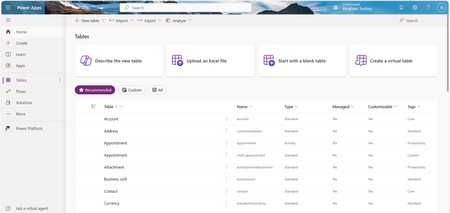
Discover the power of Microsoft Dataverse and Copilot in this comprehensive guide. Learn to leverage Copilot's capabilities for seamless table creation and modification. Explore UI differences, understand how to upload Excel files to Dataverse effortlessly, and gain insights into auditing company employee records. Unlock the full potential of these tools for streamlined workflows and efficient data management. Dive into our step-by-step tutorial now!17KViews3likes0Comments