critical error
5 TopicsBitLocker Loop / Soft-Brick After Secure Boot 2023 Certificate Update (ASUS ROG G713QE)
Hello, following the June 2026 Windows Update regarding the transition to "Microsoft UEFI CA 2023" Secure Boot keys, my machine (ASUS ROG Strix G713QE, AMD Ryzen CPU with fTPM) experienced a critical failure cascade leading to an infinite BitLocker recovery loop. Exact Step-by-Step Failure Chronology: Initial Post-Update Boot: The machine booted directly into the blue BitLocker Recovery screen, prompting for the 48-digit recovery key. First Unlock & WinRE Access: Entering the correct 48-digit key successfully decrypted the drive and allowed access to the Windows Recovery Environment (WinRE). Standard Recovery Failures: All default automated repair methods (Startup Repair, etc.) failed, systematically looping back to the WinRE menu. Failed Update Uninstall: Attempting to use the "Uninstall latest quality/feature update" option threw an error stating that Windows could not uninstall the update due to an update currently in progress. (Note: This strongly suggests that pending transaction flags or file-lock attributes in the Component-Based Servicing store were never cleared due to the unfinalized update state). System Restore Attempt: A System Restore point was selected. The progress bar completed successfully, and the validation/success pop-up appeared. A reboot was then triggered. The Hard Loop: Upon this post-restore reboot, the system fell into an infinite BitLocker loop. Entering the 48-digit key now causes an immediate crash/reset, completely locking out any further access to the Windows Recovery Environment (WinRE). Current Root Cause Analysis: The only way to regain temporary access to the OS was to perform a full UEFI BIOS reflash, which allowed exactly one functional boot (rebooting at this state threw us back to the BitLocker hard loop). Once inside, the loop was permanently stabilized by executing the following command in an elevated prompt to purge the stuck transaction: DISM /Online /Cleanup-Image /RevertPendingActions BitLocker protection has also been suspended (manage-bde -protectors -disable C:) to prevent the TPM from locking up the system again. There is a major structural conflict on this motherboard generation between the new Microsoft CA 2023 certificate write-orders in the NVRAM, the CBS transaction state, and the ASUS fTPM firmware validation. Please deploy a BIOS fix or implement a compatibility safeguard hold on Windows Update for this hardware profile.128Views0likes0Comments
Server is not found in Active Directory @ Exchange Server 2000
Dear experts! Following the removal of an old server from the directory, my attempts to restart the server have been unsuccessful, and an error message appears while trying to recover the installation. I have tried performing a clean installation of the same versions and manually copying/entering the missing server, which I suspect was inadvertently deleted, but the error persists. I am uncertain where Exchange stores the absent server details that are causing the problem. I would like to know whether it is feasible to manually input the server information into the directory, and if so, where and how can I do this? CN=Configuration, CN=Services,CN=Microsoft Exchange, CN=<my org>, CN=Administrative Groups, CN=Exchange Administrative Group, CN=Servers <- under here... CN=<servername> and all protocols etc under... Configure, Microsoft Exchange Server 2010 Unattended Setup Preparing Exchange Setup Copying Setup Files COMPLETED The following server roles will be recovered Languages, Management Tools Server is not found in Active Directory. Server must be present in Active Directory to recover. The following server roles are already installed: BridgeheadRole, ClientAccessRole, MailboxRole, AdminToolsRole. Exchange Server setup encountered an error.672Views0likes0Comments
Windows 10 22H2 can be rendered unbootable if ''Windows Fax and Scan'' is removed
There is a serious bug in the 32-bit kernel releases (x86) of Windows 10 22H2 (though older versions, such as 21H2 or 21H1 may also be affected; I have not tested). I was doing some test-installs of the latest 22H2 release, using install-media built from the Media Creation Tool. (The version that this tool creates is currently Build 19045.2006). To reproduce this bug, do the following: 1 Install the x86 version of Windows 10 Version 22H2 onto a PC, or inside a VM (e.g. Home or Pro) 2 After the Desktop appears, go to Start > Settings > Apps > Optional Features 3 Click "Windows Fax & Scan" in the list, then the "Uninstall" button 4 After the uninstall is finished, and "Reboot required" appears, restart the PC or VM session 5 During the next boot-up, it will first go to this screen briefly: "Updating your system 0%" But will then go to a blue-screen with this error: Stop code: KMODE_EXCEPTION_NOT_HANDLED What failed: NTFS.SYS 6 After a reboot, the blue-screen will appear again, then after the next reboot Windows will go to the "Preparing Automatic Repair" screen 7 The only way to repair the Windows install is to use a System Restore point, should one exist I have been able to replicate this issue on ALL x86 kernel installs of Windows 10 22H2 I have tested, but the 64-bit (x64, AMD64) kernel versions are unaffected. I have no ARM devices to test. Needless to say, this should be treated as critical as this is easily reproduceable, and uses only built-in options supplied with Windows, but leaves systems completely unbootable afterwards. Thanks2.1KViews0likes1CommentCritical Error on Session Hosts when clicking the Start Button
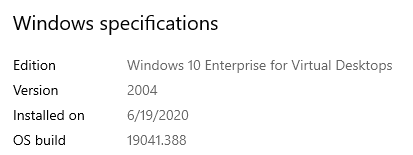
We started encountering the following errors on our Session hosts: ================================================= Critical Error: Your Start menu isn't working. We'll try to fix it the next time you sign in. [sign out now] ================================================= so far a restart temporarily fixes the issue; but it comes back later on. It appears to be profile related since, not every login it encounters it. I'll update this thread once I get more info.5.9KViews0likes8Comments
Temperory profile Issue in Windows 10 Insider Preview Single Language Build 20226_rs.release.200925
Hi Team, I am using a windows 10 insider in my Laptop and from last 2 updates this current update and the update before this, I am facing an issue which i try to solve but could not resolve it by self. I would like to seek your assistance in resolving that issue "when I login everyday I am unable to access my permanent profile due to automatic Temporary profile even after may times click on sign-out the same issue is found" Please look into the attached screenshot and help me to resolve this as due to this Temporary profile all the files I saved in c drive or even in other drives, files removed automatically and software ex. skype or others are not working and everyday I login in chrome, edge or install software to use in this temporary profile, so this is very important to be resolved ASAP as it is affecting my work so much. Please guide me with the steps need to be taken or provide an update so I could work as I was able to work. Thanks & Regards, Bhupendra Chaurasia1.6KViews0likes2Comments