copilot
23 TopicsStudy and Learn Agent: Now in 48 Languages, images improvements, ready when you open Copilot
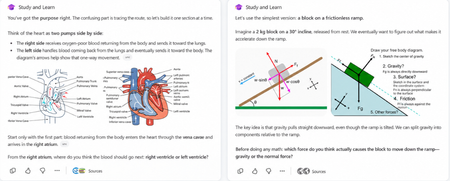
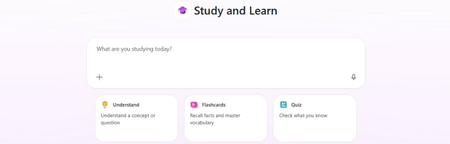
When we brought Study and Learn Agent to general availability, the promise was simple: the student does the thinking. Study and Learn asks before it tells. It pushes you to try. It makes learning interactive and quizzes you on what you missed. It lives at aka.ms/studyandlearn inside your Microsoft Education tenant. It coaches learners across any subject; explaining concepts, walking through problems step by step, supporting writing without doing the writing, and generating flashcards, quizzes, matching, and fill-in-the-blank activities from a learner's own materials. The design principle underneath all of it: preserve the productive effort that makes learning stick. The learner does the thinking. The agent coaches the thinking. 👥 Who can use it Study and Learn is available and pinned by default for every adult learner in a Microsoft Education tenant. No setup required — it's right there in the left navigation of Microsoft 365 Copilot. For K-12 students aged 13–17, there's one step first: Copilot Chat has to be enabled. Until it is, students in your tenant can't reach the agent. The good news is that it's a simple set of steps tutorial shows the exact enablement steps for IT admins. Watch the enablement walkthrough. 🎥 Full video tutorial If you want the full tour, Mike Tholfsen made an end-to-end tutorial that walks through every feature, start to finish. It's the fastest way to see the agent in action: Watch it here: ✨ Copilot Chat now opens with Study and Learn pre-selected For K-12 students who already have Copilot Chat enabled, Study and Learn is now pre-selected the moment they open Copilot Chat. The coach is right there, ready - no hunting through a menu, no wondering which agent to pick. Copilot Chat opens by default in the learning mode. A student who wants to work with something else can dismiss it in a tap. IT admins stay in control. The setting lives in the Education settings panel in the Microsoft 365 admin center. It's ON by default for K-12 and OFF by default for higher education, where admins can turn it on when they're ready. 🌍 Now available in 48 languages At GA, Study and Learn was optimized for English (US). Now it speaks the way your learners do. The agent is available in 48 languages beyond English. Set your browser or operating system to a supported locale and visit aka.ms/studyandlearn. The user experience and conversation are set in your language. The learning activities - flashcards, quizzes, matching, fill-in-the-blank - appear in your chosen app language. Additional language support is rolling out now and will be available to all users in the coming days. And you're not locked in. A learner can switch languages mid-conversation for a genuinely multilingual study session. Learning a new language and want the vocabulary words in the new language but the explanations in your native language? No problem. Want to switch languages to practice the vocabulary with Study and Learn, no problem, you can do that too. The coaching language follows you. For a student learning in their second language, or a family where the kitchen-table language isn't the classroom language this is the difference between a tool that talks at them and one that meets them where they are. 🖼️ Images that show, instead of just tell Some things are easier to see than to describe. A cell's structure. The layers of the atmosphere. Where the femur meets the hip. Study and Learn conversations can now include a carousel of relevant, web-safe images sourced through search, woven right into the flow of the agent's response. Each image supports the next step in a learner's understanding, a visual nudge toward the answer they're working out for themselves, without shortcutting the effort that gets them there. This is especially powerful for visual subjects like biology, geography, and chemistry, where a single well-placed image does what a paragraph can't. This experience will get better over time. It is rolling out now and will be available to all users in the coming days. You can always share feedback here. 💬 A prompt pack to help learners get started Here’s a prompt pack - a set of ready-to-use prompts that show learners exactly how to put the agent to work, organized around the moments they actually face: Understand a difficult topic — “Use these materials to find the most important ideas and help me understand them.”, “Explain [topic] step by step, then check my understanding.” Practice what you know — “Create a matching activity for the key terms in this chapter.”, “Make a fill-in-the-blanks activity from these materials.” Improve my work — “Review what I missed and explain the ideas I need to practice.”, “Help me understand why my answer was incorrect, then let me try again Work on an assignment — “Help me brainstorm ideas for this assignment.”, “Review my draft and help me find one area to strengthen.”, “Help me check whether my evidence supports my main point.” Get ready for a test — “Use these materials to identify the topics I should focus on.”, “Give me a five-minute review of these concepts I’m still struggling with.” Every prompt keeps the learner in the driver's seat — the agent helps them think and practice, never hands over the answer. Share the pack at the start of a unit and watch how it changes the way students engage. 📋 Coming soon: educators can assign the agent from Teams Everything so far puts the coach in the learner's hands. This next one puts it in the educator's. Rolling out soon, educators will be able to assign the use of Study and Learn Agent directly from a Teams assignment. Instead of a blanket "you can use this," you'll be able to point learners to the agent for a specific assignment built right into the assignment they're already opening. The through-line Every one of these (the languages, the pre-select, the prompt pack, the images, the assignments) meet the learner where they are. In their language. The moment they open Copilot. With the words to get started and the visuals to see it clearly. Pointed there, when it counts, by the educator who knows them. Open Microsoft 365 Copilot. Look in the left navigation. Then watch Mike's full tutorial and try it on the thing you're studying next. Educators can also access the full professional development course on Study and Learn complete with suggestions on introducing the agent to students. Try Study and Learn Agent · Microsoft Education license required. K-12 student access (ages 13–17) requires IT to enable Copilot Chat. Resources: Try Study and Learn in your tenant: https://aka.ms/studyandlearn Full tutorial on Study and Learn: https://aka.ms/studyandlearnvideo Professional development for educators: https://aka.ms/studyandlearnmodule Enable Copilot Chat: https://aka.ms/enablecopilotchatvideo Support documentation: https://aka.ms/studyandlearndocumentation Anoo Padte is Principal Product Manager for AI in Education at Microsoft.1.1KViews1like0CommentsHands-on Webinar: Copilot Notebooks and Microsoft Learning Zone
Join us on Wednesday, October 21 @ 8am Pacific Time for a practical, educator-focused webinar exploring Copilot Notebooks, Study Guide, and Microsoft Learning Zone. Discover ways to bring AI into everyday teaching and learning, from working with classroom materials to supporting independent student learning and active participation in the classroom. We’ll walk through classroom scenarios, demonstrate key features, and share ideas you can adapt for your students. Whether you’re getting started with AI or looking for new ways to use it, this session will help you connect these tools to real classroom needs. What we’ll cover: Copilot Notebooks: Explore ways to work with your teaching and learning materials. This includes the Study Guide embedded in Copilot Notebooks to support student review and independent learning. Microsoft Learning Zone: Learn how to turn any teaching idea into an interactive lesson in minutes, then share it with students for self-paced learning or use it to facilitate active participation in the classroom. Register here: https://msit.events.teams.microsoft.com/event/msit.b38c4730-d9e5-49ba-aa00-4cbaefce36bc@72f988bf-86f1-41af-91ab-2d7cd011db47 We look forward to seeing you at the webinar! Mike Tholfsen Group Product Manager Microsoft Education201Views0likes0CommentsFour opportunities for IT admins to get ready with Copilot Chat for education
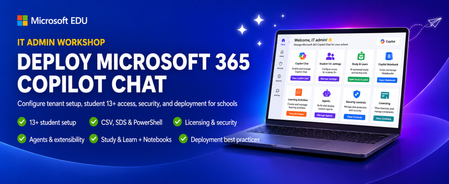
Microsoft Education is offering four live webinar opportunities for IT administrators who want to confidently deploy and manage Microsoft 365 Copilot Chat. Each session covers the same practical guidance, so you can select the date that best fits your schedule. What you’ll learn We’ll walk through Copilot Chat configuration from the tenant level to the end-user experience, including options for students ages 13+, CSV, SDS, and PowerShell uploads, agents and extensibility, and current licensing and security controls. You’ll leave with actionable guidance to help deploy, manage, and optimize Copilot Chat safely across your organization. We’ll also share a brief look at some Microsoft Education experiences including Teach in Copilot, the Study and Learn agent, Copilot Notebooks, and Learning Activities. Choose a session and register September 16th, Wed @ 8am Pacific time - Register for the September 16 session September 30th, Wed @ 8am Pacific time - Register for the September 30 session October 14th, Wed @ 8am Pacific time - Register for the October 14 session October 28 th , Wed @ 8am Pacific time - Register for the October 28 session Reserve your spot today. Pick the session that works best for you and join us to build a secure, manageable path to Copilot Chat adoption in your education environment. Mike Tholfsen Group Product Manager Microsoft Education811Views1like0CommentsWhat's New in Microsoft EDU - Back to School 2026 webinar
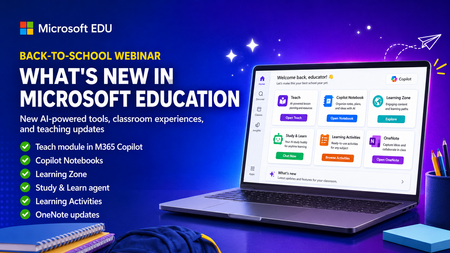
Get ready for back to school (Northern Hemisphere) with the latest product updates from Microsoft Education. In this webinar, we’ll showcase new AI-powered tools, teaching resources, and product updates designed to help educators save time, personalize learning, and support every student. You’ll see what’s new across Microsoft 365 Copilot, Teams for Education, OneNote, and more, including: ✅ Teach module in Microsoft 365 Copilot ✅ Copilot Notebooks ✅ Study and Learn agent ✅ Learning Zone ✅ Teams for EDU updates ✅ The latest OneNote EDU updates And more! Join us for practical demonstrations, helpful tips, and new ideas you can put to work as you prepare for a successful school year. And don't worry if you can't make it live, we will be recorded and posting this on the Microsoft Education YouTube channel afterwards. 📅 When: Wednesday, August 26th @ 8am Pacific Time 🔗 Register here: https://df.events.teams.microsoft.com/event/df.8c4f06fc-399f-4603-8023-f5fd92601bd1@72f988bf-86f1-41af-91ab-2d7cd011db47?source=copyLinkOneEventsShareDialog Mike Tholfsen Group Product Manager Microsoft Education743Views1like1CommentCalling all IT Admins - webinar on configuring Copilot Chat and updates for Students 13+
This IT Admin-focused workshop walks through how to configure Microsoft 365 Copilot Chat, from your tenant all the way to the end-user experience. When you enable Copilot Chat for students 13+, they will also get access to the new Study & Learn agent, Copilot Notebooks, Learning Activities and more. We cover the latest features that are available — including the new 13+ student configuration options, CSV, SDS and Powershell uploads, Copilot agents & extensibility, and updated licensing & security controls. By the end, you’ll be able to confidently deploy, manage, and optimize Copilot Chat in your environment so your users can safely harness AI productivity from day one. This 45-minute webinar will be led by Bill Sluss Principal Product Manager from the Microsoft Education team. When: Wednesday, August 19th @ 8am Pacific time Register: https://df.events.teams.microsoft.com/event/df.95feda23-419a-4d99-bfad-f7e4fd52a498@72f988bf-86f1-41af-91ab-2d7cd011db47?source=copyLinkOneEventsShareDialog Mike Tholfsen Group Product Manager Microsoft Education422Views0likes0CommentsHands-on webinar: Set up your classroom in Teams for Education plus the new Study and Learn Agent
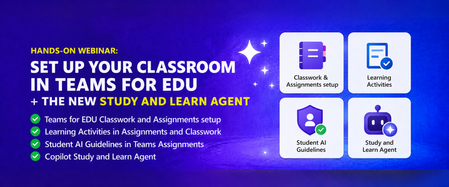
Join us on Wednesday, August 5th at 8:00 AM Pacific Time for a practical, 60-minute webinar to get your Microsoft Teams classroom ready for the new school year in the Northern hemisphere. Get your class set up in Assignments and Classwork, learn about new tools like Learning Activities, use Student AI Guidelines to set the right expectations for your students, and see how the Study and Learn Agent can be a study partner for your students. Follow along with your own Microsoft 365 Education account as we walk through each one. Register here: https://aka.ms/August5Training The session will be recorded and posted to the Microsoft Education YouTube channel so you can watch it later or share it with colleagues. Agenda - Get your Teams EDU classroom ready and learn about the Study and Learn Agent. ✅ Teams EDU Classwork / Assignments setup ✅ Learning Activities in Assignments and Classwork ✅ Student AI Guidelines in Teams Assignments ✅ Copilot Study and Learn Agent We look forward to seeing you on August 5th! Also, be sure to check out and sign up for our Microsoft Elevate Educator community. Mike Tholfsen Group Product Manager Microsoft Education294Views0likes0CommentsHands-on webinar: Teach Module in M365 Copilot and Copilot Notebooks (available for all educators)
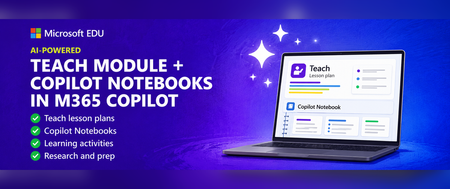
Join us on Wednesday, July 8th @ 8am Pacific Time for an in-depth professional development webinar on the new AI-powered "Teach" module in M365 Copilot that is fully rolled out and available to everyone. We will also be covering Copilot Notebooks and the Study Guide which is now also available to all M365 Educators and Students. This will be a 60-minute hands-on webinar where the Product Management team will walk through the new updates in detail and you can follow-along at home with your own M365 Education account. To reiterate, the Teach Module and Copilot Notebooks are available globally to all educators using Microsoft 365. And don’t worry – we’ll be recording these and posting on our Microsoft Education YouTube channel so you’ll always to able to watch later or share with others. Register here: https://msit.events.teams.microsoft.com/event/msit.ed7f065d-57a5-437c-ba23-12b0ef06a259@72f988bf-86f1-41af-91ab-2d7cd011db47 Agenda: How to use the new AI-powered "Teach" module in M365. ✅ Lesson plans and the new Keep Going feature ✅ Learning Zone integration ✅ Modifying Existing content ✅ Learning Activities ✅ Coplot Notebooks plus Study Guide We look forward to having you attend the event! Also, be sure to check out and sign up for our Microsoft Elevate Educator community. Mike Tholfsen Group Product Manager Microsoft Education team416Views1like0CommentsHands-on webinar: Study and Learn agent in M365 Copilot
Join us on Wednesday, May 13th @ 8am Pacific Time for an in-depth professional development webinar on the new Study & Learn agent in Microsoft 365 Copilot, which is about to become available for all students 13+ and educators. This will be a 60-minute hands-on webinar where the Product Management team will walk through the Study & Learn agent, which is purpose-built for learning. The experience goes beyond just answering questions and instead guiding students through concepts with step-by-step support, interactive activities like quizzes and flashcards, and conversations grounded in learning science. The Study & Learn agent will be globally available by the time of this webinar on May 13th, 2026. We will also be providing links for professional development credit at this session. And don’t worry – we’ll be recording these and posting on our Microsoft Education YouTube channel so you’ll always to able to watch later or share with others. What we will cover ✅ Introduce the new Study & Learn agent ✅Understand concept/question, FC and Quiz, Matching and FIB ✅IT admin motions for enabling Copilot Chat ✅Learning Activities for students hands-on ✅CPNBs and Study Guide slides and demo 📅 Date: Tuesday, May 13th ⏰ Time: 8:00 AM Pacific 🔗 Register: https://msit.events.teams.microsoft.com/event/msit.954c5c3b-cbc0-458d-9739-49e3e8b4baf7@72f988bf-86f1-41af-91ab-2d7cd011db47576Views1like0CommentsAccelerating the Flow of Learning
By Vince Frankson, Authentica Solutions | Guest Post via the Microsoft Education Blog Education technology leaders are not short on vision; they are short on time. They know exactly what their Microsoft 365 environment is capable of. What they deserve are better tools, smarter automation, and a partner that shows up ready to serve. At Authentica Solutions, we pride ourselves on our culture of servant leadership, not just as a slogan, but as our guiding principle. Our mission is to support and serve district technology teams, ensuring that technology enhances their valuable work rather than making it more complex. Everything we build is organized around one purpose: accelerating the flow of learning. Not technology for its own sake... tools and services focused at getting teachers back to teaching, students back to learning, and district leaders back to the decisions that matter most. With the school year winding down and Back to School planning already on the horizon, there is no better moment to look at where your Microsoft 365 environment stands, and how the right tools and the right team can compress your timeline, free your people, and make this the smoothest Back to School launch yet. District Technology Teams Deserve Better Tools K-12 technology leaders oversee complex systems, sometimes across multiple campuses, and support a wide range of users. While Microsoft 365 offers advanced features, many remain underused due to the time and expertise required for full implementation. Microsoft’s School Data Sync (SDS) is a great example. It is a genuinely powerful free service that automates the flow of student roster and identity data from your Student Information System (SIS) into Microsoft Entra ID, provisioning Teams classrooms, Intune device groups, SharePoint sites, and OneNote Class Notebooks automatically, at scale. The platform is exceptional. Fully configuring it, keeping it healthy across an academic year, and extending its value into the rest of the data ecosystem is specialized work that deserves specialized support. Authentica addresses this gap by providing support so school IT teams can focus on high-impact tasks, helping educators and students achieve more. Authentica seed™: Built to Accelerate the Flow of Learning Authentica seed™ is Authentica’s Education Intelligence Cloud Service, designed to streamline learning by enabling clean, automated, bidirectional data pipelines. This allows teachers to access rosters quickly, students to begin learning immediately, and administrators to monitor instruction in real time, accelerating progress for everyone. Getting Your Data into Microsoft 365 seed™ sits between your SIS and SDS, handling data preparation, mapping, and delivery so your team can focus on higher-value work. Districts that previously invested significant time in validation cycles and configuration troubleshooting are reaching full value in a fraction of the time. Automated SIS-to-SDS delivery with built-in validation, so errors are caught before they ever reach your tenant. Support for OneRoster API and CSV formats across all major SIS platforms, meeting your district where it already is. Automatic provisioning of users, classes, and groups across Microsoft Entra ID, Teams, SharePoint, Exchange, and Intune for Education. Manage Student Age Groups to limit or support access to Microsoft Copilot for students 13+. Every hour returned from focusing on the data pipeline is an hour returned to learning. That is Cloud with Purpose. Getting Your Data Back Where It Belongs Learning does not stop at the edge of Microsoft 365, and neither should your data. seed™ closes the loop by moving grade data, assessment data, and engagement signals back to the platforms that need them, automatically. Back to your SIS: Keeping your system of record current and authoritative without double grade entry. To your Analytics platform: Giving administrators and instructional coaches visibility into what is working, event making Microsoft 365 activity visible, without waiting for manual exports. Building your dream data estate: What if you could combine your academic and instructional data, your operations and staff data, and your financial data into a single place? What if you could have it prepped and ready so you can ask questions with Copilot and / or AI Agents. Which schools have the most students off track right now? Top 5, and why. Where are we spending the most with the weakest results? Top 3. One connected data ecosystem. Compounding the return on every platform investment your district has made and accelerating the flow of learning throughout. UsageIQ™ Microsoft 365 Edition: Giving Leaders the Visibility They Deserve District technology leaders make consequential decisions about licensing, training, and support every year. They deserve data that makes those decisions clear. Authentica UsageIQ™ Microsoft 365 Edition was built to provide exactly that: a straightforward, actionable picture of how your Microsoft 365 environment is being used across the organization. Not a consultant engagement. Not a manual pull from the admin portal. A purpose-built, single view of your tenant that tells you what you need to know, when you need to know it. App-by-app usage across your tenant: Teams, SharePoint, OneDrive, Exchange, OneNote, and more, in one place. School-by-school and role-based breakdowns: See where adoption is strong and where targeted support would unlock real value. License utilization insights: Ensure every seat is earning its value and renewal conversations are grounded in actual usage data. Back to School readiness views: Identify accounts and configurations that need attention before day one, not after. When technology leaders can see clearly, they lead confidently. That visibility is not a luxury. It is what great tools are supposed to deliver. Managed Services for Microsoft 365: A Team That Has Been Here Before At Authentica, we deliver Managed Services with a servant leadership mindset. We're not just a helpdesk, our team has years of experience at Microsoft, having built education solutions like SDS, Teams for Education, and Graph APIs. We support your district as an expert extension to handle critical Microsoft 365 tasks efficiently, allowing your technology staff to focus on their key responsibilities. What Managed Services for Microsoft 365 Covers End-of-Year close support for SDS expiration management, tenant cleanup, graduating account archiving, and identity hygiene, handled on time and on spec so your team can close the year cleanly. Back to School launch for new year SDS configuration, classroom provisioning, device group refresh, and Conditional Access review, so teachers walk into a working environment on day one. Ongoing SDS health monitoring and proactive troubleshooting, so issues are resolved before they become incidents Microsoft Entra ID and identity management support across the full user lifecycle. Teams for Education configuration, governance, and adoption enablement. Intune for Education device policy and deployment support. Copilot readiness assessment and enablement, so your district is positioned for AI-powered learning when you are ready to move. This is what it looks like when your Microsoft 365 environment has a team behind it that is fully committed to your success, not just at launch, but every day. End of School Checklist: Five Things Worth Doing Before Summer Break These are the actions that make Back to School smoother, faster, and less reactive. Your team knows this; this is a reminder of what is worth prioritizing before the calendar turns. Audit Microsoft Entra ID for inactive and graduating accounts. Clean identities now mean a cleaner, more secure tenant heading into the new year, and fewer licensing surprises at renewal. Review your SDS sync health. Check error and warning logs now. Small data issues that are easy to address in the spring become August emergencies. Get ahead of them while there is room to breathe. Check your Microsoft 365 license utilization. If you are on A3 or A5, are those features actively working for your district? UsageIQ™ Microsoft 365 Edition can show you the full picture and give you a clear story heading into renewal season. Archive Teams classes from the current year. Establish your retention and archival approach before the new year roster drop. A clean tenant makes everyone faster, IT, teachers, and students. Plan your Back-to-School timeline now. Microsoft School Data Sync (SDS) provisioning for a large district takes time. Build in buffer, engage your support resources before August, and set your team up to launch the year confidently instead of reactively. We Are Here to Serve Authentica Solutions is offering a complimentary Microsoft 365 Readiness Assessment for districts that want a clear picture of where they stand before the new year begins. This is a straightforward conversation with our team, people who have been inside these systems for years, helping you identify what is working, what is ready to unlock, and where the right tools can return the most value. No pressure. Just expertise, in service of your district and the learning that happens inside it. Let’s talk to schedule your complimentary Microsoft 365 Readiness Assessment. About Authentica Solutions Authentica Solutions is an EdTech company grounded in servant leadership and built around one purpose: accelerating the flow of learning. Our team, including former Microsoft engineers who built core Microsoft 365 education products, serves K-12 districts through seed™, UsageIQ™, reachAI™, and Managed Services for Microsoft 365. Cloud with Purpose. Visit www.authenticasolutions.com424Views1like1CommentHands-on Session: From idea to interactive lesson with Microsoft Learning Zone
Join us on Tuesday, May 12th at 8:00 AM Pacific for a hands-on professional development session introducing Learning Zone - a new app that helps you create interactive, classroom-ready lessons in minutes. In this 45-minute webinar, the Product Management team will guide you through core capabilities and the latest updates. You can follow along using your own Microsoft 365 Education account. Also, you will be able to get Professional Development credit with this session and we will offer a Credly badge at the end. What we will cover: ✅ Getting started with Learning Zone: Access Learning Zone and get set up ✅ Experience as a student: Join a session and see how it works from the student perspective ✅ Building your first interactive lesson: Create your first interactive lesson (in minutes!) ✅ Assigning to your class: Send lessons via link, short code, Teams Assignments, or your LMS ✅ Exploring the ready-to-learn library: Bring immediate value to your students through a variety of lessons by trusted of partners. Important note: Lesson generation is currently available only on Copilot+ PCs with any Microsoft 365 Education license (supported in English and Spanish). No Copilot+ PC? No problem. You’ll still get to try out the student experience, learn how to use the lesson library, assign interactive lessons, review insights, and integrate Learning Zone into your existing workflows. 📅 Date: Tuesday, May 12th ⏰ Time: 8:00 AM Pacific Register: https://aka.ms/LZwebinarMay26 We look forward to having you attend the event!290Views0likes0Comments