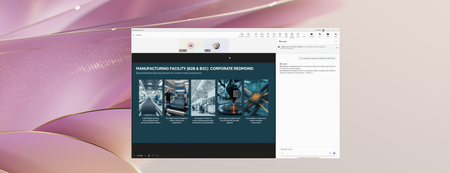
Most RecentNewest TopicsMost LikesMost ViewedCo-create slides with Copilot in PowerPoint for iPad A popular feature on desktop and the web is now available in PowerPoint for iPad: the ability to co-create with Microsoft 365 Copilot directly in your presentation. Co-create documents with Copilot in Word for iPad We’re bringing a feature many of you already use on desktop, web, and mobile to Word for iPad: the ability to collaborate with Microsoft 365 Copilot directly in your document. Stay in sync in PowerPoint Live Learn about two new features that help presenters and audiences stay aligned during live presentations. Microsoft 365 Copilot app learning series: From research to polished outputs Our latest Microsoft 365 Copilot app learning series explores how Researcher, Copilot Pages, Copilot Notebooks, and Create can support workflows. Shaping Copilot across Word, Excel, and PowerPoint Learn about updates we're making based on your feedback to give you more control over how Copilot appears in your favorite apps. Plan a fun Family Wellness Month with Copilot May is Family Wellness Month, and with the help of Copilot, you can turn your family’s wellness goals into tailored plans and activities in seconds. Watch Part 2 of our video series: Navigate a busy workday with Copilot Copilot can help you bring focus to simple, everyday moments, quickly understand what’s going on, and decide what to do next. Teacher Appreciation Week: Create expressions of gratitude with Copilot With Copilot you can turn specific moments from the school year into a thoughtful message, present, or creative project for Teacher Appreciation Week. Meet video recap: a new way to revisit key moments in Teams meetings Combine key takeaways with short video clips, and get the meeting vibe and understand what was discussed in a quick video summary. Watch our video series: Getting started with the Copilot app Inspired by real work, this video series will show you how Copilot can help you with everyday tasks.