copilot
1301 TopicsCopilot, Microsoft 365 & Power Platform Community call
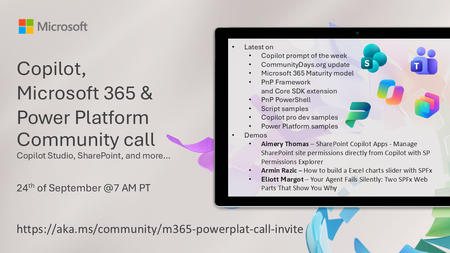
💡 Copilot, Microsoft 365 & Power Platform weekly community call focuses on different use cases and features within the Microsoft 365 and Power Platform - across Microsoft 365 Copilot, Copilot Studio, SharePoint, Power Apps and more. Demos in this call are presented by the community members 🙏 👏 Looking to catch up on the latest news and updates, including cool community demos, this call is for you! 📅 On 24th of September we'll have following agenda: Copilot prompt of the week [CommunityDays.org](http://communitydays.org/) update Microsoft 365 Maturity model PnP Framework and Core SDK extension PnP PowerShell Script samples Copilot pro dev samples Power Platform samples Aimery Thomas – SharePoint Copilot Apps - Manage SharePoint site permissions directly from Copilot with SP Permissions Explorer Armin Razic – How to build a Excel charts slider with SPFx Eliott Margot – Your Agent Fails Silently: Two SPFx Web Parts That Show You Why 📅 Download recurrent invite from https://aka.ms/community/m365-powerplat-dev-call-invite 📞 & 📺 Join the Microsoft Teams meeting live at https://aka.ms/community/m365-powerplat-dev-call-join 💡 Building something cool for Copilot, Microsoft 365 or Power Platform (Copilot Studio, SharePoint, Power Apps, etc)? We are always looking for presenters - Volunteer for a community call demo at https://aka.ms/community/request/demo 👋 See you in the call! 📖 Resources: Previous community call recordings and demos from the Microsoft Community Learning YouTube channel at https://aka.ms/community/youtube Microsoft 365 & Power Platform samples from Microsoft and community - https://aka.ms/community/samples Microsoft 365 & Power Platform community details - https://aka.ms/community/home 🧡 Sharing is caring!33Views0likes0CommentsCopilot, Microsoft 365 & Power Platform product updates call
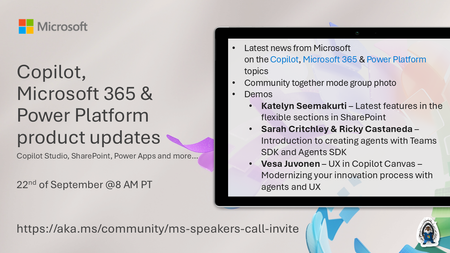
💡Copilot, Microsoft 365 & Power Platform product updates call concentrates on the different use cases and features within the Microsoft 365 and in Power Platform. Call includes topics like Microsoft Copilot, Copilot Studio, Microsoft Teams, Power Platform, Microsoft Graph, Microsoft Viva, Microsoft Search, Microsoft Lists, SharePoint, Power Automate, Power Apps and more. 👏 Weekly Tuesday call is for all community members to see Microsoft PMs, engineering and Cloud Advocates showcasing the art of possible with Microsoft 365 and Power Platform. 📅 On the 22nd of September we'll have following agenda: News and updates from Microsoft Together mode group photo Katelyn Seemakurti – Latest features in the flexible sections in SharePoint Sarah Critchley & Ricky Castaneda – Introduction to creating agents with Teams SDK and Agents SDK Vesa Juvonen – UX in Copilot Canvas – Modernizing your innovation process with agents and UX 📞 & 📺 Join the Microsoft Teams meeting live at https://aka.ms/community/ms-speakers-call-join 🗓️ Download recurrent invite for this weekly call from https://aka.ms/community/ms-speakers-call-invite 👋 See you in the call! 💡 Building something cool for Microsoft 365 or Power Platform (Copilot, SharePoint, Power Apps, etc)? We are always looking for presenters - Volunteer for a community call demo at https://aka.ms/community/request/demo 📖 Resources: Previous community call recordings and demos from the Microsoft Community Learning YouTube channel at https://aka.ms/community/youtube Microsoft 365 & Power Platform samples from Microsoft and community - https://aka.ms/community/samples Microsoft 365 & Power Platform community details - https://aka.ms/community/home 🧡 Sharing is caring!50Views0likes0CommentsLand Your Offer - Anatomy of Revenue Generating Partner Offer - Part 1 - Copilot in 30
Copilot in 30: A Ready-Made Marketplace Offer to Grow Your SMB Practice Thirty days. Twenty-five users. One repeatable offer that turns AI curiosity into a long-term customer relationship. Small and medium businesses know AI matters. What they lack is a trusted guide and a low-risk way to start. Copilot in 30 gives you both: a $0, 25-user, 30-day Microsoft 365 Copilot Business trial from Microsoft, wrapped in a structured journey that only a partner can deliver. Package it as a Microsoft Marketplace offer and you have a scalable on-ramp to every SMB customer in your base — and to the managed services that follow. Start Here: Why Publishing on Microsoft Marketplace Matters Microsoft Marketplace is Microsoft's partner-focused business platform, designed to help you reach more customers and simplify how you sell. A published offer gives your practice a permanent, discoverable storefront in the place customers already look for Copilot help. More importantly, an offer turns your expertise into something repeatable. Instead of scoping every engagement from scratch, you define the journey once — activities, timeline, deliverables — and run it across dozens of customers. Professional service and managed service offer types are available in Partner Center, so the same offer can carry both the 30-day journey and what comes after it. The SMB Opportunity Hiding in Plain Sight SMB customer segment is still early in their AI journey. These are organisations with 300 or fewer users on Microsoft 365 Business Basic, Standard or Premium — typically without an in-house AI team. That combination is exactly where partners win: high demand, limited internal capacity, and a customer base large enough that a well-designed, repeatable offer scales far beyond what bespoke projects can. Why Copilot Is the Right First AI Step for SMBs Microsoft 365 Copilot Business is the cost-effective Copilot add-on built for SMB customers, delivering the same capabilities as Microsoft 365 Copilot inside the apps their people already use — Outlook, Teams, Word, Excel and PowerPoint. No platform overhaul, minimal training, immediate relevance. Copilot is also the on-ramp. Once a team works confidently with Copilot, the natural next steps are agents, automated workflows and Copilot Cowork — each one deepening the customer's dependence on the partner who guided them there. Meet Copilot in 30: 25 Users, 30 Days, $0 Copilot in 30 is a limited-time, CSP partner-led Microsoft 365 Copilot Business trial for SMB customers with fewer than 300 employees. The essentials: What the customer gets: 25 Microsoft 365 Copilot Business seats for 30 days at $0, transacted through CSP New Commerce (Product ID CFQ7TTC0MM8R · SKU 006Z) Who qualifies: Customers on Microsoft 365 Business Basic, Standard or Premium with no paid Microsoft 365 Copilot today — one trial per customer How long it runs: Available to transact until 31 December 2026 What happens at Day 30: The trial auto-converts to a paid subscription unless renewal settings are changed, with a 7-day cancellation window What Microsoft provides: A launch kit, campaign materials, setup guidance, the Copilot Success Planner and conversion guidance Microsoft supplies the licences and the assets. The offer — and the customer relationship — is yours. Your Role: The Guide Who Turns a Trial Into a Habit A trial alone rarely changes behaviour. A guided trial does. Your job across the 30 days is to make sure 25 people experience real value in real work, and that the sponsor can see it. Before Day 0 — pick the right customers, become "Customer Zero" by using Copilot in your own business, secure a named sponsor and Copilot admin, and build a 30-day success plan with agreed measures. Day 0 — transact the trial, set the paid renewal quantity and term, complete admin setup, assign all 25 licences and run the kick-off with starter prompts. Days 1–28 — lead a weekly scenario (Outlook, Teams, Apps, Agents), review Copilot Analytics, re-engage low-activity users and capture proof points in the customer's own words. Days 29–30 — run the outcome and ROI review, confirm the paid offer and open the expansion and consumption conversation. Every touchpoint is partner expertise the customer cannot get from a licence alone — and every one moves the decision at Day 30 from "should we?" to "how much more?" Inside the Offer: Activities, Timeline and Deliverables Below is the full activity plan behind the offer, ready to drop into your own offer description or statement of work. ID Stage Activity Trial day (of 30) Key deliverables — Pre-req Customer eligibility (Copilot Business trial) Before Day 0 Active M365 Business base licence; no paid M365 Copilot; one $0 trial per customer; CSP New Commerce transactable; offer open to 31 Dec 2026 I1 Identify Build the prioritised target list Pre-trial Tier A/B target list from ASPX and Cloud Ascent; 50–300 eligible seats I2 Identify Confirm eligibility and trial fit Pre-trial Eligibility check: M365 Business base licence, no paid Copilot, one trial I3 Identify Launch the acquisition campaign Pre-trial Campaign email sent; briefing delivered; responses triaged into pipeline I4 Identify Be Customer Zero: complete microskilling Pre-trial Microskilling complete; internal Copilot experience; team briefed P1 Plan Confirm sponsor and success measures Pre-trial Named sponsor and admin; 25 trial users; agreed success measures P2 Plan Build the 30-day success plan Pre-trial Personalised Success Planner output; weekly scenarios; admin and user views P3 Plan Confirm technical and compliance readiness Pre-trial Minimum requirements verified; data and compliance review; blocker log A1 Activate Transact the trial in CSP New Commerce Day 0 25-seat, 30-day, $0 trial ordered (CFQ7TTC0MM8R · SKU 006Z) A2 Activate Configure the paid renewal settings Day 0 Renewal quantity, term and billing set; Cowork usage-based billing if in scope A3 Activate Complete admin setup and assign licences Day 0 Recommended settings on; 25 licences assigned (starts the clock) A4 Activate Run the kick-off and share starter prompts Day 0 Kick-off email; starter prompts; four-week prompt series scheduled X1 Experience Week 1 · Outlook — catch up and communicate Days 1–7 Week 1 prompts landed; first-week activation rate reviewed X2 Experience Week 2 · Teams — meetings that run themselves Days 8–14 Copilot Analytics checkpoint; recaps adopted; low-activity users re-engaged X3 Experience Week 3 · Apps — create in minutes Days 15–21 App scenarios and proof points; week 3 training gate before day 30 X4 Experience Week 4 · Agents — unlock the next level Days 22–28 Role-built agents trialled; 30-day usage trends from the admin centre C1 Convert Outcome review, paid offer and expansion plan Days 29–30 ROI review; 50-seat offer confirmed in 7 days; wave 2 plan; consumption conversation opened Land Your Offer: What One Customer Is Worth The table below is the revenue anatomy of one Copilot in 30 engagement — and it shows that the money is not in the trial, but in what the trial sets up. Item Value Detail Offer duration 30 days Trial clock runs Days 1–30; identify, plan and Day 0 setup precede it Trial offer 25 seats M365 Copilot Business · 30 days · $0 · one per customer · to 31 Dec 2026 CSP incentive — 25 seats (K) $0.32K 5.0% direct bill (2.5% M365 CSP Core + 2.5% Strategic Product Accelerator Tier 1) on 25 M365 Copilot Business seats x $21/mo† ≈ $6.3K/yr; indirect reseller 2.5% ≈ $0.16K Conversion target 50 seats Lead with 50 paid seats at conversion; sets up the wave 2 expansion plan CSP incentive — 50 seats (K) $0.63K 5.0% direct bill (Core + SPA Tier 1) on 50 M365 Copilot Business seats x $21/mo† ≈ $12.6K/yr; indirect reseller 2.5% ≈ $0.32K Frontier Accelerate deployment funding (K) $2.5K Microsoft Commercial Incentives funding for the Copilot deployment engagement when the conversion lands with 50 paid seats†; funds the deployment and adoption work that leads into managed services † Illustrative estimates from the offer plan. Confirm current incentive rates, funding and eligibility in Partner Center. Three streams stack on top of each other: CSP incentive — earned on every paid Copilot Business seat from the moment the trial converts, and growing again when the customer expands from 25 to 50 seats. Frontier Accelerate deployment funding — $2,500 available when you lead the conversion with 50 paid seats, paying for the deployment work that makes the expansion stick. Managed services — the recurring engagement described in Day 31 and Beyond, which is where the largest and most durable share of revenue lives. Now multiply. Everything above is the anatomy of a single customer. Landing the offer means running it across every eligible customer in your base — and you don't need to guess who they are. Partner Center's growth insights reporting, available through the AI Business Solutions & Security Insights (ASPX) dashboard, gives you account-level Copilot eligibility, seat whitespace, free Copilot Chat usage and adoption signals for the customers you already manage. To turn that export into a ranked target list, my colleague Brian O'Shea has built a Copilot for 30 Power BI dashboard that sits over your ASPX data and scores each customer on a 0–100 priority scale from eligible seats, whitespace, free-to-paid potential and opportunity signals — so your first cohort is the ten customers most likely to convert, not the first ten who reply. How the Offer Fits Together: From Trial Inputs to Proof of Value The offer runs left to right in three layers: Trial inputs — 25 users, 30 days, $0 CSP trial SKU; an SMB with 50–300 eligible Microsoft 365 seats; no paid Copilot today; a Business Basic, Standard or Premium base; one trial per customer to 31 Dec 2026; a named sponsor and Copilot admin; auto-conversion to paid unless changed. Five stages — Identify (I1–I4), Plan (P1–P3), Activate (A1–A4), Experience (X1–X4) and Convert (C1, T1, T2, W2). Each stage produces a concrete output the sponsor can see. Proof of value — a prioritised list and campaign responses; agreed use cases and success measures; a provisioned trial with 25 licences assigned; weekly usage from the Microsoft 365 admin centre; adoption proof points in the customer's words; paid conversion confirmed in Partner Center — and a named wave 2 expansion beyond the first 25. The highlighted activities — admin setup (A3), Week 4 agents (X4), 25→50 paid seats (T1), Frontier Accelerate funding (T2) and the wave 2 expansion plan (W2) — are where the engagement stops being a project and starts becoming an ongoing relationship: managed services, agent build-out, Copilot Studio and Copilot Cowork follow-on once the trial converts. Day 31 and Beyond: Managed Services That Keep Delivering The end of the trial is the start of the real engagement. Package these as standing services in your offer: Copilot adoption management — monthly Copilot Analytics business reviews, prompt and scenario refreshes, champion programme and onboarding for each new wave of users Licence and expansion management — take the customer from 25 to 50 paid seats and on to wave 2, aligning renewals, terms and billing as the footprint grows Agent build-out — design, build and maintain role-based agents with Copilot Studio for sales, service, finance and operations scenarios surfaced in Week 4 Copilot Cowork enablement and governance — introduce consumption-based Cowork scenarios, set budgets and cost controls, and report on usage each month Security, compliance and readiness — keep data protection, permissions and governance in step with expanding AI use, including a path to Microsoft 365 Business Premium Quarterly value reviews — refresh success measures, capture new proof points and agree the next expansion plan with the sponsor Each of these is a recurring, outcome-based service rather than a one-off project — and each keeps you positioned as the customer's AI partner as their needs grow. Ready to Build Your Copilot in 30 Offer? Download the Copilot in 30 launch kit and Microsoft 365 Copilot Partner FAQ from the Microsoft AI Cloud Partner Program. Be Customer Zero — run Copilot and the microskilling series inside your own business first. Publish your offer in Partner Center as a professional service (the 30-day journey) with a managed service follow-on (Day 31 and beyond). Pick your first cohort — customers with 50–300 seats on a Microsoft 365 Business plan and no paid Copilot today. Transact your first trial through CSP New Commerce (Product ID CFQ7TTC0MM8R · SKU 006Z) and set the paid renewal on Day 0. Book the Day 30 review before Day 1 — so the conversion and expansion conversation is already on the calendar. The window closes on 31 December 2026. The customers are already in your base. Publish the offer and start the clock. Resources From AI curiosity to Copilot adoption in 30 days — Microsoft Partner Blog Copilot in 30 Launch Kit — partner GTM playbook, customer trial guide, invitation and weekly prompt emails, admin setup guidance Build Your 30-Day Copilot Success Plan Copilot Success Planner Walkthrough video Partner Skilling Hub | Microskilling for Copilot in 30 Power BI Dashboard that integrates with your ASPXi Partner Data · By Brian O'Shea Create compelling customer business cases119Views0likes0CommentsSyksyn 2026 Tekniset ja myynnin Kumppanitunnit
Microsoftin tekniset ja myynnille suunnatut Kumppanitunnit järjestetään nykyään Microsoftin globaalilla Skilling Hub -sivustolla, josta ne ovat kätevästi saatavilla myöhemmin tallenteina materiaaleineen. Rekisteröidy Skilling Hub -portaaliin, josta löydät kaikki Microsoftin kumppanikoulutukset yhdessä paikassa eri kielillä tai tekstitettyinä. Rekisteröityessäsi voi valita ne kielet, kuten suomi, jollaista sisältöä haluat ensisijaisesti nähdä englannin kielisen koulutussisällön lisäksi. Kumppanitunti on joka toinen perjantai klo 10–11 järjestettävä Microsoftin kumppaniwebinaari, joka on tarkoitettu kaikille Microsoftin kumppaneille. Tekniset ja kaupalliset aiheet vuorottelevat ja olet tervetullut molempiin webinaareihin. Webinaareissa keskitymme Microsoftin ratkaisualueiden teknologioiden mielenkiintoisiin uutuuksiin, MAICPP-kumppaniohjelmaan, kumppanietuihin ja ratkaisumyyntiin. Microsoftin suomalaiset arkkitehdit, tuotepäälliköt, ratkaisumyyjät ja kumppanivastaavat ovat poimineet kiinnostavia ja hyödyllisiä aiheita, joita he vuorollaan esittelevät. Syksyn 2026 ohjelma Alla ovat suunnitellut päivät ja teemat Syksylle 2026, joiden tarkka aihe päivitetään aina lähempänä esityspäivää tälle sivulle. 18.9. Kaupallinen Kumppanitunti: Partner START FY27 - webinaari Rekisteröidy mukaan tästä linkistä: Etkö päässyt mukaan START FY27 Kickoff -tapahtumaan? Webinaarissa saat kattavan katsauksen tapahtumassa käsiteltyihin FY27: n liiketoimintamahdollisuuksiin, strategisiin painopisteisiin sekä Microsoftin kumppaneille suunnattuihin ohjelmiin ja resursseihin. Puhujat: Kalle Saarikannas, Liiketoimintajohtaja, AI Business Solutions Vibha Deshpande & Teemu Lainiola, Liiketoimintajohtajat, Cloud & AI Platforms Mikael Winqvist, Liiketoimintajohtaja, Security Mereta Laukkanen, Sr Partner Development Manager Jonna Kaarlenkaski, Partner Development Manager Intern Jonna Fred-Jokela, Sr Solution Engineer Manager 2.10. Tekninen Kumppanitunti: Copilot Cowork: Copilot Credits ja kustannusten hallinta Rekisteröidy mukaan tästä linkistä! Tässä teknisessä kumppanitunnissa käymme läpi Copilot Coworkin toimintamallin, kulutuksen seurannan sekä kustannusten hallinnan. Lisäksi tarkastelemme, millaisia mahdollisuuksia kulutuspohjainen AI luo kumppaneiden palveluliiketoiminnalle. Puhujat: Henri Nevalainen, Microsoft Niko Hiltunen, IAMCP 9.10. Kaupallinen Kumppanitunti: Onko julkisen pilven suvereniteetti riittävä huomioiden sen kaikki hyödyt? Rekisteröitymislinkki päivittyy tähän Euroopan unioni valmistelee uusia pilvi- ja tekoälyinfrastruktuuria koskevia linjauksia. Samanaikaisesti organisaatiot pohtivat, miten digitaalinen suvereniteetti, tekoälyn käyttöönotto, kyberturvallisuus ja sääntelyvaatimukset voidaan sovittaa yhteen käytännössä. Tervetuloa ajankohtaiseen webinaariin, jossa tarkastelemme Euroopan muuttuvaa pilviympäristöä ja mitä digitaalinen suvereniteetti tarkoittaa suomalaisille organisaatioille käytännössä. Lisäksi kerromme viimeisimmät tilannetiedot pilvipalveluiden kvanttiturvallisuuden ja Suomen datakeskushankkeiden osalta. Puhujat: Juha Karppinen, National Technology Officer, Microsoft Timo Salminen, Partner Solution Architect, Microsoft Niko Hiltunen, IAMCP 16.10. Kaupallinen Kumppanitunti: Rekisteröitymislinkki päivittyy tähän Puhujat: 30.10. Tekninen Kumppanitunti: Rekisteröitymislinkki päivittyy tähän Puhujat: 6.11. Tekninen Kumppanitunti: Rekisteröitymislinkki päivittyy tähän Puhujat: 20.11. Kaupallinen Kumppanitunti: Rekisteröitymislinkki päivittyy tähän Puhujat: 4.12. Kaupallinen Kumppanitunti: Rekisteröitymislinkki päivittyy tähän Puhujat: 18.12. Tekninen Kumppanitunti: Agentit Azuressa Rekisteröitymislinkki päivittyy tähän Azure Copilot pitää sisällään uusia palveluiden elinkaarenhallintaan liittyviä agentteja. Tule kuulemaan, miten voit hyödyntää näitä omissa palveluissasi! Puhujat: Timo Salminen, Partner Solution Architect, Microsoft373Views0likes0CommentsFrom Leadership Engagement, Town Halls to Communities: Put Viva Engage to Work at Comms Camp
The best way to learn Viva Engage is not by watching someone else publish another perfectly prepared demo post. It is by starting with a real communications challenge. Maybe you are planning a leadership campaign and want employees to do more than simply read an update. Perhaps you are trying to build a community with a clear purpose, improve an AMA, make a town hall part of an ongoing conversation, or understand what employee questions are telling you. Bring that challenge to Comms Camp, a free, hands-on workshop coming to: Seattle, Washington Sydney and Melbourne, Australia Houston, Texas Mexico City, Mexico More locations in the new year! Comms Camp is designed for corporate communications teams and the IT, adoption, employee experience, and community partners who support them. Participants will use Viva Engage, Microsoft 365 Copilot, and practical agent patterns to turn real communications scenarios into reusable plans and workflows. Start with the outcome, not the feature Viva Engage can support leader visibility, employee conversation, community building, campaigns, events, and knowledge sharing. But successful communications programs rarely begin with a list of product features. They begin with questions: Who needs to understand or do something differently? What does meaningful participation look like? Which leader, community, or conversation can create trust? What should happen after employees respond? Which signals will tell us whether the communication worked? Where can AI help without replacing the communicator’s judgment? At Comms Camp, you will start with those questions and use Viva Engage as part of a practical communications plan. What you will work through The workshop takes participants through a complete communications scenario, from the original ask to activation and measurement. Choose your challenge and bring a scenario or select a sample. Define your audience, intended outcome, risks, and the action you want employees to take. Design the Viva Engage activation Determine how Viva Engage, Copilot and other Microsoft products can support the communication. Depending on your scenario, that could include: A leader or executive communication A community activation A campaign moment An AMA or event An employee prompt designed to encourage useful participation A follow-up plan that keeps the conversation moving Turn conversations into signals Publishing is not the finish line. Employee questions, comments, reactions, and event inputs can provide important context about what people understand, what remains unclear, and what should happen next. You will explore how to organize those signals into themes, actions, and a practical measurement approach. Share what you built Participants will share their developing playbooks, learn from one another, and get feedback they can apply when they return to their organizations. Explore Copilot and agent workflows Identify where AI could save time or improve consistency across planning, drafting, summarizing, and follow-up. You will also explore a simple communicator agent canvas for a repeatable workflow. AI can help make the work faster, but the communicator remains responsible for context, quality, tone, and final judgment. Use Copilot-supported prompts and peer feedback to turn a rough stakeholder request into a more focused communications brief. What you will take home Comms Camp is designed to create reusable outputs, not just inspiration. Depending on your chosen scenario, you can leave with: A strategic communications brief A Viva Engage activation plan Copilot prompts and workflows A leader communication, event, AMA, campaign, or community plan A communicator agent canvas A signal and measurement plan A reusable communications playbook You will also leave with ideas from other communicators who are navigating many of the same challenges, including channel complexity, leader visibility, responsible AI adoption, employee participation, and demonstrating impact. Who should attend? Comms Camp is intended for: Corporate and employee communications professionals Leader and executive communications teams Viva Engage community managers Change and adoption professionals Employee experience leaders IT partners supporting communications and communities Organizations may send multiple participants, and communications and technology partners are encouraged to attend together. Participants should have access to Microsoft 365 and Viva Engage. Microsoft 365 Copilot access is recommended. Register for Comms Camp The workshop is free, and registration is required. Explore the Comms Camp experience: https://adoption.microsoft.com/comms-camp Seattle/Redmond, Washington October 12–13, 2026 Register: https://aka.ms/CommsCamp/Joinus Melbourne, Australia October 20, 2026 Register: https://aka.ms/CommsCamp/Mel Sydney, Australia October 21, 2026 Register: https://aka.ms/CommsCamp/Syn Houston, Texas December 8, 2026 Register: https://aka.ms/CommsCamp/Houston Mexico City, Mexico December 10, 2026 Register: https://aka.ms/CommsCamp/MexCity Comms Camp is planned as a multi-city experience. Visit the Comms Camp site to learn when more locations are announced. Tell us where you want us to bring camp next! Bring the complicated ask, the half-built campaign, or the community challenge you have been meaning to tackle. We will help you turn it into something you can use. Learn. Share. Build.361Views1like0Comments
Join Microsoft and M-Files on Sept 23: Content readiness for AI and Agents webinar
What does it take to get your content ready for Microsoft Copilot and Agentic AI? Join M-Files and Microsoft for the “https://aka.ms/SPEmbedded/Webinar/M-Files-20260923” webinar on September 23, 2pm ET, to find out. Ian Story, Principal Product Manager, Microsoft, will be presenting with Cheryl McKinnon (Principal Analyst, Forrester) and Ryan Barry (Vice President of Strategic Operations & Corporate Development, M-Files). Together they'll explore what it takes to make enterprise content ready for the next generation of AI-powered applications and agents. https://aka.ms/SPEmbedded/Webinar/M-Files-20260923 In this webinar, you’ll hear practical perspectives on how to: Assess content readiness: Identify the quality, governance, access, and discoverability gaps that can limit Copilot and agent outcomes. Build a trusted knowledge foundation: Keep content secure, compliant, and permission-aware while making it easier for AI to retrieve the right information. Reduce fragmentation: Bring content and context together so users and agents can work with higher precision. Prepare for agentic workflows: Move beyond static document storage toward intelligent, adaptive content experiences that support reasoning and action. See you there!28Views0likes0CommentsSharePoint AI page authoring: Select, describe, and refine
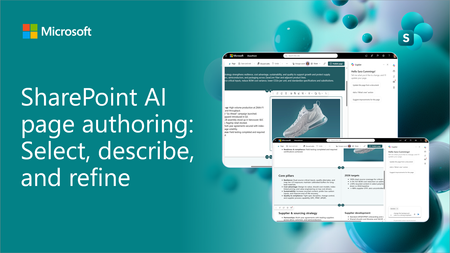
SharePoint AI page authoring is getting an updated experience with on-canvas selection. Authors can select a web part or section, describe the intended change in natural language, and review the results directly on the page. See the updated experience in action and learn how it makes page editing faster and more intuitive for both new and experienced authors.1.4KViews1like3Comments
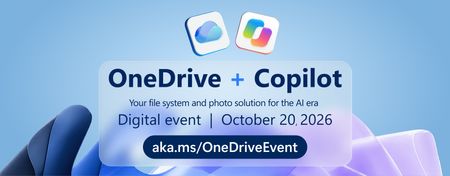
OneDrive + Copilot event — Your file system and photo solution for the AI era
Your files are more than documents. They're the ideas, projects, and moments that move work and life forward. Discover how OneDrive is evolving for the AI era, helping you move from files to outcomes with intelligence built into the experiences you use every day. 🔴 LIVE AMA INCLUDED This event includes a live Ask Microsoft Anything (AMA). To submit your question, login or create an account on the Microsoft Tech Community and submit a question as a Comment on the main event page: https://aka.ms/OneDriveEventOnMTC Register here and explore OneDrive resources: https://aka.ms/OneDriveEvent Additional links: OneDrive Customer Office Hours: https://aka.ms/OneDriveOfficeHours Listen to the Sync Up podcast: https://aka.ms/SyncUp Explore the OneDrive community: https://aka.ms/OneDriveBlog #Microsoft #OneDrive #Copilot #DigitalEvent #OneDriveEvent165Views0likes0CommentsCopilot🏆 Copilot Just Built My SharePoint Dashboard. I Wasn't Ready for What It Generated
🚨 Everyone is talking about how SharePoint Copilot can generate live dashboards. But almost nobody is asking the question that really matters: What is Copilot actually generating behind the scenes? So I decided to investigate. I asked Copilot to transform a SharePoint List into an interactive dashboard and then started digging into the result. What I found was surprisingly interesting. ✅ Interactive KPI cards ✅ Charts and filters ✅ Live data connected to SharePoint ✅ Generated HTML and JavaScript But also... ⚠️ Some limitations ⚠️ Areas where refinement is needed ⚠️ Important considerations before using this in production In this video I don't just demonstrate the feature. I reverse engineer it. If you're a: SharePoint Developer Microsoft 365 Architect Power Platform Consultant Copilot enthusiast Citizen Developer I think you'll find this particularly interesting. 🎥 Watch the full video: 👇 Link in the comments One question for the community: Would you use Copilot-generated dashboards in production today, or would you still choose Power BI, SPFx, or a custom solution? I'm curious to hear your thoughts. #Microsoft365 #Copilot #SharePoint #MicrosoftCopilot #SharePointOnline #M365 #AI #EnterpriseAI #PowerPlatform #SPFx #SharePointDeveloper #MicrosoftMVP #CopilotStudio #DigitalWorkplace #FutureOfWork80Views0likes0Comments
Microsoft 365 Outlook Classic Latest Update Copilot issues
Hello to all, we are currently using the Microsoft 365 Outlook Classic, using version Version 2604 Build 16.0.19929.20172 (Current Channel) Copilot works as expected; However ever since the next update was released (Version 2605 (Build 20026.20076)) some users including me, have been getting the below error: I have tried uninstalling and installing the latest version directly, with the same issue. Scanned for any corrupted system files with no issues,but still get the error; I have tried the update Licence from the Outlook application, with no issues but the copilot something went wrong error keeps on persisting. Internet searches are very vague and the I have found some registry suggestions which I have also tried with no solution. The only way to get Copilot working on Outlook Classic was to revert to a previous working version, only then Copilot works as expected. This only happens in Outlook Classic; Copilot works fine on the latest version of Microsoft Office 365 with Word, Excel, etc. For those that maybe might ask why not switch to the New Outlook, we have had issues with it and it has been recommended to use the Classic Outlook for the time being. Has anyone been experiencing such issues please? Thanks for any help.4.8KViews5likes14Comments