copilot studio
163 Topics
Copilot Studio agent behaves differently in Teams and the test pane
Hello, We have built a topic-based agent in Microsoft Copilot Studio that uses SharePoint as a knowledge source and is published to Microsoft Teams. We are seeing the following behavior: The agent sometimes stops responding in Teams. To make it respond again, we need to use commands such as: /debug clearstate /debug clearhistory /debug conversationid 3. One of our topics contains a Question node asking whether the user’s query was resolved. 4. The question and its options appear correctly in the Copilot Studio evaluation/test pane. 5. However, the same question never appears when the agent is used in Teams. Has anyone experienced similar behavior? Any troubleshooting guidance would be helpful.13Views0likes0CommentsIntroducing the customer conversation harness in Microsoft Copilot Studio
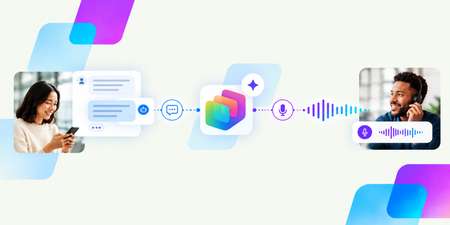
By Omar Aftab, Vice President, Conversational AI The way customers interact with brands is fundamentally changing. More and more interactions are driven by conversational AI, and customers increasingly expect every interaction to be deeply personalized and contextual. With millions of people interacting with sophisticated AI systems every day, consumers are no longer willing to put up with legacy IVRs, restrictive menus, and loss of context. Engaging with customers has been central to Microsoft Copilot Studio from the very start. Copilot Studio customers have created thousands of agents that engage with their customers, whether those customers are chatting on a website, speaking with a voice agent on the phone, or using an AI agent embedded in an app or kiosk. Today we’re announcing the public preview of our new customer conversation harness in Copilot Studio. This is a purpose-built harness and builder specifically designed to create powerful conversational agents for customer engagement. It supports the full arc of a customer interaction in a modern world: connecting to customers across channels, understanding what they need, drawing on the right knowledge and tools, interacting with human representatives as needed, and providing a swift resolution – whether the customer is speaking or typing. To enable this, the harness introduces a set of core new conversational capabilities. These range from teams of agents that work together, more seamless interactions between generative skills and deterministic topics, powerful omnichannel conversations across chat and voice, to better human-agent interactions. The harness also enables integration with third-party contact centers through our new Microsoft Contact Center Intelligence product that we also announced today. Build intelligent conversational agents that work together At the center of the new harness is the new conversational agent builder. Makers can now build state-of-the-art experiences for voice and chat within a single agent. Every agent is omnichannel out of the box and has the skills you’d expect any versatile customer-facing representative to have. They speak conversationally. They understand multiple languages. They are channel-aware. You can move between digital and voice channels without losing context, and the agents maintain memory across them. Connect a team of specialized agents to business knowledge and tools The customer conversation harness makes it easy to orchestrate multiple agents to work together as a team of specialists. Each sub-agent can have its own knowledge and its own tools to hand its own specialized tasks. At GA, each agent will also be able use its own model. This means makers can choose which model is best suited to the kinds of jobs and intents each specialist agent handles. Some tasks call for deep reasoning, while others benefit from models optimized for cost and latency. The harness is designed to orchestrate and combine these agents seamlessly into one customer engagement system. What's more: Microsoft Foundry extensibility is built in. You can create a custom agent with code in Foundry and add it to the team of agents with just a few clicks. The harness handles the complexity and does the heavy lifting, allowing you to build on your existing assets or more easily leverage pro-code capabilities. Finally, Microsoft IQ, which helps ground AI experiences in your organization's work context and business data, is also backed into the harness and available to each agent. With Work IQ, agents can draw on information from the Microsoft 365 apps your team uses every day. For example, an agent helping resolve a billing dispute could reference a refund policy stored in SharePoint and also reference an exception that was agreed to in a Teams thread. The agent accesses this information with its own identity, respecting existing enterprise data access and security policies. Agents can also connect to Foundry IQ for large-scale knowledge sources, such as product manuals, warranty terms, and documents indexed in Azure AI Search; Fabric IQ for reasoning over business data; and more. Combine generative skills with topics Each agent in the team handles multiple jobs - whether it's recommending a credit card, looking up a balance, or taking a payment. And just like when giving a task to an employee, you can provide general instructions for some tasks, and provide specific turn-by-turn directions for others. In the new harness, each agent skill can either be fully generative - you simply provide a prompt and let the model use its own judgment (e.g. “Go and gather the credit card information from the user”) - or fully deterministic, using a topic (commonly used, for example, in IVRs or voice trees where exact, step-by-step instructions are desired). This flexibility is key for large customer engagement systems and has been a recurring customer ask. In the past, an agent could do one or the other. Now, each agent in your team can seamlessly handle a mix of both, depending on the job to be done. Deliver natural experiences across voice and chat Because the harness is natively omnichannel, voice is a first-class experience for both makers and customers. You can choose among speech models and configure rich voice capabilities. These include voice fonts for more natural and customized interactions, speech instructions to guide the agent’s tone and speaking style, DTMF behavior, speech sensitivity settings, and more. When you're ready to publish, you can even acquire phone numbers and deploy your agent to them, making the agent accessible to customers over the phone. And you can test and evaluate all of this right within the experience. Make customer verification easier with voice biometrics Authentication can be one of the most frustrating parts of a customer service call. Traditional verification methods, from security questions to one-time passcodes, can add time and friction before customers can even explain why they're calling. Verifying a customer's identity is essential, but it shouldn't get in the way of a great service experience. The new harness, together with Contact Center Intelligence, supports enterprise grade state-of-the-art voice biometrics that help authenticate customers in real time. Rather than ask a rigid set of questions to validate identity, customers can continue to speak about why they’re calling in while the system validates the caller's identity with a unique voiceprint designed to meet the precision level required by the organization. This also means that if a call drops and the customer calls back, the conversation can seamlessly resume. Connect customer conversations to the enterprise Conversational agents and human representatives work best when they can collaborate to resolve customer needs, and the customer conversation harness in Copilot Studio provides built-in handoff capabilities for different kinds of escalation paths to live representatives. Partner with your human agents in Teams Out of the box, the new harness has better support for partnering with your internal employees in Teams. You can escalate incoming calls to a Teams queue, and very soon directly to Teams chats. Think of a scenario: Oh, that’s an invoice coding issue, it should go to…Sally in accounting. And you can send that call to Sally with just a few clicks, right from within the UX. Or connect to your existing contact center When a full-fledged contact center is needed, connecting to one is simple. The new harness is designed to integrate seamlessly with our new Microsoft Contact Center Intelligence product and is also accessible within it. You can connect to your existing contact center, modernize your existing IVR systems and chat bots, partner with your existing human agents, configure advanced biometrics, score your calls, get insights on how your human-AI partnerships are working, and more - while retaining your existing telephony, routing, and queues. All with a few simple clicks. Govern agents with Microsoft Agent 365 Finally, like all Copilot Studio agents, these conversational agents are fully part of Microsoft’s Agent 365 governance story. Every agent built on the customer conversation harness will show up in Agent 365 upon creation. Admins should immediately see the details of the agent, including owner, channels, Entra agent ID, knowledge, tools, permissions, usage, etc. Centralized governance helps admins apply and update existing policies comprehensively across the enterprise. And, like the rest of Copilot Studio, the customer conversation harness uses Copilot Credits with usage-based billing, so it's easy to get started. Get started with the customer conversation harness With the new customer conversation harness in Copilot Studio, we're helping organizations build more natural, intelligent, and effective customer experiences - wherever they engage with customers. Many of these capabilities are available now in public preview, with more rolling out over the coming weeks. Together with the launch of our new Contact Center Intelligence offering, this is the first step in a journey to transform how everyone on the planet interacts with a brand. Head over to Copilot Studio, click "more ways to build" to try out our new customer conversation harness, and start changing how you engage with your customers today. For more information as you get started, explore the resources below: Learn how to build with the customer conversation harness Read about Microsoft Contact Center Intelligence2KViews1like0Comments
How to preserve document format and structure with Copilot Agent
Hi everyone, I was building a copilot agent that should be able to accept a document and then make changes to it before returning the new version of that document, which has the same format and structure as the original. What is the best way to accomplish this in copilot studio? So far, I have tried using a power automate flow and external tools but it seems that there is no free included tool that can achieve this task. All the document writing tools seem to be paid services requiring API keys. Is there an alternate free way of achieving this task? Thank you450Views0likes2Comments
Confidential messages in Copilot Studio
Hello everyone, I have an agent built in Copilot Studio that uses SharePoint Lists as knowledge sources. When I access the "Monitor" section, I can view the engagement metrics. Under "User questions", I noticed that some questions were not answered by the agent. When I try to view more details about these interactions, I encounter the situation shown in the attached image. Copilot Studio does not allow me to view the response provided by the agent to the user. Instead, the response is displayed as "The agent's response is hidden due to sensitive content." Why is the agent's response displayed as "Confidential"? Is there any configuration or permission that I need to change in order to view these responses? Is there another way to access the complete interaction history, including the user's question and the response generated by the agent? I need to analyze the responses provided by the agent to users in order to understand why some questions are not being answered correctly. Has anyone experienced this issue or knows how to resolve it? Thank you in advance for your help!111Views0likes2CommentsAgent Credit Limits and Alerts - Copilot Studio
Hi everyone, We're evaluating the use of Agent Credit Limits and alert notifications in the Power Platform Admin Center as a way to control unexpected Copilot Credit consumption. Recently, we had an agent consume 668k Copilot Credits in just 3 days, which raised concerns about how quickly usage can grow before administrators become aware of it. My questions are: How frequently is Copilot Credit consumption evaluated against an agent's credit limit? Are alert notifications generated in near real-time, or are they dependent on the same reporting pipeline used by the consumption reports? If an agent reaches its configured credit limit, is it automatically turned off or blocked from further consumption? Given that consumption reports often appear to refresh hours later (or even the next day), can alerts also be delayed? If there is a reporting delay, is there a risk that an agent could significantly exceed the intended limit before administrators receive a notification? What is the recommended approach for preventing large unexpected consumption spikes in production? Has anyone successfully implemented a governance model that provides more immediate protection against runaway usage, or are the current credit limits and alerts primarily intended for retrospective monitoring? Thanks in advance for any guidance.240Views0likes3Comments
Help building an Agent Flow to access specific folders in Sharepoint
Hi all, I am building an agent that needs to access specific subfolders (based on folder identifier) and then analyse this folder against the instructions for the agent. The planned flow is: User enters folder identifier (e.g. Vehicle registration number) The CoPilot Studio Agent uses an Agent Flow to find the Registration number folder within the SharePoint repository (which contains many folders for different cars). The Agent Flow helps the agent access the specific car's folder. The agent runs the instructions for this specific car, analysing the subfolders (e.g. Insurance documents, fuel expense history) to return to the user the outcome of the analysis for each subfolder within that registration's folder. My issue is getting the SharePoint access Agent Flow to work. I have tried using CoPilot chat to assist, but it gives a million different ways to accomplish the same thing. I understand that I need to trigger the flow, using "CarReg" as the input. Then I can use Get Files (Properties Only) to return and filter by folders to find the car registration. But now I only have the folder names, and not the underlying files for my agent to use. Also, once I perform the filter to get the relevant folder, I have many options of passing this back to the agent, such as via HTML tables or Compose. Is there a preferred method? Thanks, H77778Views0likes1Comment
Credits usage for Copilot Studio Workflow with agents
If I add an agent(for research and analyze from the JSON provided) in Copilot studio recurring workflow, whose and which credits will be used whenever it runs? Hi Team, I have a question regarding licensing and credit consumption in Copilot Studio. I have created a Copilot Studio agent that performs research and analysis based on a JSON payload. I am planning to invoke this agent from within a Copilot Studio recurring workflow that runs on a schedule. Could you please clarify the following: When the recurring workflow executes and calls the agent, whose credits are consumed? The user who created the workflow? The owner of the agent? The account under which the workflow runs? The environment's pooled credits? Are there separate credit charges for: Workflow execution Agent invocation Generative AI/research actions performed by the agent Any guidance or documentation links explaining the credit consumption model for this scenario would be greatly appreciated. Thank you!257Views0likes3CommentsManaging apps built in Copilot Studio
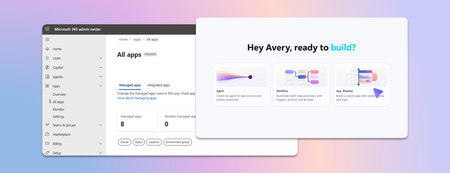
Last week we announced app building in Copilot Studio and Copilot Cowork. Makers can now describe business outcomes and produce full-stack apps with built-in source control, deployment stages, and version isolation—all on Microsoft-hosted infrastructure that requires no infrastructure provisioning, hosting configuration, or deployment pipeline. With those capabilities built in, your administrative scope is narrower and more familiar. Apps are created in the maker's personal developer environment following the environment routing policies you already have. That means things like connector permissions and data policies apply to an app both while it is being built and after it is published. Apps also access connected data on behalf of the signed-in user, which means publishing or sharing an app never grants anyone access to data they could not already reach. With these new capabilities, there are three things that every admin should be thinking about: Review your app estate Control cost with credit caps Choose where makers can build apps Review your app estate Published apps are inventoried in the Microsoft 365 admin center. Each app shows: Who built it Its lifecycle state Which data sources and connectors it uses Which policies apply to it Usage and operational metrics From the same experience, you can also block or disable a published app, remove a connector, bring an app back within policy, control whether it can be shared, and retire apps that are no longer used. Control cost with credit caps Building and running apps are both charged through Copilot Credits usage-based billing, and are metered as two separate services. This distinction lets you manage maker cost and app runtime cost independently. Build consumption varies with the language model used, the complexity of the app, and how much iteration is involved. Runtime consumption, on the other hand, varies with the volume and complexity of the tasks the app processes. At runtime, if the user holds a Power Apps Premium license, usage is included within existing request limits. Beyond those limits, or without a license, usage bills through Copilot Credits. You can learn more by reviewing the Copilot Credits licensing guide. As an admin, you can define credit cap policies to manage your costs. For both maker and runtime usage, caps are set per user, and the controls are managed through usage-based billing. For makers, think of a cap as a per-user budget: you can set the same budget for everyone, or different budgets for groups of users, such as departments that carry separate budgets of their own. Choose where makers can build apps By default, app creation is available to all users in both Copilot Studio and Copilot Cowork. However, you may want to limit where people can build apps. To do so: In the Microsoft 365 admin center, navigate to Apps, then Overview, and find ‘Choose where people can make apps’. Two paths appear: Copilot Studio, where makers build directly, which is on by default and recommended Copilot Cowork, where people create apps through chat, with availability managed by your organization's participation in the Frontier program Note that turning a path off prevents new apps being created that way. However, apps that are already published through that path will continue to run. Key takeaways for managing apps built in Copilot Studio The Microsoft 365 admin center is the one place to review the app estate, adjust app policies, and decide which creation paths stay open. Set credit caps as per-user budgets today, uniformly or by group, and plan for environment-level caps as project budgets when they arrive. Decide who is accountable for overseeing published apps before makers start publishing, as you would for any other application estate. Go to the Microsoft 365 admin center2.3KViews1like2CommentsCopilot, Microsoft 365 & Power Platform Community call
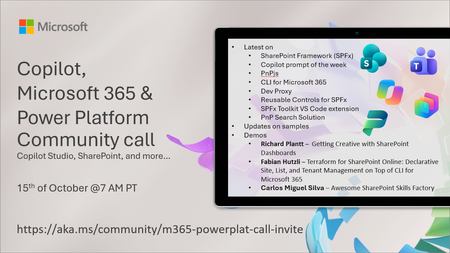
💡 Copilot, Microsoft 365 & Power Platform weekly community call focuses on different use cases and features within the Microsoft 365 and Power Platform - across Microsoft 365 Copilot, Copilot Studio, SharePoint, Power Apps and more. Demos in this call are presented by the community members. 👏 Looking to catch up on the latest news and updates, including cool community demos, this call is for you! 📅 On 15th of October we'll have following agenda: Latest on SharePoint Framework (SPFx) Latest on Copilot prompt of the week PnPjs CLI for Microsoft 365 Dev Proxy Reusable Controls for SPFx SPFx Toolkit VS Code extension PnP Search Solution Demos this time Richard Plantt – Getting Creative with SharePoint Dashboards Fabian Hutzli – Terraform for SharePoint Online: Declarative Site, List, and Tenant Management on Top of CLI for Microsoft 365 Carlos Miguel Silva – Awesome SharePoint Skills Factory 📅 Download recurrent invite from https://aka.ms/community/m365-powerplat-dev-call-invite 📞 & 📺 Join the Microsoft Teams meeting live at https://aka.ms/community/m365-powerplat-dev-call-join 💡 Building something cool for Microsoft 365 or Power Platform (Copilot, SharePoint, Power Apps, etc)? We are always looking for presenters - Volunteer for a community call demo at https://aka.ms/community/request/demo 👋 See you in the call! 📖 Resources: Previous community call recordings and demos from the Microsoft Community Learning YouTube channel at https://aka.ms/community/youtube Microsoft 365 & Power Platform samples from Microsoft and community - https://aka.ms/community/samples Microsoft 365 & Power Platform community details - https://aka.ms/community/home 🧡 Sharing is caring!265Views0likes0Comments