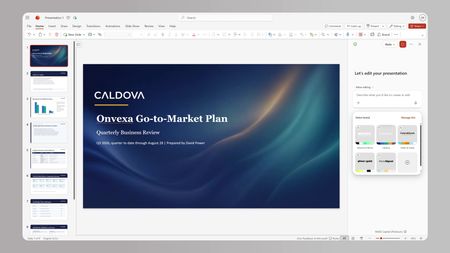
copilot in powerpoint
40 Topics
Fix all annoying Copilot bugs
I’m experiencing an issue with Microsoft Edge on Android. Starting today (September 22, 2026), whenever I try to visit copilot.microsoft.com, Edge automatically redirects me to the Google Play Store to install the Copilot app. I prefer using Copilot in the browser and do not want to install the app. And even when i try to install the copilot app it does not let me do anything and thinks I need a license or subscription to access it like copilot is litterly supposed to be free and also even when i try to get rid of the app redirection it for some dumb reason it redirects me to from copilot.microsoft.com to copilot.com and they put in restrictions like after a lot of chats you must wait for a specific time period and a couple months ago you guys removed the ability to use copilot without registration like come on that is so dumb I want Microsoft Copilot to be fixed revert how copilot was before how is this consumer friendly113Views0likes1CommentCreate Interactive PowerPoint Slides with Copilot: Step-by-Step Tutorial
The new Create Interactive Slides skill in Microsoft 365 Copilot opens up some really interesting possibilities for PowerPoint. Instead of limiting presentations to static content, you can start experimenting with much more interactive experiences, including: ✅ Interactive product comparisons ✅ Clickable timelines ✅ Branching paths and decision trees ✅ Interactive quizzes ✅ Dynamic slides that users can explore I’ve been experimenting with this new Copilot skill in PowerPoint and created a step-by-step video showing how it works in practice.243Views1like0Comments
Access to Office App Context and Setting CEA as Default in Microsoft 365 Copilot
Hello everyone, I’m exploring Custom Engine Agents (CEA) in Microsoft 365 Copilot and have two questions regarding their integration with Microsoft 365 applications. Can a Custom Engine Agent access the current Office application context? When a CEA is added to Microsoft 365 Copilot, is there a supported way for the CEA to access the content of the Microsoft 365 application where Copilot is currently being used? For example: Word: Can the CEA read and/or modify the document currently open in Word? Outlook: Can the CEA access the current email/thread and perform write operations such as drafting or modifying content? PowerPoint: Can the CEA access and modify the presentation currently open? Other Microsoft 365 applications: Are similar capabilities available in other applications where Microsoft 365 Copilot is supported? Essentially, I’m trying to understand whether a Custom Engine Agent can leverage the same application context and read/write capabilities that the native Microsoft 365 Copilot has within these applications. If this is supported, what APIs, SDKs, or integration patterns should be used? Can a Custom Engine Agent be configured as the default mode? Is there a supported way to: Disable or bypass the default Microsoft 365 Copilot experience/mode, and Configure a Custom Engine Agent as the default agent/mode that users interact with when they open Copilot? For example, if an organization has a custom agent that should handle the majority of Copilot interactions, can that agent be configured as the default instead of the standard Microsoft 365 Copilot? I’d appreciate any clarification on the current capabilities, limitations, and recommended architecture for these scenarios. Thanks71Views0likes0CommentsAccess to Office App Context and Setting CEA as Default in Microsoft 365 Copilot
<p>Hello everyone,</p> <p> I’m exploring <strong>Custom Engine Agents (CEA) in Microsoft 365 Copilot</strong> and have two questions regarding their integration with Microsoft 365 applications. </p> <p><strong>1. Can a Custom Engine Agent access the current Office application context?</strong></p> <p> When a CEA is added to Microsoft 365 Copilot, is there a supported way for the CEA to access the content of the Office application where Copilot is currently being used? </p> <p>For example:</p> <ul> <li><strong>Word:</strong> Can the CEA read and/or modify the document currently open in Word?</li> <li><strong>Outlook:</strong> Can the CEA access the current email/thread and perform write operations such as drafting or modifying content?</li> <li><strong>PowerPoint:</strong> Can the CEA access and modify the presentation currently open?</li> <li>Similarly, can it access the context of other Microsoft 365 applications where Copilot is available?</li> </ul> <p> Essentially, I’m trying to understand whether a <strong>Custom Engine Agent can leverage the same application context and read/write capabilities that the native Microsoft 365 Copilot has within these applications</strong>. </p> <p> If this is supported, what APIs, SDKs, or integration patterns should be used? </p> <p><strong>2. Can a Custom Engine Agent be configured as the default mode?</strong></p> <p> Is there a supported way to: </p> <ul> <li>Disable or bypass the default Microsoft 365 Copilot experience/mode, and</li> <li>Configure a <strong>Custom Engine Agent as the default agent/mode</strong> that users interact with when they open Copilot?</li> </ul> <p> For example, if an organization has a custom agent that should handle the majority of Copilot interactions, can that agent be configured as the default instead of the standard Microsoft 365 Copilot? </p> <p> I’d appreciate any clarification on the current capabilities, limitations, or recommended architecture for these scenarios. If there is any official documentation covering these capabilities, please share it as well. </p> <p>Thanks!</p>68Views0likes0CommentsAccess to Office App Context and Setting CEA as Default in Microsoft 365 Copilot
Hello everyone, I’m exploring **Custom Engine Agents (CEA) in Microsoft 365 Copilot** and have two questions regarding their integration with Microsoft 365 applications. ### 1. Can a Custom Engine Agent access the current Office application context? When a CEA is added to Microsoft 365 Copilot, is there a supported way for the CEA to access the content of the Office 365 application where Copilot is currently being used? For example: - **Word:** Can the CEA read and/or modify the document currently open in Word? - **Outlook:** Can the CEA access the current email/thread and perform write operations such as drafting or modifying content? - **PowerPoint:** Can the CEA access and modify the presentation currently open? - Similarly, other Microsoft 365 applications where Copilot is available. Essentially, I’m trying to understand whether a **Custom Engine Agent can leverage the same application context and read/write capabilities that the native Microsoft 365 Copilot has within these applications**. If this is supported, what APIs, SDKs, or integration patterns should be used? ### 2. Can a Custom Engine Agent be configured as the default mode? Is there a supported way to: - Disable or bypass the default Microsoft 365 Copilot experience/mode, and - Configure a **Custom Engine Agent as the default agent/mode** that users interact with when they open Copilot? For example, if an organization has a custom agent that should handle the majority of Copilot interactions, can that agent be configured as the default instead of the standard Microsoft 365 Copilot? I’d appreciate any clarification on the current capabilities, limitations, or recommended architecture for these scenarios. Thanks63Views0likes0Comments