conversations
563 Topics
Announcement Playback Service chat ¡HEPL!
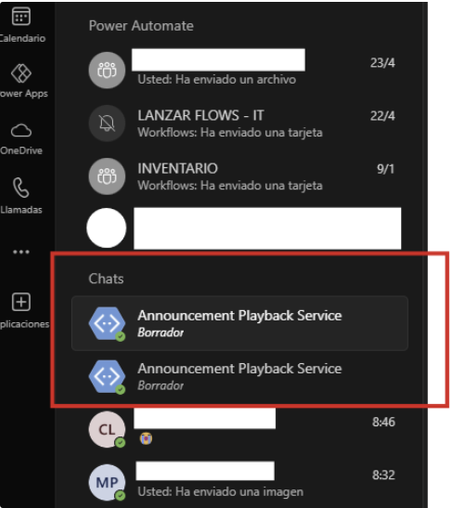
Hello, for a few weeks now, one or two chats with the same name "Announcement Playback Service" have been appearing in my recent chats without explanation. Since the new chat update, they have remained permanently static in recent chats. I can't remove them, delete them, move them, or hide them. They're very annoying. I want to remove them. Does anyone know how? I've attached photos. (desktop and web versions) is the same problem When trying to move them from container: When I hit "Discard" nothing happens:12KViews0likes4CommentsAnnouncement Playback Service chat ¡HEPL!
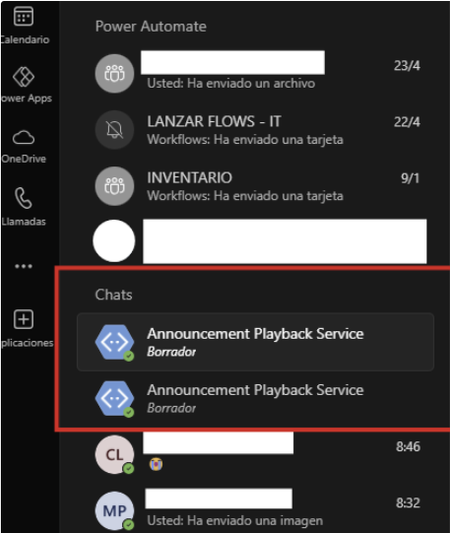
Hello, for a few weeks now, one or two chats with the same name "Announcement Playback Service" have been appearing in my recent chats without explanation. Since the new chat update, they have remained permanently static in recent chats. I can't remove them, delete them, move them, or hide them. They're very annoying. I want to remove them. Does anyone know how? I've attached photos. (desktop and web versions) is the same problem When trying to move them from container: When I hit "Discard" nothing happens:791Views0likes0CommentsJoin a conversation about a lists item with custom (PowerApps) form
Hi all, As described in this article, https://support.microsoft.com/en-gb/office/have-a-conversation-about-a-list-item-in-teams-79f80553-2c54-467e-be91-2bc6b71e94a6#:~:text=To%20join%20from%20the%20list%20item, you can join a conversation about a Lists item. When using the default form of the list all works well, but when using a custom PowerApps form the item is not shown. All I see is an empty list without columns on a white background. Any suggestions how to get this to work as expected?442Views0likes0Comments
New channels experience
Just wondering if anyone knows if the new channel experience will still include the collapsing of conversation content (i.e. the collapsed conversation only shows the original post and last reply, with the other replies hidden). Testing the new Public Preview Teams, it appears to keep the top of all replies in a conversation visible. Is this going to be the new experience or will future updates re-introduce collapsing?Reaction's notification in the activity feed
We should not have to go to the activity feed to read the notification of a reaction we read in a conversation in the chat section. It feels like it has to be read twice to remove the notification of that reaction (in the chat section and the activity feed).13KViews13likes7Comments
Problem in my teams chatbot
Hi, I have a query. I made a chatbot in the teams for my channel. But it is not taking Hi & Hello as a trigger. Other words are getting picked up like help, query etc. Every time I type Hi, it shows the default message by the Chat Bot. Not my message. The message is "Hi! I’m a virtual agent. I can help with account questions, orders, store information, and more." But my message is "Hi, How can I help you? So, please help me this query.1.1KViews0likes1Comment
Conversations (Chats) under Team Channels
Hi there, I'm wondering if I use correctly MS Team. My comprehension is, Team is for collaboration. But my Chats section is a real mess. We have many Team channels, including all the correct people, files, shares, meeting notes, etc.... but it seems that is impossible to have a Chat session (not discussions) with the members of a Team Channel. Hi can we do this? I mean, instead, to create a private chat session + a team channel with the same users, I guess it's already possible to do not duplicate the different entry points to the same topic of a discussion which is a Team Channel (Équipes en français ;)) Or could we insulate one team channel discussion into one separate section/windows/environment instead of having them into the same Windows "raisin bread 😂🤣"? It is painful to do back and forth to find a piece of information in the Chats and/or in the discussions... Probably I/we don't use MS Team as it should be ... I don't know, I'm open to anything 😊 Regards to all and thank you for your answers Martin L.5.8KViews7likes1Comment
Package Office and Microsoft Teams
Hi everyone. I just enter to the program Microsoft Students Ambassador and I can´t acces the Office package and also, I can´t acces Microsoft Teams. I´m so stressed because I have to comunicate with my Peer Mentorship for the "Peer Mentorship Program "and I can´t :(( . I sent a message to Microsoft support but the give me a numeric ticket to see my progress on the problem report but they don´t give me a solution. Somebody can help me, please?1.1KViews0likes1Comment