community
480 TopicsFrom Showing Up to Lifting Others: Diego Domingos da Silva's MVP Journey
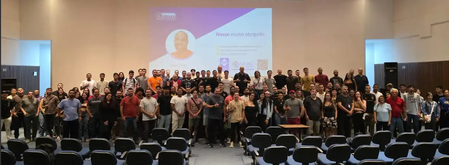
For MVP Diego Domingos da Silva, the journey to becoming a Microsoft MVP was never about collecting credentials. It was about showing up, learning in public, and finding people who made the tech world feel more human. A newer MVP in the program, Diego has built his reputation by helping others make sense of Microsoft 365 with honesty, humor, and heart. Along the way, the community became more than a professional network. It became a place of growth, connection, and support—and ultimately helped shape both his career and his life. The spark that started it all Diego’s path into the community started with a challenge from a manager: build a personal brand. At the time, he was working in Washington, D.C. and began experimenting with a blog that would eventually grow into his recognizable voice in the Microsoft 365 space. He attended his first Microsoft 365 Community Conference in Las Vegas shortly after the pandemic, where one session about making community part of your career shifted his perspective. Instead of watching from the back, he moved to the front of the room - curious, observant, and determined to understand how people built careers through sharing what they knew. “I had zero of the knowledge, but I had the curiosity. I went to the front of the room because I wanted to see how it was done.” That curiosity turned into action. After encouragement from community leaders, Diego submitted sessions, spoke at events, and kept returning - not because he was chasing a title, but because he loved the energy of helping others and learning alongside them. He discovered that community work is not only what happens on stage. It is also the invisible work: moving chairs, carrying pizza boxes, welcoming newcomers, and creating spaces where people feel they belong. Over time, mentors encouraged him to keep going, build meaningful contributions, and trust that impact matters more than perfection. Behind the scenes, Diego was also navigating profound personal loss. In that season, the M365 community became far more than a place to talk about technology. It gave him a sense of safety, connection, and stability when he needed it most. That experience shaped the way he shows up today: candid, welcoming, and committed to making space for other people’s stories as well as their technical growth. “Community wasn’t just my escape. Community was my lifeline. It was my safe space.” and the Microsoft sign in Redmond, Washington at MVP Summit What impact really looks like One of Diego’s biggest lessons is that community impact is rarely about knowing everything. It is about listening well, staying humble, and helping people connect to the knowledge they need. That mindset has shaped how he contributes today as a Microsoft MVP in the M365 category, with a focus on SharePoint and M365 Copilot. On his Microsoft MVP profile, Diego describes his work as “flipping the script in M365 with SharePoint, Copilot, and the power of community,” a phrase that reflects both his technical focus and his people-first approach. He also believes belonging grows when people bring their full selves into the room. That is part of what motivates his work to foster visibility and connection for underrepresented groups in tech spaces. Whether he is mentoring, speaking, blogging, or simply starting conversations that help people feel less intimidated, Diego keeps coming back to the same idea: meaningful community is built one generous interaction at a time. “I do not know everything, but I know everyone who knows something—and I can help you get the information you need.” Alongside his work in mentorship and storytelling, Diego is also actively creating new spaces for connection. Inspired by an LGBTQIA+ meetup at the Microsoft 365 Community Conference - organized with very little notice but still drawing a meaningful group - he recognized a deeper need within the ecosystem. That moment sparked the creation of Pride in M365, a community for LGBTQIA+ individuals and allies across Microsoft 365, Power Platform, AI, and the broader Microsoft ecosystem. The group focuses on building connection, visibility, mentorship, and support through shared experiences and community conversations - with a clear message that everyone is welcome. For Diego, the goal is simple but powerful: carry the energy of those in-person moments forward so that connection doesn’t start from scratch at every event. By creating a consistent space between conferences, Pride in M365 helps people show up already knowing they belong - and already recognizing a few familiar faces. “If we can keep those conversations going between events, then by the time we show up at the next conference, we already know each other. That’s the goal - to make the community easier to find, easier to join, and a little more welcoming for everyone.” LGBTQIA+ meetup at the Microsoft 365 Community Conference. Keep showing up If you are thinking about becoming a Microsoft MVP, Diego’s advice is refreshingly practical: pick something you genuinely enjoy, stay curious, and keep showing up. Expertise grows over time, but authenticity, empathy, and consistency are what help build trust. To learn more about Diego’s work, visit his Microsoft MVP profile and LinkedIn page, and explore the Microsoft MVP Program to see how community contributions can open doors - not just professionally, but personally too. Connect with the Microsoft 365 & Power Platform Community and Microsoft 365 Community Hub. “Every day will be happier than the day before.” (Left to right) MVPs Jeremy Sinclair,Diego Domingos da Silva,Sucheta Gawade, andAgnieszka Maria Mietz-Blijleven on a Mentoring Ring panel at MVP Summit Want to Learn More About the MVP Program? To find an MVP and learn more about the MVP Program visit the MVP Communities website and follow our updates on LinkedIn or #mvpbuzz. Join us for a future live session through the Microsoft Reactor where we walk through what the MVP program is about, what we look for, and how nominations work. These sessions are designed to help you connect the dots between the work you’re already doing and the impact the MVP Program recognizes - with time for questions, examples, and real conversations.49Views1like0CommentsHow to access my web mail to outlook
Hi, I'm looking for a way to access my webmail through Outlook. although I appreciate Gmail's functionality and I'm previously using that, but I find the interface and overall experience of Outlook more appealing. So looking for a solution that allows me to manage my emails from my website page using my outlook account. With Gmail, I know that this is possible, but I would prefer to utilize outlook's because of better experience. I will appreciate yor I'd appreciate any guidance or information on how to achieve this integration between my webmail and Outlook. Thank you!Solved59KViews0likes7CommentsModel Mondays S2E13: Open Source Models (Hugging Face)
1. Weekly Highlights 1. Weekly Highlights Here are the key updates we covered in the Season 2 finale: O1 Mini Reinforcement Fine-Tuning (GA): Fine-tune models with as few as ~100 samples using built-in Python code graders. Azure Live Interpreter API (Preview): Real-time speech-to-speech translation supporting 76 input languages and 143 locales with near human-level latency. Agent Factory – Part 5: Connecting agents using open standards like MCP (Model Context Protocol) and A2A (Agent-to-Agent protocol). Ask Ralph by Ralph Lauren: A retail example of agentic AI for conversational styling assistance, built on Azure OpenAI and Foundry’s agentic toolset. VS Code August Release: Brings auto-model selection, stronger safety guards for sensitive edits, and improved agent workflows through new agents.md support. 2. Spotlight – Open Source Models in Azure AI Foundry Guest: Jeff Boudier, VP of Product at Hugging Face Jeff showcased the deep integration between the Hugging Face community and Azure AI Foundry, where developers can access over 10 000 open-source models across multiple modalities—LLMs, speech recognition, computer vision, and even specialized domains like protein modeling and robotics. Demo Highlights Discover models through Azure AI Foundry’s task-based catalog filters. Deploy directly from Hugging Face Hub to Azure with one-click deployment. Explore Use Cases such as multilingual speech recognition and vision-language-action models for robotics. Jeff also highlighted notable models, including: SmoLM3 – a 3 B-parameter model with hybrid reasoning capabilities Qwen 3 Coder – a mixture-of-experts model optimized for coding tasks Parakeet ASR – multilingual speech recognition Microsoft Research protein-modeling collection MAGMA – a vision-language-action model for robotics Integration extends beyond deployment to programmatic access through the Azure CLI and Python SDKs, plus local development via new VS Code extensions. 3. Customer Story – DraftWise (BUILD 2025 Segment) The finale featured a customer spotlight on DraftWise, where CEO James Ding shared how the company accelerates contract drafting with Azure AI Foundry. Problem Legal contract drafting is time-consuming and error-prone. Solution DraftWise uses Azure AI Foundry to fine-tune Hugging Face language models on legal data, generating contract drafts and redline suggestions. Impact Faster drafting cycles and higher consistency Easy model management and deployment with Foundry’s secure workflows Transparent evaluation for legal compliance 4. Community Story – Hugging Face & Microsoft The episode also celebrated the ongoing collaboration between Hugging Face and Microsoft and the impact of open-source AI on the global developer ecosystem. Community Benefits Access to State-of-the-Art Models without licensing barriers Transparent Performance through public leaderboards and benchmarks Rapid Innovation as improvements and bug fixes spread quickly Education & Empowerment via tutorials, docs, and active forums Responsible AI Practices encouraged through community oversight 5. Key Takeaways Open Source AI Is Here to Stay Azure AI Foundry and Hugging Face make deploying, fine-tuning, and benchmarking open models easier than ever. Community Drives Innovation: Collaboration accelerates progress, improves transparency, and makes AI accessible to everyone. Responsible AI and Transparency: Open-source models come with clear documentation, licensing, and community-driven best practices. Easy Deployment & Customization: Azure AI Foundry lets you deploy, automate, and customize open models from a single, unified platform. Learn, Build, Share: The open-model ecosystem is a great place for students, developers, and researchers to learn, build, and share their work. Sharda's Tips: How I Wrote This Blog For this final recap, I focused on capturing the energy of the open source AI movement and the practical impact of Hugging Face and Azure AI Foundry collaboration. I watched the livestream, took notes on the demos and interviews, and linked directly to official resources for models, docs, and community sites. Here’s my Copilot prompt for this episode: "Generate a technical blog post for Model Mondays S2E13 based on the transcript and episode details. Focus on open source models, Hugging Face, Azure AI Foundry, and community workflows. Include practical links and actionable insights for developers and students! Learn & Connect Explore Open Models in Azure AI Foundry Hugging Face Leaderboard Responsible AI in Azure Machine Learning Llama-3 by Meta Hugging Face Community Azure AI Documentation About Model Mondays Model Mondays is your weekly Azure AI learning series: 5-Minute Highlights: Latest AI news and product updates 15-Minute Spotlight: Demos and deep dives with product teams 30-Minute AMA Fridays: Ask anything in Discord or the forum Start building: Watch Past Replays Register For AMA Recap Past AMAs Join The Community Don’t build alone! The Azure AI Developer Community is here for real-time chats, events, and support: Join the Discord Explore the Forum About Me I'm Sharda, a Gold Microsoft Learn Student Ambassador focused on cloud and AI. Find me on GitHub, Dev.to, Tech Community, and LinkedIn. In this blog series, I share takeaways from each week’s Model Mondays livestream.354Views0likes0CommentsBuilding Community-First Events: Lessons from M365 Community Days DC
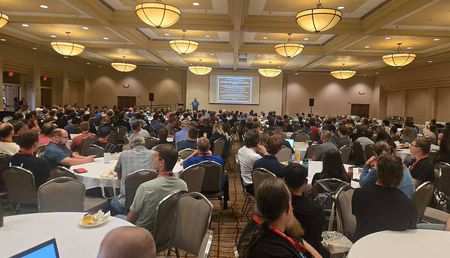
I’ve helped organize a number of community events over the years, but this one stood out. Not because everything went perfectly—it didn’t—but because of how consistently the community showed up, stepped in, and made the experience better than anything we could have planned. That’s when it really clicked: the goal isn’t just to run a great event. It’s to build something people feel ownership in. 300 attendees · 50 speakers · 44 sessions · 20 MVPs · 15 MCTs · 14 sponsors Fresh off M365 Community Days DC, I had the opportunity to present two MGCI general sessions sharing what it really takes to design and run a community-first event. We covered what worked, what didn’t, and what we’d change next time. But more importantly, we talked about how to move beyond just running events—and start building communities that actually last. From Planning to Reality… Twice This year didn’t go according to plan. We originally scheduled earlier in the year, but severe winter weather forced us to postpone. That meant reworking logistics, speakers, sponsors, and communications—and effectively planning the entire event twice. It reinforced a core reality: flexibility isn’t optional. Despite the reset, we still brought together ~300 attendees across two days. If anything, the delay strengthened engagement and commitment from the community. Expanding to a Two-Day Model One of the biggest changes this year was introducing a two-day format: Day 1: Paid, hands-on workshops Day 2: Traditional Community Days sessions The goal was to create more depth. Instead of only 60-minute sessions, we introduced half-day workshops across topics like M365 administration, Power Platform, AI/Copilot, and security. 145 workshop registrations across six sessions Multiple sessions sold out Additional revenue to offset costs and support a charitable partner But the biggest takeaway wasn’t revenue. Attendees want less PowerPoint and more hands-on learning. That’s especially true in fast-moving areas like AI. Rethinking the Event Format We made a deliberate decision to skip a keynote entirely. Instead, we: Sent attendees directly into sessions Kicked things off with a short Teams broadcast Used live polling to capture real-time audience interests This gave speakers immediate insight into what attendees cared about—and the ability to adapt on the fly. The result was simple: engagement started earlier and stayed higher. The Venue Shapes the Experience We hosted at a Microsoft Innovation Hub in the DC metro area, and it made a noticeable difference. This wasn’t just a venue—it added to the experience: Immersive technology demos Guided tours A more modern, interactive environment The right venue doesn’t just support your event—it enhances it. A Community-Driven Speaker Model The speaker lineup reflected the breadth of the community: MVPs, MCTs, and Microsoft employees First-time speakers alongside experienced presenters Attendees ranging from students to seasoned professionals We had eight first-time speakers, which is something we actively prioritize. Community events shouldn’t just showcase experts—they should help create them. When Things Break, the Community Steps Up Not everything went smoothly. In one instance, a speaker didn’t show up for a full session. Instead of canceling, members of the community stepped in and delivered the session collaboratively. It turned into one of the most engaging sessions of the event. It reinforced something important: community isn’t just who attends—it’s who steps up. Designing for Connection, Not Just Content Sessions are only part of the value. The real impact happens in the hallway track—the conversations between sessions, the introductions, the relationships. We designed intentionally for that: A custom selfie station app with a live photo wall Live polling in the kickoff An Ask the Experts lounge for 1:1 conversations Networking activities like bingo and sponsor engagement Social experiences including rooftop lunches and speaker events These aren’t extras. They’re essential. They turn an event into something people remember. Designing for Every Type of Attendee Not everyone engages the same way, especially at their first event. We focused on lowering the barrier to participation, offering multiple ways to engage, and helping people move from passive to active involvement. This matters for first-time attendees, career changers, and those who don’t naturally jump into a room and speak up. Small design decisions can make a big difference in whether someone just attends—or feels like they belong. Real Moments Matter More Than Perfect Plans Some of the most impactful parts of the event weren’t planned: An attendee who found a new career through the community—and now runs events herself A first-time speaker who transitioned from musician to developer A session that turned into an improvised, community-led experience These moments stand out more than any agenda. Community events are catalysts—they create momentum beyond the event itself. Powered by Volunteers and the Community Behind the scenes, the event was powered by about 20 volunteers, community organizers and leaders, and sponsors and returning partners. We also leaned heavily on community-built tools for scheduling, polling, and engagement. This didn’t just reduce costs—it reinforced ownership. People weren’t just attending. They were part of building the experience. Final Thoughts M365 Community Days DC reinforced something simple: the best events aren’t just well-executed—they’re community-powered. And a big part of that lives in the hallway track. The conversations between sessions, the introductions, the moments of encouragement, and the relationships people build are just as important as the content on stage. That’s part of what makes experiences like this matter to MGCI. When we design for connection, not just sessions, and create space for people to participate, we create more than a successful event—we create momentum that lasts. If you’re building events in your own region, I hope these lessons help. And if your community has found other ways to create connection, encourage participation, or turn attendees into contributors, I’d love to see those ideas continue to spread across MGCI.122Views1like0CommentsMVP Mentoring Rings: Where Community Becomes a Catalyst
What if mentoring did not start with matching one expert to one learner, but with bringing a small circle of community leaders together to learn out loud? That is the idea behind MVP Mentoring Rings: small, community-led groups where Microsoft Most Valuable Professionals (MVPs) share experience, ask honest questions, and help one another grow. Unlike traditional one-to-one mentoring, Mentoring Rings are built around collective learning. The result is a model that feels both practical and deeply human - especially in a global community where connection across regions, languages, and experiences matters. Across the MVP community, Mentoring Rings have created space for something powerful: technologists showing up not just to teach, but to listen, encourage, and lead alongside one another. In a fast-moving industry, that kind of peer support can make all the difference. More than mentoring: a circle of shared momentum MVP Mentoring Rings were created to address a real need: even in a vibrant technical community, people can still feel isolated. The ring model offers a different path forward. Each group is intentionally small, guided by MVP Mentor Leads, and designed for recurring conversations rather than one-off advice. MVPs learn from one another through shared experiences, practical problem-solving, and accountability that grows over time. Why did MVPs participate? For many, it was about finding community as much as guidance. Some joined to better understand how to contribute in ways that felt authentic. Others wanted a space to navigate visibility, leadership, or the challenge of translating deep technical expertise into content, talks, demos, and impact for others. MVP Mentor Leads participated for another reason too: to give back in a way that scales generosity and multiplies belonging. When MVPs show up, others rise The most inspiring part of Mentoring Rings is how MVPs showed up for each other. They did not arrive as polished experts with all the answers. They came ready to be open, practical, and encouraging. MVP Christine Flora, who led a Women in the MVP Program Ring, described the experience this way: “Leading a Women in the MVP Program Ring reinforced how important representation, examples of someone like yourself, and showing up as your authentic self is for confidence and connection - especially when battling imposter syndrome.” That theme surfaced again and again: confidence grows when people feel seen. In Christine’s ring, one meaningful shift was helping participants move beyond the idea that they had to contribute exactly like someone else. As she shared, a major win was watching members realize “there are many, many ways to contribute and give to the community that fit their styles and personality types.” That is a powerful message for aspiring contributors and current MVPs alike: community leadership is not about copying a formula. It is about discovering your own voice and using it to help others. Confidence grows in spaces built for trust For MVP Sucheta Gawade, the value of the ring was rooted in psychological safety and clarity. She reflected that leading a ring reinforced the importance of “a psychologically safe, technical peer space” where MVPs from different domains could turn uncertainty into action. In her experience, mentoring became more than encouragement; it became a structured way to help people transform expertise into community-ready contributions such as talks, blogs, demos, and frameworks. That same sense of safety came through in MVP Agnieszka Mietz-Blijleven’s experience as a mentee. What surprised her most was how quickly trust and openness formed, even among people who had never met before. In that environment, she said, “real experience mattered more than titles” and honest reflection began to feel natural. Sucheta also saw quiet hesitation turn into confident engagement. One of her proudest wins as a Mentoring Ring Lead was helping her group move from “I am not sure what counts as technical contributions” to a clear, trackable plan for how they could participate. That kind of progress matters because it changes how people see themselves - not just as community members, but as future speakers, writers, mentors, and leaders. Agnieszka described a similar shift from the mentee side. The ring helped her recognize that she could support others not only through empathy, but through the strength of her own experience and skills. As she put it, the experience moved her mindset from wondering whether she was doing enough to recognizing that she already brought value - and could build on it with intention. Belonging sounds different in every language One of the strongest lessons from Mentoring Rings is that accessibility is not only about time zones or format. It is also about language, representation, and whether people feel safe enough to participate fully. MVP Ivana Tilca, who led a New to the MVP Program ring and a Women in Tech ring in Spanish, saw how quickly those layers intersected. She shared that one of the most powerful themes in her conversations was the hesitation some women felt about asking questions or speaking up because they were often among the few women in the room - and in some cases were also navigating events and meetings in a language that was not their own. That experience, she said, changed how she thinks about community events: inclusivity cannot be an afterthought; it has to be meaningfully designed in from the start. Ivana also reflected on what changed when conversations happened in Spanish. Having grown up bilingual, she said she had not always seen language as a barrier. But through the ring, she realized how much harder technical instructions, outreach, and even simple follow-up could feel for others. As she put it, “Not everyone speaks or understands English,” and for some MVPs, the language gap made “sending a simple inquiry or email feel nearly impossible” - especially when reaching out to Microsoft employees already felt intimidating. That perspective sits alongside what MVP Walter E Calcagno Lucares described in the Spanish-language ring: “Not having to translate my thoughts in real time allowed me to express myself with greater clarity and depth, which led to more strategic and meaningful conversations.” Together, their experiences make the case clearly: language-inclusive mentoring does more than remove friction. It creates trust, confidence, and a stronger sense of belonging. From the ring to the stage: Mentoring Rings at MVP Summit The momentum behind Mentoring Rings was also visible at MVP Summit in the session MVP Mentoring Rings: Learn, Grow, Connect. The session brought the spirit of the rings to a wider audience by centering real stories from mentors and mentees - what worked, what surprised them, and how mentoring helped both sides grow. It reinforced an important truth: mentoring in the MVP community is not one-directional. It is a shared experience that builds confidence, connection, and practical wisdom for everyone involved. Agnieszka Mietz-Blijleven captured that spirit by describing a meaningful moment from her ring: realizing how much wisdom can come from “a simple, honest conversation shared at exactly the right time.” For her, mentoring also brought perspective - showing how differently people can respond to the same situation and how often the hardest work is learning to stop criticizing yourself. Diego Domingos da Silva, Agnieszka Mietz-Blijleven, Sucheta Gawade (left to right) Designed to leave attendees with practical tips they could use right away, the session explored how to be a thoughtful mentor, how to get more from the mentee experience, and how to build meaningful, supportive relationships in the community. MVP Diego Domingos da Silva helped bring that message to life by reframing mentoring as something far more human than a formal exchange of answers. As he shared, he joined as a mentee expecting guidance but instead found “something closer to a support group of like-minded people in the community, sharing real experiences without the pressure of a work setting.” His reflection captures what made the MVP Summit panel resonate: mentoring was not presented as hierarchy, but as honest connection. Diego also spoke to the kind of growth that happens in these spaces. Rather than coming only from a perfectly mapped plan, he described growth as something that often takes shape through shared stories - hearing how others handled uncertainty, setbacks, and opportunity, and realizing you are not the only one figuring it out as you go. That perspective reinforced one of the panel’s strongest themes: mentoring creates momentum not because it removes uncertainty, but because it helps people move through it together. MVP Jeremy Sinclair added another important dimension to the panel: the idea that mentoring becomes most powerful when it is reciprocal. For him, the experience was not only about guiding others, but also about paying close attention to the ways mentees were already learning, contributing, and growing in their day-to-day work. His reflection underscored one of the session’s most resonant takeaways - that the best mentoring spaces create room for everyone to teach and everyone to learn. Agnieszka also connected mentoring to a very practical kind of growth: confidence in public speaking. She reflected that mentoring strengthened her on-stage presence by helping her stay steady in front of a live audience, navigate real-time reactions, and move through troubleshooting moments with diligence and calm. That kind of growth shows how mentoring does not stay inside the ring - it carries into talks, demos, and the visible moments where community leaders share what they know. The invitation: learn, lead, and lift someone else up MVP Mentoring Rings show what is possible when community leadership is shared. They help technologists grow their confidence, expand their networks, and see new possibilities for how they can contribute. They remind current MVPs that mentorship is not a side activity - it is part of how strong communities sustain themselves. As Agnieszka Mietz-Blijleven reflected, the rings create “continuity, confidence, and a culture of giving back.” And for aspiring MVPs, they offer a glimpse of what this community is really about: generosity, curiosity, and the willingness to help others thrive. If you are inspired by these stories, take the next step. Learn from the MVPs who are investing in others through Mentoring Rings. Look for ways to actively support and uplift people in your own tech community. Reflect on how you can be an ally - especially for those who may need representation, encouragement, or a clearer runway to be seen. And if you have been wondering whether you are ready to contribute more, start now. Share what you know, help someone take their next step, and keep building the kind of community that future MVPs will be proud to join. Want to learn more about the MVP Program? To find an MVP and learn more about the MVP Program visit the MVP Communities website and follow our updates on LinkedIn. Join us for a future live session through the Microsoft Reactor where we walk through what the MVP program is about, what we look for, and how nominations work. These sessions are designed to help you connect the dots between the work you’re already doing and the impact the MVP Program recognizes - with time for questions, examples, and real conversations.166Views1like0CommentsFabCon and SQLCon: MVP voices on community, connection, and showing up
FabCon and SQLCon bring together technical learning, product insight, and something just as important: community. Microsoft MVPs describe what stayed with them most - from hallway conversations and first-time introductions to practical sessions and friendships that keep growing long after the event ends. Their reflections show why these events matter: they create space to learn in public, share generously, and help more people find their place in the Fabric and SQL community. Community that starts between sessions Again and again, MVPs described FabCon and SQLCon as more than a place to attend sessions. MVP Jason Romans captured that perfectly: “Those unplanned conversations ended up being just as valuable as anything I learned on a stage.” For him, community showed up in the in-between moments - a shuttle ride, a coffee line, a badge that made it easier to start talking. That same feeling of connection came through in his reflection on finally meeting the Saturday Morning Learning (SML) crew in person after gathering virtually every week to talk Fabric, Power BI, and life. As Jason put it, “The community grows stronger every time someone decides their perspective is worth sharing,” a reminder that contribution often starts with simply showing up and sharing what you know. “The community grows stronger every time someone decides their perspective is worth sharing.” - MVP Jason Romans Connections that last beyond the event That generosity was a recurring theme. MVP Treb Gatte remembered a hallway conversation at a prior FabCon that turned into an impromptu troubleshooting session for a Caribbean team’s real-time election dashboard in Power BI- and learned a year later that it had been the breakthrough they needed. “The connections you make here outlast the event,” he said. His advice for newer community members was equally practical: “Stay curious, stay humble, and let other people teach you.” MVP Heidi Hasting said that one of the most meaningful parts of FabCon and SQLCon is “the feeling that you're not alone in this,” especially when you can connect with data professionals from around the world and turn those introductions into lifelong friendships. She also pointed to the live energy of major announcements and the surprise of seeing how many people are still discovering Microsoft Fabric for the first time. MVP Ginger Grant added another dimension to that experience, describing FabCon and SQLCon as her favorite conference because she gets to “engage with so many different people and learn a lot,” including reconnecting with friends from Australia and New Zealand and meeting new people from Finland, the Netherlands and around the world. She also shared how meaningful it was to be recognized in person by someone who only knew her from an online event. MVP Denny Cherry brought it down to basics with the kind of advice only a longtime community member can give: do not eat dinner alone in your hotel room, meet people, get to know them, and take advantage of being surrounded by thousands of peers from all over the world in one place. “In under a week you can go from feeling like you're working in isolation to realising you're part of a global community of people who care about the same things you do.” - MVP Heidi Hasting bring Power Platform and SQL Server 2025 together in a session focused on building secure, scalable next-generation apps. Learning in public and sharing what works The speaker experience was just as central to the story. MVP Gaston Cruz said he and MVP Alex Rostan designed their session to help people connect business applications, data, and AI without adding complexity - sharing patterns attendees could apply right away with Microsoft Fabric, Power Platform, and real-time data experiences. For Gaston, that practical value is what makes these events worth the trip: direct access to product teams, real customer stories, deep technical conversations, and packed rooms full of people genuinely excited to learn and build the future of data and AI together. MVP Paul Stork focused on helping people extend Power BI through the Power Platform, especially for teams trying to act on insights without needing third-party tools. He also described one of his contributions beyond the session itself as talking with attendees and helping them choose sessions that matched their interests. MVP Greg Nash called FabCon “the biggest and best conference on Fabric and SQL in the world” and highlighted Rui Romano’s session on modern Power BI development using AI and GitHub Copilot as a standout moment that made him even more excited about AI-powered DevOps and DataOps patterns. MVP Pragati Jain added that growth often starts with simple, consistent participation - answering questions in forums or community channels, giving proper credit, volunteering for community initiatives, and making space for introverted or first-time attendees through small, welcoming circles. “The connections you make here outlast the event.” - MVP Treb Gatte Arun Ulag. President, Azure Data, Microsoft Why more people should join in Together, these reflections point to what makes FabCon and SQLCon distinctive. Yes, the events offer deep technical content, hands-on learning, and direct access to product teams across Microsoft Fabric and SQL. But the lasting impact comes from what MVPs model so well: learn publicly, share what you know, ask better questions, and invite someone new into the conversation. Whether that looks like submitting your first session, answering a question in a community channel, helping another attendee choose where to spend an hour, or simply starting a conversation in the Community Lounge, the momentum of this community is built one generous interaction at a time. More than anything, these MVP stories show that you do not need to know everything to belong here. You just need curiosity, a willingness to connect, and the confidence to believe your perspective can help someone else. “FabCon and SQLCon are worth the time and energy for me because they offer long-term friendships and a community that is hard to find anywhere else.” - MVP Denny Cherry Why your voice belongs here If these MVP stories sparked an idea for you, follow it. Join a local Fabric or Data Platform user group, engage in the Fabric and Data Platformcommunity online, volunteer, answer a question, or submit a session even if it feels a little early. If you attend FabCon and SQLCon in the future, take Denny Cherry’s advice and talk to people who are not from your home area. Spend time in the Community Lounge or Ask the Experts area, as Pragati Jain suggested. And if you have ever wondered whether you could speak at an event like this, Greg Nash offers the right mindset: "just go and try it." His first presentation on real-time data at the Microsoft Fabric & Power BI Melbourne meetup did not go the way he hoped and "failed miserably,”, but it still inspired others to pick up Power BI. That is the point: your perspective is valuable, community audiences are incredibly forgiving, and FabCon and SQLCon may be exactly the place to find your voice. Want to learn more about the MVP Program? To find an MVP and learn more about the MVP Program visit the MVP Communities website and follow our updates on LinkedIn. Join us for a future live session through the Microsoft Reactor where we walk through what the MVP program is about, what we look for, and how nominations work. These sessions are designed to help you connect the dots between the work you’re already doing and the impact the MVP Program recognizes - with time for questions, examples, and real conversations.131Views1like0CommentsBuilding Futures Through Community: Creating Pathways into Tech
For the team behind Experts Live Denmark - organized by the Microsoft MVP & RD community in Denmark - this belief has shaped how they think about community: not just as a place to share knowledge, but as a space to open doors into the industry. That thinking is what led to the collaboration with ReDI School of Digital Integration Denmark. ReDI supports women with migrant and refugee backgrounds through digital education, mentorship, and career guidance. But as the organizers of Experts Live Denmark recognized early on, skills alone are not enough. The missing piece is often access to real environments - to people, conversations, and experiences that make the industry tangible. This is where the collaboration comes in. From Learning to Real-World Experience Rather than treating volunteers as event support, the approach has been to create an experience that reflects how the tech community actually works. As MVP Morten Knudsen says: “Our collaboration is not just about inviting volunteers to an event. It is about empowerment, mentorship, visibility, and long-term career support.” anjali Hinda at the Experts Live Denmark 2026 appreciation Dinner For volunteers like Geetanjali Hinda and Poorva Tumbde, that difference was immediately visible. Geetanjali describes it as a turning point: “It felt like a direct bridge between learning and the professional tech community.” What stood out most was not just the scale of the event - but how it felt to be part of it: “There was no clear divide between volunteers, learners, and experienced professionals. Everyone was approachable and willing to engage.” That openness is intentional. From the organizer perspective, creating an environment where people feel able to engage—not just observe - is what turns an event into an entry point. And for Geetanjali, it changed the experience entirely: “I didn’t feel like I was just supporting the event. I felt like I was contributing to it.” Confidence Comes From Participation For many entering a new country and job market, confidence can be one of the biggest barriers. Geetanjali speaks candidly about that reality: “Being a job-seeking expat, you tend to lose your confidence.” Working in a fast-paced, real-world setting helped shift that: “It reminded me of my communication and coordination skills… especially when dealing with last-minute changes.” More importantly, it changed how she approached her role: “I became more comfortable taking initiative and stepping in where needed without waiting for direction.” And something unexpected emerged: “Even without a formal role, I found myself thinking proactively and focusing on solutions.” This shift - from waiting to contributing - is exactly what the experience is designed to enable. Seeing the Industry Up Close For Poorva, the journey began through ReDI School itself: “It has been a meaningful bridge… helping us connect with and better understand Danish work culture.” Through that connection, she stepped into Experts Live Denmark and experienced the industry firsthand. What stayed with her most was the energy of the community: “The event brought together more than 1,400 attendees from diverse cultural backgrounds… What stood out to me was the passion shared by everyone involved.” But beyond the atmosphere, the experience helped expand her perspective: “I gained a better understanding of emerging technologies, the increasing role of AI… and how innovation is shaping the future of the tech industry.” Exposure to real conversations, real challenges, and real expertise helped turn abstract interest into something more concrete. Learning by Doing A key part of the experience is hands-on involvement. Poorva highlights the practical side: “I gained hands-on exposure to publishing a WordPress website, automating email communications using Microsoft Forms, and understanding the intricacies of event logistics.” At the same time, Geetanjali’s experience reflects another dimension—learning how to operate in dynamic environments. Together, these experiences provide something difficult to replicate elsewhere: Applying skills in real scenarios Understanding how collaboration works in practice Navigating uncertainty and adapting in real time Building confidence through contribution From the organizer perspective, this is the goal. Not just to expose participants to the industry - but to help them practice being part of it. More Than Technical Skills Both experiences point to a broader realization. For Poorva, it came through exposure to sessions and experts. For Geetanjali, it came through participation and interaction. As she puts it: “Being part of the tech industry is not just about technical skills, but also about collaboration and mindset.” This is a critical shift. Because entering the industry is not only about what you know - it’s about how you engage, contribute, and connect. Why This Collaboration Matters From the perspective of Experts Live Denmark, the collaboration with ReDI School is about creating continuity in the journey into tech. ReDI provides the foundation: Skills Learning Initial network The community provides the next step: Real-world exposure Practical experience Professional confidence By connecting the two, the gap between learning and working becomes smaller - and more navigable. Looking Ahead For both Poorva and Geetanjali, the experience did not end with the event. It shaped how they see their next steps. Geetanjali reflects this clearly: “Going forward, I want to combine my technical development with active participation in professional communities… showing up with a mindset of contribution, accountability, and curiosity.” That mindset - more than any single skill - is what enables long-term growth. And it is exactly what collaborations like this aim to support. Because building a strong tech community is not only about sharing knowledge. It is about bringing more people into it - and helping them find their place within it. Experts Live is a global network of community-driven conferences that brings together Microsoft executives, MVPs and community members sharing practical, real-world knowledge through sessions, conversations, and networking. Experts Live Denmark is happening again on February 9-10, 2027.310Views3likes1CommentHow Sharon Weaver and Christian Buckley Help Future MVPs Find Their Path
For many technologists, the Microsoft MVP Award feels inspiring - but also a little mysterious. That is exactly why MVPs Sharon Weaver and Christian Buckley host a monthly AMA (Ask Me Anything) call for aspiring MVPs. Their goal is simple: create a welcoming space where people can ask honest questions, better understand what meaningful community contribution looks like, and feel less alone on the journey. What started as a way to answer the same questions more efficiently has grown into a supportive cohort that helps future MVPs build confidence and momentum. From Curiosity to Community Sharon knows firsthand how often people ask, “How do I become an MVP?” After hearing that question again and again, she realized aspiring MVPs did not just need information - they needed community. “I kept getting lots of people asking me, and I was giving the same answers out over and over and over,” Sharon said. So she and Christian decided to create one place where people could learn together, ask questions openly, and hear practical advice from people who understood the process. Sharon believes that people do not need to become someone else to be recognized as an MVP. “You don’t need to be anything other than who you are. You just need to understand that what you do has value, how to show that value, and then be really good at that and make that visible.” That message resonates because it replaces pressure with purpose. Instead of chasing a checklist or trying to become an influencer overnight, attendees are encouraged to focus on contributions they genuinely enjoy and can sustain over time. “You don’t need to be anything other than who you are. You just need to understand that what you do has value.” - MVP Sharon Weaver The monthly AMA also helps make a big goal feel more attainable. Sharon shared, “Having other people who are not there yet to support you through that journey makes as big a difference as having people who have already been awarded.” Over the past two years, that support has mattered: Sharon said the cohort has helped around 15 people who attended the calls go on to receive the MVP Award. For Sharon, the joy is not in doing the work for anyone else; it is in opening the door, answering questions, and helping others see that their efforts already have value. “One piece of advice from the AMA calls that stayed with me was to make sure your contributions are things you enjoy doing and would do regardless of the MVP title.” - MVP Rachel Sullivan Turning Insight Into Impact One of the biggest myths Sharon hears is that aspiring MVPs need a huge platform to be considered. “Everybody thinks you need to be a speaker or an influencer,” she said. “Pick the things you do, do them well, and be visible.” That advice has helped attendees reframe the process around authentic contribution instead of comparison. MVP Rachel Sullivan reflected, “One piece of advice from the AMA calls that stayed with me was to make sure your contributions are things you enjoy doing and would do regardless of the MVP title.” MVP Karinne Bessette shared a similar takeaway: “The AMA calls made the MVP process feel more approachable because it gave real perspectives from other MVPs and people on the MVP path, which helped fight imposter syndrome.” The monthly calls also help people understand that visibility matters. Sharon encourages attendees to connect with product groups, communicate their impact clearly, and advocate for their work in ways that feel genuine. The path is rarely instant - Sharon estimates many people spend two to three years on the journey - but the combination of clarity, encouragement, and community makes a real difference. Just as importantly, the calls remind people that not receiving the award the first time is not the end of the story. It is simply part of a longer journey of growth, contribution, and persistence. “The AMA calls made the MVP process feel more approachable because it gave real perspectives from other MVPs and people on the MVP path, which helped fight the imposter syndrome.” - MVP Karinne Bessette Why This Matters The value of these AMA calls goes far beyond helping one person earn an award. They remind people that they are not alone, that their voice matters, and that there is space for them in this community exactly as they are. For someone who feels uncertain, overwhelmed, or unsure whether what they do is enough, that kind of encouragement can be transformative. It can spark confidence, create connection, and turn self-doubt into action. When people feel seen, supported, and inspired to keep going, the impact reaches far beyond a single moment - it deepens the sense of belonging that makes this community so special. “If these chats help people realize one thing, I hope it’s that there is no specific checklist of tasks to complete to become an MVP. It can be a very different path for each MVP, because there are countless ways to give back to the community. You don’t need to follow someone else’s formula—you need to find a contribution path that’s authentic and sustainable for you." – MVP Christian Buckley Keep the Momentum Going If you are curious about becoming a Microsoft MVP, consider joining Sharon and Christian’s monthly AMA calls and taking the next step alongside others who are asking the same questions. And if you are already an MVP, think about how you might create a similar space in your own region or community. Sometimes the most powerful thing we can do is make the path feel more visible for someone else. Learn more from Sharon’s blog post, Navigating the Microsoft MVP Nomination Process: Tips and Insights, and meet these community leaders: Sharon Weaver, Christian Buckley, Rachel Sullivan, and Karinne Bessette. Want to Learn More About the MVP Program? To find an MVP and learn more about the MVP Program visit the MVP Communities website and follow our updates on LinkedIn or #mvpbuzz. Join us for a future live session through the Microsoft Reactor where we walk through what the MVP program is about, what we look for, and how nominations work. These sessions are designed to help you connect the dots between the work you’re already doing and the impact the MVP Program recognizes - with time for questions, examples, and real conversations.179Views4likes0CommentsEvent Guide - Microsoft at TechCon Chicago 2026
Join us in Chicago for TechCon 365! A premier Microsoft 365 and Power Platform training event featuring expert-led keynotes and sessions across Copilot, AI, Teams, Power Platform, Azure, SharePoint, Purview, and more. Whether you’re new to the platform or a seasoned admin, developer, or power user, you’ll find practical learning tailored to your role and goals. Shoutout to incredible event producers, Sharon Toler and David Wilhelm. Thank you for the partnership, your passion for supporting technical skilling and the community. Microsoft is happy to be a sponsor of this fantastic event. Thank you to the additional sponsors who participate. We’re grateful for everyone in this community who brings their energy and expertise, making this conference a can’t-miss highlight on the tech calendar each year. 101 on TechCon 365 in Chicago What: Microsoft 365 & Power Platform Conference Where: Chicago, IL - McCormick Place South When: June 15 to 19, 2026 Presenters: 130+ sessions, 25 workshops, 2 optional days of workshops to deepen your learning throughout the week. Cost: Register by May 29, 2026, and SAVE $200 of a 5-Day Pass! Price: $850 to $2,995 (there’s something for every budget, check ticket options!) Register today! Registration Savings: Use code MSCMTY to take $200 USD off your registration X & LinkedIn: @TechCon365 | TechCon365 Be Part of What’s Next Get ready for what’s next and learn what you can put into action today. With Microsoft MVPs, MCMs, Microsoft Program Managers, Microsoft Engineers, MCTs, and Microsoft Regional Directors all in one place for the week. Choose from over 150 sessions led by the experts who built the tools and solutions you use every day. TechCon 365 is an event designed to fit your experience level and area of interest. Make It Memorable From inspiring community spaces to special events (yes, including exclusive swag), this is more than a conference, it’s a full experience. Take advantage of Chicago flair and dedicated Community Meetups throughout the week to connect, recharge, and share perspectives with peers who are as passionate as you are. Register today | Note: Use the MSCMTY discount code to save $200 USD off registration. Building Connections Building connections at TechCon 365 Chicago is at the heart of the experience, bringing together a dynamic community of professionals passionate about Microsoft 365 and the future of work. Whether you’re engaging in conversations on the Expo floor or connecting during sessions and meetups, every interaction is an opportunity to learn from peers, exchange ideas, and expand your network. From first-time attendees to seasoned experts, TechCon 365 creates a welcoming environment where meaningful relationships are formed, collaborations take shape, and the community grows stronger together . Key Microsoft Sessions and Activities Keynote: Stepping Up to the Plate: Winning Strategies to Empower Your Team A keynote panel with host Heather Cook and panelists, Bryan Wofford, Charles Lakes II, Liam Cleary, Julie Turner, Shannon Lindsay, Mark Kashman (Wednesday 8:30 AM to 9:40 AM Central Time) In this keynote, you will learn that AI isn’t a solo sport. It’s a team game. It takes communication, trust, shared signals, and a commitment to help the entire lineup succeed. So, whether you’re stepping up to the plate, coaching from the dugout, or helping call the game from the front office, remember: the real power comes when we play as one team. Women in Tech Panel Host: Heather Cook. Panelists: Nisaini Rexach, and more to be revealed (Wednesday, 1:40 PM CT) All individuals, regardless of gender, are invited to join us to celebrate, talk about our progress, and focus on how we can continue to make the Microsoft ecosystem the best in the world for welcoming, mentoring and supporting women. Additionally, we aim to promote allyship and foster inclusiveness within our industry. Microsoft Led Breakout Sessions (Times are in Central Time (CT)) Building Enterprise AI Agents: From Low‑Code Copilot Studio to GitHub Copilot Integration with Minhaj Sahibzada (Wednesday 11:30 AM to 12:40 PM) Backstage event production with Microsoft 365 Copilot with Heather Cook and Bryan Wofford (Wednesday 11:30 AM to 12:40 PM) Secure and Govern AI and Agents with Microsoft & Agent 365 with Craig Jahnke and Sophie Ke (Wednesday 11:30 AM to 12:40 PM) Driving productivity with Power BI and M365 with Lada Hill and Lauren Faber (Wednesday 1:40 PM to 2:50 PM) Engage Everywhere: Communities, Events, and Storylines in Teams, Powered by AI with Steve Nguyen (Wednesday 1:40pm - 2:50 pm) How to Get What You Want: The Art of Prompt Engineering for Copilot with Michelle Gilbert (Wednesday 1:40pm - 2:50 pm) Avoiding the “Go-Live Hangover”: Battle-Tested Best Practices for Contact Center Implementations with Vinoth Balasubramanian (Wednesday 3:30 PM to 4:40 PM) Setup M365 for Education: Copilot. Teams & More with Max Fritz (Wednesday 3:30 PM to 4:40 PM) Beyond Compliance: How Accessibility Improves Productivity in Microsoft 365 with Max Fritz (Thursday 9:00 AM to 10:10 AM) From Hocus Pocus to Focus: Contextualize Your Power BI Data with Stephanie Bruno and Shannon Lindsay (Thursday 9:00 AM to 10:10 AM) Introduction to Vibing with the M365 Tools Frontier Agents and Power Platform with Ralph Rivas and Craig Jahnke (Thursday 9:00 AM to 10:10 AM) Work Smarter with OneDrive: AI-Enhanced Productivity Across Microsoft 365 with Vishal Lodha (Thursday 9:00 AM to 10:10 AM) The Next Generation of Community Storytelling: Powered by AI with Jonathan Jones (Thursday 9:00 AM to 10:10 AM) AI Ready - An Evolutive Approach with Juan Carlos Chipi (Thursday 10:40 AM to 11:50 PM) Accessibility by Design: Building Inclusive Experiences with Microsoft 365 and Copilot with Darryl Rowe and Laurie Allen (Thursday 10:40 AM to 11:50 PM) Engage, Learn, Lead: Maximizing Impact with the Microsoft Tech Community with Josh Leporati (Thursday 12:50 PM to 2:00 PM) The Rise of AI Agents: Designing the Platforms That Power Enterprise AI with Marco Salas Robles and Kevin Leal (Thursday 12:50 PM to 2:00 PM) Voice Bots That Work: Designing AI Conversations Customers Don’t Hang Up On with Vinoth Balasubramanian (Thursday 2:10 PM to 3:20 PM) From Data Chaos to Copilot Confidence: Building a Secure Foundation with Purview & SAM with Bryan Wofford (Thursday 4:00 PM to 5:10 PM) Extending Copilot with Connectors: Powering Intelligent Agents with Your Data with AJ Goldie (Thursday 4:00 PM to 5:10 PM) Why Power BI Copilot Works (and When It Doesn’t) with Sanjay Raut and Dan English (Thursday 4:00 PM to 5:10 PM) Your Copilot Adoption Playbook: Getting Started with Microsoft Adoption Resources with Gina Hoffman and Bryan Wofford (MCAG) (Friday 9:00 AM to10:10 AM) What’s New in the Microsoft 365 Copilot App: Your AI Command Center for Work with Michael Goad (Friday 9:00 AM to 10:10 AM) AI in SharePoint in Action with Bryan Wofford (Friday 10:20 AM to 11:30 AM) Building Smarter Agents: What’s New in Agent Builder and What’s Coming Next with AJ Goldie (Friday 12:30 PM to 1:40 PM) There are over 100 sessions being given by our wonderful community of consultants, business owners, Microsoft MVPs, user group leaders and MGCI Board Members and Regional Directors. Session days and times are subject to change, please see the TechCon Chicago website for the full agenda. Community Activities TechCon 365 Chicago offers a dynamic lineup of activities designed to bring the community together and create memorable, hands-on experiences. The Expo Hall serves as the central hub of energy, where attendees can explore solutions, connect with partners, and discover the latest innovations across Microsoft 365. Interactive spaces like Ask the Experts provide direct access to Microsoft specialists and MVPs for real-time guidance and insights. Networking lunches create a relaxed setting to build meaningful connections. Together, these experiences make TechCon 365 a vibrant, connection-driven environment from start to finish. Microsoft Community Booth The Microsoft Community Booth at TechCon 365 Chicago is a space to connect directly with Microsoft product teams and Microsoft MVPs. Pick up some laptop stickers and giveaway. Learn about community programs and enter to win daily prizes. You’ll find the Microsoft Community Booth in the TechCon 365 Expo Hall We’ll host a meetup and photo for members and those curious about the Microsoft Global Community Initiative (MGCI) on Wednesday June 17 th during lunch, get a place and look for the signs, will be close to the Microsoft Community Booth. Join us in the Microsoft Community Booth for a Microsoft MVP photo on Wednesday, June 17 at 1:30pm at the end of lunch. A Few Tips for attendees Review the agenda and map out your must-see sessions Visit the Expo Floor to meet Microsoft teams and partners Join meetups for fresh connections Share your learnings and follow up after the event to keep the networking alive Stay hydrated and dress for comfort Follow TechCon 365 on LinkedIn and X, and use #TechCon365 for updates and community stories. Stay connected on Microsoft channels Microsoft Community LinkedIn Page: https://aka.ms/MSCommunityLinkedin Microsoft Tech Community: https://aka.ms/JoinMTC MSFT Adoption Twitter: https://aka.ms/MSFTAdoptionTwitter Microsoft Adoption Hub: https://aka.ms/AdoptionHub Microsoft Community Learning YouTube: https://aka.ms/community/learning One-Stop Shop for Community Events: https://www.communitydays.org Mondays at Microsoft News Show: https://aka.ms/MondaysatMicrosoft Secure Your Spot! Truly, I hope you’ll join us. Register today and use code MSCMTY for $200 USD off. This is your moment to learn, connect, and be inspired. Mark your calendar for June 15 to 19, 2026 and come make Chicago part of your tech story. We can’t wait to see you there! WOOTWOOT! Chicago is a busy city in the Summer, and there is lots going on that week. The Cubbies are at home, there are tons of musicals, and the Obama Library is opening. 2026 June: Calendar of Chicago's Events | EventGuide Visit Chicago Events from Tuesday, June 16th - Wednesday, June 17th | Choose Chicago Cheers, Heather Cook197Views0likes0Commentsauthetification app
I changed my phone and I no longer have access to my authentication application so I can no longer connect to my email... I just have another email to receive a code in case I forget my password but when I use it it still asks me for a code from the authentication application.288Views2likes5Comments