community
3384 TopicsWomen are leading the future of intelligent work at Microsoft 365 Community Conference
At the Microsoft 365 Community Conference this April 21–23 in Orlando, we’re proud to spotlight a range of experiences created to support, connect, and celebrate women across the tech community—from leadership panels and networking opportunities to professional development sessions designed to help you grow your impact and your career. Join us for the Women in Tech & Allies Lunch on Wednesday, April 22 sponsored by AvePoint and explore Diversity, Equity, Inclusion, and Professional Development sessions throughout the week. Be sure to register for the conference so you can dive into all of these activations onsite! A big thank you to the women on the Microsoft 365 Community Conference Community Content Committee, Susan Hanley, Martina Grom who worked on the community session selection for the show. Women in Tech & Allies Lunch Calling all women in tech and allies! Join us on Wednesday April 22, for the Women in Tech & Allies Lunch, your opportunity to network with peers, discuss the unique challenges facing women in the field and brainstorm solutions, and celebrate the talent, expertise, and dexterity that is uniquely you. This community experience, held at the Microsoft 365 Community Conference, April 21–23 in Orlando, is among the most popular moments of the conference year over year, and we want you to be a part of it. This year, we’re splitting the lunch into two segments: we’ll begin with a dynamic executive panel, which will then lead into a networking activation designed to spark connection, allyship, and actionable insights. The executive panel will be hosted by Heather Cook, Microsoft’s Principal Customer Experience Manager. She'll be joined by a powerhouse lineup of panelists, including: Vasu Jakkal, Corporate Vice President, Microsoft Security Business Dr. Jaime Teevan, Chief Scientist & Technical Fellow Lan Ye, Corporate Vice President, Microsoft Teams Sumi Singh, Corporate Vice President, Microsoft Teams Karuana Gatimu, Director, Customer Advocacy - AI & Collaboration, Microsoft Kate Faaland, Program Manager of Data and AI, AvePoint They will discuss how women are utilizing Microsoft’s solutions to shape the Frontier Firm. Heather and the panelists will discuss the challenges they’ve faced as women in tech, as well as support from allies and how innovations in the field have built a foundation for their growth and the growth of their teams. Wristbands for the Women in Tech & Allies Lunch will need to be picked up on-site. And of course, there will be ample opportunities for fun, networking, and swag! Attendees will walk away with Women in Microsoft 365 enamel pins, as well as Women in Power stickers and some great raffle prizes. Plus, they’ll have the opportunity to network with other attendees over a good meal. Don't miss out on the Diversity, Equity, Inclusion, & Professional Development sessions Fireside Chat: Being an Effective Leader with AI with Karuana Gatimu Director, Customer Advocacy - AI & Collaboration, Microsoft Empowering Community Builders: Join MGCI & CommunityDays.org with Heather Cook, Principal PM Manager, Global Community Evangelism & Events Customer Advocacy Group, Microsoft 365, Microsoft, Emily Hove, Global Director, Microsoft Reactor, Microsoft, Bryan Hart, Senior Customer Experience PM, Microsoft Leading Workforce Transformation: The Art and Science of Skilling Your People with Karuana Gatimu, Director, Customer Advocacy - AI & Collaboration, Microsoft, Jessie Hwang, Customer Experience PM, Microsoft 365 Customer Advocacy Group, AI & Collaboration, Microsoft How To Thrive In Your Tech Career: Managing Burnout and Boredom with Adam Harmetz, Vice President of Product, Microsoft Cultivating Trust and Leadership Excellence: Strategies for Respect and Empathy in the Workplace with Heather Cook, Principal PM Manager, Global Community Evangelism & Events Customer Advocacy Group, Microsoft 365, Microsoft Be sure to check out all DEI and Professional Development content in our session catalog and in Whova for additional programming to come Insights, solutions, connection, and good times, what more would you want from an afternoon? Register now and be a part of something special April 21–23. Use the SAVE150 code for $150 USD off current registration pricing.1.4KViews1like0CommentsIssue with registering attendance for Tech Community event
While the notification email sent when registering my attendance for a Tech Community event (Windows Office Hours: April 2026 - Microsoft Tech Community) included a calendar invitation, accepting the invitation resulted in me receiving an NDR for the acceptance response (which was sent to email address removed for privacy reasons). These invitations were previously sent from a different email address (of the form firstname.lastname at creatrixmedia.com) and this address happily accepted the meeting responses. Since you don't need the responses, you probably want to update the code creating the .ics attachment to replace RSVP=TRUE with RSVP=FALSE. Hope this is helpful.24Views0likes1CommentHelp Shape the Future of Microsoft 365: Join Research Sessions at Microsoft 365 Community Conference
One of the best ways to get value from the Microsoft 365 Community Conference isn’t just attending sessions, it’s helping shape what gets built next. The Research sessions at Microsoft 365 Community Conference give attendees a rare, behind-the-scenes chance to collaborate directly with the Microsoft teams designing the products millions of people use every day. These sessions are designed for customers, practitioners, and IT professionals who want their real-world experiences to influence what’s coming next across Microsoft 365. What to Expect These aren’t traditional lectures or breakouts. Research sessions are small-group, interactive conversations designed to bring your voice into the product design process. In a typical session, you can expect: Spending dedicated time with Microsoft researchers (and sometimes partner team members) Discuss scenarios drawn from real customer workflows Review early ideas or prototypes and share what would (or wouldn’t) work in your environment Offer candid feedback to help prioritize and refine future experiences Topics That Matter to You The Research sessions focus on some of the most widely used and fast-evolving Microsoft 365 experiences, including: SharePoint OneDrive Microsoft Teams Microsoft Planner Microsoft Lists Viva Engage Whether you’re managing these tools at scale, supporting adoption, or building solutions on top of them, your perspective helps teams understand what’s working today and what needs to change next. How to Participate Research sessions are invite-only to keep the groups small and ensure everyone has time to contribute. Here’s how it works: Registered conference attendees will receive an email invitation to sign up for Research sessions. The invitation includes short descriptions of each session and a brief signup form so you can indicate which topics you’re interested in. Participants are required to complete a consent form and a non-disclosure agreement. Participation in Research sessions is optional. Completing the survey does not affect your ability to attend the conference if you choose not to participate. Spots are filled first-come, first-served, so early registration is encouraged. Be Part of What’s Next The Microsoft 365 Community Conference is all about learning, connection, and community—and the Research sessions take that mission one step further. This is your opportunity to go beyond listening and actively contribute to the evolution of Microsoft 365. If you’ve ever wanted to influence the tools you rely on every day, the Research sessions are one of the most meaningful ways to do it. Keep an eye out for the invitation, choose a session that matches your interests, and bring your real-world experience to the table. -- Attendees of the research sessions must be registered attendees of the Microsoft 365 Community Conference.87Views0likes0CommentsThe Microsoft 365 Community Conference Experience Starts with Community
At the Microsoft 365 Community Conference, the learning does not stop when a session ends. Some of the most meaningful moments happen between the keynotes, in shared conversations, hands on exploration, and spontaneous connection with others who are solving similar challenges. This year in Orlando, we are creating more opportunities for the Microsoft 365 community to come together through interactive activations, informal meetups, creative experiences, and live product engagement inside the Microsoft Innovation Hub within the Expo Hall. Here is a look at what you can expect throughout the week. Women in Tech and Allies Lunch Discussion Grab your lunch and network with peers, discuss progress, and focus on how we can continue to make the Microsoft ecosystem the best in the world for supporting women. All individuals are welcome regardless of gender for an open and compassionate conversation on allyship and inclusiveness. The discussion will be hosted by Heather Cook, Principal Customer Experience PM and distinguished panelists including: Vasu Jakkal, Corporate Vice President, Microsoft Security Business Jaime Teevan, Chief Scientist & Technical Fellow Lan Ye, Corporate Vice President, Microsoft Teams Sumi Singh, Corporate Vice President, Microsoft Teams Karuana Gatimu, Director, Customer Advocacy - AI & Collaboration, Microsoft Kate Faaland, Program Manager of Data and AI, AvePoint Celebrity meet-n-greet Stop by the Microsoft Community News Desk on Tuesday from 2pm to 4pm right outside of the Expo Hall, for a special photo meet and greet with guest speakers and former WNBA athletes Chasity Melvin and Kia Vaughn. Snap a photo with these legendary pros at our on-site photobooth and celebrate the spirit of teamwork and leadership they bring to conversations on collaboration and the future of AI at this year’s Microsoft 365 Community Conference. More Than Code: SharePoint Movie Premiere Tuesday, April 21, 12:30 PM to 1:30 PM Be among the first to watch More Than Code, a documentary styled short film honoring the global community behind SharePoint’s 25 year journey. Featuring voices from MVPs, customers, and Microsoft leaders, this film explores how connection, creativity, and collaboration helped turn a product into a movement that powers teamwork and knowledge sharing around the world today. SharePoint 25th Birthday Celebration Panel Tuesday, April 21, 5:00 PM to 6:30 PM Join longtime community leaders and Microsoft experts as we celebrate 25 years of SharePoint. From early on premises deployments to today’s AI powered experiences, this special birthday panel reflects on the moments, milestones, and people who helped shape SharePoint into the platform it is today, and what comes next. Stick around after the discussion for birthday cake and photo moments with fellow community members. Microsoft 365 Champions Community Meetup + Session Join Karuana Gatimu for a Microsoft 365 Champions Community Meetup, where you can connect with peers and learn more about growing your AI and Microsoft skills while engaging with the product team. Then, attend the separate Champions Program session on Tuesday, April 21 from 1:45 PM to 2:30 PM to learn how to build, nurture, and measure the success of your internal Champions program to drive Copilot and broader technology adoption. Microsoft Global Community Initiative (MGCI) The Microsoft Global Community Initiative (MGCI) will be onsite all week connecting organizers, speakers, board members, and regional leaders from across our global tech communities. Meet up with Heather Cook, Principal Customer Experience PM, MGCI Board Members, and Regional Leaders on Tuesday at 4:15 PM to connect with the people powering Microsoft’s grassroots ecosystem, join the MGCI Roundtable on Wednesday at 1:30 PM to discover how MGCI and CommunityDays.org are transforming grassroots tech engagement. And don’t miss the MGCI Lightning Talk on the power of community and how local engagement can create global impact. Stop by the Microsoft Innovation Hub to learn more about how MGCI supports community‑driven learning around the world. MVP Presence at #M365Con26 Microsoft MVPs will be onsite all week bringing community insight directly into the Microsoft Innovation Hub inside the Expo Hall. Join us on Tuesday, April 21 at 5:00 PM for a special MVP Photo Opportunity with an executive sponsor in the Innovation Hub (Microsoft Booth). We will also be hosting an MVP Meetup during the event with more details to come. Stop by the booth or connect with Bryan Wofford to collect exclusive MVP swag available only onsite. Reservable Podcast Room Microsoft FTEs, MVPs, and community leaders can reserve time in the on-site Podcast Room at Microsoft 365 Community Conference to record interviews, podcast episodes, or social content. The space will be equipped with branded backdrops along with professional video and audio equipment to support high quality content creation. Complete the reservation form to request a time slot. Calendar invites will be sent once confirmed. Questions can be directed to Jonathan Jones. Community News Desk + Interviews: Stop by the Community News Desk to catch live conversations from across the ecosystem and explore opportunities for 1:1 executive and customer interviews taking place throughout the week inside the Microsoft Innovation Hub. Community Meetups and Product Roundtables Community meetups are informal, connection first gatherings where attendees can meet others who share a role, interest, or identity. These sessions are designed to bring people together in a relaxed environment to build relationships and exchange ideas. Product roundtables offer a more focused space for discussion. In these small group conversations, attendees can share real world use cases, common pain points, and direct feedback with Microsoft teams and peers. Please use this signup sheet to reserve a social meetup with your community. Lightning Talks in the Microsoft Innovation Hub Lightning Talks are quick, TED talk style sessions designed to deliver real world learnings fast. Stop by the Microsoft Innovation Hub within the Expo Hall for rapid insights from community experts and Microsoft teams, along with a few surprises throughout the week. Explore the Microsoft Surface Device Bar Visit the Microsoft Device Bar for an interactive, hands on experience with the latest Copilot+ PCs and Surface for Business devices. You can engage with real world demos, explore Windows 11 and Copilot capabilities, and connect with Microsoft experts for live demonstrations, Q&A, and practical guidance across modern work scenarios and enterprise security needs. Attendees who visit the Device Bar will also have the opportunity to enter a daily drawing to win a Surface Pro for Business by following Microsoft Surface on LinkedIn and sharing a photo from the event. Build Your Own Mini LEGO Figurine After exploring a demo scenario, stop by for a quick creative break and build a mini LEGO figurine. It is a fun, hands-on moment that adds some play and personality to your conference experience and gives you something to take home with you. Guided Demo Stations The Microsoft Innovation Hub will feature multiple demo stations offering guided, live walkthroughs led by experts who can answer questions in real time. Each station is designed for scenario based conversations and hands on exploration, giving you the chance to see how Microsoft 365 solutions come to life across different roles, industries, and business needs. Stay loose with facilitated posture improvement and seated stretching Tuesday, April 21, 5:00 PM to 6:30 PM Recharge during the conference with a low impact seated session designed to relieve muscle tension and reduce screen fatigue. Join us in the Microsoft Innovation Hub to learn simple posture checks, guided eye exercises, and gentle mobility movements that can help improve comfort and restore energy during long workdays. Join Us in Orlando! Whether you are attending your first Microsoft 365 Community Conference or returning to reconnect with peers and colleagues, these community experiences are designed to help you build relationships, learn from others, and get more out of your time onsite. We look forward to seeing you in the Microsoft Innovation Hub within the Expo Hall. Register now to be part of the Microsoft 365 Community Conference experience.73Views0likes0Comments
Windows Support cant Help.
I am now at a complete loss. I have been online with Windows support and after hours of trying to fix my problem they have told me they cant help and I should look for help elsewhere. This kind of feels weird and strange if Microsoft cant fix a Microsoft problem. I have Windows11 Pro (25H2) and cannot create a recovery drive. All the usual fixes have been tried and no joy. For example. Cannot down load Recover version to use. Have Downloaded both ISO English (USA & International) Cannot do a install as it say it cant confirm if my pc is compatible with windows11. It is of course and windows runs (Almost Well) currently. Have replaced install.wim also install.esd no success. Everything else was tried by Microsoft. Any comment would be very welcomed.16Views0likes1Comment
Windows Downloads
If this discussion isnt allowed please feel free to lock or delete it. Last year, before a major crash that saw me have to do a full, cold, reload of windows, I had the name and URL of a microsoft site where I could download almost anything windows. Is this site still running and if so can someone supply the url. Regards Jo26Views0likes3Comments
How to disable event: OAlert with id 300 from log?
Since this isn't a real error, is there a way to hide it from the event log, since it's the only error I'm currently experiencing? I've tried everything I've found online, but nothing has worked. My system is Windows 11 25H2 and Office 365. Thank you.Solved111Views0likes4Comments
Network connections delayed
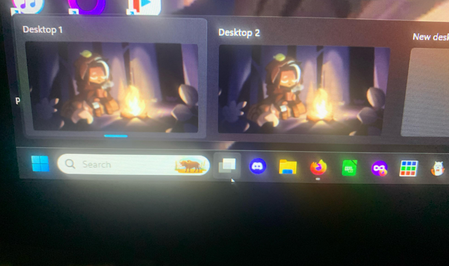
Running Windows 11. Until a few days ago, my laptop would always boot up connected to the internet as soon as the desktop displayed. Suddenly it started booting up showing a globe icon in the systray Clicking on that icon pops up a solid black small window where things like wi-fi, bluetooth, airplane, etc would normally show. After 30 to 50 seconds, the globe turns into the wi-fi icon and it's connected to the internet. I've tried the few fixes I found on the web, but none work. How can I get the "instant" connection working again?70Views0likes5Comments