community
3203 Topics
How to clear all cache and junk files from my Windows 11/10 computer?
My Windows 11 PC and Windows 10 laptop start to run slowly and the C drive keeps losing free space even though no large files were added. I don't know the exact reason. I know Windows creates temporary files, update cache, and app leftovers, but not sure which ones are safe to delete and which tools or built-in options are recommended by Microsoft. Disk Cleanup seems basic, and I'm unsure if it clears everything. Could someone explain the best method to clear all cache and junk files from Windows 11 without risking system stability?51Views0likes7Comments
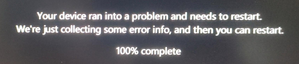
Help analysing BSOD minidump
Hi, Can someone assist with analysis of a minidump? I have a Lenovo TP laptop (still within warranty - so not old), and I have noticed some strange behaviour on occasion where when in sleep mode (so not in use), there is something happening that is causing the CPU to generate a lot of heat as the fan is whirring away pumping out a fair amount of heat. I noticed this yesterday, and I could not get the laptop out of sleep mode. Eventually I was able to, but it was the 'fat finger' method. Looking at the event log this morning, there are 11 'collections' of Windows Error Reporting (1001) in the app event logs since Friday evening. These "bluescreen" events are preceded by different events - none of which are errors or warnings, but appear to be normal activity. Strangely, in the \minidumps location, there are just 5 files (I am not familiar with this - so could be normal), but each of the occasions is writing to a different .dmp file (cyclic?). Anyway, if I upload to say a OD share, could a kind MVP analyse? Many thanks. Jason12Views0likes0Comments
Is it safe to have multiple DLL files suddenly appearing on the D drive in Windows 11?
Multiple dynamic link library (DLL) files were unexpectedly discovered on the D drive (non-system drive) of a Windows 11 system. The origin of these files is uncertain—whether they are remnants from system/program updates or potential risks. I am seeking methods to identify them and recommendations for handling them.38Views0likes3Comments
Windows 11 Version 25H2 Update failed install
I currently have HP Laptop 3C0C5E63 with windows 11 version 24H2 build 26100.6584. I have repeatedly tried to install the Version 25H2 update which continued to fail. Last error code was 0x800f0983. I understand that this error message just like previous error messages has to do with a corrupted file. Is there going to be a replacement update file??? I would appreciate any help with this as I would like to get this new version installed. Thanks missykat36Views0likes2Comments
Windows 11 account issues: lock screen skipped, device not showing in Microsoft account
Hi everyone, I’m facing a few strange issues on Windows 11 that seem to be limited only to my main user profile, and I’m hoping to fix them without creating a new profile and migrating all my data. Settings > Apps > Advanced app settings: I see a sign-in-related issue & an error code 0x80860010. The lock screen is skipped when the PC starts. On power-on or restart, the lock screen flashes for a split second, and then Windows directly goes to the PIN entry screen. This happens only on my main user account. If I create a new local or Microsoft account, the lock screen works perfectly even after a restart or cold boot. My Windows PC does not appear under Devices on my Microsoft account page, even though the PC is signed in with my Microsoft account locally. I’ve already tried restarting, signing out and back into my Microsoft account, checking sign-in options, and testing Fast Startup on and off. Since everything works fine on newly created accounts, I believe my existing user profile or account state may be corrupted. I’m trying to avoid creating a new profile and manually migrating data if possible. Any guidance on repairing the current user profile, re-linking the device to my Microsoft account, or restoring normal lock screen behavior would be greatly appreciated. Thanks in advance for any help. ~Gourav40Views0likes1CommentOld to New PC Transfer
I have a question for you since I've decided to move to AMD and change all my PC. How can I transfer my Windows 11 disk system with my files and programs (200Gb on classic Sata SSD) to a fresh new PC (new motherboard, new AMD processor, new M2 Nvme disk which is totally blank)? Should I install Windows 11 on the new PC first and restore via Windows tool? Or is there a simpler way?25Views0likes1CommentMicrosoft Print to PDF Missing
Hi, In the last couple of weeks the Microsoft Print to PDF has dropped off my laptop. I have tried everything suggested online already but I cannot get it to work. I have a Samsung Galaxy Book 4 Edge with Windows 11 ARM64 and Snapdragon which I have only had since the beginning of Jan. I am not very techie but I have tried the following based on other forums I have looked at: Checked it is turned on in windows features - it is Turned it off in windows features and restarted then turned it back on and restarted Tried to reinstall in via add device but when I go to the list of drivers it isn't there so I cannot select it Checked the print queue but it's not in there Various things on command prompt including: dism /Online /Disable-Feature /FeatureName:”Printing-PrintToPDFServices-Features” /NoRestart dism /Online /Enable-Feature /FeatureName:”Printing-PrintToPDFServices-Features” /NoRestart Updates to the powershell including: Disable-WindowsOptionalFeature -online -FeatureName Printing-PrintToPDFServices-Features Enable-WindowsOptionalFeature -online -FeatureName Printing-PrintToPDFServices-Features I just get an error code: 0x800f0922 I also did a full factory rest of my laptop and NOTHING!!!!!! I have just done a screen share with Microsoft and they reinstalled my office 365 but that did nothing and then I was told they couldn't help and to post here. PLEASE can someone help me fix this as it is driving me crazy? I need to create PDF's of my invoices to make sure I get paid each month.32KViews4likes29Comments