classic
15 TopicsAzure Databricks delivers new integrations for enterprise intelligence to use, build, and govern AI
At Microsoft Ignite 2026, we are announcing new integrations that bring Azure Databricks intelligence into Microsoft 365 Copilot and Copilot Cowork, connect business meaning through Genie Ontology alongside Microsoft IQ, and bring Genie agents into enterprise agent oversight. The goal is to help customers put enterprise data to work through AI, with the business context and governance that data requires. For business users, that means asking questions in familiar Microsoft tools. For data teams, it means extending the reach of the data and business definitions they manage. For agent builders and IT teams, it means connecting those experiences to enterprise intelligence and oversight. These updates build on Azure Databricks, the jointly engineered Microsoft and Databricks service that brings data engineering, analytics, and AI together. They extend that foundation across a Microsoft ecosystem that includes Foundry, Fabric, and Copilot. Bring enterprise data into the task at hand A business question rarely ends with a query result. A sales leader investigating a change in performance needs an answer they can use in a review, a discussion, or a decision. The Genie One plugin, built on Model Context Protocol (MCP), lets Microsoft 365 Copilot and Copilot Cowork call Genie for Databricks data questions as part of a broader task. Copilot plans the work, selects tools, and composes the final response. Genie contributes the intelligence needed for the data question. Copilot sends Genie a scoped question, not the entire user prompt. The user can keep working in Copilot while Genie handles the relevant part of the request. For people who want to explore their data directly, the Genie app in Teams and Microsoft 365 Copilot provides a conversational experience with Genie. Whether the starting point is a direct data question or a larger Copilot task, Azure Databricks intelligence becomes accessible within the tools people already use. Put business meaning to work beyond the Lakehouse Data teams invest in more than pipelines and tables. They establish what a metric means, which sources are authoritative, and who can access the underlying information. Those decisions need to remain relevant when AI becomes another consumer of enterprise data. Genie Ontology contributes the business meaning of Azure Databricks data, including metrics, semantics, and usage, with access gated by Unity Catalog permissions. That intelligence complements Microsoft IQ. Work IQ, Fabric IQ, Foundry IQ, and Web IQ provide shared context about how people work, how the business runs, what the organization knows, and what is happening on the web. Genie Ontology adds the meaning of the organization's Databricks data. For a question about revenue, the intended metric matters as much as the result. Connecting work context with business meaning helps bring the data team's definitions into the AI experience, while Unity Catalog permissions continue to gate access to Azure Databricks data. The benefit is a wider role for the governed data foundation: the work data teams do can support conversations and tasks beyond a traditional analytics interface. Connect agents to governed Databricks intelligence An agent that coordinates work needs a way to ask the right system the right question. The Genie One MCP integration gives Copilot a defined path to Genie for Databricks data questions, rather than treating every request as a generic prompt. For teams building custom agents, these updates build on the previously announced workspace-wide MCP endpoint for Copilot Studio. That endpoint lets an agent work across connected Genie spaces and Unity Catalog datasets through one workspace connection, preserving the curated context in Genie spaces and enforcing data permissions at query time. The distinction matters: the Genie One plugin brings Databricks intelligence into Copilot-coordinated work, while the Copilot Studio integration supports teams authoring their own agents. Both extend the usefulness of the governed Azure Databricks foundation. Microsoft and Databricks are also working to extend agent registry integration to Agent Bricks agents and tools. That is a direction for the joint work, distinct from the Genie agent registry synchronization described below. Bring Genie agents into enterprise IT observability and security As agents become part of everyday work, IT teams need visibility into the agent estate as well as controls over the data those agents use. Genie agents sync into the Microsoft 365 agent registry, helping bring them into the organization's agent inventory. Agent 365 provides capabilities to register, observe, and govern agents across platforms, working with Microsoft Entra, Microsoft Purview, and Microsoft Defender. Enterprise agent oversight complements Databricks governance in Unity Catalog and Unity Gateway. These layers address different responsibilities: understanding and managing agents across platforms, and governing data and AI assets within Databricks. Microsoft Entra provides a shared identity foundation for the Azure Databricks experience. Together, these capabilities connect the user-facing AI experience with the identity, data permissions, and oversight that enterprise teams need to manage. A shared foundation, useful across roles Consider a business review supported by Copilot. A business user asks about performance. The data team's metric definitions give the question meaning. Copilot calls Genie for the relevant Databricks answer. Data permissions govern what can be accessed, while agent inventory and oversight help IT manage the agents involved. That is the unified Azure Databricks story behind these announcements: make governed enterprise intelligence useful to more people, through the Microsoft experiences where their work happens. Learn more at Microsoft Ignite Databricks joins Ignite as a Visionary Sponsor, with six featured sessions, a sponsor booth, expert meet-ups, and dedicated customer conversations. To explore the integrations and their technical context, start with these key sessions: Session Title BRK364 Powering AI with Azure Databricks, Foundry, Fabric, and Copilot THRSP1130 Build governed AI that understands your business context BRKSP617 Scale agentic AI and turn data into autonomous action The broader program also includes BRK453: What's new and what's next in Azure Storage THR909: Seismic shift: Turning subsurface data into decisions LTG1303: Azure Databricks for government cloud: Modern data and AI, delivered Find times, locations, and attendance options in the Microsoft Ignite session catalog. Visit Databricks at booth 5271R and connect with the team through the Azure Expert Meet-Up programming for demos and technical conversations. Dedicated meeting space at The Social at the Hilton Canopy Hotel is available November 17-19. Explore the Databricks Ignite program and meeting options or visit the Azure Databricks documentation to learn more about the platform. Stay in the know with all things Azure Databricks https://aka.ms/adbreleasenotes251Views0likes0CommentsUnable to see documents when searching by folders in Modern Document Libraries
Hi everyone, I am seeing some odd behaviour with modern document libraries when you try to search for content stored in folders. Lets say you have the following structure in a document library: Folder named "James" File named "P45" File named "P11D" Folder named "Gary" File named "P45" File named "P11D" Modern Experience: If you do a search in the "Search" box in the top-left corner for the word James then you will see the James folder returned. If you then click into the folder you don't see any documents shown such as the P45 or P11D docs, with a message saying "No items match your query". Classic Experience: If you switch to classic experience and do a search for James in the "Find a File" box, you will see the James folder returned. When you click into the folder you will then see the two files, P45 and P11D. The modern search is appears to be doing a search on items that contain the phrase "James" in the filename or in the document, where as the classic experience is doing more of a filter on the current items being displayed and then allowing you to see the child items in that folder. If you search in a modern experience, you can then see the child documents if you remember to clear your search query from the search box, or if you remember to not press the Enter key at the end of typing your search query and use either the mouse or keyboard to select the folder from the auto-suggestions. If you do choose a folder from the auto-suggestions then this opens in a new tab taking you away from where you were originally working. This has been reported by users and clients as a significant pain in the user experience when searching for content and is causing push back on adoption of SharePoint. Have you guys seen this before? Cheers,6.9KViews4likes4Comments
SharePoint List with Rating Settings On switches to Classic Forms
I've got a SharePoint Modern site, and I want to create a SharePoint List with Rating System turned on. When I do this, forms (edit / new / view) switch to the Classic Experience. How do I switch it back to Modern Experience? PowerApps is currently disabled at my organisation. Updated for Clarity: The rest of my forms are fine on other lists. This only happens if I swithch "Rating System" on. It switches to SharePoint Classic. But only the form. And "Form Dialogue" is selected as yes in advanced settings. It still only opens Edit / View / New forms in the Classic Experience instead of opening a Form Dialogue box. Thank you!5.9KViews0likes6Comments
Linking Webparts in Classic SharePoint
Hi all, I manage a quality management system and on a classic page I have it set up to filter documents from a document library. The elements are the site page is in classic, in which a table has three columns this calls up two lists (Business area and Document type) which occupy the first two columns (one in each). The result in the third columns pulls from the document library all documents that meet the first two criteria selections. So lets say the Business area in the first column I select Logistics from the list and then Procedures in the second columns list, the third list will show all procedure documents from logistics. Problem is when you first go into the page it already has a selection in the first two columns with the results showing. I would like have it so it shows all the documents from the business area showing, the document type is empty and you then need to choose a filter to refine the list. can this be done? Due to sensitivity of work I cannot show screenshots which may not help.712Views0likes0CommentsClassic Forms missing from list - Need to recreate
Is there a way without SP Designer to recreate the NewItem.aspx, DispItem.aspx, and EditItem.aspx forms on a list? Migrated a list with ShareGate and had on custom forms, the tenant had those disabled so the forms didn't copy over. The list is in modern ui so had no issues until someone pasted a table into a Rich Text Filled which then flips the items form into classic and breaks the item. Re-importing the list without custom forms is not an option as there is a ton of data and work flows all linked to the list. Tried reaching out to support but they are not being helpful as usual :/.650Views0likes0CommentsUse Calibre E-book manager (free) to read your EPUB files
Saw some people wanted to read EPUB files but it is discontinued in Edge classic, and it was a good decision since Edge is a browser, not a E-book reader. it also lacks so many essential features for managing E-book library. so for those of you looking for a free full featured complete software to enjoy your E-books, use Calibre. it supports all major E-book reader devices, E-book formats and many more! https://calibre-ebook.com/ P.S I'm really trying to help people find a great free software to read their Epubs and start doing it right now. without waiting for anyone to develop and create something that is already made by someone else. the point of this topic is to demonstrate some Win32 E-book readers and their features. because in Microsoft's support article, they only said to use Windows store for finding an Epub reader but there isn't anything remotely as good as these programs on Windows store.21KViews2likes41Comments
Win10 OneDrive app for business shows classic SP site when 'view online'
I've got 2 Office365 accounts - one Enterprise E3, one my person Business Premium. On my Business Premium, if I click on the cloud icon in the task tray and select 'view online', it takes me to https://watersgulch-my.sharepoint.com/personal/robin_watersgulch_com/SitePages/Home.aspx When I click on OneDrive in the Office365 Waffle, it takes me to https://TENANT-my.sharepoint.com/personal/MYNAMESITE/_layouts/15/onedrive.aspx , which is where 'view online' is supposed to go. My SharePoint admin settings are to show the new experience. I just noticed this because I'm setting up a new Surface - I rarely go to the OneDrive online view via the client in the task bar, so I've never noticed this. My E3 account works fine - goes to the modern onedrive.aspx page. Any ideas on how to redirect the classic SitePages/Home.aspx back to /_layouts/15/onedrive.aspx ?1.3KViews1like2CommentsVery Impressive Edge insider Canary Results in HTML5 Test (Plus other browsers) Comparison
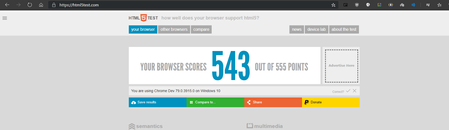
Here is the the score of browsers to see how much of HTML5 technologies and features they support. In order of highest to lowest. Edge insider Canary Version 79.0.286.0 (Official build) canary (64-bit) Highest Score Google Chrome Canary Version 79.0.3924.0 (Official Build) canary (64-bit) FireFox version 71.0a1 (2019-09-26) (64-bit) Edge classic (EdgeHTML) Microsoft EdgeHTML 18.18990 Microsoft Edge 44.18990.1.0 Internet explorer 11 version 11.1.18990 Internet Explorer 11 (latest version) obviously has the worst score, but it's the only browser that can manage to get the perfect 100/100 score from Acid3 test among all these browsers tested. the rest of the browsers can only get 97/100. By the way, Acid3 is an old test. https://html5test.com/ http://acid3.acidtests.org/ Comment down below what you think. I for one am hella impressed by Microsoft Edge insider's score!19KViews3likes11CommentsWill Modern Pages ever allow "Web Part Connections" (to link related lists)? How about "Filters"?
One of the most powerful and, frankly, underused features in SharePoint (2010 and 2013) was the concept or practice of "connecting" related web parts. We used it ALL the time for things like: A list of Vendors connected to lists of Quotes or Invoices A list of Requests connected to a list of related Log Entries (each step in the request process generates a Log entry) Also, it was helpful for creating "template" pages. For example, we would have a Query String Filter that connected to a bunch of lists on the page, each of which had a common column (e.g.: "Term"). So, when creating a course catalog, we didn't have to build a new page for each term, just use that template page with the right query string in the URL. As slick as the Modern Page experience looks and feels, it seems like they're driving toward the model of creating tons of separate pages rather than a few reusable ones. While creating these pages is easier in the Modern Experience, enforcing consistency between them is pretty much impossible (that's where the idea of a template page really shone). So, since I can't find any chatter about these features/functions whatsoever, I figured I'd ask here to see if anyone else had seen or heard anything. Heck, maybe even someone from the mothership (calling Mark-Kashman or Jeff_Teper) could chime in and let me know if I should just give up hope on ever using Connections or Filter web parts on Modern Pages.30KViews7likes42Comments