chat
13 Topics3 webinars for IT admins - Enable Copilot Chat for education, plus locking the Study & Learn agent
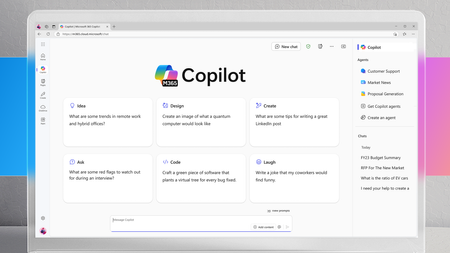
Microsoft Education is offering three live webinar opportunities for IT administrators who want to confidently deploy and manage Microsoft Copilot Chat in the education environment. Each session covers the same practical guidance, so you can select the date that best fits your schedule. What you’ll learn We’ll walk through Copilot Chat configuration from the tenant level to the end-user experience, including options for students ages 13+, CSV, SDS, and PowerShell uploads, agents and extensibility, and current licensing and security controls. You’ll leave with actionable guidance to help deploy, manage, and optimize Copilot Chat safely across your organization. We’ll also share the new feature allowing IT Admins to lock Copilot Chat to ONLY use the Study & Learn agent. This has been the #1 request from K12 schools globally, and this feature is now fully rolled out. We'll also take a brief look at some Microsoft Education experiences including Teach in Copilot, the Study and Learn agent, Copilot Workspaces, and Learning Activities. Choose a session and register December 9th, Wed @ 8am Pacific time - Register for the December 9th session January 13th, Wed @ 8am Pacific time - Register for the January 9th session February 3rd, Wed @ 8am Pacific time - Register for the February 3rd session Reserve your spot today. Pick the session that works best for you and join us to build a secure, manageable path to Copilot Chat adoption in your education environment. Mike Tholfsen Group Product Manager Microsoft Education339Views1like0CommentsStep-by-Step: How to Setup Copilot Chat in VS Code
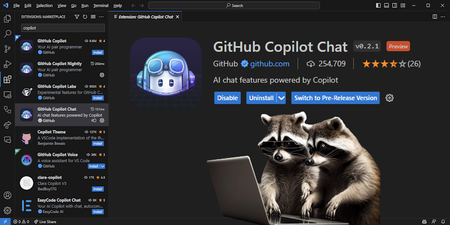
Copilot Chat is an AI-powered chatbot leveraging OpenAI's GPT-4, designed to enhance your coding workflow. Learn how to set up Copilot Chat step by step in Visual Studio Code (VS Code). Benefit from personalized and flexible coding environments, code analysis, automated unit test generation, and bug fixes. Prerequisites include an active GitHub account and the latest version of VS Code. Elevate your coding efficiency to new heights with Copilot Chat.117KViews7likes8CommentsMicrosoft Teams new chat and channels AMA (Ask Microsoft Anything)
NOW ON DEMAND | Microsoft Teams product makers were on hand to answer your open questions during the live Ask Microsoft Anything (AMA), live, and hear your feedback – It was an opportunity to connect with Teams product experts behind the new chat and channels experience. New questions are now closed, and you can respond to existing chat threads. Helpful resources to review before attending this webinar: Review Jeff Teper's blog, "Streamline collaboration with the new chat and channels experience in Microsoft Teams" to learn more. Noga Ronen's tech blog: "Introducing the new Microsoft Teams chat and channels experience" New adoption microsite: "The new Microsoft Teams chat and channels experience" New eBook: "Microsoft Teams: The new chat and channels experience - A Public Preview guide" And hear from Teams product leads, Russell Dicker and Arpana Barve, as they chat with Karuana Gatimu about: "Designing the new Microsoft Teams chat and channels experience"6.5KViews5likes104CommentsHow to Delete Microsoft Teams Cache for All Users via PowerShell
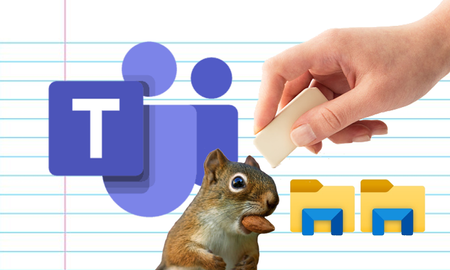
Improve Microsoft Teams performance by deleting the cache for all users. This article provides detailed steps on how to clear the cache, which can reduce clutter and improve application speed. By following these steps, you can ensure that your Microsoft Teams application is running smoothly and efficiently.42KViews0likes9Comments