bi & data analytics
449 Topics
Removing duplicates
How do I remove duplicate values associated with a name only? I have a number of the duplicate values that are repeated across a table range and correspond to different names (in the column to the right of the values.) I only want to delete duplicate values associated with each corresponding name only, and not all duplicate values in the table range. Thanks.Solved2.8KViews0likes11Comments
Dynamic Data Dictionary
Hi, How can I create an automated data dictionary out from Excel + Power Query + Power Pivot? I see in power pivot the option to add descriptions to measures but don't know how to use it to generate a data dictionary. My current workflow is: I build the measures and everything in Excel, publish to a Power Bi Service and then pull this PBI Service from Power BI Desktop to build my views and re-publish. thanks so much! Pablo Fernandes1.6KViews0likes0Comments
Dynamic graph range
Hi guys, I have created a graph with a dynamic X-axis. Basically to see to see how much sales we obtain x days in advance until a random date. The X-axis adaptation works perfectly. I am using a =INDEX():INDEX() formula to find the dates I am looking for and create a range for the graph to use. Unfortunately, when I change my x axis, the data itself does not change along with it. Due to confidentiality I am a bit bound by what I can share but I added two pictures that show my issue. Key is to not that the graph uses 4 data sources all based on the same date range! Any help or creativity is much appreciated!!940Views0likes0CommentsPower Query Addin Fr-Fr version not same as En-Us
Hi the Community, I just noticed that the french version for the Power Query Addin is not the same as the English version. The 'fr' one is 2.59.5135.201 published on 09/07/2018 (https://www.microsoft.com/fr-FR/download/details.aspx?id=39379) and the 'en' one is 2.62.5222.761 published on 4/16/2019 (https://www.microsoft.com/en-us/download/details.aspx?id=39379). Any Idea about that. Thank you827Views0likes0CommentsPower Query Editor window slow to open.
As of today, the Power Query Editor window, on MS Excel 2013, has been very slow to open, even on a blank workbook with no data, no queries written. Upwards of three minutes just to show an empty editor window. I have tried Uninstall and install the latest version of PQ (2.62.5222.701 32-bit) Repair MS Office Stop MS Teams running as a new version installed Checked Anti-virus - could not see anything that would impede performance Running a refresh on a simple query that has previously taken less than 30 seconds, now takes upwards of 10 minutes. No errors are shown and the results are all OK. Any suggestions on what to look for? Cheers Graham3KViews0likes1CommentConverting single rows into multiple duplicate rows w/multiple columns
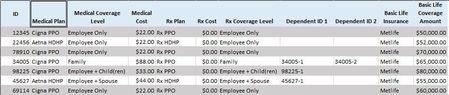
Need to convert data for a single person on one row with multiple columns into multiple rows for the same person plus each column of related data. Transpose does not work. Power Query might do the trick, but this is the first time using that tool. Any help is much appreciated! Here is the sample data to start with: Convert to:10KViews0likes9Comments
Using Excel Column for Dynamic SQL Power Query
I am having difficulty using an existing excel column to create a dynamic SQL power query. In the below link there are two example to make this work. https://techcommunity.microsoft.com/t5/BI-and-Data-Analysis/Create-dynamic-Power-Query-SQL-by-using-Excel-table-column/td-p/211504 I am still receiving an error after following the links instructions. I am trying to do this using the Value.NativeQuery route and am receiving the following conversion error. DataSource.Error: Microsoft SQL: Conversion failed when converting the nvarchar value '('MyDataStringHere)' to data type int. Details: DataSourceKind=SQL DataSourcePath=sysqlwh1;PPI Message=Conversion failed when converting the nvarchar value '('MyDataStringHere')' to data type int. Number=245 Class=16 The column I am using the parameter against is data type: int. I am not sure if this is the cause of the error. My WHERE clause within the NativeQuery looks like this: WHERE (T3.INTCOLUMN_1 = 1) AND ( T3.INTCOLUMN_2 IN (@Parameter) ) When I manually run this query in SSMS with my copied parameter I have no issues with the data type as either an int value or a text value in the WHERE clause. Do anyone know how to resolve this error? Thanks in advance! -Jonathan3.1KViews0likes2Comments