azure
112 Topics
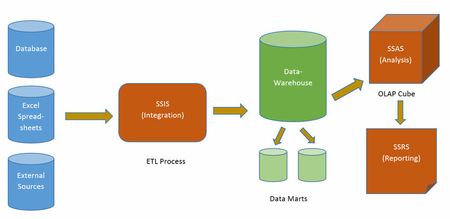
A Brief Comparison of Database, Data Warehouse, Data Mart and Data Lake and these services in Azure.
Every organization needs to process data. Choosing whether, a data mart, data warehouse, database, or data lake is the best option for your organization will depend on the type of data, its scope, and how it will be used.18KViews6likes0CommentsHow to activate your non-profit organization’s Azure credits
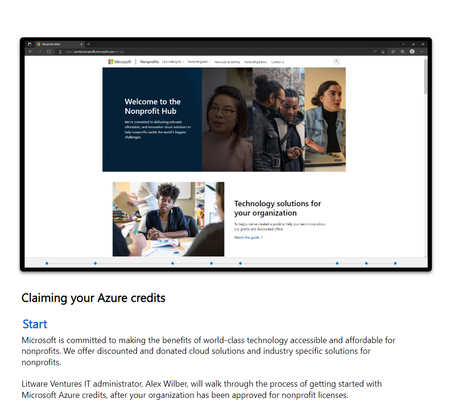
Congratulations you've received Azure credits from Microsoft NTA for your non-profit organization which gives you access to the complete portfolio of Azure cloud solutions and services. This article walks you through the steps for redeeming the Azure credits and getting started with the Microsoft cloud computing services.16KViews4likes0CommentsWant to Avoid Accidently Deleting your Resources in Azure? It's Easier Than You Think
Sometimes, knowingly or unknowingly you might delete a resource group in Azure. In this article let's talk about how to configure Azure Resource Locking in order to protect them from being deleted or modified accidentally.9.6KViews3likes2CommentsHow to Re-Register MFA
Working closely with nonprofits every day, I often come across a common challenge faced by MFA users. Recently, I worked with a nonprofit leader who faced an issue after getting a new phone. She was unable to authenticate into her Microsoft 365 environment because her MFA setup was tied to her old device. This experience highlighted how important it is to have a process in place for MFA re-registration. Without it, even routine changes like upgrading a phone can disrupt access to your everyday tools and technologies, delaying important work such as submitting a grant proposal. Why MFA is Essential for Nonprofits Before we discuss how to reset MFA, let’s take a step back and discuss why MFA is a necessity for nonprofits the way it is important for any organization. In the nonprofit world, protecting sensitive or confidential data—like donor information, financial records, and program details—is a top priority. One of the best ways to step up your security game is by using Multi-Factor Authentication (MFA). MFA adds an extra layer of protection on top of passwords by requiring something you have (like a mobile app or text message) or something you are (like a fingerprint). This makes it a lot harder for cybercriminals to get unauthorized access. If your nonprofit uses Azure Active Directory (AAD), or Microsoft Entra (as it is now called), with Microsoft 365, MFA can make a big difference in keeping your work safe. Since Microsoft Entra is built to work together with other Microsoft tools, it’s easy to set up and enforce secure sign-in methods across your whole organization. To make sure this added protection stays effective, it’s a good idea to occasionally ask users to update how they verify their identity. What Does MFA Re-Registration Mean for Nonprofits? MFA re-registration is just a fancy way of saying users need to update or reset how they authenticate, or verify, themselves. This might mean setting up MFA on a new phone (like the woman in the scenario above), adding an extra security option (like a hardware token), or simply confirming their existing setup. It’s all about making sure the methods and devices your users rely on for MFA are secure and under their control. When and Why Should Nonprofits Require MFA Re-Registration? Outside of getting a new phone, there may be other situations that raise cause for reason to re-register your MFA. A few scenarios include: Lost or Stolen Devices: Similar to the scenario above, if someone loses their phone or it gets stolen, you will have to re-register the new device. Role Changes: If someone’s responsibilities change, their MFA setup can be adjusted to match their new access needs. Security Enhancements: Organizations may require users to re-register for MFA to adopt more secure authentication methods, such as moving from SMS-based MFA to an app-based MFA like Microsoft Authenticator Policy Updates: When an organization updates its security policies, it might require all users to re-register for MFA to comply with new standards Account Compromise: If there is a suspicion that an account has been compromised, re-registering for MFA can help secure the account by ensuring that only the legitimate user has access With Microsoft Entra, managing MFA re-registration is straightforward and can be done with an administrator to the organization’s tenant. How to require re-registration of MFA To reset or require re-registration of MFA in Microsoft Entra, please follow the steps below. Navigate to portal.azure.com with your nonprofit admin account. Select Microsoft Entra ID Select the drop-down for Manage In the left-hand menu bar select Users > Select the user's name that you want to reregister to MFA (not shown). Once in their profile, select Manage MFA authentication methods Select Require re-register multifactor authentication Congratulations! The user will now be required to re-register the account in the Microsoft Authentication app.9KViews3likes2CommentsRenewing Your Azure Sponsorship Credits
Everything is an experiment until it has a deadline. That gives it a destination, context, and a reason. - Brian Eno British Record Producer, Composer, and Composer Brian Eno is no stranger to a deadline. Whether it is a atmospheric ambient track or theatric thriller. Music means tight deadlines to get streams, concerts, and albums pressed. So, naturally nonprofits also understand the siren song of a deadline vastly approaching. Microsoft prides itself on creating convenience for its customers with auto-renewals, workflows, you name it. However, there are sometimes when you may need to mark a calendar or two for keeping your benefits. This is imperative to avoid fees for anything running in your environment. Nonprofits who have claimed the generous annual $2000 Azure Sponsorship Credits will need to renew their benefits every year. Unfortunately, the credits do not renew on their own. Don't panic we got you covered. In this blog we will cover; how to see if you are up for a renewal, how to renew credits, and checking your balance and usage details. This comprehensive guide will keep you from missing a deadline, well when it comes to your credits that is. So, let's begin. To Renew or Not to Renew I will spare you the cliche of reciting the Sonnet 116 from Shakespeare. However, I will say that it is better to check if you need to renew than to acquire a fee. So, we will cover how you can check on the status of your Azure Sponsorship Subscription with the Nonprofit Hub. Grab a snack and pop by the portal with your Microsoft Nonprofit Account Credentials. Checking Your Status Navigate to Microsoft's Nonprofit Hub: https://nonprofit.microsoft.com. Next, In the top left corner next to the word "Nonprofits" click on the "I am looking for" dropdown menu, then select "Azure." In the new screen at the top, you will see two important dates. The "Grant start date" and "Grant end date" respectfully. Keep a reminder on your calendar for the end date. You must renew your subscription withing the renewal period for your Azure credits. If it is time to new you will see a notification at the top to renew your credits. Renewing Credits If you need to renew your credits simply scroll to the bottom of the page and select the renew button. If should be under the first column under the number one. You will see at the top of the screen that your credits have been renewed. You will receive an email stating that you have renewed your Azure Credits. Things to Consider You may not see the option to renew if you are months away from your renewal date. Once you have renewed your sponsorship you will receive an email sent to your Microsoft Nonprofit Account. Make sure to check your Outlook inbox and spam folder for the notification email. Credits can be renewed by the Organization's Global Administrator that registered. If you have any issues with renewing your benefits create a support ticket with Nonprofit Support at https://nonprofit.microsoft.com/contactus. Checking Your Balance Navigate to Microsoft Azure Sponsorship website: https://www.microsoftazuresponsorships.com. Next, click on the "Check Your Balance" to see your sponsorship balance. Underneath is the view will see. You will see your Azure Sponsorship Subscription ID and the total Azure Sponsorship amount totaling $2000. You can also see the usage details as well for your subscription. This is a good way to check the costs being deducted from your sponsorship. If you need more in depth tools you can use Azure's Cost management tools inside the Azure portal. Conclusion In conclusion, the Azure Sponsorship grant affords organizations to take a chunk out of their operational expenses. Allowing for easier transitions into the cloud while keeping security and scale not too far off the horizon. We learned how to renew the benefit and keep track of your resources cost and not get blindsided by a fee again. You can bookmark the links below for your convenience. I hope you found this blog helpful. See you next time for another deep down into the blue Azure wave. Hyperlinks Microsoft Nonprofit Hub | Microsoft Nonprofit Offers Microsoft Azure Sponsorships | Welcome Renew an Azure nonprofit grant - Microsoft Cloud for Nonprofit | Microsoft Learn4.5KViews0likes1CommentCreate Your Azure Web App
This article states how to create and deploy mission-critical web applications that scale with your business. Azure Web Apps have emerged as the logical choice for many enterprise apps because they allow developers to focus on delivering business value rather than wasting time on server updates or operating system changes. Remarkably, web apps you can run applications written in Java, PHP, Python, or Node.js.4.2KViews2likes0CommentsHow to Add Organizations in Microsoft Community Training
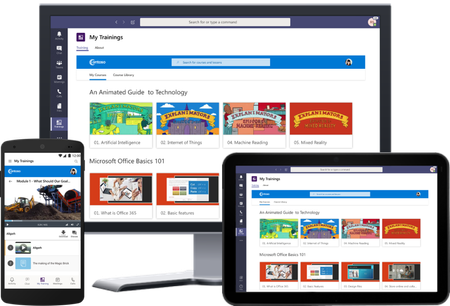
Adding organizations to Microsoft Community Training brings numerous benefits to both the organization and its members. From centralized training resources to personalized learning paths and improved engagement, this platform empowers organizations to deliver effective training experiences that contribute to growth, skill development, and overall success.4KViews2likes0Comments