android client
201 Topics
Problem with moving things via touch pad
For about two weeks, I have been experiencing the following issue with the Windows app: I access a Windows Server 2019 (acting as a terminal server) using two Android tablets. I use the Windows app as the RDP client. For roughly two weeks, I have observed strange behavior that occurs identically on both tablets (both are Samsung Galaxy models): If I click and drag a window by its title bar (using the touchpad) and then release it, the window snaps back to its original position. This happens with other actions as well (e.g., in a browser, Word, Excel, etc.) whenever I try to move something and then let go. However, if I perform the same action directly on the screen—clicking, holding, dragging, and releasing a window—it works fine. There are no issues when accessing the terminal server from a PC.51Views0likes0Comments
ISSUE - Windows App (Android) - Input latency and frozen screens with RemoteApps and handhelds
Good morning, ladies and gentlemen, TL;DR: Current Windows App for Android changed something in the background, causing massive latency issues while input. an announcement from end-user point of view. We are having performance and latency issues for almost eight weeks now with the current Windows App (Android). The issues are showing massive performance latency while giving input to a RemoteApp-connected Windows Terminal Server (WS2022DC). For troubleshooting measurements, we went through EVERYTHING... Changed GPOs for connecting only via TCP instead of UDP, cleared user profiles, even provisioned new VMs with new update states, went back to March updates. I never thought, I had to change App version (make this in an enterprise with about 100 handhelds, specifically assigned for warehouse and delivery management) to last January to solve those issues... We definitely need more transparent patch notes (really Microsoft? 2026 and you push updates without any release notes published, not even known issues?!) and a way to downgrade versions without re-provisioning the whole RDP client for Android... I am looking forward to hearing from other parts of the world, using RemoteApps with Android handheld scanner and RDS2022. Best regards, xSOU1 | Jules520Views4likes6Comments
error app remote desktop on Android
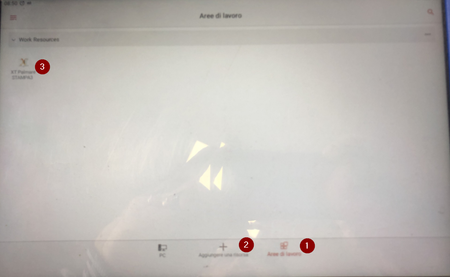
Hi, my company is using your app “remote desktop” to access to server. We configured “workspace area” with link and we add domain user. Then we connect a one app on the remote server. With tablet “Galaxy Tab A” every day we have a problem with a license. To solve the problem, I enter in the settings, app and I clear all data and I do newly the configuration. With tablet “Galaxy Tab A9+” we haven’t this problem. Could you help me to solve this problem? Thanks Alessandro224Views0likes3CommentsSupport URI schemes like ms-avd:connect across all platforms in Windows App
https://learn.microsoft.com/en-us/azure/virtual-desktop/uri-scheme We would like to request the implementation of support for URI schemes, such as ms-avd:connect, in the latest Windows App. Currently, this feature is available only in MSRDC. We are developing a web app portal running in the browser that allows users to connect to their Azure Virtual Desktop instances. Having this feature in the Windows App across all platforms (including Windows, macOS, Android, and iOS) would significantly benefit our development and provide a seamless experience for our users.394Views3likes2Comments
Azure AD / Entra ID and Microsoft 365 Basic
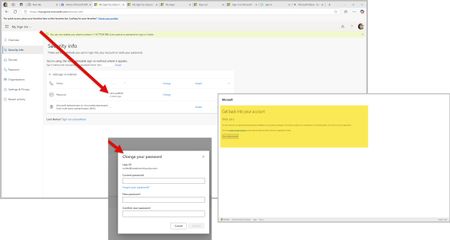
In the last few weeks, I have struggled with new technologies. This encompasses the latest on the market in Android based mobile phones and a new Ryzen 9 mini desktop computer. To eliminate both old phone apps and old laptop applications in the MS Store (Apps) update, I wiped old phone access to accounts via Edge and Google. However, old laptop, which is an HP Ryzen 3 held on to apps and preferences somewhere across systems. So, on both my new mini desktop and the old laptop, I used PowerShell to eliminate remnants of DevHome Pre and CoPilot Pre which kept popping up. Low and behold, I saw new things in my Microsoft and Google Play stores on my devices. Not sure why this would not have happened on installation... Then thinking I was ready to remove XBOX. I did this as well via PowerShell commands. So, now both my machines are work machines with the AMD graphics qualities and XBOX gaming services. Then I removed any old credentials on the old laptop that would use my email address attached to the Work and School account. However, Azure AD and Entra ID will not let me run anything as related to my own accounts. For example, a) I can't change my own password on the Azure AD / Entra ID page. When I attempt to change my password, I get a writeback error: SSPR_0010. However, you need to buy Entra ID Connect to correct this. Entra ID is a trial version to my Azure AD sign-ins so even if I exist in Entra ID and Microsoft is moving to Entra ID, why am I being forced into purchasing things to correct this issue? b) I can't enroll into Microsoft 365 Business Basic using my Work and School Account email address. The enrollment sends me to a blank screen and never enrolls. If I try a second time using my Work and School email address, I get an error that states I have to use a different email address. It seems someone besides me is using my email address here for account access because the Work and School account holds a Visio (web only version) and my Personal account holds a real one that I can't use on my new mini which uses my own email address and not gmail.com or outlook.com. c) Edge creates a blank profile on its own that does not have my profile information in it if I do not use my Work and School account email address to sign-in. I keep losing my profile on first tab load in Edge. d) The Windows 11 Pro license on my new mini request my Work and School account login. The two have nothing to do with each other except that the email address is the same for account purposes. At one point, this CoPilot screen that says "Coming Soon" did not appear and now it is back again. Can you please assist in resolving this issue? I should technically be able to remove my Windows Live account that uses my Work and School email address and recreate it on a new machine without this much of a hassle.Typing in remote server command prompt not working on android.
When using the Microsoft Remote Desktop android app I cannot type in command promot/powershell windows on the remote server using the Android keyboard. I have to resort to using the remote server on screen keyboard for it to work. I have tried both the built-in samsung android keyboard and Microosft SwiftKey and both do not work. It appears this is an android Remote Desktop issue. I'm on a Samsung Galaxy Z Fold5current on updates, but I have had the same issue on other android phones as well.180Views0likes1Comment
Softkeyboard probleam for Android RDP App at Android Pad
Dears, I have an Android Pad to use Remote Desktop APP from Google Play Store issued by Microsoft. In my terms, when I tried to type some words, the screen bottom appear a static area, seems like the RDP app lost control with this screen area like my pictrue (One before bug appear and another shows the bug) . This screen shows taskbar but stop reflash and can't touched to operate taskbar, only pull down the move button in screen center to show the taskbar in other screen area can operate it. Then I found the reason is soft keyboard. When I type by my physical keyboard with pad, or touched the soft keyboard button in the top of the RDP app toolbar, the bug appreard. I tried to change the soft board app, even GBoard issued by Google and SwiftKey issued by Microsoft have the same probleam. I'm no idea how to fix it, that's why this problem been submit.167Views0likes2Comments