android client
201 Topics
ISSUE - Windows App (Android) - Input latency and frozen screens with RemoteApps and handhelds
Good morning, ladies and gentlemen, TL;DR: Current Windows App for Android changed something in the background, causing massive latency issues while input. an announcement from end-user point of view. We are having performance and latency issues for almost eight weeks now with the current Windows App (Android). The issues are showing massive performance latency while giving input to a RemoteApp-connected Windows Terminal Server (WS2022DC). For troubleshooting measurements, we went through EVERYTHING... Changed GPOs for connecting only via TCP instead of UDP, cleared user profiles, even provisioned new VMs with new update states, went back to March updates. I never thought, I had to change App version (make this in an enterprise with about 100 handhelds, specifically assigned for warehouse and delivery management) to last January to solve those issues... We definitely need more transparent patch notes (really Microsoft? 2026 and you push updates without any release notes published, not even known issues?!) and a way to downgrade versions without re-provisioning the whole RDP client for Android... I am looking forward to hearing from other parts of the world, using RemoteApps with Android handheld scanner and RDS2022. Best regards, xSOU1 | Jules517Views4likes6Comments
Problem with moving things via touch pad
For about two weeks, I have been experiencing the following issue with the Windows app: I access a Windows Server 2019 (acting as a terminal server) using two Android tablets. I use the Windows app as the RDP client. For roughly two weeks, I have observed strange behavior that occurs identically on both tablets (both are Samsung Galaxy models): If I click and drag a window by its title bar (using the touchpad) and then release it, the window snaps back to its original position. This happens with other actions as well (e.g., in a browser, Word, Excel, etc.) whenever I try to move something and then let go. However, if I perform the same action directly on the screen—clicking, holding, dragging, and releasing a window—it works fine. There are no issues when accessing the terminal server from a PC.51Views0likes0CommentsAndroid RD Client only Media Access possible
Hi, I'm using the Android client Microsoft RD Client Version 10.0.13.1174. The share local storage option just allows to share media files. There is no option to allow all files access. Operating system is Android 12 with Samsung One UI Version 4.0.2.8KViews1like7CommentsSupport URI schemes like ms-avd:connect across all platforms in Windows App
https://learn.microsoft.com/en-us/azure/virtual-desktop/uri-scheme We would like to request the implementation of support for URI schemes, such as ms-avd:connect, in the latest Windows App. Currently, this feature is available only in MSRDC. We are developing a web app portal running in the browser that allows users to connect to their Azure Virtual Desktop instances. Having this feature in the Windows App across all platforms (including Windows, macOS, Android, and iOS) would significantly benefit our development and provide a seamless experience for our users.393Views3likes2CommentsFix the error message and make it clear that the app only supports commercial accounts
The amount of negative reviews in this app is mind boggling. If only you could make the application clearly state that personal accounts will not work. The error message with hexa code is not appealing or helpful for anyone244Views1like3Comments
error app remote desktop on Android
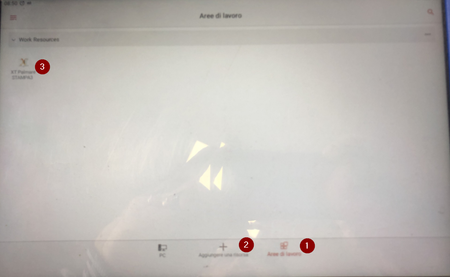
Hi, my company is using your app “remote desktop” to access to server. We configured “workspace area” with link and we add domain user. Then we connect a one app on the remote server. With tablet “Galaxy Tab A” every day we have a problem with a license. To solve the problem, I enter in the settings, app and I clear all data and I do newly the configuration. With tablet “Galaxy Tab A9+” we haven’t this problem. Could you help me to solve this problem? Thanks Alessandro223Views0likes3Comments
Navigation bar hides remote desktop in Android app
The newest RD Client Android App (10.0.15.1208) has the following issue (manifests at least on Android 12 on Fairphone 4): If I have a remote desktop open and I start writing text on a physical keyboard, the Android navigation bar opens at the bottom of the screen, covering some of the remote desktop (typically the Windows task bar). To make the task bar visible again and hide the scrolling icon in the center, I need to press the back button on the navigation bar. This happens both on the phone screen and when connecting to an external display and using the experimental Android desktop mode. This heavily reduces the usability of the Android app for any full-screen remote desktop usage. It would be great if you could inhibit the navigation bar opening when using a physical keyboard (the phone settings do not have an option to force this). This behavior would not be so bad if I could set the resolution to have larger aspect ratio, so that I would have unused bars at the top and the bottom of the screen that would be covered by the navigation bar instead of the actual remote desktop view. However, this is not currently possible: in the "Customize display resolution" menu in the options, I can only select from a predefined selection of resolutions, all matching the aspect ratio of my device. Please make it possible to freely select the width and the height of the resolution and use aspect ratio-aware scaling.3.2KViews3likes9Comments
small Red dots flashing in screen Android Remote Desktop Client
While I using the Latest version of Microsoft Remote Desktop Client for Android 10.0.19.1290, there always a small red point in the center of screen. I switch serval devices , this problem still exists.The dots is very tiny.621Views1like2Comments
Android Remote Desktop Zoom and Cursor Offset Bug
There is a severe usability bug in the Android RDP app and had been for over three years. Opening Android's software keyboard causes the remote session to zoom in slightly. The cursor tracking is now off by the amount of zoom, and the desktop cannot be zoomed out. I have to disconnect and reconnect every time I have to type something. Can you please get someone to fix this?669Views0likes4Comments
Enable/disable long tap option in RDP for Android
Hello, I'm using a remote connection to my Windows server from Samsung DeX on a large monitor with a mouse. However, when I release the left mouse button long click, it's recognized as a finger long tap, which opens the context menu in Windows. This is quite inconvenient. Is it possible to add an option to disable this long tap feature in the Android app? That would be greatly appreciated. Thank you.1.1KViews1like4Comments