training
1282 TopicsAnnouncing the 2026 Microsoft 365 Community Conference Keynotes
The Microsoft 365 Community Conference returns to Orlando this April, bringing together thousands of builders, innovators, creators, communicators, admins, architects, MVPs, and product makers for three unforgettable days of learning and community. This year’s theme, “A Beacon for Builders, Innovators & Icons of Intelligent Work,” celebrates the people shaping the AI‑powered future — and the keynote lineup reflects exactly that. These leaders will set the tone for our biggest, boldest M365 Community Conference. Below is your first look at the official 2026 keynote order and what to expect from each session. Opening Keynote Jeff Teper — President, Microsoft 365 Collaborative Apps & Platforms Building for the future: Microsoft 365, Agents and AI, what's new and what's next Join Jeff Teper, to discover how AI-powered innovation across Copilot, Teams, and SharePoint is reshaping how people communicate, create, and work together. This session highlights what’s new, what’s fundamentally different, and why thoughtful design continues to matter. See the latest advances in AI and agents, gain insight into where collaboration is headed, and learn why Microsoft is the company to continue to bet on when it comes to building what’s next. Expect: New breakthroughs in collaboration powered by AI and agents Fresh innovations across Teams, Copilot, and SharePoint Practical guidance on how design continues to shape effective teamwork Real world demos that show how AI is transforming communication and content Insight into what is new, what is changing, and what is coming next Business Apps & Agents Keynote Ryan Cunningham — Corporate Vice President, Power Platform In this keynote, Ryan Cunningham will share how Microsoft 365 Copilot, Copilot Studio, Power Apps, and Agent 365 come together to help makers build powerful agents and help IT teams deploy and govern them at scale. We’ll share how organizations can design, extend, and govern a new model for the intelligent workplace – connecting data, workflows, and systems into intelligent agents that move work forward. Copilot, apps, and agents: the next platform shift for Microsoft 365 Microsoft 365 Copilot has changed how we interact with software. Now AI agents are changing how work gets done – moving from responding to prompts to taking action, across the tools and data your organization already relies on. Expect: A clear explanation of how to leverage and build with Copilot and agents How agents access data, use tools, and complete multi-step work A deeper look at the latest capabilities across Microsoft 365 Copilot, Copilot Studio, and Power Apps End-to-end demos of agents in action Security, Trust & Responsible AI Keynote Vasu Jakkal — Corporate Vice President, Microsoft Security & Rohan Kumar — Corporate Vice President, Microsoft Security, Purview & Trust In our third keynote, Vasu Jakkal and Rohan Kumar join forces to address one of the most urgent topics of the AI era: trust and security at scale. As organizations accelerate into AI‑powered work, safeguarding identities, data, compliance, and governance is mission‑critical. Securing AI: Building Trust in the Era of AI Join Vasu Jakkal and Rohan Kumar as they unveil Microsoft’s vision for securing the new frontier of AI—showing how frontier firms are protecting their data, identities, and models amid rapid AI adoption. This session highlights how Microsoft is embedding security and governance into every layer of our AI platforms and unifying Purview, Defender, Entra, and Security Copilot to defend against threats like prompt injection, model tampering, and shadow AI. You’ll see how built-in protections across Microsoft 365 enable responsible, compliant AI innovation, and gain practical guidance to strengthen your own security posture as AI transforms the way everyone works. Expect: Microsoft's unified approach to secure AI transformation Forward‑looking insights across Security, Purview & Trust Guidance for building safe, responsible AI environments How to protect innovation without slowing momentum Future of Work Fireside Keynote Dr. Jaime Teevan — Chief Scientist & Technical Fellow, Microsoft Dr. Jaime Teevan, one of the foremost thought leaders on AI, productivity, and how work is evolving. In this intimate fireside‑style session, she’ll share research, real‑world insights, and Microsoft’s learnings from being both the maker and the first customer of the AI‑powered workplace. Expect: Insights from decades of workplace research The human side of AI transformation Practical guidance for leaders, creators, and practitioners Why collaboration is essential to unlock the true potential of AI. Community Closer Keynote Karuana Gatimu - Director, Microsoft Customer Advocacy Group & Heather Cook - Principal PM, MIcrosoft Customer Advocacy Group From Momentum to Movement: Where Community Goes Next As the final moments of Microsoft 365 Community Conference come to a close, Heather Cook and Karuana Gatimu invite the community to pause, reflect, and look forward together. This Community Closer keynote connects the breakthroughs, conversations, and shared experiences of the week into a bigger story—one about people, purpose, and progress. Together, they’ll explore how community transforms technology into impact, how advocates and builders shape what’s next across Microsoft 365, and why this moment matters more than ever. More than a recap, this session is a call to action—challenging attendees to take the energy of the conference back to their teams, regions, and communities, and turn inspiration into sustained momentum. You’ll leave not just with ideas, but with clarity, confidence, and a renewed sense of belonging—because community doesn’t end when the conference does. It’s where the real work begins. More Than Keynotes: Why You’ll Want to Be in Orlando The M365 Community Conference brings together: 200+ sessions and breakouts 21 hands‑on workshops 200+ Microsoft engineers and product leaders onsite The Microsoft Innovation Hub Ask the Experts, Meet & Greets, and Community Studio Women in Tech & Allies Luncheon SharePoint’s 25th Anniversary Celebration And an epic attendee party at Universal’s Islands of Adventure Whether you create, deploy, secure, govern, design, or lead with Microsoft 365 — this is your community, and this is your moment. Join Us for the Microsoft 365 Community Conference April 21–23, 2026 Loews Sapphire Falls & Loews Royal Pacific 👉 Register now: https://aka.ms/M365Con26 Use the SAVE150 code for $150USD off current pricing Come be part of the global community building the future of intelligent work.2.5KViews3likes2CommentsExplore curated Microsoft Partner Digital Skilling Journeys
Partners like you understand that skilling isn't optional—it's foundational for success in an AI-first market. Keeping up with evolving technologies and capabilities will better position you with the skills needed to succeed in an ever-changing market. Explore Microsoft Partner Digital Skilling Journeys (PDJs), curated presales, sales, and tech skilling experiences designed to enhance your knowledge aligned with partner strategic wins. First-time users may need to register—use your work email credentials to sign up. Curated journeys include: Microsoft Security Copilot Drive Business Transformation with Microsoft Copilot 365 Innovate with Azure AI Platform Drive Windows in the Cloud with Windows 365 Cloud Endpoints Modern Security Operations Data Security for AI Migrate to Azure Drive Business Collaboration and Teamwork with Microsoft Teams Accelerate Data Analytics Journey with Microsoft Fabric Cloud Security These journeys are tailored to your interests, needs, and role within your organization. Select the link relevant to the journey you're interested in, register today on the Skilling Hub using your organizational login, answer a few questions, and you'll receive tech and sales-ready skilling experiences customized to your interests and goals. Register now99Views1like0CommentsSecure AI Workloads in Azure: Join Our Next Azure Decoded Session on April 8th
AI introduces new risks—like prompt injection, data leakage, and model misuse—which means security teams need visibility and guardrails that extend beyond traditional cloud controls. In our next Azure Decoded session, we’ll focus on securing AI workloads in Azure with Microsoft Defender for Cloud. Register now for the Azure Decoded session on April 8th at 12 PM PST. Bringing AI security architecture to life with Azure Decoded In the Lockdown AI workloads with Microsoft Defender for Cloud session, we move from concepts to implementation and show how these protections appear in the platform. We’ll walk through where Microsoft Defender for Cloud fits into an end-to-end AI security strategy—and how discovery, posture management, and runtime protection work together to secure AI workloads built on Azure. You’ll also see how to connect the dots across the workflow—so signals from AI resources, identity, and data controls roll up into actionable recommendations and alerts. Enable and scope the AI workloads protections in Defender for Cloud Use the Data & AI security dashboard to understand coverage and priority risks Review posture findings (CSPM) and translate them into remediation steps Investigate runtime detections (CWP) and see how they map into Microsoft Defender XDR Our goal isn’t theory for theory’s sake. It’s to help you see how AI security shows up in real architecture and real workflows—so you can apply it confidently in your own environment. Who is this session for? We built this session for practitioners who are actively working with AI in Azure, including: Developers building AI applications and agents Security engineers responsible for protecting AI workloads Cloud architects designing enterprise‑ready AI solutions If you’re balancing innovation with security and governance, this session is designed to help you translate AI security concepts into concrete steps in Azure. Before you join: Familiarity with core Azure concepts (subscriptions, resource groups, identity, networking) is helpful. You don’t need to be a machine learning expert—the focus is on securing the cloud resources and workflows that power AI solutions. From AI security concepts to platform protections If you’d like to get the most out of the session, start with the Microsoft Learn module Protect AI workloads with Microsoft Defender for Cloud. It introduces the building blocks of AI workloads in Azure and the security considerations that come with them. In the module, you’ll learn how to: Identify the layers that make up AI workloads in Azure Understand AI-specific risks, including prompt injection, data leakage, and model misuse Use Microsoft Foundry guardrails and observability to monitor and constrain model behavior See how Defender for Cloud, Microsoft Purview, and Microsoft Entra ID work together for defense in depth and governance Think of this as your foundation: it connects AI workload architecture to the controls you’ll configure in Azure, so you can protect inputs and outputs, maintain visibility, and apply governance without slowing delivery. Catch up on the previous Azure Decoded session If you missed the previous Azure Decoded session—or want a refresher—you can watch it on demand on YouTube: ▶️ Watch the previous Azure Decoded session on YouTube It’s a helpful refresher and sets the stage for the April 8 discussion. Turn learning into hands-on skills If you want to move the show, you can do this in your environment. The Microsoft Applied Skills credential, Secure AI Solutions in the Cloud, is a great next step after the Azure Decoded session. You will: Scope and enable protections for AI-related resources and workloads in Azure Validate coverage and prioritize risks using the Data & AI security dashboard Find and remediate posture gaps (CSPM) that increase exposure for AI workloads Investigate runtime detections (CWP) and understand what they mean in the context of AI workload behavior Triage AI-related alerts and incidents in Microsoft Defender XDR and decide on next steps Get started 1️⃣ Register for Azure Decoded: Lock Down AI Workloads with Microsoft Defender for Cloud 2️⃣ Watch the previous Azure Decoded session before April 8th (optional refresher) 3️⃣ Earn the Microsoft Applied Skills: Secure AI Solutions in the Cloud credential to showcase skills. The goal is to leave with something reusable: a practical sequence you can apply to new projects to confirm coverage, reduce posture gaps, and respond quickly when Defender signals suspicious activity tied to AI workloads.Accelerate Your Security Copilot Readiness with Our Global Technical Workshop Series
The Security Copilot team is delivering virtual hands-on technical workshops designed for technical practitioners who want to deepen their AI for Security expertise with Microsoft Entra, Intune, Microsoft Purview, and Microsoft Threat Protection. These workshops will help you onboard and configure Security Copilot and deepen your knowledge on agents. These free workshops are delivered year-round and available in multiple time zones. What You’ll Learn Our workshop series combines scenario-based instruction, live demos, hands-on exercises, and expert Q&A to help you operationalize Security Copilot across your security stack. These sessions are all moderated by experts from Microsoft’s engineering teams and are aligned with the latest Security Copilot capabilities. Every session delivers 100% technical content, designed to accelerate real-world Security Copilot adoption. Who Should Attend These workshops are ideal for: Security Architects & Engineers SOC Analysts Identity & Access Management Engineers Endpoint & Device Admins Compliance & Risk Practitioners Partner Technical Consultants Customer technical teams adopting AI powered defense Register now for these upcoming Security Copilot Virtual Workshops Start building Security Copilot skills—choose the product area and time zone that works best for you. Please take note of pre-requisites for each workshop in the registration page Security Copilot Virtual Workshop: Copilot in Defender North America time zone April 1, 2026 at 8:00-9:30 Am (PST) - register here April 29, 2026 at 8:00-9:30 AM (PST) - register here May 27, 2026 at 8:00-9:30 AM (PST) - register here June 24, 2026 at 8:00-9:30 Am (PST) - register here Asia Pacific time zone April 2, 2026 - register here April 30, 2026 - register here May 27, 2026 - register here June 24, 2026 - register here Security Copilot Virtual Workshop: Copilot in Entra North America time zone March 25, 2026 at 8:00 - 9:30 AM (PST) - register here April 22, 2026 at 8:00-9:30 AM (PST) - register here May 20, 2026 at 8:00-9:30 AM (PST) - register here June 17, 2026 at 8:00-9:30 AM (PST) - register here Asia Pacific time zone March 26, 2026 - register here April 23, 2026 - register here May 21, 2026 - register here Security Copilot Virtual Workshop: Copilot in Intune North America time zone March 11, 2026 at 8:00-9:30 AM (PST) - register here April 8, 2026 at 8:00-9:30 AM (PST) - register here May 6, 2026 at 8:00-9:30 AM (PST) - register here Asia Pacific time zone March 12, 2026 - register here April 9, 2026 - register here May 7, 2026 - register here Security Copilot Virtual Workshop: Copilot in Purview North America time zone March 19, 2026 8:00 - 9:30 AM (PST) - register here April 15, 2026 at 8:00-9:30 AM (PST) - register here May 13, 2026 at 8:00-9:30 AM (PST) - register here June 10, 2026 at 8:00-9:30 AM (PST) - register here Asia Pacific time zone March 19, 2026 - register here April 16, 2026 - register here May 14, 2026 - register here June 11, 2026 - register here Learn and Engage with the Microsoft Security Community Log in and follow this Microsoft Security Community Blog and post/ interact in the Microsoft Security Community discussion spaces. Follow = Click the heart in the upper right when you're logged in 🤍 Join the Microsoft Security Community and be notified of upcoming events, product feedback surveys, and more. Get early access to Microsoft Security products and provide feedback to engineers by joining the Microsoft Security Advisors.. Learn about the Microsoft MVP Program. Join the Microsoft Security Community LinkedIn and the Microsoft Entra Community LinkedIn6.9KViews7likes1Comment
equation or function?
+0.3°c -0.1°c +0.4°c Looking for either an equation or function for this, in order to simply enter column A & B and have answer autofill. The number in column A is the constant number that I want column B to be ie: what must happen to column B to equal column A, as you can see in column C you add 0.4 so that column B equals +0.3. As seen below there is variation from positive and negative numbers in both columns therefore at any given time it will be adding or subtracting?? +0.2°c -0.2°c +0.4°c +0.3°c -0.3°c +0.6°c 0.0°c -0.1°c +0.1°c -0.1°c +0.3°c -0.4°c -0.2°c 0.0°c -0.2°c -0.1°c +0.2°c -0.3°c anyone help me out, could save some considerable productivity time?Solved122Views0likes4CommentsMicrosoft Partners: Accelerate Your AI Journey at AgentCon 2026 (Free Community Event)
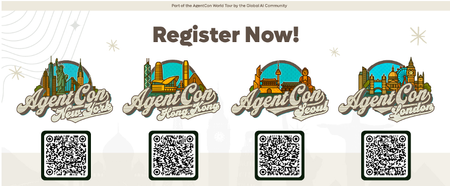
Recently, a customer asked me a question many Microsoft partners are hearing right now: “We have Copilot — how do we actually use AI to change the way we work?” That question captures where we are in the AI journey today. Organizations have moved past curiosity. Now they’re looking for trusted partners who can turn AI into real business outcomes. That’s why events like AgentCon 2026 matter. A free, community-led event built by practicioners AgentCon is not a traditional conference. It’s a free, community-driven global event organized by the Global AI Community together with Microsoft partners and ecosystem leaders. Simply put: it’s for the community, by the community. Across cities worldwide, developers, consultants, architects, and Microsoft partners come together to share practical experiences building with AI agents, Copilot, and the Microsoft platform. The focus isn’t theory — it’s implementation: What worked What didn’t What partners can apply immediately with customers This peer learning model reflects how many of us actually grow in the Microsoft ecosystem: by learning from other partners solving real problems. Why this matters for Microsoft partners The opportunity for partners is evolving quickly. Customers aren’t just asking about AI tools — they’re asking how to redesign processes, automate work, and unlock productivity using AI-powered solutions. The Microsoft AI Cloud Partner Program emphasizes partner skilling and helping customers realize value from AI investments. Community events like AgentCon accelerate that learning by bringing partners together to exchange proven approaches and practical insights. When partners upskill faster, customers succeed faster. Why attend AgentCon is designed to help partners move from AI awareness to AI delivery. As an attendee, you can expect: Practical sessions and demos from practitioners Real-world AI and agent scenarios Direct conversations with builders and peers New collaboration and co-sell opportunities You’ll leave with ideas and approaches you can bring directly into customer engagements. Why speak AgentCon thrives because partners share openly with one another. If you’ve implemented Copilot, explored AI agents, or learned lessons from customer deployments, your experience can help others accelerate their journey. Speaking at AgentCon allows you to: Share your expertise with the global partner community Build credibility within the Microsoft ecosystem Create new partnerships and opportunities Contribute to collective partner success You don’t need a perfect story — just an honest one others can learn from. Join the global AgentCon community AgentCon 2026 events takes place around the world including these upcoming events: March 9 - New York: https://aka.ms/AgentconNYC2026 April 11 - Hong Kong: https://aka.ms/AgentconHongKong2026 April 16 - Seoul: https://aka.ms/agentconLondon2026 April 22 - London: https://aka.ms/agentconSeoul2026 Each event is locally organized, community-led, and free to attend. Help shape the next phase of AI adoption AI transformation is happening now — and Microsoft partners play a critical role in guiding customers forward. AgentCon is an opportunity to learn together, share experiences, and strengthen the partner ecosystem driving AI innovation. 👉 Register or apply to speak: https://aka.ms/agentcon2026 We hope you’ll join us — and be part of the community helping customers turn AI potential into real impact.304Views0likes0CommentsHow to deploy Microsoft Purview DSPM for AI to secure your AI apps
Microsoft Purview Data Security Posture Management (DSPM for AI) is designed to enhance data security for the following AI applications: Microsoft Copilot experiences, including Microsoft 365 Copilot. Enterprise AI apps, including ChatGPT enterprise integration. Other AI apps, including all other AI applications like ChatGPT consumer, Microsoft Copilot, DeepSeek, and Google Gemini, accessed through the browser. In this blog, we will dive into the different policies and reporting we have to discover, protect and govern these three types of AI applications. Prerequisites Please refer to the prerequisites for DSPM for AI in the Microsoft Learn Docs. Login to the Purview portal To begin, start by logging into Microsoft 365 Purview portal with your admin credentials: In the Microsoft Purview portal, go to the Home page. Find DSPM for AI under solutions. 1. Securing Microsoft 365 Copilot Be sure to check out our blog on How to use the DSPM for AI data assessment report to help you address oversharing concerns when you deploy Microsoft 365 Copilot. Discover potential data security risks in Microsoft 365 Copilot interactions In the Overview tab of DSPM for AI, start with the tasks in “Get Started” and Activate Purview Audit if you have not yet activated it in your tenant to get insights into user interactions with Microsoft Copilot experiences In the Recommendations tab, review the recommendations that are under “Not Started”. Create the following data discovery policy to discover sensitive information in AI interactions by clicking into it. Detect risky interactions in AI apps - This public preview Purview Insider Risk Management policy helps calculate user risk by detecting risky prompts and responses in Microsoft 365 Copilot experiences. Click here to learn more about Risky AI usage policy. With the policies to discover sensitive information in Microsoft Copilot experiences in place, head back to the Reports tab of DSPM for AI to discover any AI interactions that may be risky, with the option to filter to Microsoft Copilot Experiences, and review the following for Microsoft Copilot experiences: Total interactions over time (Microsoft Copilot) Sensitive interactions per AI app Top unethical AI interactions Top sensitivity labels references in Microsoft 365 Copilot Insider Risk severity Insider risk severity per AI app Potential risky AI usage Protect sensitive data in Microsoft 365 Copilot interactions From the Reports tab, click on “View details” for each of the report graphs to view detailed activities in the Activity Explorer. Using available filters, filter the results to view activities from Microsoft Copilot experiences based on different Activity type, AI app category and App type, Scope, which support administrative units for DSPM for AI, and more. Then drill down to each activity to view details including the capability to view prompts and response with the right permissions. To protect the sensitive data in interactions for Microsoft 365 Copilot, review the Not Started policies in the Recommendations tab and create these policies: Information Protection Policy for Sensitivity Labels - This option creates default sensitivity labels and sensitivity label policies. If you've already configured sensitivity labels and their policies, this configuration is skipped. Protect sensitive data referenced in Microsoft 365 Copilot - This guides you through the process of creating a Purview Data Loss Prevention (DLP) policy to restrict the processing of content with specific sensitivity labels in Copilot interactions. Click here to learn more about Data Loss Prevention for Microsoft 365 Copilot. Protect sensitive data referenced in Copilot responses - Sensitivity labels help protect files by controlling user access to data. Microsoft 365 Copilot honors sensitivity labels on files and only shows users files they already have access to in prompts and responses. Use Data assessments to identify potential oversharing risks, including unlabeled files. Stay tuned for an upcoming blog post on using DSPM for AI data assessments! Use Copilot to improve your data security posture - Data Security Posture Management combines deep insights with Security Copilot capabilities to help you identify and address security risks in your org. Once you have created policies from the Recommendations tab, you can go to the Policies tab to review and manage all the policies you have created across your organization to discover and safeguard AI activity in one centralized place, as well as edit the policies or investigate alerts associated with those policies in solution. Note that additional policies not from the Recommendations tab will also appear in the Policies tab when DSPM for AI identifies them as policies to Secure and govern all AI apps. Govern the prompts and responses in Microsoft 365 Copilot interactions Understand and comply with AI regulations by selecting “Guided assistance to AI regulations” in the Recommendations tab and walking through the “Actions to take”. From the Recommendations tab, create a Control unethical behavior in AI Purview Communications Compliance policy to detect sensitive information in prompts and responses and address potentially unethical behavior in Microsoft Copilot experiences and ChatGPT for Enterprise. This policy covers all users and groups in your organization. To retain and/or delete Microsoft 365 Copilot prompts and responses, setup a Data Lifecycle policy by navigating to Microsoft Purview Data Lifecycle Management and find Retention Policies under the Policies header. You can also preserve, collect, analyze, review, and export Microsoft 365 Copilot interactions by creating an eDiscovery case. 2. Securing Enterprise AI apps Please refer to this amazing blog on Unlocking the Power of Microsoft Purview for ChatGPT Enterprise | Microsoft Community Hub for detailed information on how to integrate with ChatGPT for enterprise, the Purview solutions it currently supports through Purview Communication Compliance, Insider Risk Management, eDiscovery, and Data Lifecycle Management. Learn more about the feature also through our public documentation. 3. Securing other AI Microsoft Purview DSPM for AI currently supports the following list of AI sites. Be sure to also check out our blog on the new Microsoft Purview data security controls for the browser & network to secure other AI apps. Discover potential data security risks in prompts sent to other AI apps In the Overview tab of DSPM for AI, go through these three steps in “Get Started” to discover potential data security risk in other AI interactions: Install Microsoft Purview browser extension For Windows users: The Purview extension is not necessary for the enforcement of data loss prevention on the Edge browser but required for Chrome to detect sensitive info pasted or uploaded to AI sites. The extension is also required to detect browsing to other AI sites through an Insider Risk Management policy for both Edge and Chrome browser. Therefore, Purview browser extension is required for both Edge and Chrome in Windows. For MacOS users: The Purview extension is not necessary for the enforcement of data loss prevention on macOS devices, and currently, browsing to other AI sites through Purview Insider Risk Management is not supported on MacOS, therefore, no Purview browser extension is required for MacOS. Extend your insights for data discovery – this one-click collection policy will setup three separate Purview detection policies for other AI apps: Detect sensitive info shared in AI prompts in Edge – a Purview collection policy that detects prompts sent to ChatGPT consumer, Micrsoft Copilot, DeepSeek, and Google Gemini in Microsoft Edge and discovers sensitive information shared in prompt contents. This policy covers all users and groups in your organization in audit mode only. Detect when users visit AI sites – a Purview Insider Risk Management policy that detects when users use a browser to visit AI sites. Detect sensitive info pasted or uploaded to AI sites – a Purview Endpoint Data loss prevention (eDLP) policy that discovers sensitive content pasted or uploaded in Microsoft Edge, Chrome, and Firefox to AI sites. This policy covers all users and groups in your org in audit mode only. With the policies to discover sensitive information in other AI apps in place, head back to the Reports tab of DSPM for AI to discover any AI interactions that may be risky, with the option to filter by Other AI Apps, and review the following for other AI apps: Total interactions over time (other AI apps) Total visits (other AI apps) Sensitive interactions per AI app Insider Risk severity Insider risk severity per AI app Protect sensitive info shared with other AI apps From the Reports tab, click on “View details” for each of the report graphs to view detailed activities in the Activity Explorer. Using available filters, filter the results to view activities based on different Activity type, AI app category and App type, Scope, which support administrative units for DSPM for AI, and more. To protect the sensitive data in interactions for other AI apps, review the Not Started policies in the Recommendations tab and create these policies: Fortify your data security – This will create three policies to manage your data security risks with other AI apps: 1) Block elevated risk users from pasting or uploading sensitive info on AI sites – this will create a Microsoft Purview endpoint data loss prevention (eDLP) policy that uses adaptive protection to give a warn-with-override to elevated risk users attempting to paste or upload sensitive information to other AI apps in Edge, Chrome, and Firefox. This policy covers all users and groups in your org in test mode. Learn more about adaptive protection in Data loss prevention. 2) Block elevated risk users from submitting prompts to AI apps in Microsoft Edge – this will create a Microsoft Purview browser data loss prevention (DLP) policy, and using adaptive protection, this policy will block elevated, moderate, and minor risk users attempting to put information in other AI apps using Microsoft Edge. This integration is built-in to Microsoft Edge. Learn more about adaptive protection in Data loss prevention. 3) Block sensitive info from being sent to AI apps in Microsoft Edge - this will create a Microsoft Purview browser data loss prevention (DLP) policy to detect inline for a selection of common sensitive information types and blocks prompts being sent to AI apps while using Microsoft Edge. This integration is built-in to Microsoft Edge. Once you have created policies from the Recommendations tab, you can go to the Policies tab to review and manage all the policies you have created across your organization to discover and safeguard AI activity in one centralized place, as well as edit the policies or investigate alerts associated with those policies in solution. Note that additional policies not from the Recommendations tab will also appear in the Policies tab when DSPM for AI identifies them as policies to Secure and govern all AI apps. Conclusion Microsoft Purview DSPM for AI can help you discover, protect, and govern the interactions from AI applications in Microsoft Copilot experiences, Enterprise AI apps, and other AI apps. We recommend you review the Reports in DSPM for AI routinely to discover any new interactions that may be of concern, and to create policies to secure and govern those interactions as necessary. We also recommend you utilize the Activity Explorer in DSPM for AI to review different Activity explorer events while users interacting with AI, including the capability to view prompts and response with the right permissions. We will continue to update this blog with new features that become available in DSPM for AI, so be sure to bookmark this page! Follow-up Reading Check out this blog on the details of each recommended policies in DSPM for AI: Microsoft Purview – Data Security Posture Management (DSPM) for AI | Microsoft Community Hub Address oversharing concerns with Microsoft 365 blueprint - aka.ms/Copilot/Oversharing Microsoft Purview data security and compliance protections for Microsoft 365 Copilot and other generative AI apps | Microsoft Learn Considerations for deploying Microsoft Purview AI Hub and data security and compliance protections for Microsoft 365 Copilot and Microsoft Copilot | Microsoft Learn Commonly used properties in Copilot audit logs - Audit logs for Copilot and AI activities | Microsoft Learn Supported AI sites by Microsoft Purview for data security and compliance protections | Microsoft Learn Where Copilot usage data is stored and how you can audit it - Microsoft 365 Copilot data protection and auditing architecture | Microsoft Learn Downloadable whitepaper: Data Security for AI Adoption | Microsoft Public roadmap for DSPM for AI - Microsoft 365 Roadmap | Microsoft 365From AI pilots to public decisions: what it really takes to close the intelligence gap
Across the public sector, the conversation about AI has shifted. The question is no longer whether AI can generate insight—most leaders have already seen impressive pilots. The harder question is whether those insights survive the realities of government: public scrutiny, auditability, cross‑department delivery, and the need to explain decisions in plain language. That challenge was recently articulated by Sadaf Mozaffarian, writing in Smart Cities World, in the context of city‑scale AI deployments. Governments don’t need more experiments. They need decision‑ready intelligence—intelligence that can be acted on safely, governed consistently, and defended when outcomes are questioned. What’s emerging now is a more operational lens on AI adoption, one that exposes two issues many pilots quietly avoid. Decision latency is the real enemy In government, decision latency is not about slow analytics, it’s the time lost between having a signal and being able to act on it with confidence. Much of the focus in AI discussions is on accuracy, bias, or model performance. But in cities, the more damaging problem is often this latency. When data is fragmented across departments, policies live in PDFs, and institutional knowledge walks out the door at 5pm, leaders may have insight but still can’t decide fast enough. AI pilots often demonstrate answers in isolation, but they don’t reduce the friction between insight, approval, and execution. Decision‑ready intelligence directly attacks this problem. It brings together: Operational data already trusted by the organization Policy and regulatory context that constrains decisions Human checkpoints that reflect how accountability actually works The result isn’t faster answers—it’s faster decisions that stick, because they align with how governments are structured to operate. Institutional memory is infrastructure Cities invest heavily in physical infrastructure—roads, pipes, facilities—but far less deliberately in institutional memory. Yet planning rationales, inspection notes, precedent cases, and prior decisions are often what make or break today’s choices. Consider a routine enforcement or permitting decision that looks reasonable on current data, but quietly contradicts a prior settlement, a regulator’s interpretation, or a lesson learned during a past inquiry. AI systems that don’t account for this history don’t just miss context, they create risk. Decision‑ready intelligence treats institutional memory as a first‑class asset. It ensures that when AI supports a decision, it does so with: Access to relevant historical records and prior outcomes Clear lineage back to source documents and policies Logging that preserves not just what was decided, but why This is what allows governments to move faster without relearning the same lessons under audit pressure. Why this matters now Public sector AI initiatives rarely fail because of a lack of ambition. They stall because trust questions—governance, records, explainability—arrive too late. By the time leaders ask, “Can we stand behind this decision?” the system was never designed to answer. Decision‑ready intelligence flips that sequence. Governance is not bolted on after the pilot; it’s built into the operating model from the start. That’s what allows agencies to scale from a single use case to repeatable patterns across departments. A practical starting point The cities making progress aren’t trying to transform everything at once. They start small but visible: Identify one cross‑department “moment of truth” Define what must be logged, retained, and explainable Connect just enough data, policy, and work context to support that decision From there, they reuse the same patterns—governed data products, policy knowledge bases, and human‑in‑the‑loop workflows—to scale responsibly. AI in government will ultimately be judged the same way every public investment is judged: by outcomes, fairness, and public confidence. Closing the intelligence gap isn’t about smarter models. It’s about designing decision systems that reflect how governments actually work—and are held accountable. Learn more by reading Sadaf's full article: Closing the intelligence gap: how cities turn AI experiments into operational impact169Views0likes0Comments