Task Management
6 Topics
Announcing: To Do is now rolling out to Outlook for Windows
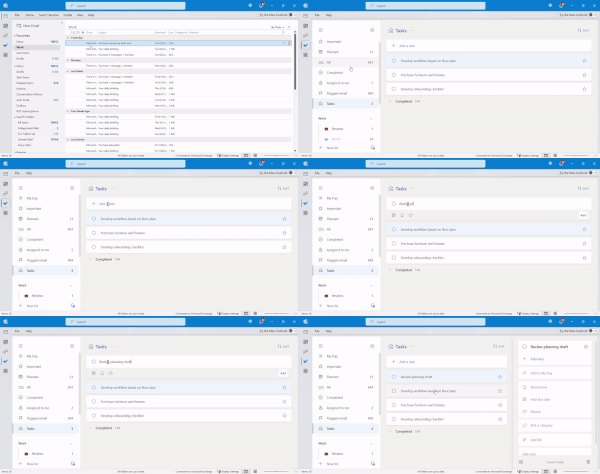
We’re excited to announce that To Do is rolling out to Outlook for Windows for the Current Channel users (starting with Current Channel version 2207). With this release, you can use the To Do app right from Outlook for Windows to plan your work and commitments effectively and stay focused on the tasks at hand.41KViews5likes30Comments
How to create an app button below files tab on the left bar?
Hi everyone, I am leading several teams, and I am on the process of creating one stopshop for all of each team's activities, one important component is "Tasks". What I need now is to add the "Tasks" tab below the "Files" tab on the left side of the Teams interface (I don't yet know the name of this bar, please let me know if you do to enhance my search), what is happening now is that I am getting "Tasks" as a "Bot", but what I really need is to get the "Tasks" tab to enable mewhen clicking on it to view that various teams that tasks are assigned to and quickly navigate the team I need, like when you click on "Teams" tab on the left and all the teams shows up. Your prompt feedback and assistance will be highly appreciated. Thanks in advance 🙂2.7KViews0likes2Comments
Voice-Based Integration to Simplify Task Capture in Microsoft To Do
Hi everyone, We’re working on Gennie, a voice-based assistant designed to integrate with task and productivity tools like Microsoft To Do to make everyday task capture easier. Many tasks come up during meetings, calls, or while switching between apps, but they often get added to task lists later, sometimes missing important context. The goal of this integration is to let users speak tasks or reminders naturally and have them organized in Microsoft To Do, while keeping Microsoft To Do as the primary task manager. Some Microsoft To Do–specific use cases we’re exploring: Creating tasks using voice Adding notes or details to existing tasks hands-free Capturing quick reminders as they come up Reducing friction between conversations and task entry We’d love to hear from the community: Where does task capture slow you down today? Which Microsoft To Do actions would benefit most from voice input? Looking forward to learning from your workflows and feedback.2Views0likes0Comments