sharepoint
3976 TopicsI built a free, open-source M365 security assessment tool - looking for feedback
I work as an IT consultant, and a good chunk of my time is spent assessing Microsoft 365 environments for small and mid-sized businesses. Every engagement started the same way: connect to five different PowerShell modules, run dozens of commands across Entra ID, Exchange Online, Defender, SharePoint, and Teams, manually compare each setting against CIS benchmarks, then spend hours assembling everything into a report the client could actually read. The tools that automate this either cost thousands per year, require standing up Azure infrastructure just to run, or only cover one service area. I wanted something simpler: one command that connects, assesses, and produces a client-ready deliverable. So I built it. What M365 Assess does https://github.com/Daren9m/M365-Assess is a PowerShell-based security assessment tool that runs against a Microsoft 365 tenant and produces a comprehensive set of reports. Here is what you get from a single run: 57 automated security checks aligned to the CIS Microsoft 365 Foundations Benchmark v6.0.1, covering Entra ID, Exchange Online, Defender for Office 365, SharePoint Online, and Teams 12 compliance frameworks mapped simultaneously -- every finding is cross-referenced against NIST 800-53, NIST CSF 2.0, ISO 27001:2022, SOC 2, HIPAA, PCI DSS v4.0.1, CMMC 2.0, CISA SCuBA, and DISA STIG (plus CIS profiles for E3 L1/L2 and E5 L1/L2) 20+ CSV exports covering users, mailboxes, MFA status, admin roles, conditional access policies, mail flow rules, device compliance, and more A self-contained HTML report with an executive summary, severity badges, sortable tables, and a compliance overview dashboard -- no external dependencies, fully base64-encoded, just open it in any browser or email it directly The entire assessment is read-only. It never modifies tenant settings. Only Get-* cmdlets are used. A few things I'm proud of Real-time progress in the console. As the assessment runs, you see each check complete with live status indicators and timing. No staring at a blank terminal wondering if it hung. The HTML report is a single file. Logos, backgrounds, fonts -- everything is embedded. You can email the report as an attachment and it renders perfectly. It supports dark mode (auto-detects system preference), and all tables are sortable by clicking column headers. Compliance framework mapping. This was the feature that took the most work. The compliance overview shows coverage percentages across all 12 frameworks, with drill-down to individual controls. Each finding links back to its CIS control ID and maps to every applicable framework control. Pass/Fail detail tables. Each security check shows the CIS control reference, what was checked, what the expected value is, what the actual value is, and a clear Pass/Fail/Warning status. Findings include remediation descriptions to help prioritize fixes. Quick start If you want to try it out, it takes about 5 minutes to get running: # Install prerequisites (if you don't have them already) Install-Module Microsoft.Graph, ExchangeOnlineManagement -Scope CurrentUser Clone and run git clone https://github.com/Daren9m/M365-Assess.git cd M365-Assess .\Invoke-M365Assessment.ps1 The interactive wizard walks you through selecting assessment sections, entering your tenant ID, and choosing an authentication method (interactive browser login, certificate-based, or pre-existing connections). Results land in a timestamped folder with all CSVs and the HTML report. Requires PowerShell 7.x and runs on Windows (macOS and Linux are experimental -- I would love help testing those platforms). Cloud support M365 Assess works with: Commercial (global) tenants GCC, GCC High, and DoD environments If you work in government cloud, the tool handles the different endpoint URIs automatically. What is next This is actively maintained and I have a roadmap of improvements: More automated checks -- 140 CIS v6.0.1 controls are tracked in the registry, with 57 automated today. Expanding coverage is the top priority. Remediation commands -- PowerShell snippets and portal steps for each finding, so you can fix issues directly from the report. XLSX compliance matrix -- A spreadsheet export for audit teams who need to work in Excel. Standalone report regeneration -- Re-run the report from existing CSV data without re-assessing the tenant. I would love your feedback I have been building this for my own consulting work, but I think it could be useful to the broader community. If you try it, I would genuinely appreciate hearing: What checks should I prioritize next? Which security controls matter most in your environment? What compliance frameworks are most requested by your clients or auditors? How does the report land with non-technical stakeholders? Is the executive summary useful, or does it need work? macOS/Linux users -- does it run? What breaks? I have tested it on macOS, but not extensively. Bug reports, feature requests, and contributions are all welcome on GitHub. Repository: https://github.com/Daren9m/M365-Assess License: MIT (free for commercial and personal use) Runtime: PowerShell 7.x Thanks for reading. Happy to answer any questions in the comments.25Views0likes0Comments
Beyond the site: Building intelligent apps with SharePoint Embedded | SharePoint Hackathon 2026
Live stream exploring SharePoint Embedded and how it enables developers and ISVs to build document‑centric applications on top of Microsoft 365 storage. We’ll cover what SharePoint Embedded is, when to use it, and how it differs from traditional SharePoint and OneDrive experiences. This session focuses on real world scenarios for app‑managed content, API‑only storage, and building secure, scalable content apps where files stay inside the customer’s Microsoft 365 tenant. We’ll walk through key concepts like file storage containers, permissions, and how SharePoint Embedded fits into modern application architectures. Topics covered What SharePoint Embedded is and why it exists App‑managed content and API‑only storage patterns Common enterprise and ISV scenarios How SharePoint Embedded fits with Microsoft 365, security, and compliance Practical guidance and next steps for builders Live discussion and AMA included. Ideal for developers, architects, and product teams building custom applications that need Microsoft 365 content capabilities without exposing the SharePoint UI. 📺 Live discussion 💬 Q&A during the stream 🚀 Practical insights for modern SharePoint ✨ Presenters: Steve Pucelik (Microsoft) Marc Windle (Microsoft) 🧑🤝🧑Hosts David Warner Vesa Juvonen (Microsoft) We are excited to invite you to the SharePoint Hackathon 2026, dedicated to crafting engaging experiences using AI and the latest SharePoint features! 💡 Learn more about the SharePoint Hackathon, including official rules, full stream schedule, and more: https://aka.ms/SPat25/Hackathon225Views0likes2CommentsSharePoint Online Clamps Down on Company-Wide Sharing Links
Company-wide sharing links allow any authenticated user account in a Microsoft 365 tenant to access a shared file or folder. New settings are available to create an expiration policy for company-wide sharing links, with different values supported for SharePoint Online and OneDrive for Business. The idea is to stop the potential for abuse of sharing links, including stale links that should not grant access to files and folders. https://office365itpros.com/2026/03/12/company-wide-sharing-links-limits/12Views0likes0CommentsReinventing SharePoint with SPFx, Copilot, and AI | SharePoint Hackathon 2026
Live stream focused on the latest updates in SharePoint Framework (SPFx) and how it evolves in the era of AI. We’ll walk through recent SPFx capabilities, how SPFx enables intelligent and agent‑ready experiences across SharePoint and Microsoft 365, and what’s coming next on the roadmap. This session covers how SPFx fits into modern AI‑powered solutions, from extensibility patterns to building richer, more adaptive experiences that work with Copilot and agents. We’ll also share roadmap highlights, current priorities, and practical guidance on where to invest next. What to expect Latest SPFx features and platform updates How SPFx enables AI‑powered and agent‑ready experiences Updated SPFx roadmap and near‑term direction Next steps for developers, partners, and solution builders Live discussion and AMA Ideal for developers, architects, and anyone building custom experiences on SharePoint and Microsoft 365 who wants a clear view of where SPFx is heading and how AI changes what’s possible. 📺 Live discussion 💬 Q&A during the stream 🚀 Practical insights for SharePoint Framework across Microsoft 365 ✨ Presenters: Bert Jansen (Microsoft) Vesa Juvonen (Microsoft) 🧑🤝🧑Hosts Paolo Pialorsi (Microsoft) Vesa Juvonen (Microsoft) We are excited to invite you to the SharePoint Hackathon 2026, dedicated to crafting engaging experiences using AI and the latest SharePoint features! 💡 Learn more about the SharePoint Hackathon, including official rules, full stream schedule, and more: https://aka.ms/SPat25/Hackathon337Views0likes1Comment
Why is my create file from OneDrive for Business node isn't working?
I have a power automate cloud flow that, in some point, gets a word .docx from my sharepoint site, then it creates the same document in onedrive so that I can convert it to PDF then returns it to sharepoint. This idea came from the necessity of converting a .docx to .pdf without the need of premium conectors. I have 2 scenarios: 1° Scenario: Flow: I get the data from the word that I need > I create the same file on OneDrive > I convert the file to .pdf > then I create the file on Sharepoint. Problem: When I run my flow, it gets a 404 error: "message": "File Not Found\r\nclientRequestId: y-f695-48b1-9556-xc\r\nserviceRequestId: x-e051-b000-efc3-y" Error image: 2° Scenario: Flow: The same as the above, the only thing I did after research, is that the node that I get content from file from my sharepoint site also returns the "$content-type", so I specified that for the create file from OneDrive I'll only want the "$content" attribute. In resume, it creates the file in onedrive but I can't open it, it appears to be corrupted, at first I thought my sharepoint file was also broken, but then I could open it with no errors as on OneDrive. Problem: When I run my flow, it gets the error that it can't convert that kind of file (as I wrote above, the file creates corrupted), the main problem is understanding why it gets corrupted, it even returs the content-type that I'm not passing anymore. Error image: Message: "message": "Error from microservice: {\"status\":406,\"message\":\"Não há suporte para a conversão desse arquivo para PDF. (cannotOpenFile / Error from Office Service. Url=https://wordcs.officeapps.live.com/document/export/pdf HttpCode=BadRequest)\",\"source\":\"api.connectorp.svc.ms\"}\r\nclientRequestId: y-13f3-4e1a-a77a-x\r\nserviceRequestId: y-a09f-b000-f272-x" NB: This flow actually worked for more than 1 year with no problems like that, the last time it ran without errors was last week (6-7 days from today).32Views0likes1CommentMicrosoft 365 Backup Launches File-Level Restore
The Microsoft 365 Backup solution will soon be able to restore individual files and folders instead of complete sites. That’s a welcome upgrade to restore capabilities to cover situations like the inadvertent deletion of a file. It’s a wonder why Microsoft didn’t make more about this capability when they celebrated SharePoint’s 25th anniversary last week when they discussed departmental billing for Microsoft 365 Backup. https://office365itpros.com/2026/03/11/microsoft-365-backup-file-restore/13Views0likes0CommentsBoosting productivity with custom SharePoint Agents and Copilot | SharePoint Hackathon 2026
Join us for a practical live session exploring how agents in SharePoint and OneDrive help people interact with content in more natural, task‑focused ways. We’ll walk through live demos showing how agents are grounded in your files, lists, and libraries to answer questions, surface insights, and support everyday work across SharePoint sites and OneDrive. This session focuses on real scenarios, not theory. See how agents work with documents and content at scale, how they differ from traditional search and chat, and how they fit into the broader Microsoft 365 Copilot experience. What we’ll cover: Agents in SharePoint and OneDrive explained in simple terms Live demos working with real content How agents are grounded in your files and permissions Practical use cases for teams and organizations Ask Me Anything live with the product team Whether you manage SharePoint sites, work daily in OneDrive, or are curious about the future of AI‑powered content experiences, this live stream will give you a clear and practical view of what agents can do today and where they’re heading. 📺 Live discussion 💬 Q&A during the stream 🚀 Practical insights for modern SharePoint ✨ Presenters: Mithuna Soundararaj (Microsoft) Matt Wolodarsky (Microsoft) Akash Ravi (Microsoft) 🧑🤝🧑Hosts: Paolo Pialorsi (Microsoft) Vesa Juvonen (Microsoft) We are excited to invite you to the SharePoint Hackathon 2026, dedicated to crafting engaging experiences using AI and the latest SharePoint features! 💡 Learn more about the SharePoint Hackathon, including official rules, full stream schedule, and more: https://aka.ms/SPat25/Hackathon358Views0likes2CommentsHow to Remove Sensitivity Labels from SharePoint Files at Scale
It’s easy to remove sensitivity labels from SharePoint Online files when only a few files are involved. Doing the same task at scale requires automation. In this article, we explain how to use the Microsoft Graph PowerShell SDK to find and remove sensitivity labels from files stored in SharePoint Online and OneDrive for Business. https://office365itpros.com/2026/03/10/remove-sensitivity-labels-from-file/20Views0likes0CommentsProduct suite on top of SharePoint - Intelligent Decisioning - SharePoint Partner Showcase
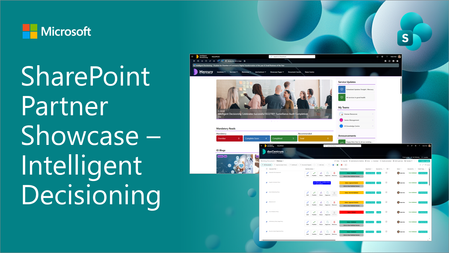
We are excited to share a new episode on our partner showcase series focused on SharePoint in Microsoft 365. In this post, we focus on ID Live which is providing different kind of solutions on top of the native SharePoint build with SharePoint Framework.383Views0likes1Comment