microsoft
479 TopicsMicrosoft 365 & Power Platform product updates call
💡Microsoft 365 & Power Platform product updates call concentrates on the different use cases and features within the Microsoft 365 and in Power Platform. Call includes topics like Microsoft 365 Copilot, Copilot Studio, Microsoft Teams, Power Platform, Microsoft Graph, Microsoft Viva, Microsoft Search, Microsoft Lists, SharePoint, Power Automate, Power Apps and more. 👏 Weekly Tuesday call is for all community members to see Microsoft PMs, engineering and Cloud Advocates showcasing the art of possible with Microsoft 365 and Power Platform. 📅 On the 7th of April we'll have following agenda: News and updates from Microsoft Together mode group photo Sébastien Levert – Connecting agents in Copilot Chat - Composing an agent ecosystem Zach Rosenfield – Introduction to custom AI Skills in SharePoint Paolo Pialorsi – Connected Declarative Agents for Microsoft 365 Copilot 📞 & 📺 Join the Microsoft Teams meeting live at https://aka.ms/community/ms-speakers-call-join 🗓️ Download recurrent invite for this weekly call from https://aka.ms/community/ms-speakers-call-invite 👋 See you in the call! 💡 Building something cool for Microsoft 365 or Power Platform (Copilot, SharePoint, Power Apps, etc)? We are always looking for presenters - Volunteer for a community call demo at https://aka.ms/community/request/demo 📖 Resources: Previous community call recordings and demos from the Microsoft Community Learning YouTube channel at https://aka.ms/community/youtube Microsoft 365 & Power Platform samples from Microsoft and community - https://aka.ms/community/samples Microsoft 365 & Power Platform community details - https://aka.ms/community/home 🧡 Sharing is caring!17Views0likes0CommentsMicrosoft 365 & Power Platform Community call
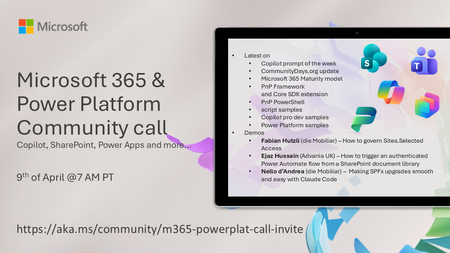
💡 Microsoft 365 & Power Platform Development bi-weekly community call focuses on different use cases and features within the Microsoft 365 and Power Platform - across Microsoft 365 Copilot, Copilot Studio, SharePoint, Power Apps and more. 👏 Looking to catch up on the latest news and updates, including cool community demos, this call is for you! 📅 On 9th of April we'll have following agenda: Copilot prompt of the week CommunityDays.org update Microsoft 365 Maturity model Latest on PnP Framework and Core SDK extension Latest on PnP PowerShell Latest on script samples Latest Copilot pro dev samples Latest on Power Platform samples Picture time with the Together Mode! Fabian Hutzli (die Mobiliar) – How to govern Sites.Selected Access Ejaz Hussain (Advania UK) – How to trigger an authenticated Power Automate flow from a SharePoint document library Nello d’Andrea (die Mobiliar) – Making SPFx upgrades smooth and easy with Claude Code 📅 Download recurrent invite from https://aka.ms/community/m365-powerplat-dev-call-invite 📞 & 📺 Join the Microsoft Teams meeting live at https://aka.ms/community/m365-powerplat-dev-call-join 👋 See you in the call! 💡 Building something cool for Microsoft 365 or Power Platform (Copilot, SharePoint, Power Apps, etc)? We are always looking for presenters - Volunteer for a community call demo at https://aka.ms/community/request/demo 📖 Resources: Previous community call recordings and demos from the Microsoft Community Learning YouTube channel at https://aka.ms/community/youtube Microsoft 365 & Power Platform samples from Microsoft and community - https://aka.ms/community/samples Microsoft 365 & Power Platform community details - https://aka.ms/community/home 🧡 Sharing is caring!19Views0likes0CommentsMicrosoft 365 & Power Platform Community call
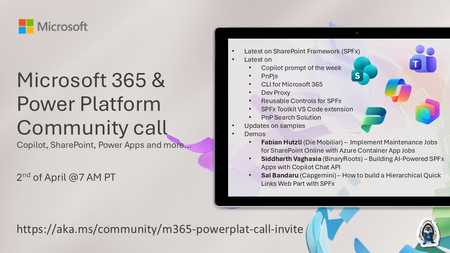
💡 Microsoft 365 & Power Platform Development bi-weekly community call focuses on different use cases and features within the Microsoft 365 and Power Platform - across Microsoft 365 Copilot, Copilot Studio, SharePoint, Power Apps and more. Demos in this call are presented by the community members. 👏 Looking to catch up on the latest news and updates, including cool community demos, this call is for you! 📅 On 19th of March we'll have following agenda: Latest on SharePoint Framework (SPFx) Latest on Copilot prompt of the week PnPjs CLI for Microsoft 365 Dev Proxy Reusable Controls for SPFx SPFx Toolkit VS Code extension PnP Search Solution Demos this time Fabian Hutzli (Die Mobiliar) – Implement Maintenance Jobs for SharePoint Online with Azure Container App Jobs Siddharth Vaghasia (BinaryRoots) – Building AI-Powered SPFx Apps with Copilot Chat API Sai Bandaru (Capgemini) – How to build a Hierarchical Quick Links Web Part with SPFx 📅 Download recurrent invite from https://aka.ms/community/m365-powerplat-dev-call-invite 📞 & 📺 Join the Microsoft Teams meeting live at https://aka.ms/community/m365-powerplat-dev-call-join 💡 Building something cool for Microsoft 365 or Power Platform (Copilot, SharePoint, Power Apps, etc)? We are always looking for presenters - Volunteer for a community call demo at https://aka.ms/community/request/demo 👋 See you in the call! 📖 Resources: Previous community call recordings and demos from the Microsoft Community Learning YouTube channel at https://aka.ms/community/youtube Microsoft 365 & Power Platform samples from Microsoft and community - https://aka.ms/community/samples Microsoft 365 & Power Platform community details - https://aka.ms/community/home 🧡 Sharing is caring!59Views1like0Comments
📣 MSLE Office Hours — Português
Olá, 👋 Espero que estejam bem! Tem dúvidas sobre o Programa MSLE? Nós temos as respostas! Participe das nossas Office Hours do MSLE: um espaço para conectar, aprender e receber apoio personalizado. ✅ Tire suas dúvidas sobre o programa ✅ Explore recursos e boas práticas ✅ Conecte-se com outros educadores e com nossa equipe do MSLE Traga suas perguntas, ideias e curiosidades — estamos aqui para ajudar você a aproveitar ao máximo sua experiência com o MSLE! No horário indicado, favor realizar acesso ao link: Teams meeting.Microsoft 365 & Power Platform Community call
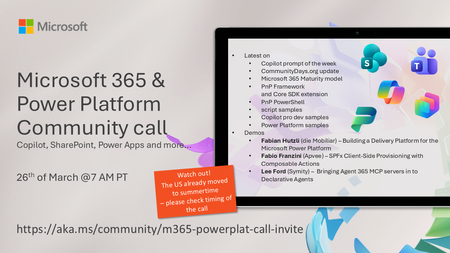
💡 Microsoft 365 & Power Platform Development bi-weekly community call focuses on different use cases and features within the Microsoft 365 and Power Platform - across Microsoft 365 Copilot, Copilot Studio, SharePoint, Power Apps and more. 👏 Looking to catch up on the latest news and updates, including cool community demos, this call is for you! 📅 On 26th of March we'll have following agenda: Copilot prompt of the week CommunityDays.org update Microsoft 365 Maturity model Latest on PnP Framework and Core SDK extension Latest on PnP PowerShell Latest on script samples Latest Copilot pro dev samples Latest on Power Platform samples Picture time with the Together Mode! Fabian Hutzli (die Mobiliar) – Building a Delivery Platform for the Microsoft Power Platform Fabio Franzini (Apvee) – SPFx Client-Side Provisioning with Composable Actions Lee Ford (Symity) – Bringing Agent 365 MCP servers in to Declarative Agents 📅 Download recurrent invite from https://aka.ms/community/m365-powerplat-dev-call-invite 📞 & 📺 Join the Microsoft Teams meeting live at https://aka.ms/community/m365-powerplat-dev-call-join 👋 See you in the call! 💡 Building something cool for Microsoft 365 or Power Platform (Copilot, SharePoint, Power Apps, etc)? We are always looking for presenters - Volunteer for a community call demo at https://aka.ms/community/request/demo 📖 Resources: Previous community call recordings and demos from the Microsoft Community Learning YouTube channel at https://aka.ms/community/youtube Microsoft 365 & Power Platform samples from Microsoft and community - https://aka.ms/community/samples Microsoft 365 & Power Platform community details - https://aka.ms/community/home 🧡 Sharing is caring!86Views0likes0CommentsMicrosoft 365 & Power Platform product updates call
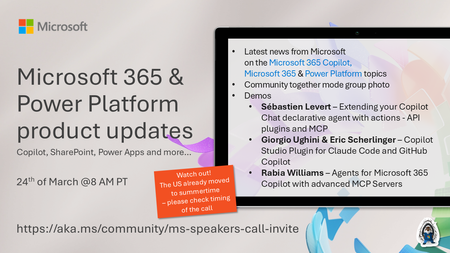
💡Microsoft 365 & Power Platform product updates call concentrates on the different use cases and features within the Microsoft 365 and in Power Platform. Call includes topics like Microsoft 365 Copilot, Copilot Studio, Microsoft Teams, Power Platform, Microsoft Graph, Microsoft Viva, Microsoft Search, Microsoft Lists, SharePoint, Power Automate, Power Apps and more. 👏 Weekly Tuesday call is for all community members to see Microsoft PMs, engineering and Cloud Advocates showcasing the art of possible with Microsoft 365 and Power Platform. 📅 On the 24th of March we'll have following agenda: News and updates from Microsoft Together mode group photo Sébastien Levert – Extending your Copilot Chat declarative agent with actions - API plugins and MCP Giorgio Ughini & Eric Scherlinger – Copilot Studio Plugin for Claude Code and GitHub Copilot Rabia Williams – Agents for Microsoft 365 Copilot with advanced MCP Servers 📞 & 📺 Join the Microsoft Teams meeting live at https://aka.ms/community/ms-speakers-call-join 🗓️ Download recurrent invite for this weekly call from https://aka.ms/community/ms-speakers-call-invite 👋 See you in the call! 💡 Building something cool for Microsoft 365 or Power Platform (Copilot, SharePoint, Power Apps, etc)? We are always looking for presenters - Volunteer for a community call demo at https://aka.ms/community/request/demo 📖 Resources: Previous community call recordings and demos from the Microsoft Community Learning YouTube channel at https://aka.ms/community/youtube Microsoft 365 & Power Platform samples from Microsoft and community - https://aka.ms/community/samples Microsoft 365 & Power Platform community details - https://aka.ms/community/home 🧡 Sharing is caring!30Views0likes0Comments
Found an odd hang that leaves no record on host when triggered.
I have a really old system, and I bought a TPM 2.0 module to use on it. I hadn't realized all the details of using it (like needing to reinstall fresh to change secure boot mode). I assumed I could just leave it installed until I wanted to go through the full effort of activating it. And hoped it might be useful even if full secure boot mode wasn't being used. Now I've realized my host will start to hang for no reason with that module installed. With some odd symptoms/details too. I'll outline those later. I'm guessing this is a "not supported" or "don't care" from Microsoft, but figured I should mention it in case I'm wrong. And they see their own part in the bug as bad enough to do something about. Since there isn't any obvious explanation of what happens in the OS (event log explanation, etc), beyond that the system didn't shutdown properly and/or a bugcheck I couldn't decode anything from (system just hangs, doesn't reboot as it should, no debug dmp, etc). ------------ I can physically install the module and not see a hang for a while (days/weeks?) which makes it hard to connect the result to the cause. Then after using my computer for 8-10 hours already (around midnight or 1am at least a couple times now), it'll decide to hang. Then every reboot after that will hang after 1-3 minutes from login to desktop (unless in safe mode then sits indefinitely, or it lasted slightly longer in normal boot mode after I disabled all non-Microsoft services). I can do nothing except log in (or try to use it to open a bunch of stuff, no difference) then it'll hang. No obvious pointer in event log to what sub-system or event or a reason the issue happened. System is from circa 2017. i7-4790k CPU, z97 motherboard that only had a TPM header back then. Bought a semi-recent TPM 2.0 module off Amazon a couple/three years ago that matched the Gigabyte module type I couldn't buy direct anymore (Gigabyte had 3 different things that looked very similar). OS installed a long time ago, using mostly default BIOS options from before I knew anything about what they meant ("Other OS" not Windows 8 mode, etc). If module is installed then the BIOS says secure boot enabled, even when I disabled the TPM setting I could manually adjust. OS says secure boot was not enabled (followed directions online to look for some particular mode, like SC6?). I spent a lot of time trying to fix various oddities, like how Intel's XTU overclocking/BIOS settings tool left behind a service after I'd uninstalled it (pretty sure is connected to a "watchdog" to reset BIOS and reboot). Turning off Samsung's Optune cache performance feature. And tweaking various BIOS settings to see if they impacted anything, like disabling power saving modes, or various boot options (UEFI only vs Legacy only vs ...). Sadly managed to truly break my hardware in that debug/tweaking process. But this hanging issue was happening BEFORE that damage was done. Basically I've rarely used the hardware jumpers to clear CMOS before (removing the battery instead usually, or clear from inside BIOS), and I tried to do both but had it plugged in to AC power still accidentally. Saw a spark and it turned itself on when I shorted the pins. After that it was too late to do anything. Now only the CPU attached PCIe lanes seem to work. Meaning the 2 x 16x slots that'll run at 8x or above (GPU in one, and NIC or wifi in the other). I had to disable the onboard NIC and XHCI in BIOS to let my keyboard and mouse work after booting (outside BIOS). They wouldn't even light up (Logitech things I've had for ages now). And now the boot options include 3 boxes with odd, mostly white, hash marks covering the whole width of the screen. And there was some weirdness with duplicate names there (two Microsoft boot loaders pointing at the same drive entry, one at top and another much further down... below those cross hatched options). But my 5 internal SATA drives all seem to work still (2 SSD, 3 HDD). I don't expect Microsoft to pay for anything, but they're the only ones who could improve this situation for future users. The whole TPM/secure boot feature feels ugly and hard to understand. And anything that hangs the computer should be obvious/explicit in the log entries beforehand (save them with a flush and pause a little). That was another area I wasted time on (adjusting page file sizes manually, changing dump types, etc). Yes, I have the free ESL additional updates enabled for this system (1 year more of security only patches), and installed.87Views0likes5CommentsMicrosoft Power Platform community call - March 2026
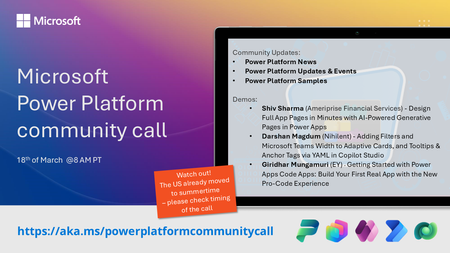
💡 Power Platform monthly community call focuses on different extensibility options for builders, makers and developers within the Power Platform. Typically demos are from our awesome community members who showcase the art of possible within the Power Platform capabilities. 👏 Looking to catch up on the latest news and updates, including cool community demos, this call is for you! 📅 On 18th of March we'll have following agenda: Power Platform Updates & Events Latest on Power Platform samples Shiv Sharma (Ameriprise Financial Services) - Design Full App Pages in Minutes with AI‑Powered Generative Pages in Power Apps Darshan Magdum (Nihilent) - Adding Filters and Microsoft Teams Width to Adaptive Cards, and Tooltips & Anchor Tags via YAML in Copilot Studio Giridhar Mungamuri (EY) - Getting Started with Power Apps Code Apps: Build Your First Real App with the New Pro‑Code Experience 📅 Download recurrent invite from https://aka.ms/powerplatformcommunitycall 📞 & 📺 Join the Microsoft Teams meeting live at https://aka.ms/PowerPlatformMonthlyCall 💡 Building something cool for Microsoft 365 or Power Platform (Copilot, SharePoint, Power Apps, etc)? We are always looking for presenters - Volunteer for a community call demo at https://aka.ms/community/request/demo 👋 See you in the call! 📖 Resources: Previous community call recordings and demos from the Microsoft 365 & Power Platform community YouTube channel at https://aka.ms/community/videos Microsoft 365 & Power Platform samples from Microsoft and community - https://aka.ms/community/samples Microsoft 365 & Power Platform community details - https://aka.ms/community/home116Views0likes0CommentsMicrosoft 365 & Power Platform product updates call
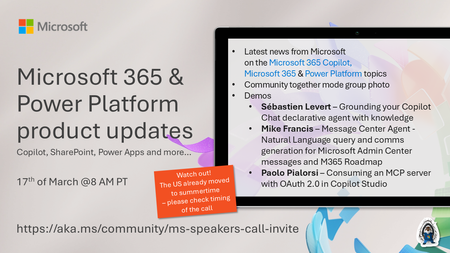
💡Microsoft 365 & Power Platform product updates call concentrates on the different use cases and features within the Microsoft 365 and in Power Platform. Call includes topics like Microsoft 365 Copilot, Copilot Studio, Microsoft Teams, Power Platform, Microsoft Graph, Microsoft Viva, Microsoft Search, Microsoft Lists, SharePoint, Power Automate, Power Apps and more. 👏 Weekly Tuesday call is for all community members to see Microsoft PMs, engineering and Cloud Advocates showcasing the art of possible with Microsoft 365 and Power Platform. 📅 On the 17th of March we'll have following agenda: News and updates from Microsoft Together mode group photo Sébastien Levert – Grounding your Copilot Chat declarative agent with knowledge Mike Francis – Message Center Agent - Natural language query and comms generation for Microsoft Admin Center messages and M365 Roadmap Paolo Pialorsi – Consuming an MCP server with OAuth 2.0 in Copilot Studio 📞 & 📺 Join the Microsoft Teams meeting live at https://aka.ms/community/ms-speakers-call-join 🗓️ Download recurrent invite for this weekly call from https://aka.ms/community/ms-speakers-call-invite 👋 See you in the call! 💡 Building something cool for Microsoft 365 or Power Platform (Copilot, SharePoint, Power Apps, etc)? We are always looking for presenters - Volunteer for a community call demo at https://aka.ms/community/request/demo 📖 Resources: Previous community call recordings and demos from the Microsoft Community Learning YouTube channel at https://aka.ms/community/youtube Microsoft 365 & Power Platform samples from Microsoft and community - https://aka.ms/community/samples Microsoft 365 & Power Platform community details - https://aka.ms/community/home 🧡 Sharing is caring!99Views0likes0Comments